
1. Introduction
Thank you for choosing the AYATAHA S60K Kids Smart Watch. This device is designed to help children aged 5-15 track their daily activities, monitor health metrics, and engage with fun, educational features. This manual provides essential information for setting up, operating, and maintaining your smart watch to ensure optimal performance and user experience.
Key Features:
- All-Day Activity Tracking: Records steps, calories burned, and distance walked.
- 20+ Sport Modes: Supports various activities like running, basketball, soccer, and cycling.
- IP67 Waterproof: Suitable for hand washing and water depths within 5 meters (not for bathing or swimming).
- Sleep Tracker & Vibration Alarm Clock: Monitors sleep quality and provides gentle wake-up alarms.
- Puzzle Games: Engaging games for entertainment.
- Compatibility: Works with iOS 11.0+ and Android 5.0+ smartphones via the CO-FIT App.
2. What's in the Box
- AYATAHA S60K Kids Smart Watch
- Charging cable
- User Manual
3. Setup
3.1 Initial Charging
Before first use, fully charge the smart watch using the provided magnetic charging cable. Connect the cable to a USB power source (e.g., computer USB port, USB wall adapter). The watch screen will indicate charging status.

Image: The AYATAHA S60K Smart Watch connected to its magnetic charging cable, illustrating the charging process. The watch face shows '08:36 PM WED 25/08' and battery life indicators, with text 'Long Battery Life Less time charging and more time moving' and '30 Days Standby', '7 Days Normal Use', 'Magnetic Charging'.
3.2 App Download and Pairing
To unlock full features and synchronize data, download the CO-FIT App on a compatible smartphone (iOS 11.0+ or Android 5.0+). Scan the QR code provided in the instruction manual or search for 'CO-FIT' in your app store. Follow the in-app instructions to pair your smart watch via Bluetooth.
4. Operating Instructions
4.1 Navigating the Interface
The smart watch features a 1.75-inch full-touch, high-definition display with adjustable brightness. Swipe left/right, up/down, or tap to navigate through menus and functions.

Image: The AYATAHA S60K Smart Watch showcasing its 'DIY Watch Dials' feature, with multiple colorful watch face options displayed around the main watch. A smartphone screen is also visible, showing a gallery of watch faces.
4.2 Activity Tracking
The watch automatically tracks daily steps, calories burned, and distance. Children can earn virtual medals for reaching activity goals, promoting engagement.
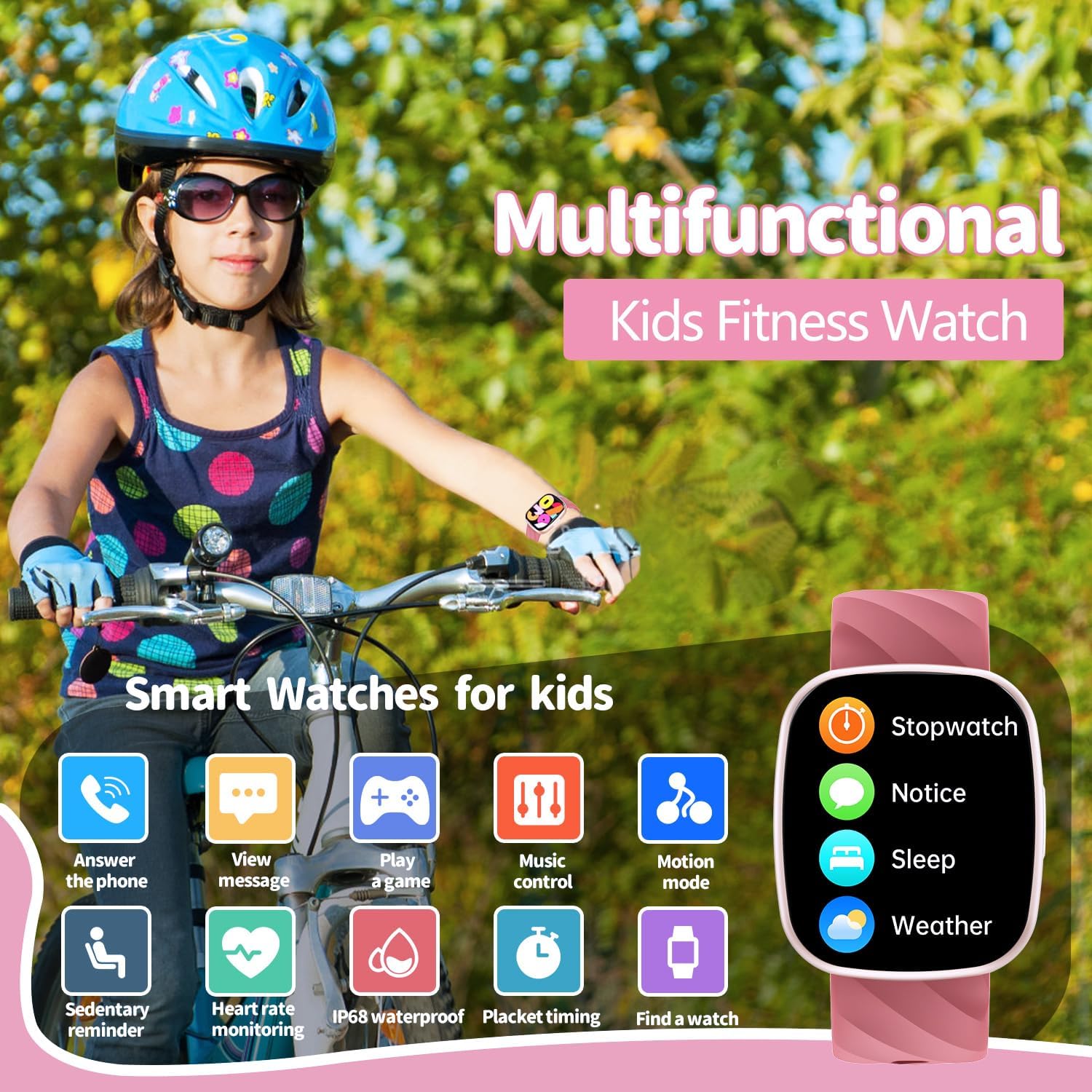
Image: A young girl wearing a helmet and the AYATAHA S60K Smart Watch, riding a bicycle outdoors. The image emphasizes the watch's 'Multifunctional Kids Fitness Watch' capabilities, with icons for stopwatch, notice, sleep, weather, answer phone, view message, play game, music control, motion mode, sedentary reminder, heart rate monitoring, IP68 waterproof, placket timing, and find a watch.
4.3 Sports Modes
Select from over 20 sports modes, including running, walking, basketball, swimming, and more. The watch records relevant data for each activity.

Image: A young girl on a tennis court, holding a tennis racket and ball, wearing the AYATAHA S60K Smart Watch. The image highlights '37 Multifunctional' features for a healthier, more active life, with icons for various sports like running, walking, indoor running, basketball, swimming, stepper, table tennis, rope skipping, football, riding outdoors, and ski.
4.4 Heart Rate & Sleep Monitoring
The smart watch can automatically track your child's heart rate and sleep quality (deep, light sleep, awake). Wear the watch during sleep for accurate monitoring.

Image: A young child sleeping peacefully in bed with a teddy bear, wearing the AYATAHA S60K Smart Watch. The watch face displays sleep data, including total sleep duration, deep sleep, light sleep, and awake times, under the 'Sleep Monitoring' feature.
4.5 Games
Engage with pre-installed puzzle games for entertainment during downtime.
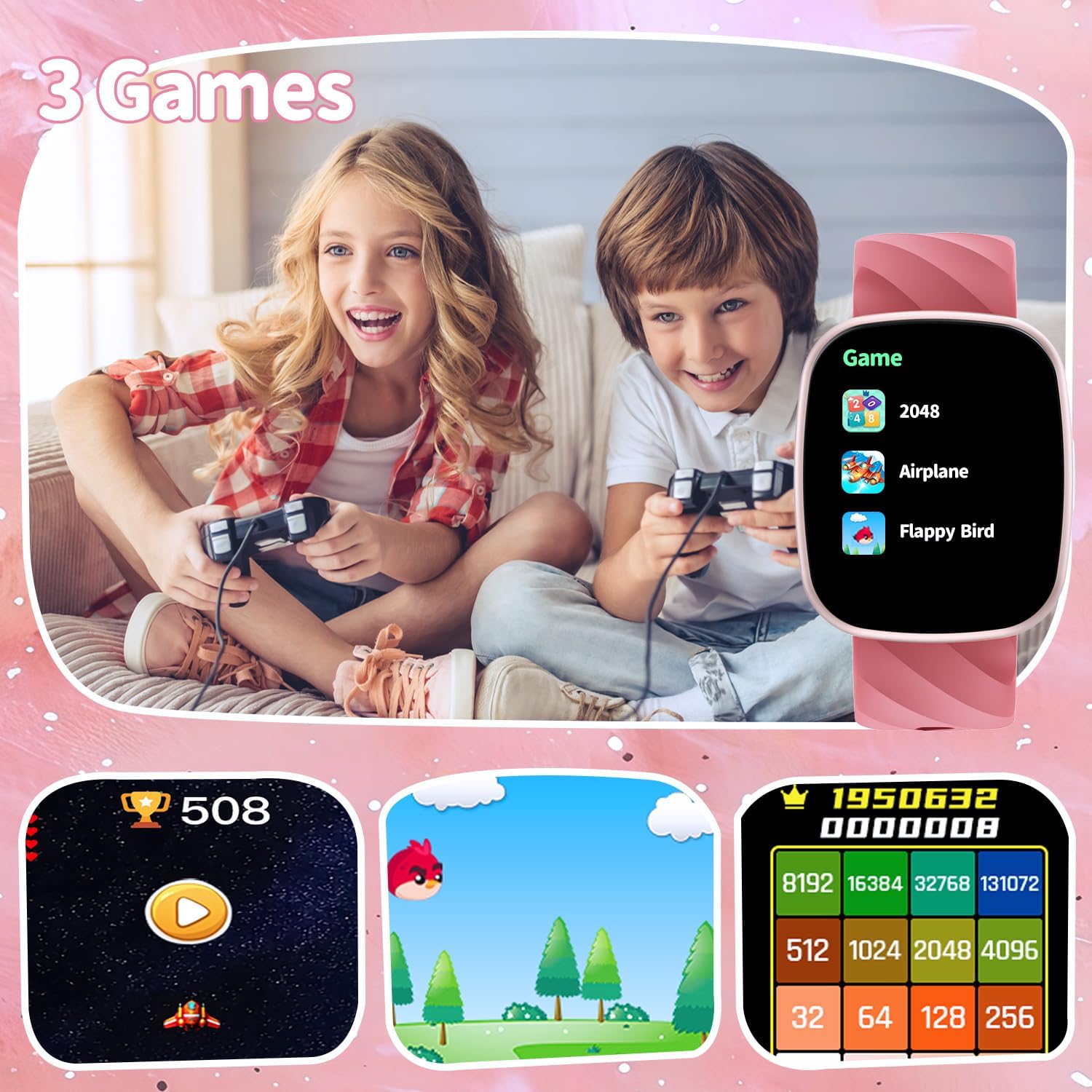
Image: Two children, a boy and a girl, sitting on a couch and playing games on their AYATAHA S60K Smart Watches. The watch screen shows a list of games like '2048', 'Airplane', and 'Flappy Bird', with illustrations of game screens below.
4.6 Notifications & Calls
Receive call and message notifications directly on your watch when paired with a smartphone. The watch supports Bluetooth calls.
4.7 Other Functions
- Music Control: Control music playback on your paired smartphone.
- Remote Camera: Use the watch as a remote shutter for your phone's camera.
- Vibration Reminders: Set alarms, water intake reminders, and sedentary alerts.
- Timer/Stopwatch: For various timing needs.
5. Maintenance
5.1 Cleaning
Wipe the watch screen and strap regularly with a soft, dry cloth. If necessary, use a slightly damp cloth and mild soap, then dry thoroughly. Avoid harsh chemicals or abrasive materials.
5.2 Charging
Charge the watch when the battery is low to prolong its lifespan. Avoid overcharging or leaving it uncharged for extended periods.
5.3 Storage
Store the watch in a cool, dry place away from direct sunlight and extreme temperatures when not in use.
6. Troubleshooting
- Watch not turning on: Ensure the watch is fully charged.
- Cannot pair with app: Check if Bluetooth is enabled on your smartphone and the watch. Ensure the CO-FIT App is installed and updated. Restart both devices and try pairing again.
- Inaccurate heart rate/sleep data: Ensure the watch is worn snugly on the wrist, not too tight or too loose.
- Short battery life: Reduce screen brightness, turn off unnecessary notifications, or limit continuous heart rate monitoring.
- Screen unresponsive: Restart the watch by pressing and holding the side button.
7. Specifications
| Feature | Detail |
|---|---|
| Product Dimensions | 3 x 0.7 x 9.5 inches |
| Item Weight | 4.6 ounces (0.13 Kilograms) |
| Item Model Number | S60K |
| Batteries | 1 Lithium Polymer batteries required (included) |
| Standing Screen Display Size | 1.75 Inches |
| Operating System | Android / iOS |
| Special Features | Alarm Clock, Message notification, Multiple sports modes, Music Player, Voice assistant |
| Battery Capacity | 240 Milliamp Hours |
| Connectivity Technology | USB, Bluetooth |
| GPS | No GPS |
| Manufacturer | AYATAHA |
8. Warranty and Support
For warranty information or technical support, please refer to the contact details provided with your purchase or visit the official AYATAHA website. Keep your purchase receipt for warranty claims.