
1. Product Overview
The AYATAHA S60K Kids Smart Watch is designed to provide children aged 5-15 with a fun and engaging way to track their activity, monitor health metrics, and enjoy interactive features. This device combines fitness tracking with communication and entertainment functionalities.

Image: The AYATAHA S60K Kids Smart Watch, featuring a rectangular screen and a purple silicone strap.
2. Package Contents
Ensure all items are present in the package:
- AYATAHA S60K Kids Smart Watch
- Charging cable
- Instruction Manual (this document)
3. Setup Guide
3.1 Charging the Device
Before first use, fully charge the smart watch. Connect the provided magnetic charging cable to the charging port on the back of the watch and to a USB power source. A full charge typically provides up to 7 days of normal use or 30 days of standby time.
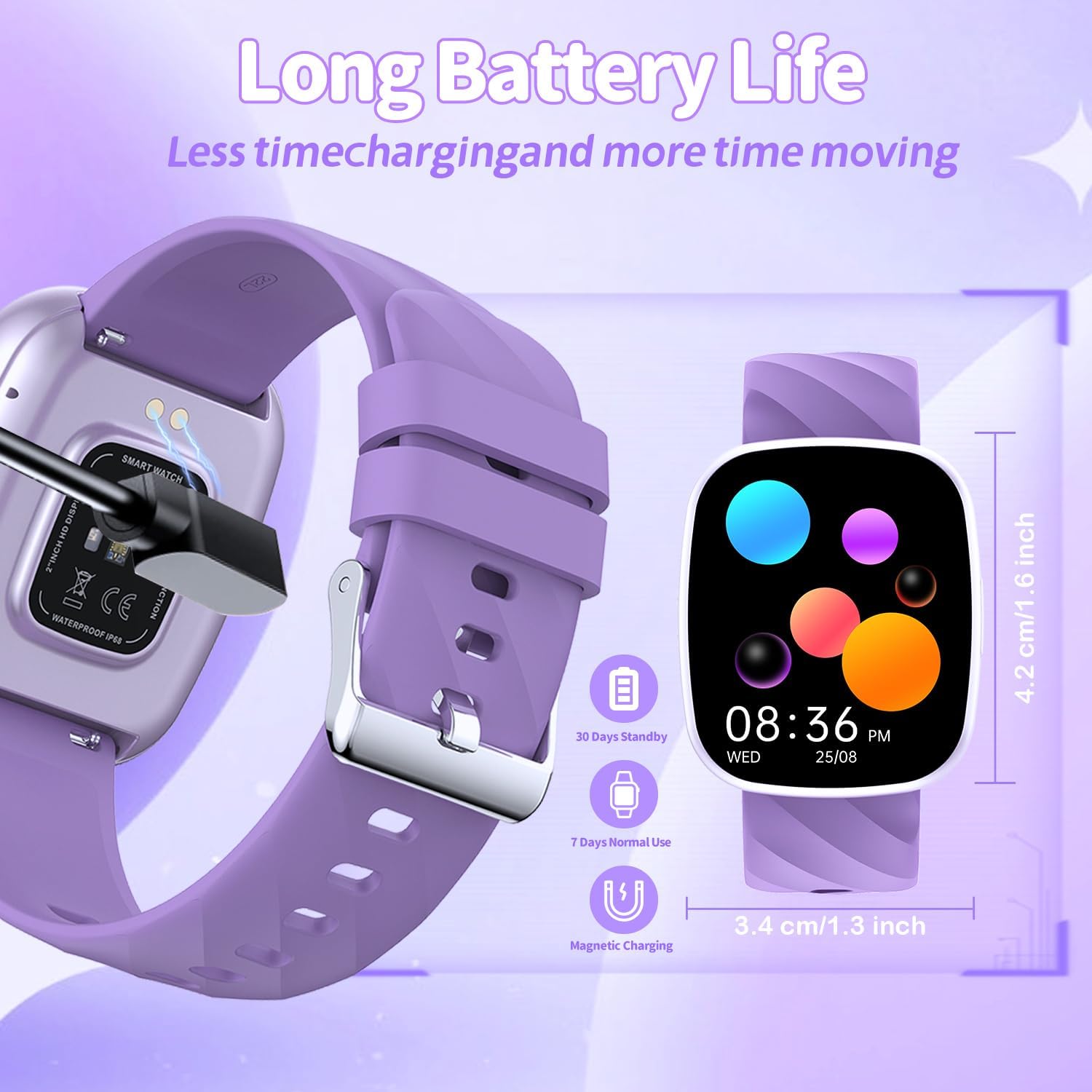
Image: The AYATAHA S60K Smart Watch connected to its magnetic charging cable, illustrating the charging process and battery life indicators.
3.2 Downloading and Pairing the CO-FIT App
- Scan the QR code provided in the watch packaging or search for "CO-FIT" in your smartphone's app store (compatible with iOS 11.0+ and Android 5.0+).
- Download and install the CO-FIT App.
- Open the app and follow the on-screen instructions to create an account and pair your AYATAHA S60K Smart Watch via Bluetooth. Ensure Bluetooth is enabled on your smartphone.
- During pairing, the app will synchronize the watch's time and date settings.
3.3 Initial Settings
After pairing, you can customize various settings through the CO-FIT App or directly on the watch:
- Language: Select your preferred language.
- Watch Face: Choose from pre-installed watch faces or customize one using photos from your phone via the app.
- Brightness: Adjust screen brightness for optimal visibility.

Image: The AYATAHA S60K Smart Watch showcasing its DIY watch dial feature, allowing users to personalize the display with different designs and photos.
4. Operating Instructions
4.1 Basic Navigation
The AYATAHA S60K features a full-touch, high-definition 1.75-inch display. Swipe left, right, up, or down to navigate through menus and features. Tap to select options.
4.2 Key Features
The smart watch offers a range of functionalities to support a child's active lifestyle and communication needs:
- All-Day Activity Tracking: Monitors daily steps, calories burned, and distance walked. Virtual medals can be earned for reaching activity goals.
- 20+ Sport Modes: Supports various activities including running, walking, basketball, cycling, and more.
- Heart Rate Monitoring: Tracks heart rate throughout the day.
- Sleep Tracking: Automatically monitors sleep quality, including deep sleep, light sleep, and awake times.
- Vibration Alarm Clock: Set alarms for gentle waking or reminders without disturbing others.
- Water and Sedentary Reminders: Provides alerts to drink water or move after periods of inactivity.
- Bluetooth Call and Message Notifications: Receive call alerts and message notifications directly on the watch when connected to a smartphone.
- Music Control: Control music playback on a paired smartphone.
- Remote Camera: Use the watch as a remote shutter for your smartphone camera.
- Weather Information: Displays current weather conditions.
- Puzzle Games: Includes pre-installed games like 2048, Airplane, and Flappy Bird for entertainment.
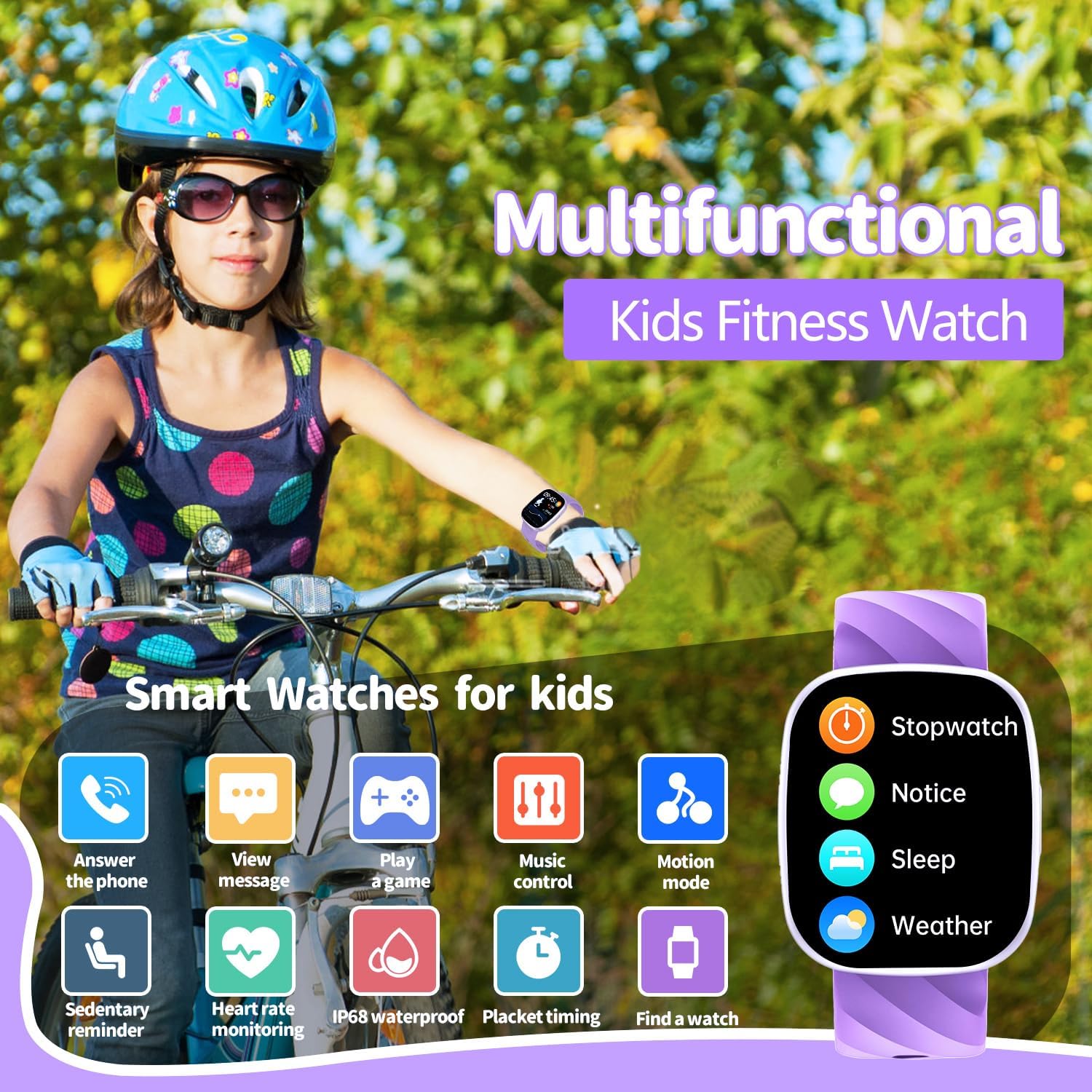
Image: A child wearing the AYATAHA S60K Smart Watch while cycling, surrounded by icons representing its multifunctional capabilities such as answering calls, viewing messages, playing games, and controlling music.

Image: A girl playing tennis, wearing the AYATAHA S60K Smart Watch, highlighting the watch's support for over 37 different sport modes including running, walking, basketball, and swimming.

Image: A child sleeping peacefully with the AYATAHA S60K Smart Watch on their wrist, illustrating the sleep monitoring feature that tracks awake, light sleep, deep sleep, and REM sleep durations.
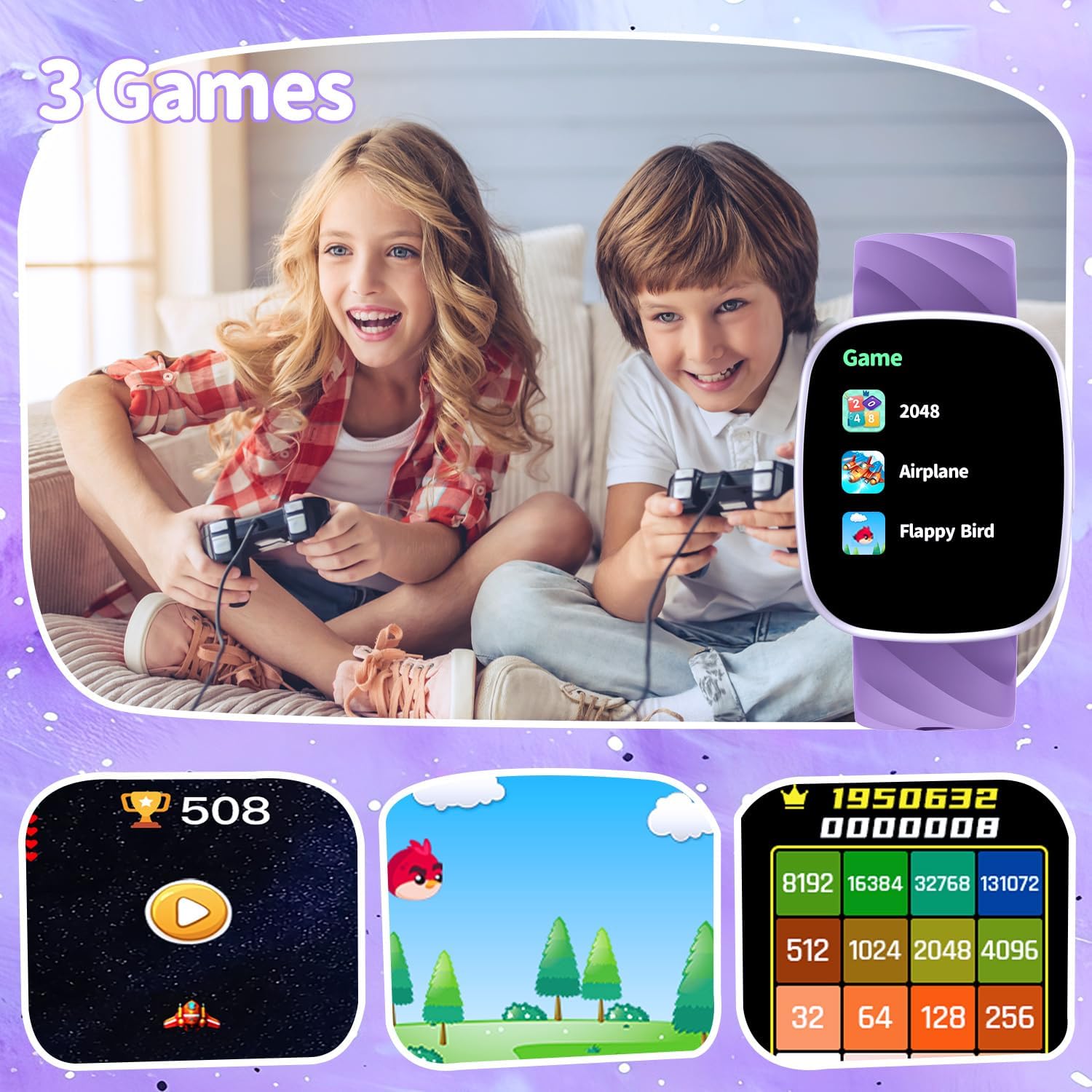
Image: Two children engaged in gaming, with the AYATAHA S60K Smart Watch screen showing available games like 2048, Airplane, and Flappy Bird.
5. Maintenance
5.1 Water Resistance
The AYATAHA S60K Smart Watch is IP67 waterproof. This means it is resistant to splashes, rain, and can be used during hand washing or in water depths up to 5 meters. It is not suitable for bathing, showering, or swimming. Prolonged exposure to water or hot water may damage the device.
5.2 Cleaning
Wipe the watch and strap regularly with a soft, dry cloth. If necessary, use a slightly damp cloth and then dry thoroughly. Avoid using harsh chemicals or abrasive materials.
5.3 Battery Care
To prolong battery life, avoid fully discharging the watch frequently. Charge the device using only the provided magnetic charging cable. Store the watch in a cool, dry place when not in use for extended periods.
6. Troubleshooting
- Watch not turning on: Ensure the watch is fully charged. Connect it to the magnetic charger and wait a few minutes.
- Incorrect time/date: Connect the watch to the CO-FIT App on your smartphone. The time and date will automatically synchronize.
- App connectivity issues: Ensure Bluetooth is enabled on your smartphone and the watch is within range. Restart both the watch and the CO-FIT App. If issues persist, unpair and re-pair the device.
- Inaccurate activity tracking: Ensure the watch is worn snugly on the wrist. Calibrate settings within the CO-FIT App if available.
- Watch shutting down unexpectedly: This may indicate a low battery. Charge the watch fully. If the issue persists after charging, contact customer support.
7. Specifications
| Feature | Detail |
|---|---|
| Model Number | S60K |
| Screen Size | 1.75 Inches |
| Operating System | Android / iOS compatible |
| Connectivity Technology | USB, Bluetooth |
| Wireless Communication Standard | Bluetooth |
| Water Resistance | IP67 |
| Battery Capacity | 240 mAh (Lithium Polymer) |
| Item Weight | 4.2 ounces (0.12 Kilograms) |
| Product Dimensions | 3 x 0.7 x 9.5 inches |
| Special Features | Alarm Clock, Message notification, Multiple sports modes, Music Player, Voice assistant |
| GPS | No GPS |
8. Warranty and Support
8.1 Warranty Information
Specific warranty details for the AYATAHA S60K Smart Watch are typically provided at the point of purchase or within separate warranty documentation. Please refer to your purchase receipt or contact the seller for information regarding warranty coverage and terms.
8.2 Customer Support
For further assistance, technical support, or inquiries, please refer to the CO-FIT App for detailed activity and health reports, or contact AYATAHA customer service through the retailer where the product was purchased.