
Introduction
Thank you for choosing the GarveeHome 14L/100 Cups Commercial Coffee Urn. This appliance is designed for efficient and reliable dispensing of hot coffee or water in commercial and event settings. To ensure safe operation and optimal performance, please read this instruction manual thoroughly before initial use and retain it for future reference.
Important Safety Instructions
- Read all instructions before operating the appliance.
- Do not touch hot surfaces. Use handles and knobs.
- To protect against electrical hazards, do not immerse cord, plugs, or the appliance in water or other liquid.
- Close supervision is necessary when any appliance is used by or near children.
- Unplug from outlet when not in use and before cleaning. Allow to cool before putting on or taking off parts, and before cleaning the appliance.
- Do not operate any appliance with a damaged cord or plug, or after the appliance malfunctions or has been damaged in any manner. Contact customer service for examination, repair, or adjustment.
- The use of accessory attachments not recommended by the appliance manufacturer may cause injuries.
- Do not use outdoors.
- Do not let cord hang over edge of table or counter, or touch hot surfaces.
- Do not place on or near a hot gas or electric burner, or in a heated oven.
- Always attach plug to appliance first, then plug cord into the wall outlet. To disconnect, turn any control to 'off', then remove plug from wall outlet.
- Do not use appliance for other than intended use.
- Exercise extreme caution when moving an appliance containing hot liquid.
- This appliance is not dishwasher safe.
Product Components
Familiarize yourself with the main components of your coffee urn:
- Urn Body (Stainless Steel)
- Lid
- Percolator Stem
- Coffee Basket with Reusable Filter
- Spigot
- Water Level Indicator
- Power Switch and Indicator Lights

Detail of the durable, reusable 304 stainless steel filter, eliminating the need for disposable paper filters and simplifying maintenance.
Setup
- Unpack: Carefully remove all packaging materials and inspect the urn for any damage.
- Initial Cleaning: Before first use, wash the urn interior, lid, percolator stem, and coffee basket with warm, soapy water. Rinse thoroughly and dry. Do not immerse the main urn body in water.
- Placement: Place the coffee urn on a stable, level, heat-resistant surface, away from walls or other appliances to allow for proper ventilation. Ensure the power cord can reach an electrical outlet without being strained.
- Assemble: Insert the percolator stem into the center well of the urn. Place the coffee basket onto the percolator stem.
Operating Instructions
Brewing Coffee
- Add Water: Fill the urn with cold, fresh water to the desired level. Refer to the water level indicator on the side of the urn. Do not overfill.
- Add Coffee Grounds: Place the desired amount of coarse-ground coffee into the coffee basket. Do not use fine-ground coffee as it may seep through the filter. Do not pack the coffee grounds.
- Secure Lid: Place the lid securely on the urn.
- Plug In and Power On: Plug the power cord into a standard electrical outlet. Flip the power switch to the 'ON' position. The indicator light will illuminate, signaling that the brewing process has begun.
- Brewing Cycle: The urn will begin heating the water, which will then percolate through the coffee grounds. Brewing typically takes 40-60 minutes for a full 100-cup capacity.

This image illustrates the efficient brewing capability of the GarveeHome coffee urn, capable of producing up to 100 cups of coffee in approximately 40 minutes.

A visual representation of the urn's internal heating system, demonstrating how water is heated to 100°C for optimal coffee brewing or hot water dispensing.
Serving
- Once brewing is complete, the urn will automatically switch to a 'keep warm' function, indicated by a different light (if applicable).
- Position a cup under the spigot.
- Push the spigot lever down to dispense coffee. Release the lever to stop the flow.

This image highlights the convenient spigot for easy dispensing of hot coffee or water, ensuring smooth service.
Cleaning and Maintenance
Regular cleaning ensures the longevity and performance of your coffee urn.
- Unplug and Cool: Always unplug the urn from the power outlet and allow it to cool completely before cleaning.
- Empty Contents: Empty any remaining coffee or water from the urn.
- Disassemble: Remove the lid, coffee basket, and percolator stem.
- Wash Removable Parts: Wash the lid, coffee basket, and percolator stem in warm, soapy water. Rinse thoroughly and dry.
- Clean Urn Interior: Wipe the interior of the urn with a damp cloth. For stubborn stains, use a mild detergent and a non-abrasive sponge. Rinse thoroughly by filling with clean water and dispensing through the spigot several times.
- Clean Urn Exterior: Wipe the exterior with a damp cloth. Do not use abrasive cleaners or scouring pads, as they may scratch the stainless steel finish.
- Descaling: Over time, mineral deposits may build up inside the urn. To descale, fill the urn with a solution of equal parts white vinegar and water. Turn on the urn and allow it to heat for 20-30 minutes (do not brew coffee). Turn off, unplug, and let it cool. Empty the solution and rinse thoroughly with fresh water several times.
- Storage: Ensure all parts are completely dry before reassembling and storing the urn in a clean, dry place.
Note: This appliance is not dishwasher safe. Do not immerse the main urn body in water.
Troubleshooting
| Problem | Possible Cause | Solution |
|---|---|---|
| Urn does not heat | Not plugged in; Power switch off; Faulty outlet | Ensure urn is securely plugged in; Turn power switch ON; Test outlet with another appliance. |
| Coffee brews too slowly | Coffee grounds too fine or packed too tightly; Mineral buildup | Use coarse-ground coffee and do not pack; Perform descaling procedure. |
| Coffee is weak | Not enough coffee grounds; Water level too high | Increase amount of coffee grounds; Ensure water level matches desired coffee quantity. |
| Urn is leaking | Spigot not properly tightened; Seal damage; Internal component issue | Check if spigot is securely tightened; Inspect seals for damage and replace if necessary; Contact customer support if issue persists. |
Specifications
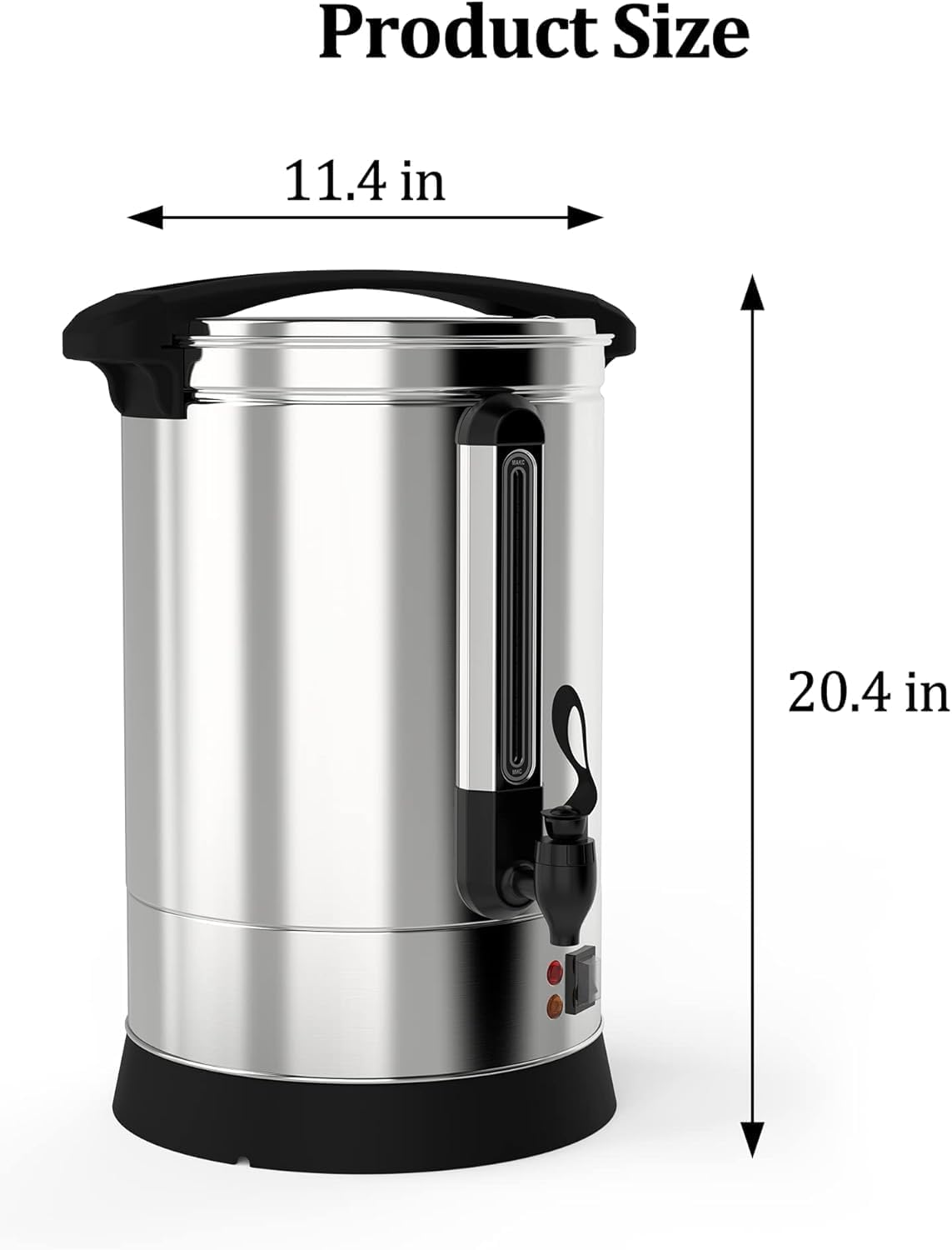
This image provides a clear visual of the coffee urn's physical dimensions, measuring 11.4 inches in diameter and 20.4 inches in height.
| Feature | Detail |
|---|---|
| Brand | GarveeHome |
| Model Number | XK-PHO_0X3NMOGB-0718-14Lem |
| Capacity | 14 Liters / 100 Cups |
| Color | Silver |
| Product Dimensions (D x W x H) | 11.4"D x 11.4"W x 20.4"H |
| Material | Stainless Steel (Food Grade 304) |
| Item Weight | 9 Pounds |
| Coffee Maker Type | Percolator |
| Operation Mode | Manual |
| Filter Type | Reusable |
| Dishwasher Safe | No |
Warranty and Support
GarveeHome products are manufactured to high-quality standards. For information regarding warranty coverage or technical support, please refer to the warranty card included with your purchase or contact GarveeHome customer service directly. Please have your model number (XK-PHO_0X3NMOGB-0718-14Lem) and proof of purchase available when contacting support.