1. Introduction
This manual provides essential information for the proper setup, operation, and maintenance of your socodox Wireless Microphone System. Please read this manual thoroughly before using the product to ensure optimal performance and longevity.
2. What's in the Box
- 2 Wireless Handheld Microphones
- 1/4" (6.35mm) Receiver
- 1/8" (3.5mm) Adapter
- 2 Mic Covers
- 1 Charging Cable
- 1 Operating Manual

Figure 2.1: All components included in the socodox Wireless Microphone System package.
3. Setup Instructions
3.1 Charging the Devices
Ensure all components are fully charged before first use. The receiver has a built-in Lithium Polymer battery (800mAh) and the microphones require 2 AA batteries each (not included). Use the provided USB charging cable for the receiver.
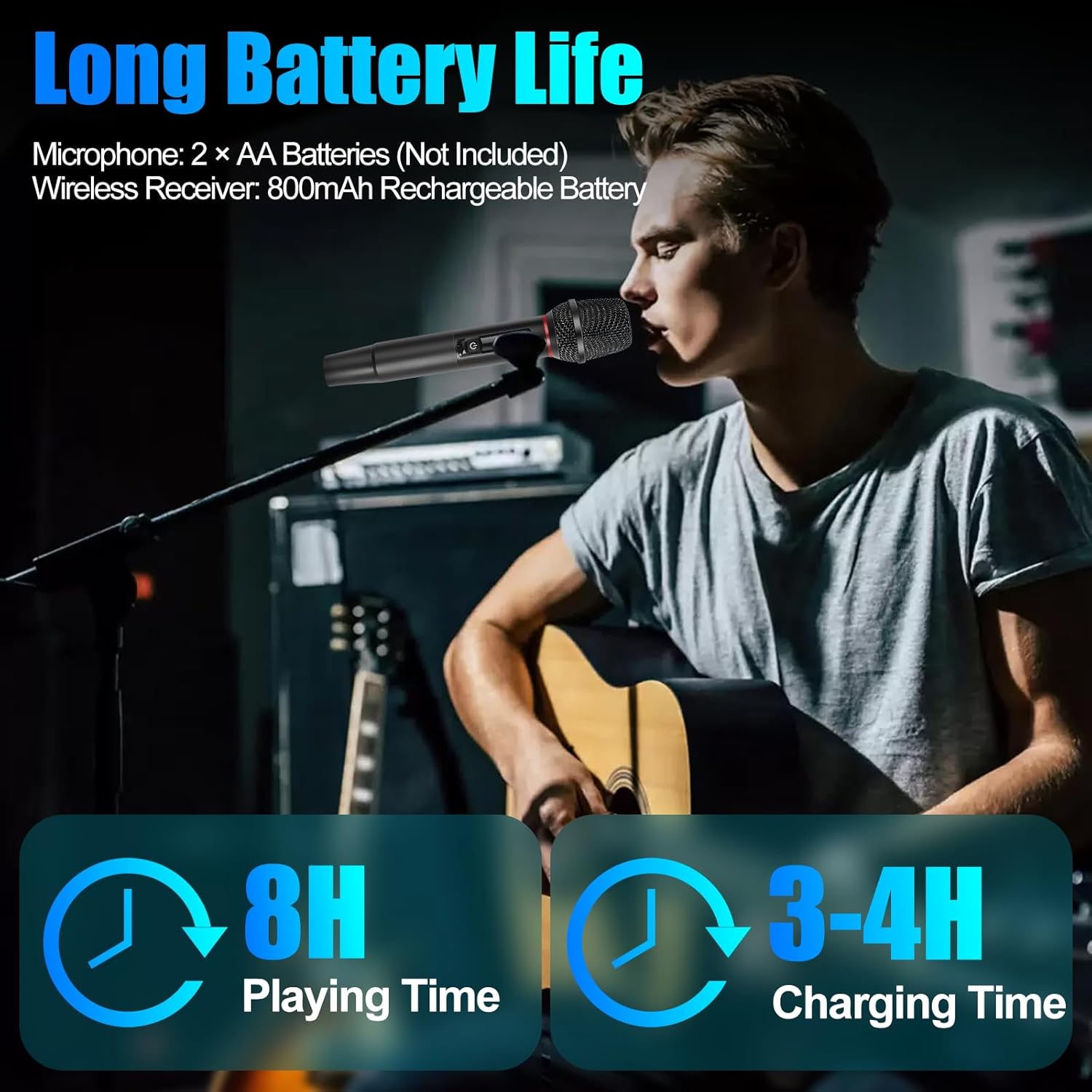
Figure 3.1: The microphone system offers long battery life and efficient charging.
3.2 Connecting the Receiver
- Identify the microphone input on your audio equipment (PA system, speaker, karaoke machine, audio mixer, amplifier, audio interface).
- Plug the 1/4" (6.35mm) receiver directly into the microphone input.
- If your device has a 1/8" (3.5mm) input, use the included 3.5mm adapter with the receiver.

Figure 3.2: Ensure your audio equipment has a compatible 1/4" (6.35mm) or 1/8" (3.5mm) mic jack.
3.3 Powering On and Auto-Pairing
- Turn on the receiver by pressing its power button.
- Turn on each wireless microphone by pressing and holding its power button.
- The microphones and receiver will auto-pair instantly. No complicated setup is required.
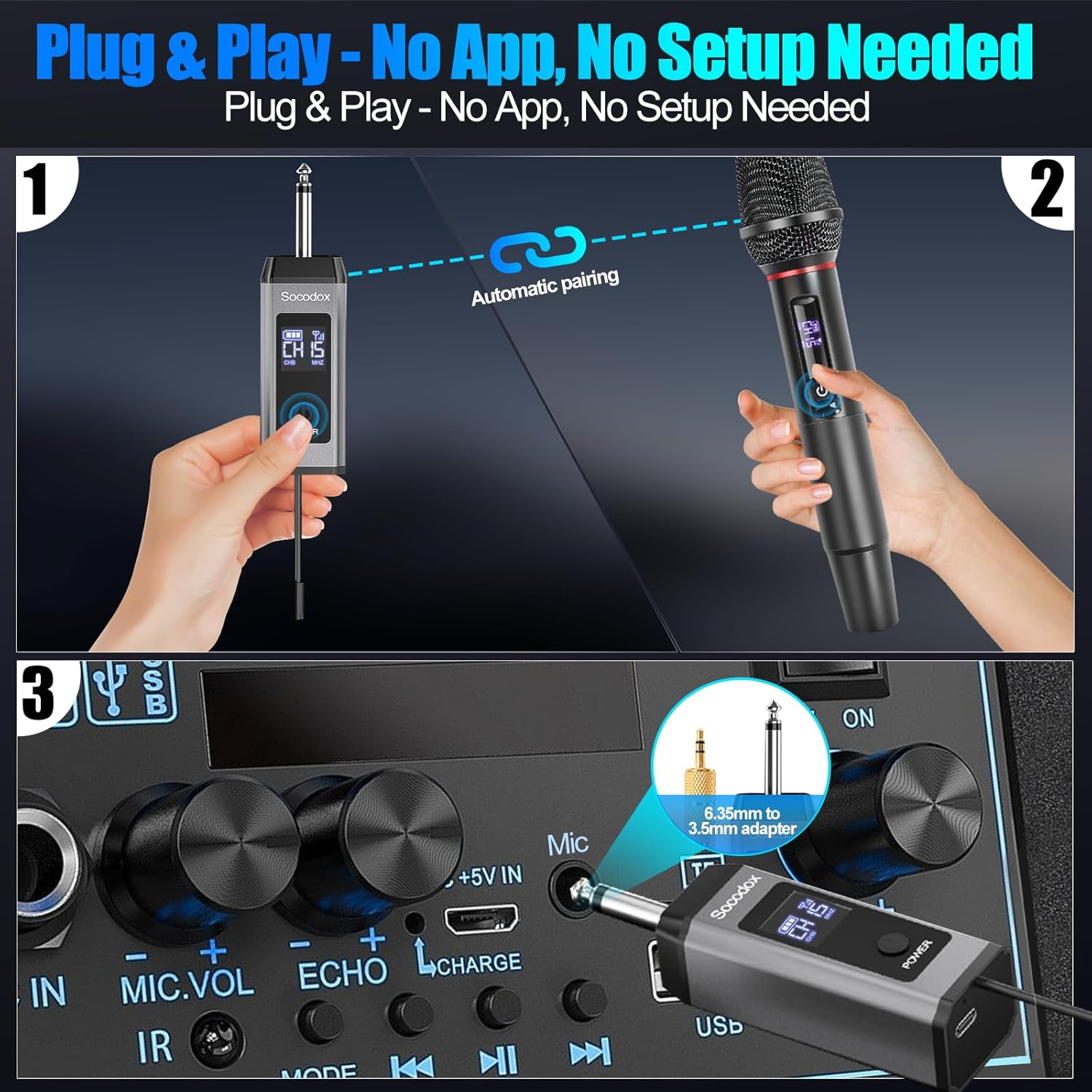
Figure 3.3: The system features easy plug-and-play functionality with instant auto-pairing.
Video 3.1: Socodox UHF Microphone - Easy Setup & Operation Guide. This video demonstrates the simple steps to set up and operate your wireless microphone system.
4. Operating Instructions
4.1 UHF Technology and Range
The system utilizes UHF (Ultra High Frequency) technology for crystal-clear, interference-free audio. Enjoy an extended wireless range of up to 160 feet, ensuring reliable signal stability for various events.

Figure 4.1: The system provides a long and stable wireless connection up to 160 feet.
4.2 Multi-Channel System
Each microphone offers 15 selectable UHF channels. This feature allows you to avoid signal interference, especially when using multiple microphones or in environments with other wireless devices. Quickly tap the channel button on the microphone to cycle through available channels.

Figure 4.2: UHF technology provides superior anti-interference compared to typical 2.4GHz mics.
4.3 Microphone Usage
For optimal sound quality, speak directly into the microphone. The microphones are designed to minimize howling and feedback, ensuring clear vocal delivery.

Figure 4.3: Experience crystal-clear sound with no background noise or feedback.
5. Maintenance
5.1 Cleaning
Wipe the microphone body with a soft, dry cloth. Do not use harsh chemicals or abrasive materials. The mic covers can be gently hand-washed and air-dried.
5.2 Battery Care
For the microphones, replace AA batteries when the battery indicator shows low power. For the receiver, recharge promptly when the battery indicator is low to ensure continuous performance.
5.3 Storage
Store the microphone system in a cool, dry place away from direct sunlight and extreme temperatures. Ensure batteries are removed from microphones if storing for extended periods.
6. Troubleshooting
6.1 Microphones Not Pairing
- Ensure both the receiver and microphones are powered on and have sufficient battery charge.
- Check if the microphones are within the 160-foot operating range of the receiver.
- Try changing the channel on the microphones to avoid potential interference.
Video 6.1: Troubleshooting: Paired microphones not working? This video provides guidance on resolving pairing issues.
6.2 Sound Interference or Dropouts
- Change the UHF channel on the microphones to find a clearer frequency.
- Ensure there are no large metal objects or other strong wireless signals directly between the microphones and the receiver.
- Reduce the distance between the microphones and the receiver.
6.3 No Sound Output
- Verify that the receiver is correctly plugged into the microphone input of your audio equipment.
- Check the volume levels on both the microphones and your audio equipment.
- Ensure the audio equipment itself is powered on and functioning correctly.
7. Specifications
| Feature | Specification |
|---|---|
| Brand | socodox |
| Model Number | V2 |
| Microphone Form Factor | Handheld |
| Connectivity Technology | UHF |
| Number of Channels | 15 |
| Wireless Range | Up to 160 Feet |
| Material | Metal |
| Power Source (Microphones) | Battery Powered (2 AA batteries required, not included) |
| Power Source (Receiver) | 1 Lithium Polymer battery required (included) |
| Item Weight | 10.6 ounces (300 Grams) |
| Product Dimensions | 11.77 x 5.04 x 3.46 inches |
| Compatible Devices | Amplifier, Audio Interface, Audio Mixer, Karaoke Machine, PA System |
| Polar Pattern | Super Cardioid |
8. Warranty and Support
For warranty information or technical support, please refer to the contact card included in your product package or visit the official socodox website. Keep your purchase receipt for warranty claims.