
1. Introduction
This manual provides detailed instructions for the setup, operation, and maintenance of your SOBATTY AV-302 Stereo Receiver Home Audio Amplifier. Please read this manual thoroughly before using the product to ensure proper function and longevity.

Image 1.1: Front panel of the SOBATTY AV-302 Stereo Receiver, showing various controls and inputs.
2. Package Contents
Verify that all items are present in the package:
- SOBATTY AV-302 Amplifier Unit
- Remote Controller
- User Manual (this document)
3. Safety Information
- Power Source: Ensure the amplifier is connected to a 110V/60Hz AC power source.
- Ventilation: Do not block ventilation openings. Ensure adequate airflow around the unit.
- Moisture: Keep the unit away from water or excessive moisture.
- Cleaning: Disconnect power before cleaning. Use a dry, soft cloth.
- Altitude: This product is designed for use in altitudes up to 2,000 meters.
- Non-Tropical Use: This product is only available for use in non-tropical conditions.
4. Product Overview
4.1 Front Panel Controls and Indicators
Image 4.1: Detailed view of the front panel.
- MIC VOL: Microphone volume control.
- INPUT: Input source selector button.
- P/P: Play/Pause button for USB/SD playback.
- Display Screen: Shows current input mode, track information, etc.
- PREV/NEXT: Previous/Next track buttons for USB/SD playback.
- MUSIC VOL: Master music volume control.
- POWER ON/OFF: Main power switch.
- ECHO VOL: Microphone echo effect volume.
- MIC.BASS: Microphone bass level adjustment.
- MIC.TREBLE: Microphone treble level adjustment.
- MIC1/MIC2: 1/4" Microphone input jacks.
- MUSIC.BASS: Music bass level adjustment.
- MUSIC.TREBLE: Music treble level adjustment.
- SUB.VOL: Subwoofer output volume control.
- USB Port: For USB drive playback.
4.2 Rear Panel Connections
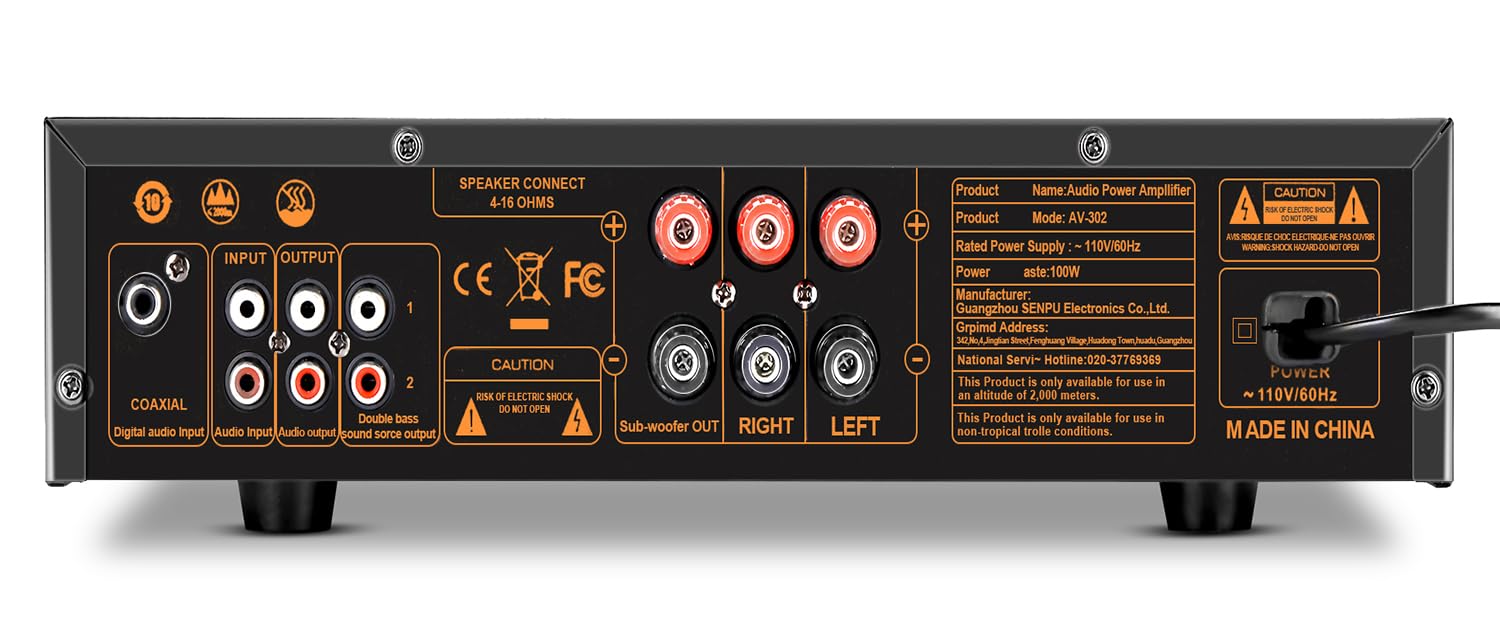
Image 4.2: Detailed view of the rear panel connections.
- COAXIAL Input: Digital audio input.
- INPUT (RCA): Stereo RCA audio inputs (e.g., for DVD player).
- OUTPUT (RCA): Stereo RCA audio outputs.
- SPEAKER CONNECT (4-16 OHMS): Speaker terminals for Left and Right channels.
- Subwoofer OUT: Dedicated output for a passive subwoofer.
- POWER: AC power input (110V/60Hz).
5. Setup Instructions
5.1 Connecting Speakers
The AV-302 supports up to 3 speakers: two main stereo speakers and one passive subwoofer. Ensure your speakers have an impedance between 4-16 ohms.
- Connect your main left and right speakers to the "SPEAKER CONNECT" terminals on the rear panel. Match the positive (+) terminal on the amplifier to the positive terminal on the speaker, and the negative (-) to negative.
- Connect your passive subwoofer to the "Subwoofer OUT" terminals. Observe polarity.
Image 5.1: Speaker and subwoofer connection terminals.
5.2 Connecting Audio Sources
The amplifier offers multiple input options:
- Bluetooth: For wireless audio streaming from compatible devices.
- USB: For playing audio files from a USB flash drive.
- RCA Input (DVD): Connect devices like DVD players, CD players, or other audio sources using RCA cables.
- Coaxial Input: For digital audio input from compatible devices.
- Microphone Inputs: Two 1/4" jacks for microphones (MIC1, MIC2).

Image 5.2: Multiple external audio source options.
5.3 Power Connection
After all audio connections are made, plug the power cord into the AC power input on the rear panel and then into a standard 110V/60Hz wall outlet.
6. Operating Instructions
6.1 Powering On/Off
Press the POWER ON/OFF switch on the front panel to turn the amplifier on or off.
6.2 Selecting Input Source
Press the INPUT button on the front panel or the corresponding input button on the remote control to cycle through available audio sources (Bluetooth, USB, DVD/RCA, Coaxial).
6.3 Volume Control
- Master Music Volume: Adjust the large MUSIC VOL knob on the front panel or use the VOL+/- buttons on the remote control.
- Microphone Volume: Adjust the MIC VOL knob for microphone input level.
- Subwoofer Volume: Adjust the SUB.VOL knob to control the subwoofer output level.
6.4 Tone and Echo Control
- Music Tone: Use the MUSIC.BASS and MUSIC.TREBLE knobs to adjust the bass and treble levels for the music playback.
- Microphone Tone: Use the MIC.BASS and MIC.TREBLE knobs to adjust the bass and treble levels for microphone input.
- Echo: Adjust the ECHO VOL knob to control the echo effect for microphones.
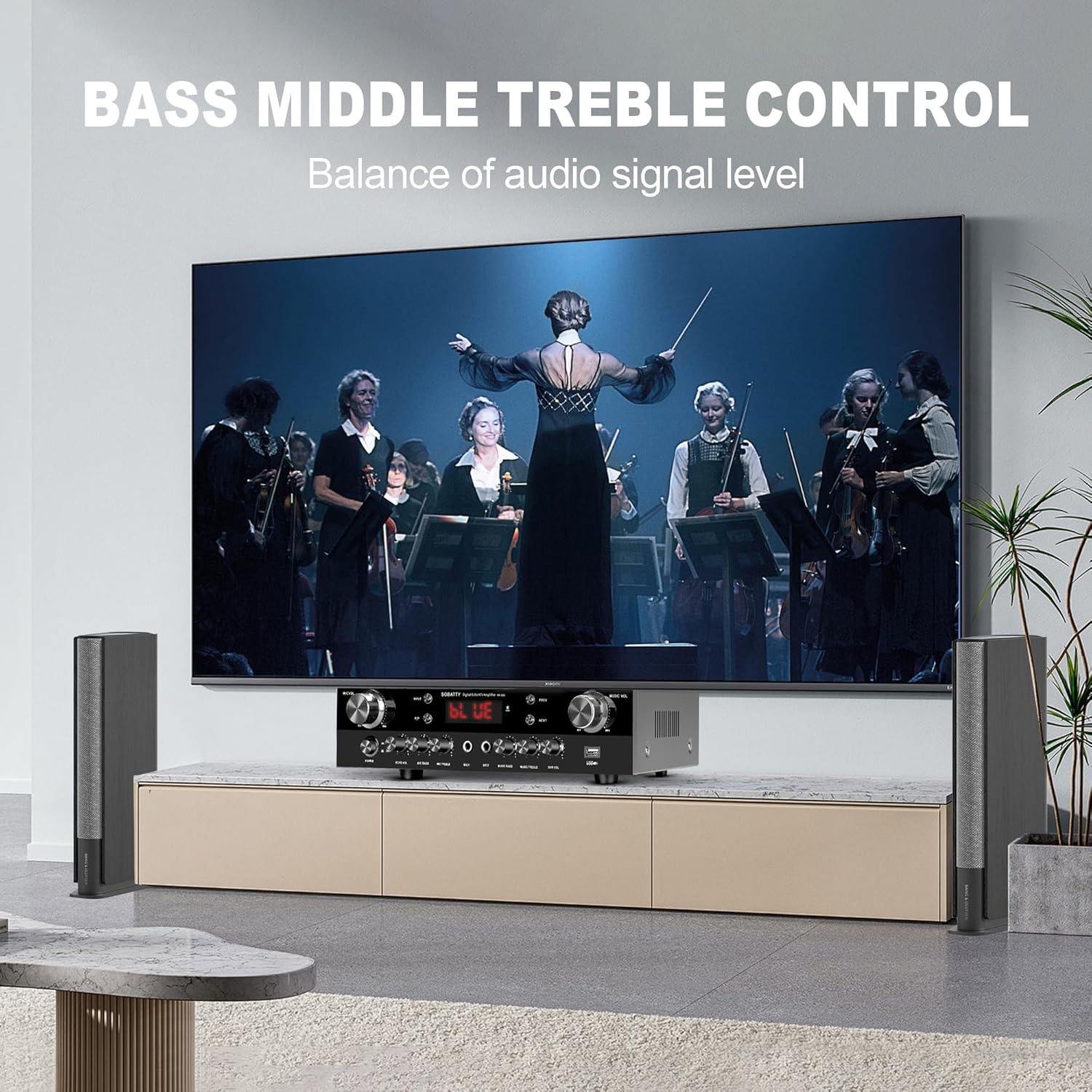
Image 6.1: Illustration of tone control functionality.
6.5 Bluetooth Pairing
- Select "Bluetooth" as the input source using the INPUT button. The display will show "BLUE".
- On your mobile device, search for Bluetooth devices and select "AV-302" to pair.
- Once paired, you can stream audio wirelessly to the amplifier.

Image 6.2: Bluetooth audio streaming in progress.
6.6 USB Playback
- Insert a USB flash drive containing audio files into the USB port on the front panel.
- Select "USB" as the input source. The amplifier will automatically begin playing audio files.
- Use the P/P (Play/Pause), PREV, and NEXT buttons to control playback.
6.7 Remote Control
The included remote control allows convenient operation of various functions from a distance.

Image 6.3: Remote control unit.
Functions include:
- Power On/Off
- Mute
- Input Source Selection (Music, HIFI, Classical, Rock and Roll, Cinema, Modern, MODE)
- Volume Up/Down (VOL+, VOL-)
- Playback Controls (Stop, Play/Pause, Previous, Next)
- Numeric buttons for direct track selection (if supported by source)
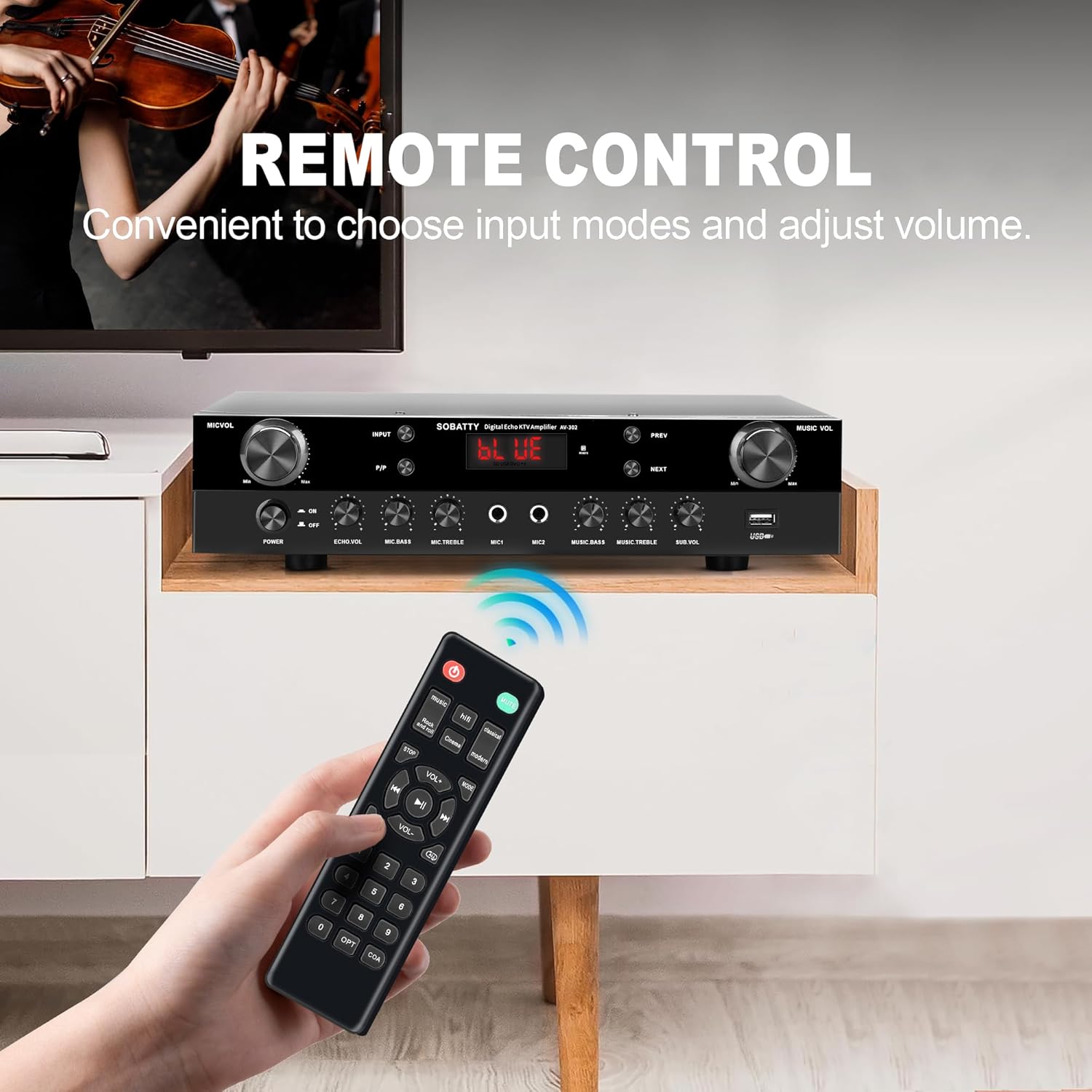
Image 6.4: Using the remote control.
7. Maintenance
- Cleaning: Disconnect the power cord before cleaning. Use a soft, dry cloth to wipe the exterior of the unit. Do not use liquid cleaners or aerosol sprays.
- Ventilation: Regularly check that the ventilation openings are clear of dust and debris to prevent overheating.
- Storage: If storing the unit for an extended period, disconnect it from power and store it in a cool, dry place.
8. Troubleshooting
| Problem | Possible Cause | Solution |
|---|---|---|
| No power | Power cord not connected; Power switch off; Wall outlet not active. | Ensure power cord is securely plugged in. Turn the power switch ON. Test the wall outlet with another device. |
| No sound | Incorrect input source selected; Volume too low; Speakers not connected properly; Mute function active. | Select the correct input source. Increase the MUSIC VOL. Check speaker connections and polarity. Deactivate mute on the remote. |
| Bluetooth not connecting | Bluetooth not selected as input; Device too far; Device not in pairing mode. | Select Bluetooth input. Move device closer to the amplifier. Ensure your device's Bluetooth is on and in pairing mode. |
| USB playback not working | USB not selected as input; USB drive not formatted correctly; Incompatible audio files. | Select USB input. Ensure USB drive is formatted to FAT32. Check if audio files are in a supported format (e.g., MP3). |
9. Specifications
| Feature | Specification |
|---|---|
| Model Number | AV-302 |
| Product Dimensions (L x W x H) | 9 x 13 x 3 inches |
| Item Weight | 6.39 Pounds |
| Number of Channels | 2.1 (Stereo with Subwoofer Output) |
| Output Power | 800 Watt Hours (Peak) |
| Frequency Response | 20Hz – 20KHz |
| Speaker Impedance | 4-16 ohms |
| Bluetooth Version | 5.0 |
| Inputs | Bluetooth, USB, 2x 1/4" Mic-in, RCA (DVD), Coaxial |
| Outputs | Stereo RCA Audio, Subwoofer Out |
| Power Supply | 110V/60Hz |
10. Support Information
For technical assistance or customer service, please contact SOBATTY support.
- Manufacturer: SOBATTY (Guangzhou SENPU Electronics Co.,Ltd.)
- National Service Hotline: 828-37788389 (Note: This number appears on the product image, but its validity and region are not confirmed. Please refer to your product packaging or official website for the most accurate support contact.)