
1. Introduction
The PHOINIKAS Gaming Headset is designed to provide an immersive audio experience for various gaming platforms. Featuring 7.1 stereo sound, a noise-cancelling microphone, and a comfortable over-ear design, this headset is compatible with PC, PS4, PS5, Xbox, Switch, laptops, tablets, and mobile phones with a 3.5mm jack.

Image: PHOINIKAS Gaming Headset (Grey) with its flexible microphone arm.
2. Setup and Connectivity
This headset offers broad compatibility across multiple gaming platforms and devices via its 3.5mm wired connection. Follow the instructions below for proper setup.
2.1 Platform Compatibility
- PC, PS4, PS5, Laptop, Tablet, Phone: Connect directly using the 3.5mm jack.
- Nintendo Switch: Plug and Play.
- Older Xbox One Controllers: An additional Microsoft adapter (not included) is required for connection.
- Xbox One X/S: Compatible via 3.5mm jack.
- Xbox 360: Not compatible for audio or microphone.

Image: Diagram illustrating the headset's compatibility with gamepads, PCs, laptops, and other 3.5mm devices.
2.2 Connection Notes
- For PC Use: Ensure you connect the included "1-to-2 3.5mm audio jack splitter cable." The red connector is for the microphone input, and the green connector is for the audio output.
- LED Lighting: The LED lights on the headset are powered via a USB connection. If your device does not have a USB port or if you prefer not to use the lights, they will not illuminate.

Image: Visual guide showing how to connect the headset to PC (with splitter), PS4/PS5, Xbox One (with adapter), and Nintendo Switch.
3. Operating the Headset
The PHOINIKAS Gaming Headset is designed for optimal gaming performance and user comfort.
3.1 Audio Features
- 7.1 Surround Sound: Equipped with high-precision 40mm drivers, the headset delivers immersive stereo surround sound, enhancing your gaming experience with realistic audio cues.
- Volume Control: The headset features an integrated volume control wheel on the cable for convenient audio adjustment during gameplay.

Image: A person wearing the headset, surrounded by visual representations of sound waves, highlighting the 7.1 surround sound feature.
3.2 Microphone Features
- Noise-Cancelling Microphone: The flexible, omnidirectional microphone is designed to pick up your voice clearly while reducing distracting background noise, ensuring effective communication with teammates.
- Microphone Button: A dedicated button on the cable allows for quick muting and unmuting of the microphone.
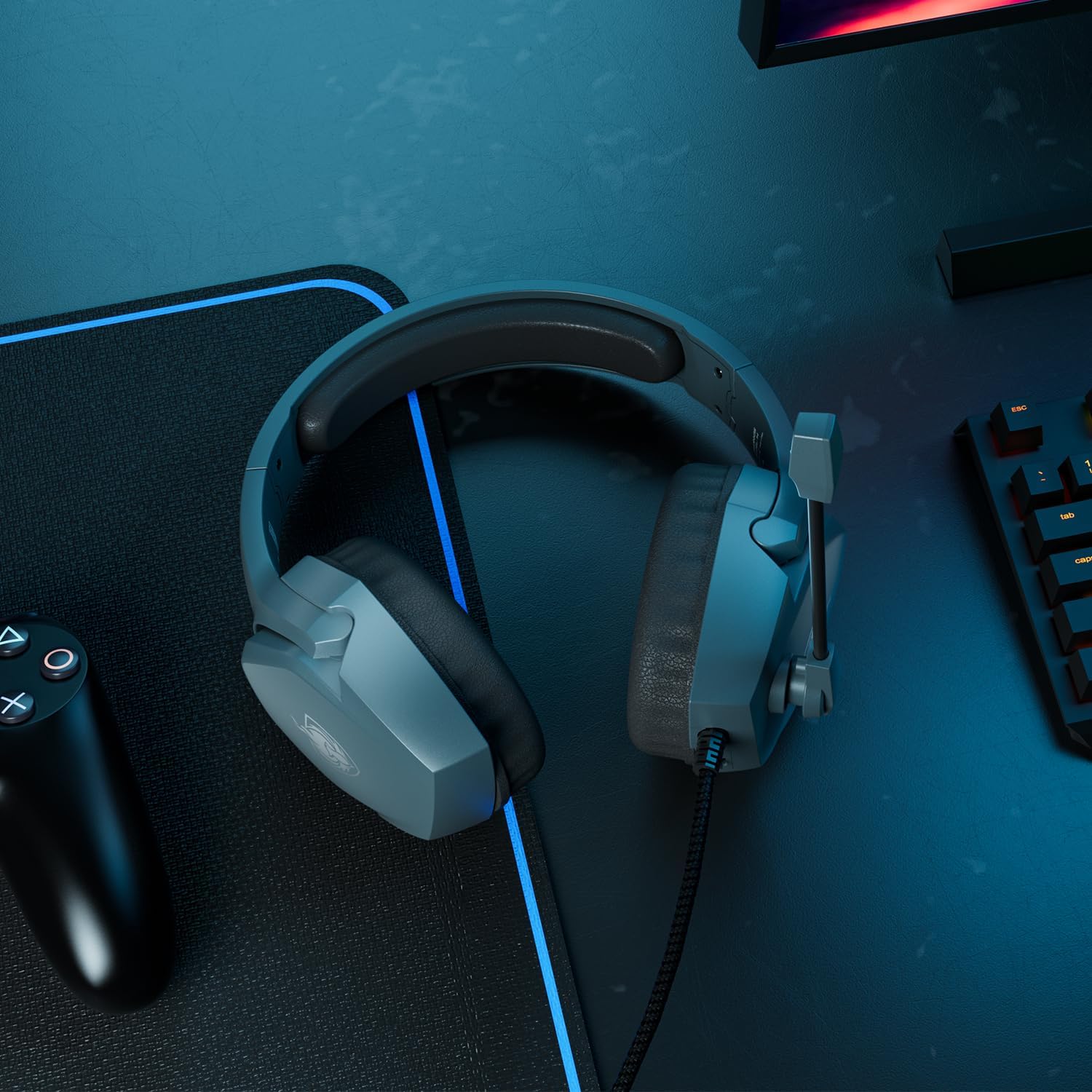
Image: A robotic head wearing the headset, with sound wave graphics emanating from the microphone, illustrating its noise-cancelling capability.
3.3 Comfort and Design
- Ergonomic Design: The headset features comfortable and breathable ear cups that fit securely over the ears, providing superior comfort during extended gaming sessions.
- Adjustable Headband: The headband is adjustable to ensure a perfect and secure fit for users of all ages.
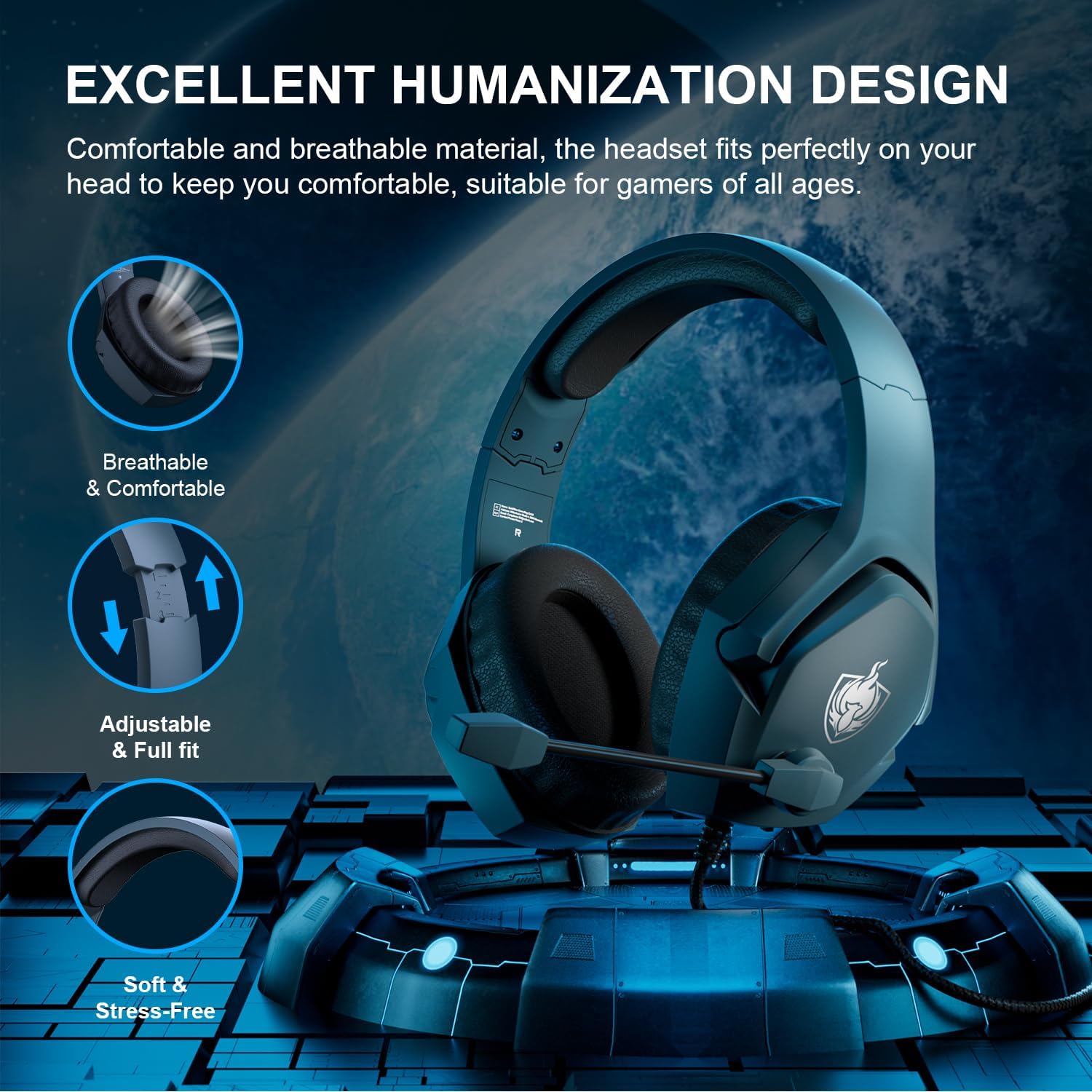
Image: Close-up views of the headset's breathable earcups, adjustable headband, and soft, stress-free padding, highlighting its comfortable design.
4. Maintenance
Proper care and maintenance will extend the lifespan of your PHOINIKAS Gaming Headset.
- Cleaning: Use a soft, dry cloth to wipe down the earcups and headband. Avoid using harsh chemicals or abrasive materials.
- Cable Care: Do not pull on the cable excessively or bend it sharply, as this can damage the internal wiring. Store the cable neatly when not in use.
- Storage: Store the headset in a cool, dry place away from direct sunlight and extreme temperatures.
5. Troubleshooting
If you encounter issues with your PHOINIKAS Gaming Headset, refer to the following common solutions.
- No Audio or Microphone on PC: Ensure the "1-to-2 3.5mm audio jack splitter cable" is correctly connected to the corresponding audio (green) and microphone (red) ports on your PC.
- Headset Not Working with Xbox One: Older Xbox One controllers require an additional Microsoft adapter (not included) to function with this headset. Verify if your controller model needs this adapter.
- Microphone Not Picking Up Sound: Check if the microphone mute button on the cable is engaged. Ensure the microphone is positioned correctly near your mouth.
- No LED Lights: The LED lights are powered via a USB connection. Ensure the USB plug is connected to a powered USB port. If your device does not have a USB port, the lights will not function.
- Sound Quality Issues: Ensure the 3.5mm jack is fully inserted into the device's port. Test the headset with another device to rule out device-specific issues.
Frequently Asked Questions (FAQs)
- Q: What is the difference between 2.4G wireless technology and Bluetooth wireless technology?
- A: This headset uses a wired 3.5mm connection. For wireless technologies, 2.4G wireless typically offers low-latency and is compatible with devices like PS4/PS5/PC/Switch via a transmitter. Bluetooth connections are generally for mobile devices and are not typically compatible with gaming consoles for full functionality.
- Q: How is it compatible with Xbox One devices?
- A: This wired headset connects to Xbox One controllers via the 3.5mm jack. Please note that some older Xbox One versions may require an additional Microsoft adapter (not included) for full compatibility.
- Q: What is the quality of our brand?
- A: PHOINIKAS products undergo 100% quality inspection before dispatch, and comprehensive after-sales service is provided to ensure customer satisfaction.
6. Specifications
| Feature | Detail |
|---|---|
| Model Name | H |
| Connectivity Technology | Wired |
| Headphones Jack | 3.5 mm Jack |
| Audio Driver Size | 40 Millimeters |
| Audio Driver Type | Dynamic Driver |
| Ear Placement | Over Ear |
| Form Factor | Over Ear |
| Noise Control | Sound Isolation |
| Frequency Range | 20 Hz to 20,000 Hz |
| Material | Plastic |
| Item Weight | 1.08 pounds |
| Included Components | Gaming Headset |
| Manufacturer | PHOINIKAS |
| Date First Available | August 16, 2024 |
7. Warranty and Support
PHOINIKAS is committed to providing high-quality products and excellent customer service.
- Return Policy: This product is eligible for a 30-day refund or replacement policy from the date of purchase. Please refer to your retailer's specific return guidelines.
- After-Sales Service: PHOINIKAS provides comprehensive after-sales support for all its products.
- Contact Support: For any inquiries, technical assistance, or warranty claims, please visit the official PHOINIKAS store or contact their customer service directly. You can find more information at the PHOINIKAS Store on Amazon.


