
TYNLED Owl lamp
TYNLED Owl Table Lamp User Manual
Model: Owl lamp
Introduction
Thank you for purchasing the TYNLED Owl Table Lamp. This cordless, touch-controlled lamp features a unique owl design, 3-way dimming, and adjustable color temperatures (warm, natural, white) to suit various environments. It is equipped with a USB-C charging port and a built-in rechargeable battery for portable use. This manual provides detailed instructions for setup, operation, maintenance, and troubleshooting to ensure optimal performance and longevity of your lamp.

Overview of the TYNLED Owl Table Lamp's key features.
What's in the Box
Please check the package contents to ensure all items are present:
- TYNLED Owl Table Lamp (1 unit)
- USB-C Power Cable (1 unit)
- AAA Batteries (1 included, pre-installed or for initial use)
Setup
Initial Charging
Before first use, fully charge the lamp. The lamp is equipped with a built-in rechargeable battery.
- Locate the USB-C charging port on the lamp.
- Connect the provided USB-C power cable to the lamp's charging port.
- Connect the other end of the USB-C cable to a compatible USB power adapter (not included) or a computer USB port.
- The charging indicator light will illuminate (typically red) during charging. Once fully charged, the indicator light will change (typically green).

Charging indicator lights: Red for charging, Green for fully charged.
Placement
Place the lamp on a stable, flat surface. Its cordless design allows for flexible placement in various rooms such as bedrooms, dining rooms, kids' rooms, living rooms, or offices.
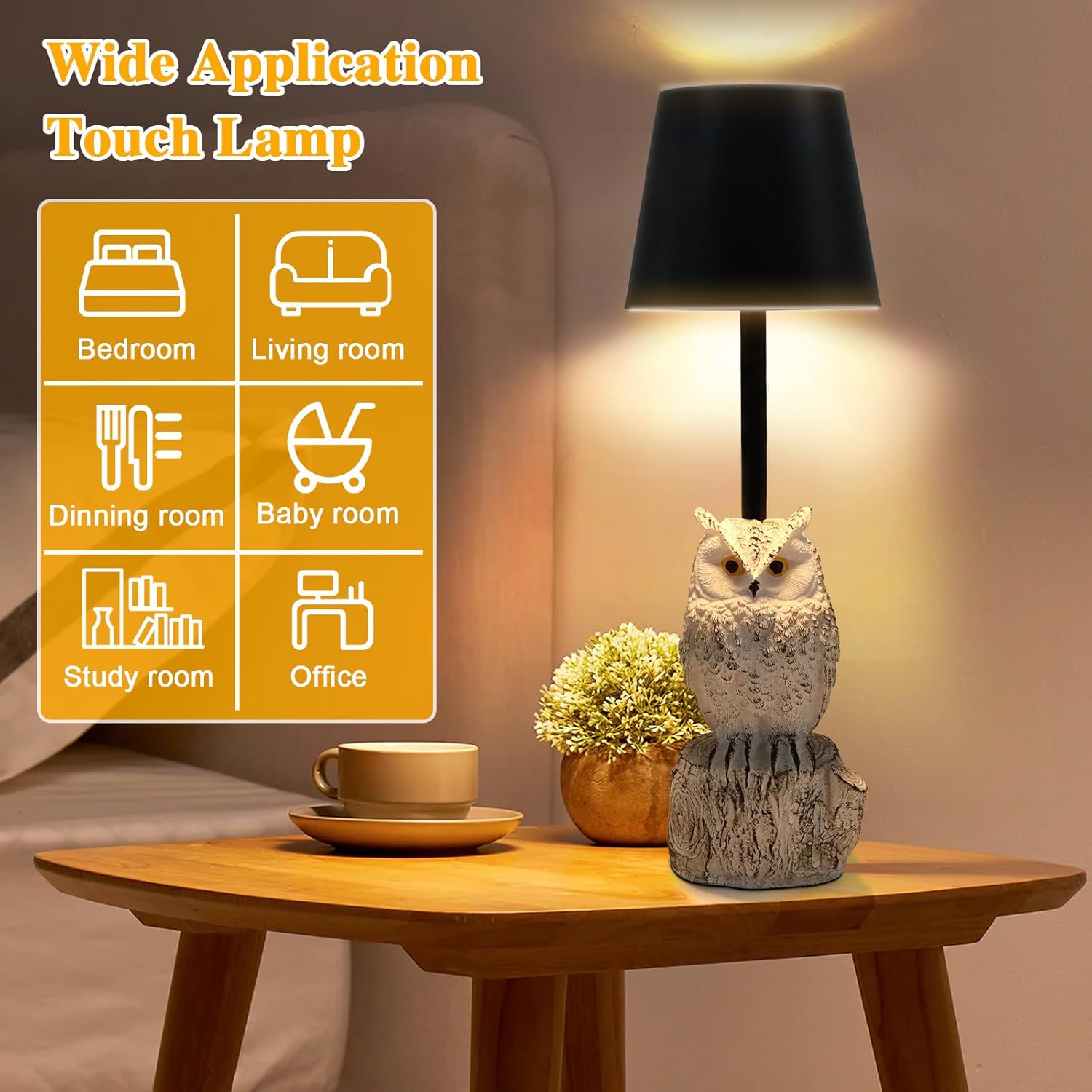
The lamp is suitable for various indoor settings.
Operating Instructions
Touch Control Operation
The TYNLED Owl Table Lamp features intuitive touch control located on the top of the lampshade.

The touch control button is located on the top of the lampshade.
Power On/Off and Color Temperature Adjustment
To turn the lamp on or off, and to cycle through color temperatures:
- Short Press: Touch the control button briefly to turn the lamp on or off.
- Short Press (while on): Continue short pressing to cycle through the three available color temperatures:
- 2500K Warm Light: Ideal for accompanying sleep or creating a cozy atmosphere.
- 4000K Natural Light: Suitable for reading or general illumination.
- 6000K White Light: Best for working or tasks requiring bright, clear light.

Adjustable color temperatures for various scenarios.
Stepless Dimming (10%-100%)
To adjust the brightness of the lamp:
- Long Press: While the lamp is on, press and hold the touch control button. The brightness will gradually increase or decrease between 10% and 100%. Release the button when the desired brightness level is reached.

Stepless dimming allows precise brightness control.
Maintenance
Proper care will ensure the longevity and performance of your TYNLED Owl Table Lamp.
- Cleaning: Use a soft, dry cloth to wipe the lamp's surface. Do not use abrasive cleaners, solvents, or harsh chemicals, as these may damage the finish.
- Storage: If storing the lamp for an extended period, ensure it is fully charged and store it in a cool, dry place away from direct sunlight and extreme temperatures.
- Battery Care: To maintain battery health, avoid completely draining the battery frequently. Recharge the lamp regularly, even if not in constant use.
Troubleshooting
| Problem | Possible Cause | Solution |
|---|---|---|
| Lamp does not turn on. | Battery is depleted. | Connect the lamp to a power source using the USB-C cable and allow it to charge fully. |
| Lamp does not respond to touch. | Low battery or temporary malfunction. | Ensure the lamp is charged. Try restarting the lamp by connecting/disconnecting the charging cable. |
| Brightness adjustment is not working. | Incorrect operation or low battery. | Ensure you are performing a long press on the touch control. Charge the lamp if the battery is low. |
| Light flickers or is unstable. | Low battery or internal issue. | Charge the lamp fully. If the issue persists, contact customer support. |
Specifications
| Feature | Detail |
|---|---|
| Brand | TYNLED |
| Model Name | Owl lamp |
| Product Dimensions | 12"D x 5"W x 5"H |
| Item Weight | 1 Pounds |
| Material | Metal, Resin |
| Light Source Type | LED (56 beads) |
| Color Temperatures | 2500K Warm, 4000K Natural, 6000K White |
| Dimming | 10%-100% Stepless Dimmable |
| Power Source | Battery Powered (Rechargeable) |
| Charging Port | USB-C |
| Battery Life | 8-20 hours (depending on brightness) |
| Switch Type | Touch |
| Indoor/Outdoor Usage | Indoor |
Warranty and Support
TYNLED is committed to providing high-quality products. For any questions, concerns, or support needs regarding your Owl Table Lamp, please contact TYNLED customer service. While specific warranty details are not provided in this manual, please refer to your purchase documentation or the official TYNLED website for warranty information and support contacts.
You can visit the TYNLED Store for more information: TYNLED Store on Amazon
Ask a question about this manual
Ask about setup, troubleshooting, compatibility, parts, safety, or missing instructions. Manuals+ will review the question and use this page’s manual context to help answer it.