1. Introduction
Welcome to the MONSGEEK M1W V3 HE Gaming Keyboard user manual. This document provides detailed instructions to help you set up, operate, and maintain your new high-performance mechanical keyboard. Designed for gamers and enthusiasts, the M1W V3 HE features advanced magnetic switches, rapid trigger technology, and multiple connectivity options for a superior typing and gaming experience.
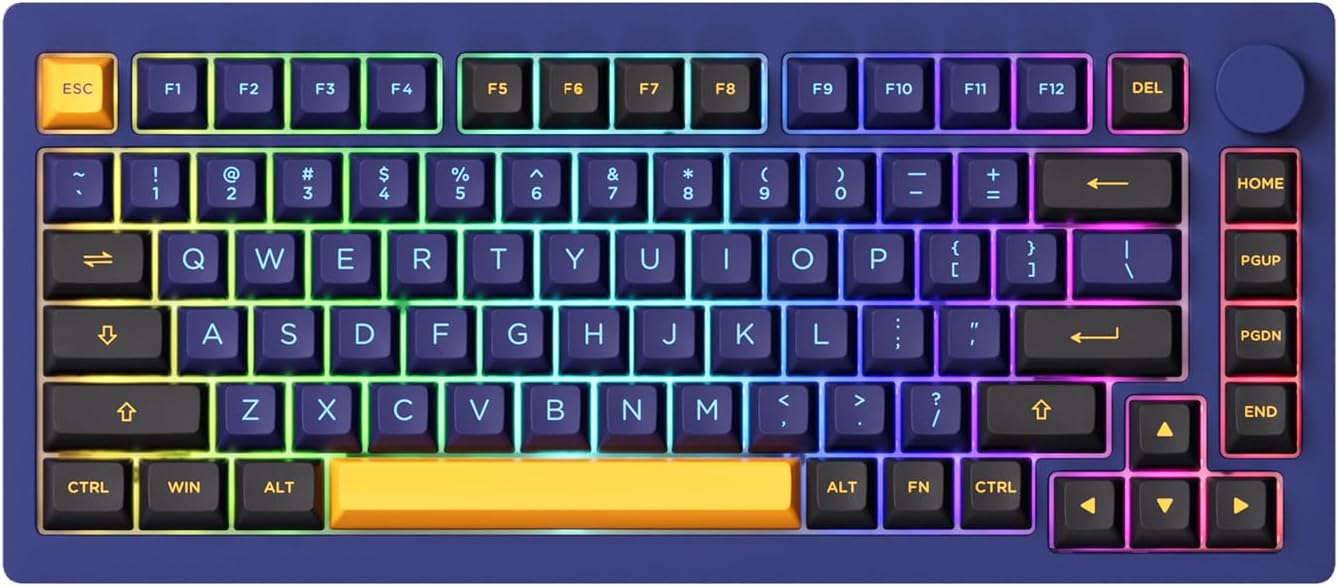
Figure 1: MONSGEEK M1W V3 HE Gaming Keyboard Overview
2. Key Features
The MONSGEEK M1W V3 HE keyboard is equipped with several innovative features to enhance your performance:
- 8k Hz Polling Rate: Experience ultra-low latency with an 8000Hz polling rate, transmitting operational data 8 times faster for near-zero delay.
- Rapid Trigger (0.1mm~2.5mm): Customize actuation and deactivation points for lightning-fast response times, crucial for competitive gaming.
- DKS (Dynamic Keystrokes): Offers four key operations, allowing customization of key pressure for different actions. A light press triggers action 1, a deeper press activates action 2, and releasing the key supports a two-stage setting.
- Toggle Key (TGL): Switch between two modes: continuously holding a key/function or triggering it multiple times rapidly.
- On-board Memory: Save your preferred settings directly on the keyboard hardware, eliminating the need for constant software presence.
- Snap Key: Implements SOCD (Simultaneous Opposite Cardinal Directions) to prioritize the most recent keypress for fluid directional changes in games.
- Magnetic Switches: Utilizes Hall effect sensing for precise and durable key actuation.
- Upgraded Knob: A durable, metal rotary knob for volume control and other functions.
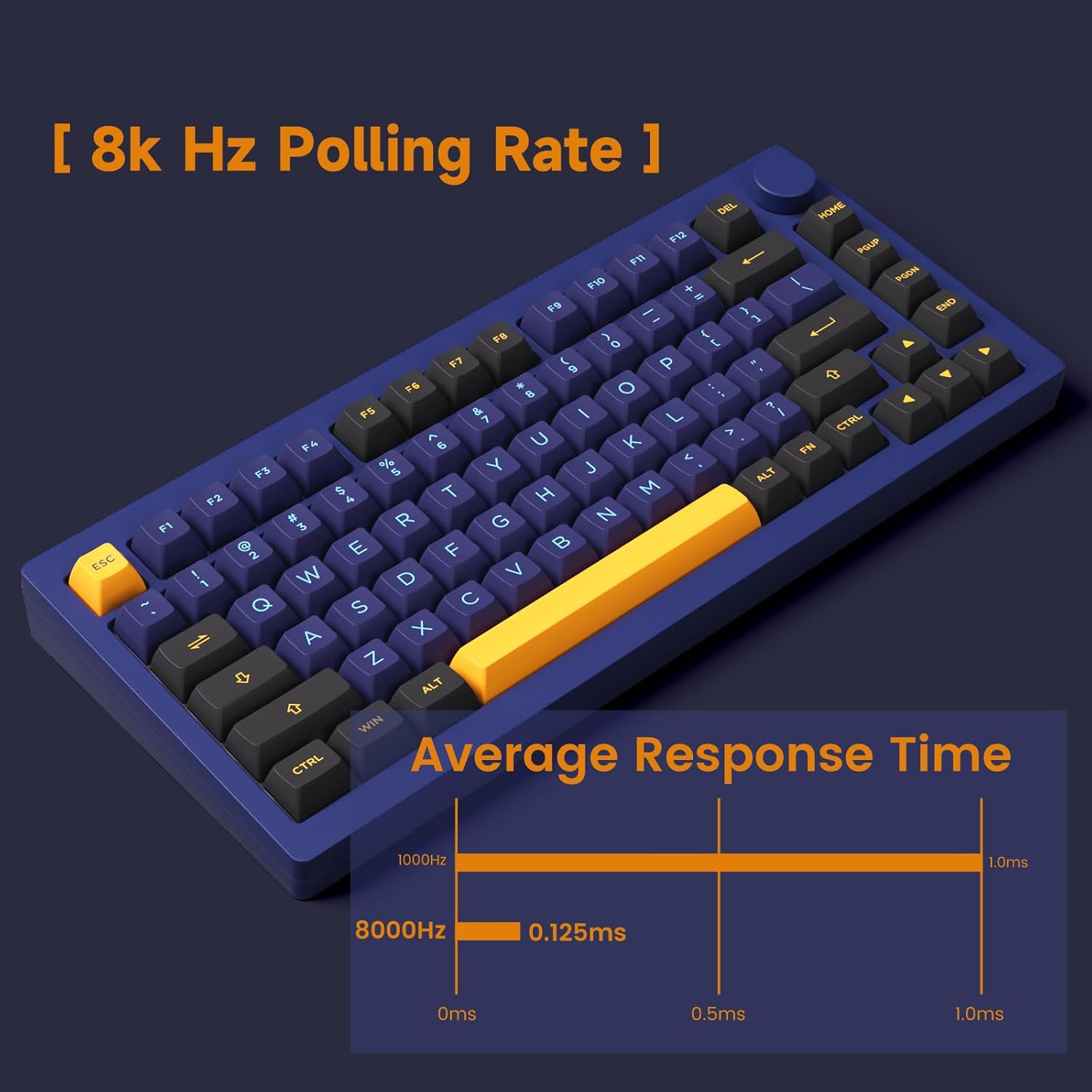
Figure 2: 8k Hz Polling Rate for enhanced responsiveness

Figure 3: Rapid Trigger actuation range

Figure 4: Dynamic Keystrokes (DKS) in action

Figure 5: Toggle Key operation modes

Figure 6: Snap Key for precise movement control

Figure 7: Magnetic Switch V2 components

Figure 8: Fully Upgraded Knob
3. Setup and Connectivity
Your M1W V3 HE keyboard offers versatile connectivity options:
- Multi-Connection Modes: Supports 2.4GHz wireless, Bluetooth, and USB-C wired connections.
- Bluetooth Pairing: Store up to 3 Bluetooth devices simultaneously.

Figure 9: Multi-Modes Connection Overview
Switching Between Modes (Wired/Wireless, Mac/Windows)
To switch between wired (USB), 2.4GHz wireless, and Bluetooth modes, or between Windows and Mac layouts, you will need to access a small physical switch located under the Caps Lock key. Carefully remove the Caps Lock keycap to reveal this switch. Move the switch to the desired position:
- Up: Wireless Mac mode
- Middle: Wired (USB) mode
- Down: Wireless Windows mode
After selecting the desired mode, replace the Caps Lock keycap.
4. Customization and Software
The M1W V3 HE keyboard offers extensive customization through its dedicated driver software:
- Actuation Point Adjustment: Fine-tune the actuation and deactivation points of individual keys from 0.1mm to 2.5mm for personalized responsiveness.
- Dynamic Keystrokes (DKS) Configuration: Program up to four different actions per key based on press depth.
- Toggle Key (TGL) Setup: Configure keys to toggle between states or repeat actions.
- RGB Lighting: Customize the full RGB backlighting with various effects and colors.
- On-board Memory: Save your custom profiles directly to the keyboard's memory for use without the software running.
- Knob Functionality: The upgraded metal knob can be programmed for various functions beyond volume control, such as media playback or zoom.

Figure 10: Customization options for a great gaming experience
5. Maintenance
Proper maintenance ensures the longevity and performance of your keyboard:
- Keycap and Switch Removal: The keyboard features hot-swappable magnetic switches. Use the included keycap puller and switch puller to carefully remove keycaps and switches for cleaning or replacement.
- Cleaning: Regularly clean dust and debris from between the keycaps using compressed air. For deeper cleaning, remove keycaps and gently wipe the surface with a damp, lint-free cloth. Avoid excessive moisture.

Figure 11: Magnetic Switch for easy replacement
6. Troubleshooting
If you encounter issues with your keyboard, refer to the following common solutions:
- Connectivity Issues: Ensure the mode switch under the Caps Lock key is set correctly for your desired connection (Wired, 2.4GHz, Bluetooth) and operating system (Mac/Windows). For wireless connections, check battery level and dongle connection.
- Software Recognition: If the keyboard software does not recognize the device, try reinstalling the software or connecting via USB-C. Ensure you are using the correct local-based driver if web-based VIA is not working.
- Keys Not Registering / Double-Clicking: This can sometimes occur with magnetic switches if keys are 'leaned' on. Adjusting the actuation point in the software may help. Ensure the switches are properly seated.
- RGB Brightness: If RGB appears dim, check software settings for brightness levels.
7. Specifications
| Feature | Detail |
|---|---|
| Brand | MONSGEEK |
| Model Number | M1W V3 HE |
| Connectivity Technology | Bluetooth, PS/2, RF, USB-A |
| Keyboard Description | Gaming |
| Special Features | Backlit, Hotkeys and Media Keys, Programmable Keys, Customizable Display Keys, Hot-Swappable |
| Color | Horizon Blue (RGB Backlighting) |
| Number of Keys | 104 |
| Material | Aluminum |
| Item Weight | 5.59 pounds |
| Package Dimensions | 15.9 x 9.4 x 3.1 inches |
| Batteries | 1 Lithium Ion battery required (included) |
| Compatible Devices | Laptop, PC, Gaming Console, Tablet, Smartphone |
8. Warranty and Support
For warranty information and technical support, please refer to the documentation included with your product packaging or visit the official MONSGEEK website. MONSGEEK is committed to providing high-quality products and customer satisfaction.