
Panasonic S-S35
Panasonic Lumix S 35mm f/1.8 Lens (S-S35) Instruction Manual
Model: S-S35
1. Introduction and Overview
This manual provides essential information for the safe and effective use of your Panasonic Lumix S 35mm f/1.8 Lens bundle. Please read this manual thoroughly before using the product and keep it for future reference.
The Panasonic Lumix S 35mm f/1.8 Lens is a versatile wide-angle prime lens designed for full-frame L-mount mirrorless cameras. It offers a natural field of view, making it suitable for various photography styles including street, landscape, and everyday snapshots. Its bright f/1.8 aperture allows for excellent depth of field control and strong low-light performance. The lens is also optimized for video recording with minimal focus breathing and smooth aperture transitions. It features a robust, dust-, moisture-, and freeze-resistant design.

Figure 1.1: Complete Panasonic Lumix S 35mm f/1.8 Lens bundle, including the lens, filter kit, memory card, card reader, card wallet, lens caps, lens pouch, and cleaning kit.
2. What's in the Box
Verify that all items listed below are included in your package:
- Panasonic Lumix S 35mm f/1.8 Lens (S-S35)
- 3-Piece Filter Kit
- Lens Pouch
- Front Lens Cap
- Rear Lens Cap
- Full Cleaning Kit (includes lens cleaning solution, microfiber cloth, air blower, and lens brush)
- 64 GB Memory Card
- Card Reader
- Card Wallet
3. Setup
3.1 Attaching the Lens to Your Camera
- Ensure your camera is turned off.
- Remove the rear lens cap from the Lumix S 35mm f/1.8 lens and the body cap from your camera. Avoid touching the lens elements or the camera's sensor.
- Align the white mounting index mark on the lens with the corresponding mark on your camera body.
- Insert the lens into the camera's mount and rotate it clockwise until it clicks into place. Do not force the lens.
- Replace the front lens cap when the lens is not in use.
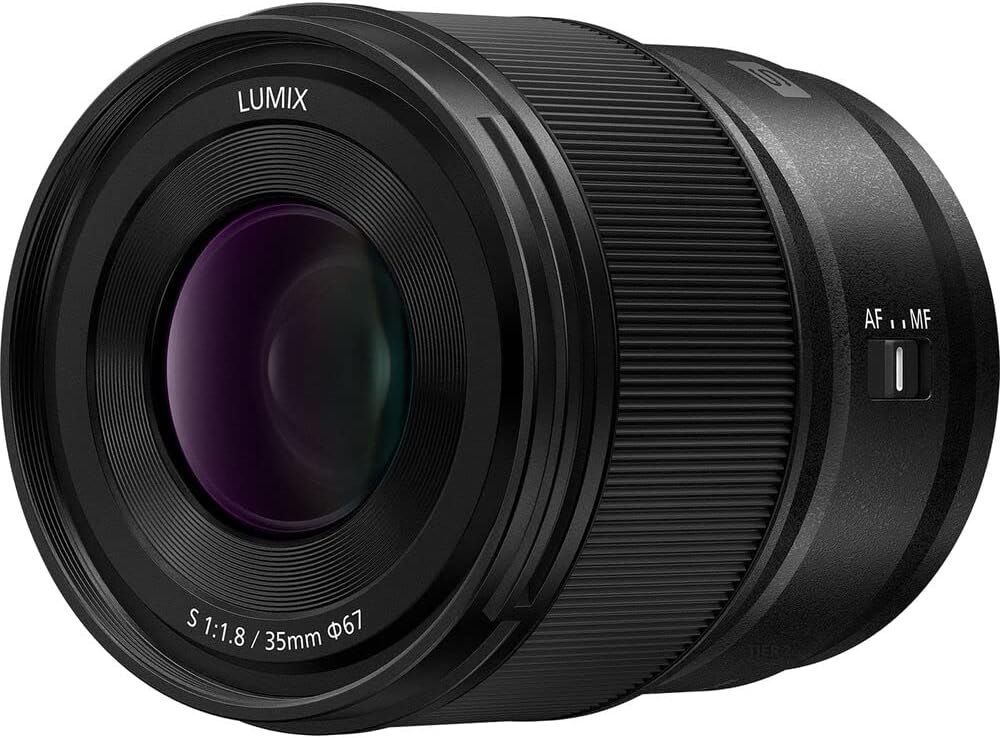
Figure 3.1: Rear view of the lens, highlighting the L-mount for attachment to compatible cameras.
3.2 Installing the Memory Card
Insert the 64 GB memory card into your camera's memory card slot according to your camera's instruction manual. Ensure it is inserted correctly to avoid damage.
3.3 Attaching Filters
The 3-piece filter kit can be screwed onto the front of the lens. Gently align the filter threads with the lens threads and rotate clockwise until secure. Do not overtighten.

Figure 3.2: Front view of the lens, showing the filter thread where the filter kit can be attached.
4. Operating the Lens
4.1 Focus Mode Switch
The lens features an AF/MF switch on its side. This switch allows you to select between Autofocus (AF) and Manual Focus (MF) modes.
- AF (Autofocus): The camera automatically focuses on the subject. This is suitable for most shooting situations.
- MF (Manual Focus): You manually adjust the focus ring on the lens to achieve focus. This is useful for precise focusing, macro photography, or when autofocus struggles in challenging light conditions.

Figure 4.1: Side view of the lens, indicating the position of the AF/MF switch for focus mode selection.
4.2 Aperture Control
The f/1.8 maximum aperture allows for significant control over depth of field, enabling shallow focus and aesthetically pleasing background blur (bokeh). Aperture settings are controlled via your camera body. Refer to your camera's manual for specific instructions on adjusting aperture.

Figure 4.2: The lens highlighting its f/1.8 large aperture, which contributes to shallow depth of field and excellent low-light performance.
4.3 Video Recording Considerations
This lens is designed with video recording in mind, featuring:
- Minimal Focus Breathing: Reduces the change in angle of view when adjusting focus, ensuring a more stable image during video recording.
- Micro-step Aperture Control: Allows for smooth, gradual changes in exposure, preventing abrupt brightness shifts during filming.
For optimal video performance, ensure your camera's firmware is up to date.
5. Maintenance and Care
Proper maintenance ensures the longevity and optimal performance of your lens and accessories.
5.1 Cleaning the Lens
- Use the air blower from the cleaning kit to remove dust and loose particles from the lens surface.
- For smudges or fingerprints, apply a small amount of lens cleaning solution to the microfiber cloth (never directly to the lens) and gently wipe the lens in a circular motion from the center outwards.
- Avoid using abrasive materials or harsh chemicals.
5.2 Storage
- Always attach the front and rear lens caps when the lens is not in use.
- Store the lens in the provided lens pouch in a cool, dry place, away from direct sunlight and extreme temperatures.
- The lens is designed to be dust-, moisture-, and freeze-resistant, but prolonged exposure to harsh conditions should be avoided.
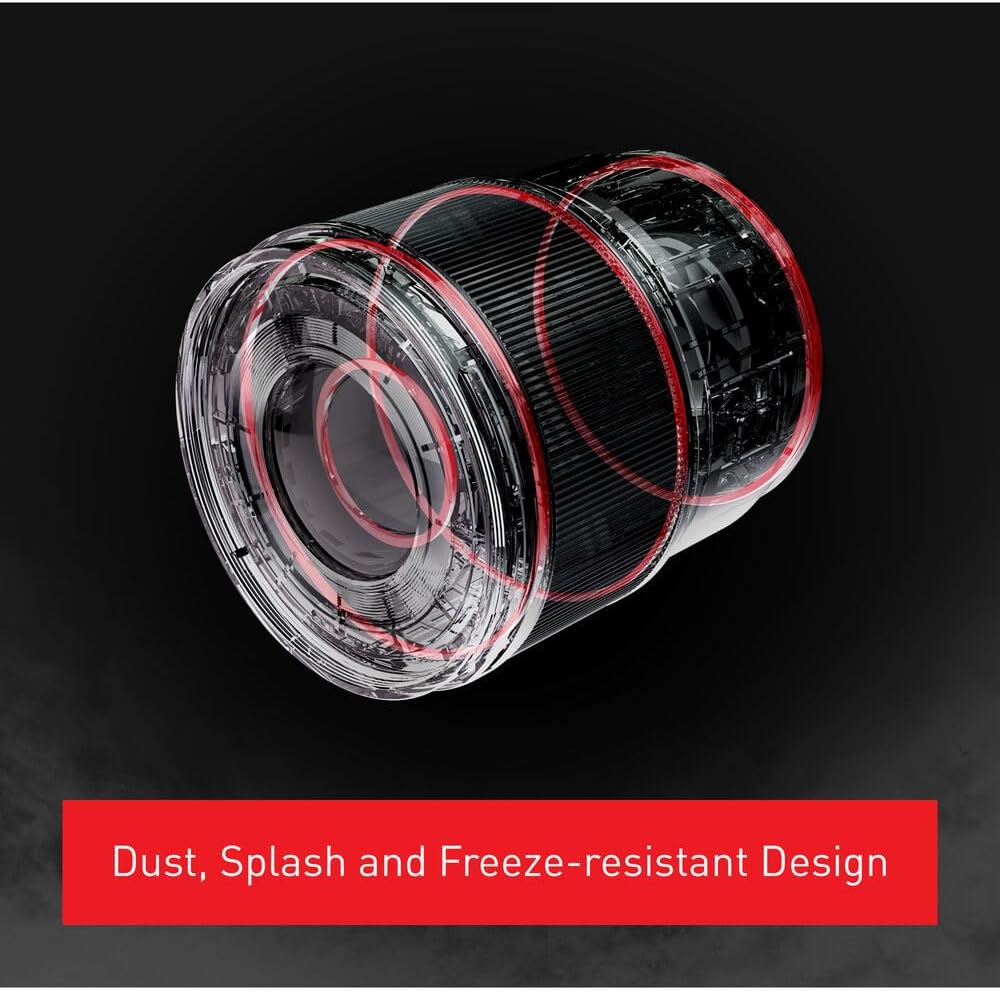
Figure 5.1: Diagram illustrating the internal sealing and construction of the lens, highlighting its dust, splash, and freeze-resistant design for enhanced durability.
6. Troubleshooting
| Problem | Possible Cause | Solution |
|---|---|---|
| Lens not attaching to camera | Incorrect alignment; debris in mount | Ensure white index marks are aligned. Check for and remove any debris from the lens mount or camera mount. |
| Autofocus not working | Lens set to MF; insufficient light; camera settings | Set the AF/MF switch to AF. Ensure adequate lighting. Check camera's focus mode settings. |
| Images are blurry | Incorrect focus; dirty lens; camera shake | Verify focus. Clean the lens elements. Use a faster shutter speed or tripod to prevent camera shake. |
| Dust on images | Dust on lens or camera sensor | Clean the lens. If dust persists, it may be on the camera sensor; refer to your camera's manual for sensor cleaning procedures or consult a professional. |
7. Specifications
| Feature | Detail |
|---|---|
| Model Number | S-S35 |
| Brand | Panasonic |
| Focal Length | 35mm |
| Maximum Aperture | f/1.8 |
| Lens Type | Prime, Wide Angle |
| Lens Construction | 11 elements in 9 groups (including 3 aspherical and 3 extra-low dispersion elements) |
| Minimum Focus Distance | 0.24m / 0.79ft |
| Filter Size | 67mm |
| Dimensions (Diameter x Length) | Approx. 3.2 x 2.8 x 2.8 inches (Product Dimensions) |
| Weight | Approx. 3.04 pounds |
| Durability | Dust-, Moisture-, and Freeze-Resistant |
8. Warranty and Support
For warranty information and technical support, please refer to the official Panasonic website or contact Panasonic customer service directly. Keep your proof of purchase for warranty claims.
Panasonic Official Website: www.panasonic.com
For inquiries regarding the bundled accessories (filter kit, memory card, etc.), please refer to the respective manufacturers' documentation or contact the vendor from whom you purchased the bundle.
Related Documents - S-S35
 |
Panasonic LUMIX S 35mm F1.8 交換レンズ 取扱説明書 Panasonic LUMIX S 35mm F1.8 交換レンズの取扱説明書です。安全上のご注意、各部の名称と機能、レンズの取り付け・取り外し方法、使用上の注意、仕様などを記載しています。デジタルカメラ用交換レンズに関する詳細情報を提供します。 |
 |
Panasonic LUMIX S 18-40mm F4.5-6.3 Interchangeable Lens Operating Instructions Operating instructions, safety precautions, and specifications for the Panasonic LUMIX S 18-40mm F4.5-6.3 interchangeable lens for Leica L-Mount digital cameras. Covers usage, handling, maintenance, and troubleshooting. |
 |
Panasonic LUMIX G X VARIO 12-35mm F2.8 II ASPH./POWER O.I.S. Lens Operating Instructions Comprehensive operating instructions for the Panasonic LUMIX G X VARIO 12-35mm F2.8 II ASPH./POWER O.I.S. interchangeable lens, covering setup, usage, care, and specifications. Includes safety precautions and troubleshooting. |
 |
パナソニック LUMIX S 85mm F1.8 交換レンズ 取扱説明書 パナソニック LUMIX S 85mm F1.8 交換レンズの公式取扱説明書。セットアップ、使用方法、安全上の注意、仕様などを網羅し、写真撮影を最大限に活用するための情報を提供します。 |
 |
Panasonic LUMIX S-X50 Interchangeable Lens Operating Instructions Operating instructions for the Panasonic LUMIX S-X50 interchangeable lens, detailing safe usage, handling, specifications, included accessories, and technical information for digital cameras. |
 |
Panasonic LUMIX S 24-60mm F2.8 Lens Owner's Manual Official owner's manual for the Panasonic LUMIX S 24-60mm F2.8 interchangeable lens (Model S-E2460). Provides detailed information on setup, operation, precautions, specifications, troubleshooting, and warranty. |
Ask a question about this manual
Ask about setup, troubleshooting, compatibility, parts, safety, or missing instructions. Manuals+ will review the question and use this page’s manual context to help answer it.