
1. Introduction
This manual provides detailed instructions for the installation, operation, and maintenance of your IAQIYOPS 3D Face Smart Door Lock. Please read this manual thoroughly before installation and use to ensure proper function and safety. This smart lock offers advanced security features including 3D infrared face recognition, fingerprint, password, IC card, mechanical key, and APP unlocking methods.

Figure 1: IAQIYOPS 3D Face Smart Door Lock, showing the exterior and interior units.
2. Key Features
- Multiple Unlocking Methods: Supports 3D infrared face recognition, fingerprint, password, IC card, mechanical key, and mobile APP for versatile access.
- Robust Construction: Built with carved alloy material for enhanced durability and security.
- Automatic Locking & Unlocking: Features the latest automatic technology for convenient hands-free operation.
- Enhanced Security: Includes an indoor double lock knob for additional safety.
- Emergency Power Supply: Equipped with an emergency power supply option in case of battery depletion.
- Rechargeable Battery: Integrated rechargeable lithium battery with low battery warning. A full charge can last approximately 3 months.
- Voice Prompts & Menu: Provides English voice prompts and menu for ease of use.
- Unlock Record Query: Ability to query unlock records directly from the lock.
- Infrared Sensor Camera: Ensures reliable operation even in dark environments.
- Wide Door Compatibility: Suitable for various door types including wooden, stainless steel, bronze, double doors, and old-fashioned security doors.
- Reversible Handle Direction: Compatible with both left and right open doors.
- Suitable Door Thickness: Designed for doors with a thickness between 40-90mm.
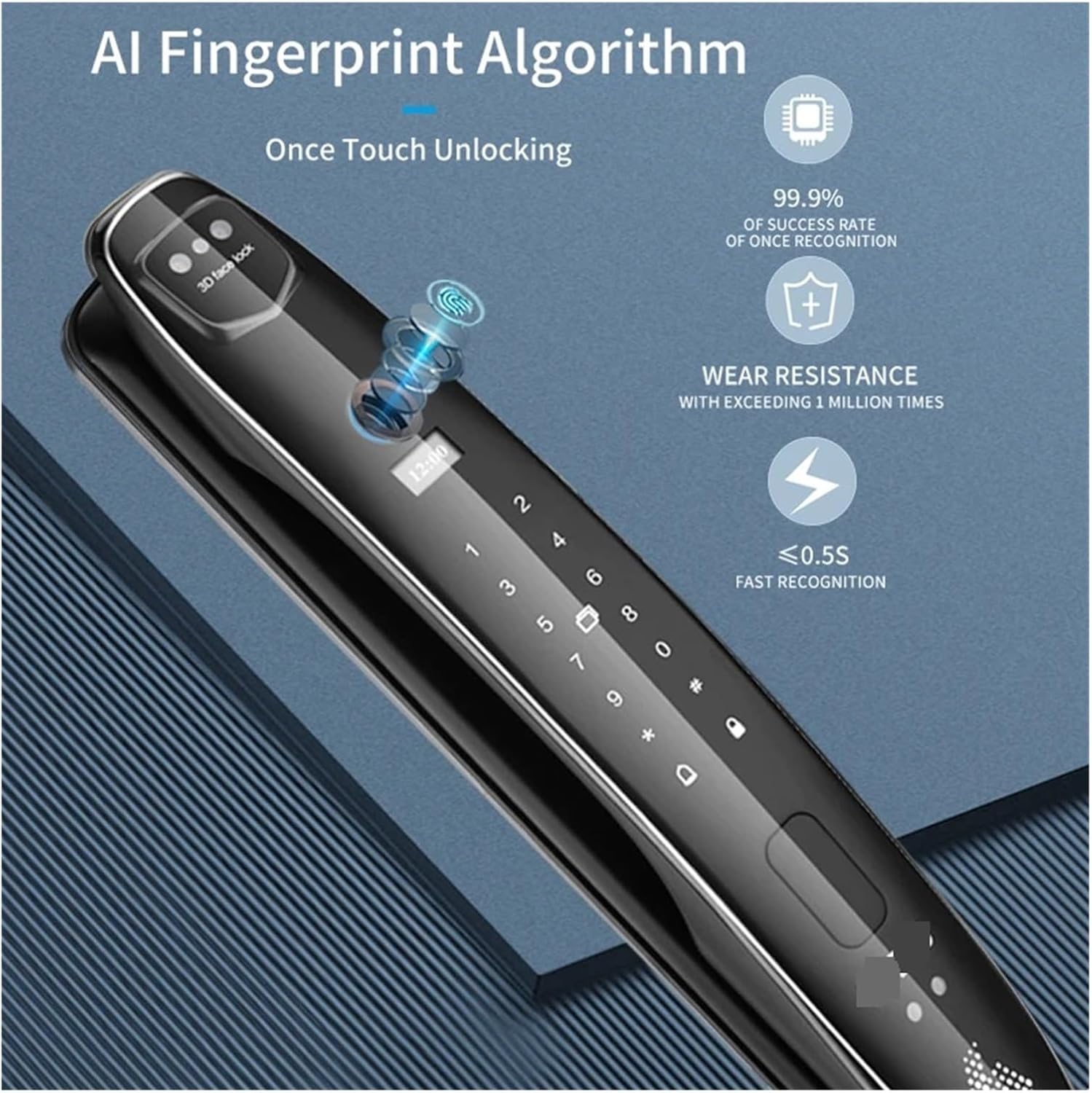
Figure 2: Visual representation of the seven unlocking modes.
3. Package Contents
Upon opening the package, please verify that all components are present and undamaged. The typical package includes:
- Exterior Smart Lock Unit
- Interior Smart Lock Unit
- Mortise Lock Body (specific dimensions shown in Figure 3)
- Mechanical Keys (typically 2)
- IC Cards (quantity may vary)
- Installation Screws and Accessories
- User Manual (this document)
4. Setup & Installation
4.1 Door Preparation
Ensure your door meets the specified thickness requirement of 40-90mm. The lock is compatible with both left and right opening doors; the handle direction is reversible during installation.
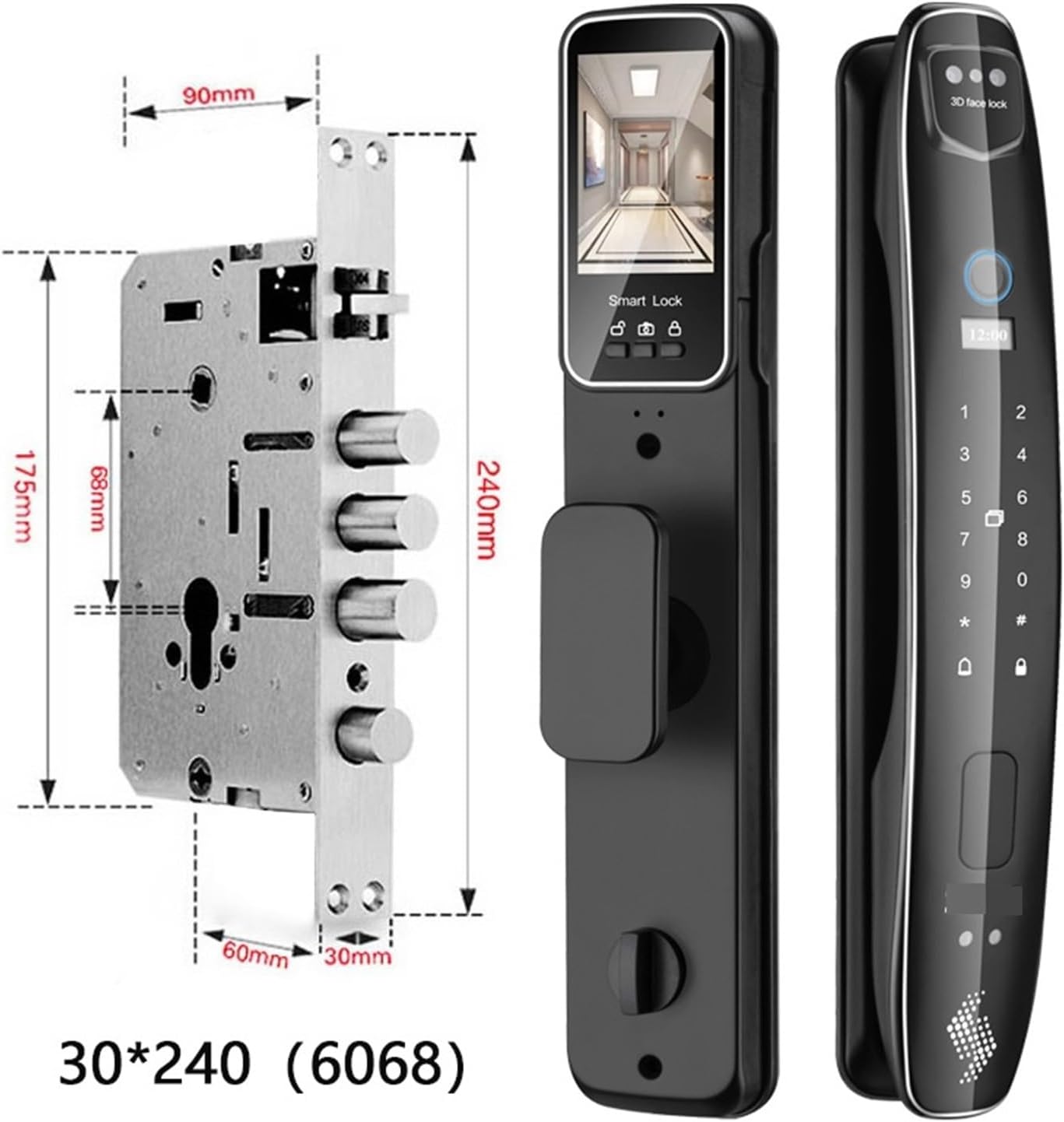
Figure 3: Specific dimensions of the lock body (30*240 (6068)). Refer to this diagram for accurate door preparation.
4.2 Installation Steps (General Guide)
- Prepare the Door: Drill holes and mortise the door according to the provided template and the dimensions shown in Figure 3.
- Install Mortise Lock Body: Insert the mortise lock body into the prepared slot on the door edge and secure it with screws.
- Install Exterior Unit: Connect the necessary cables from the exterior unit through the door to the interior side. Position the exterior unit and secure it.
- Install Interior Unit: Connect the cables from the exterior unit to the interior unit. Secure the interior unit to the door, ensuring all components are aligned.
- Install Battery: Insert the rechargeable lithium battery into the designated compartment in the interior unit.
- Test Functionality: After installation, test all unlocking methods and ensure the lock operates smoothly.
5. Operating Instructions
5.1 Unlocking Methods
- 3D Infrared Face Recognition: Stand in front of the lock. The infrared sensor camera will detect your face and unlock automatically. This works well even in low light conditions.

Figure 4: 3D Face Recognition in action, providing quick and automatic unlocking.
- Fingerprint Unlocking: Place your registered finger on the fingerprint sensor. The AI fingerprint algorithm ensures fast recognition, typically within 0.5 seconds.
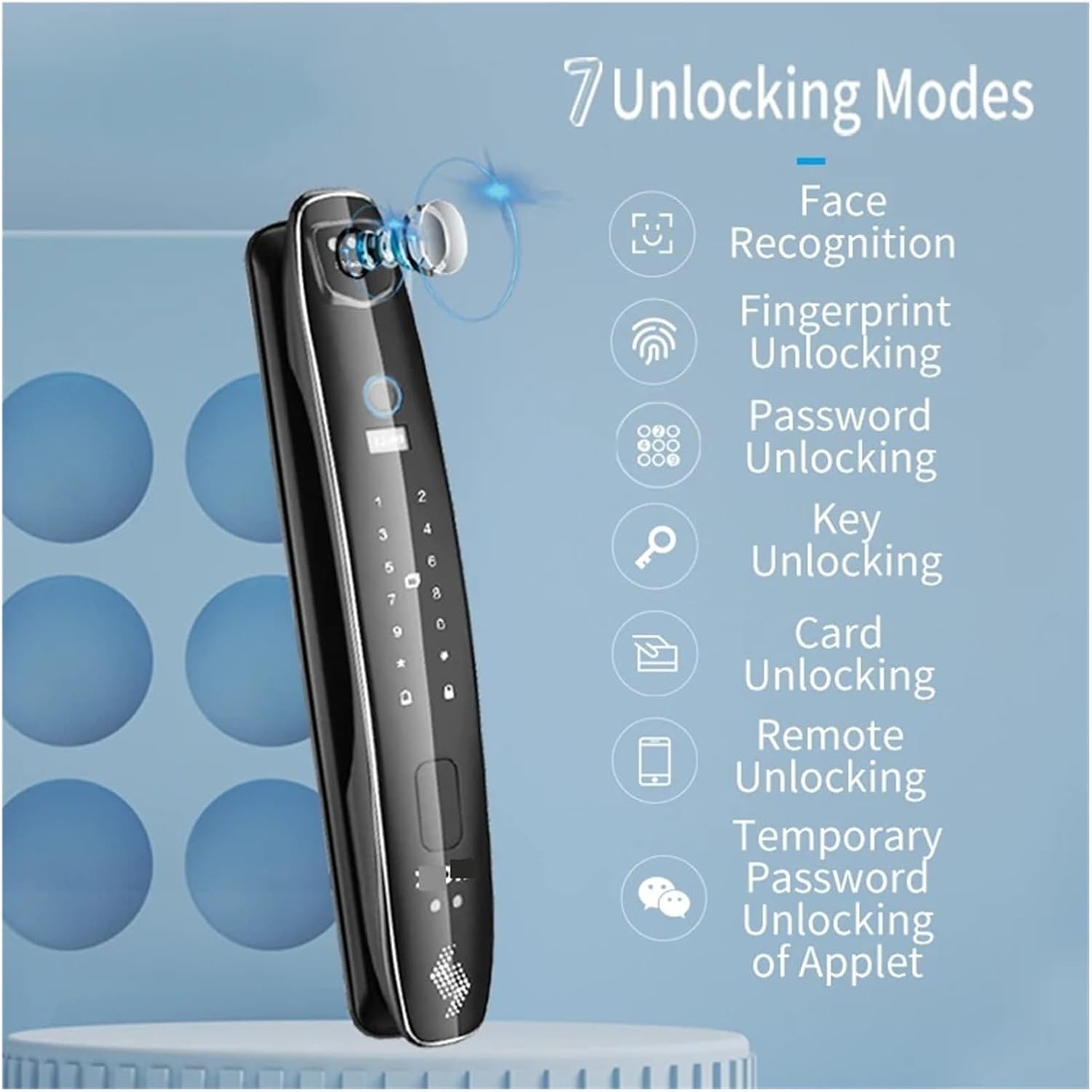
Figure 5: AI Fingerprint Algorithm for fast and reliable fingerprint recognition.
- Password Unlocking: Enter your registered password on the keypad and press the '#' key to confirm.
- IC Card Unlocking: Present your registered IC card to the card reader area on the lock.
- Mechanical Key Unlocking: In case of emergency or battery depletion, insert the mechanical key into the hidden keyhole and turn to unlock.
- APP Unlocking: Use the dedicated mobile application to remotely unlock the door. The app also allows for querying unlock records and managing settings.

Figure 6: Managing the smart lock and unlocking via the mobile application.
- Temporary Password Unlocking: Generate temporary passwords via the app for guest access.
5.2 Automatic Locking
The lock is designed to automatically lock after the door closes, providing continuous security.
5.3 Indoor Double Lock Knob
For added security from the inside, engage the double lock knob. This prevents external unlocking methods from working, except for the mechanical key in emergencies.
5.4 Viewing Outdoor Situations
The camera and cat's eye lens allow you to view the outdoor situation on the interior screen when the door is closed.

Figure 7: The interior screen displaying the view from the outdoor camera.
6. Maintenance
6.1 Battery Charging
The smart lock is powered by a rechargeable lithium battery. When the low battery warning is issued, connect the lock to a power source using the provided charging cable. A full charge typically lasts about 3 months depending on usage.
6.2 Cleaning
Wipe the lock's surface with a soft, dry cloth. Avoid using abrasive cleaners or solvents that could damage the finish or electronic components. Keep the fingerprint sensor and camera lens clean for optimal performance.
7. Troubleshooting
- Lock Not Responding: Check the battery level. If the battery is low, use the emergency power supply or mechanical key to open the door and then recharge the battery.
- Fingerprint/Face Recognition Failure: Ensure the sensor/camera lens is clean and free from obstructions. Try re-registering your fingerprint or face if issues persist. Ensure proper lighting for face recognition.
- Password Not Working: Double-check the entered password. Ensure the keypad is clean and responsive.
- App Connectivity Issues: Ensure your phone's Bluetooth/Wi-Fi is enabled and the lock is within range. Restart the app or the lock if necessary.
- Automatic Locking Malfunction: Check for any physical obstructions preventing the door from closing fully. Ensure the lock body is properly aligned.
8. Specifications
| Feature | Specification |
|---|---|
| Brand | IAQIYOPS |
| Model Name | CS7(6068-R) |
| Lock Type | Biometric |
| Special Feature | Rechargeable |
| Color | Cs7(6068-r) |
| Number of Pieces | 1 |
| Controller Type | Hand Control, Mechanical knob, Android App |
| Control Method | Voice, Manual, App |
| Item Weight | 1.76 ounces (approx. 50 Grams) |
| Package Dimensions | 1.18 x 0.79 x 0.39 inches |
| Country of Origin | China |
| Assembly Required | No (refers to the product itself, not installation) |
| Suitable Door Thickness | 40-90cm |
| Handle Direction | Reversible |
9. Warranty & Support
Information regarding the product warranty and specific customer support contacts was not available in the provided data. Please refer to the product packaging or the seller's information for details on warranty coverage and how to obtain technical support.