
1. Introduction
Thank you for choosing the SKIOVEMI NV8000 4K 3D Digital Night Vision Binoculars. This manual provides detailed instructions for the proper setup, operation, and maintenance of your device. Please read this manual thoroughly before use to ensure optimal performance and longevity of your night vision binoculars.
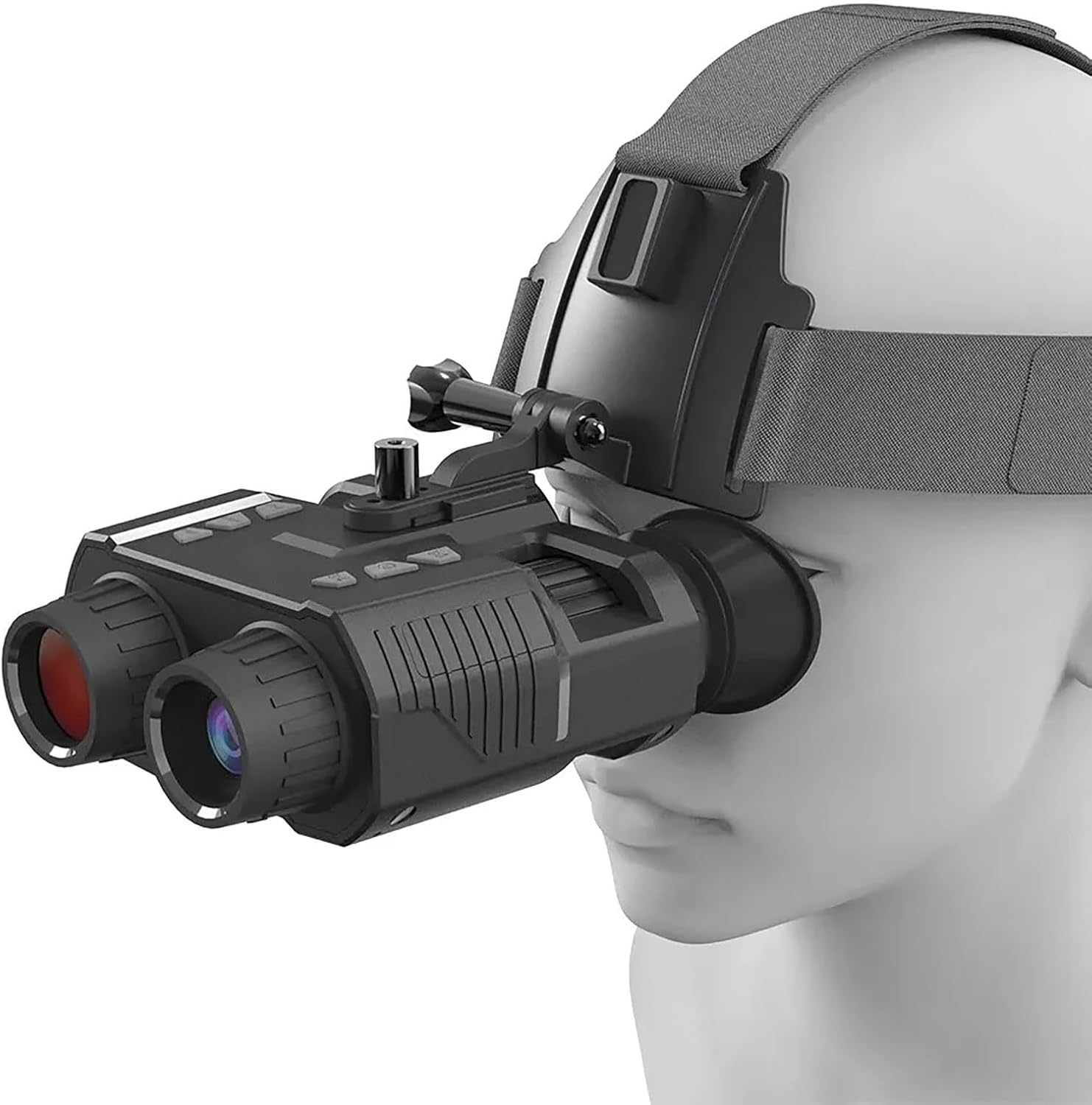
Image 1.1: SKIOVEMI NV8000 4K 3D Digital Night Vision Binoculars. This image shows the night vision binoculars mounted on a head strap, ready for use.
2. Product Overview
2.1 Key Features
- 4K High-Performance Night Vision: Capture clear photos and videos in darkness.
- 3D Display: Immersive real-time observation effect with 1.4-inch dual TFT screens.
- 8X Digital Zoom: For detailed observation of distant objects.
- 7-Level Infrared (IR) Adjustment: 850nm strong infrared spotlight for varying light conditions.
- Self-Adjusted Binoculars: Independent eyepieces with vision compensation (refractive adjust range +/-3).
- Built-in Rechargeable Battery: 3.7V 3000mAh lithium battery for extended use.
- Versatile Mounting: Supports handheld use or head-mounted with included headband and compatibility with L4G24 NVG Metal Helmet Mount.
2.2 Package Contents
Ensure all items are present in the package:
- 1x Night Vision Binoculars (NV8000)
- 1x 32GB SD card
- 1x Protecting case
- 1x USB cable
- 1x Head Strap
- 1x Mount Accessory
- 1x Paper Manual
- 1x Head Mount
- 1x Cleaning Cloth
3. Safety Information
Please observe the following safety precautions:
- Do not look directly at strong light sources (e.g., the sun) through the binoculars, as this can cause permanent eye damage and damage to the device.
- Keep the device away from water and moisture.
- Avoid dropping or subjecting the device to strong impacts.
- Do not attempt to disassemble or repair the device yourself. Contact customer support for assistance.
- Use only the provided USB cable for charging.
- Store the device in a cool, dry place when not in use.
4. Setup
4.1 Charging the Battery
The NV8000 features a built-in 3.7V 3000mAh lithium battery. Before first use, fully charge the device.
- Locate the USB port/Micro SD card slot cover on the device (refer to Image 5.1).
- Open the cover and connect the provided USB cable to the device's USB port.
- Connect the other end of the USB cable to a suitable USB power adapter (not included) or a computer USB port.
- The charging indicator will illuminate. Once fully charged, the indicator will change or turn off.
A full charge provides approximately 4 hours of battery life with constant full infrared use, or 7 hours with lower infrared usage.
4.2 Inserting the SD Card
The device supports up to a 32GB SD card for storing photos and videos.
- Open the USB port/Micro SD card slot cover.
- Insert the 32GB SD card (included) into the Micro SD card slot with the gold contacts facing down, until it clicks into place.
- To remove, gently push the SD card until it pops out.
4.3 Attaching the Head Strap/Mount
The NV8000 can be used handheld or head-mounted.
- For Head Strap: Attach the provided adjustable head strap to the designated slots on the device. Adjust for a comfortable and secure fit.
- For Helmet Mount: The device is compatible with L4G24 NVG Metal Helmet Mounts. Use the helmet bracket fixing screw and helmet bracket chute to secure the binoculars to a compatible helmet mount.
5. Operating Instructions

Image 5.1: Product Details. This image highlights the various buttons and ports on the SKIOVEMI NV8000, including the Power Button, Menu Button, Mode Button, Shot Button, IR Up/Zoom In, IR Down/Zoom Out, USB port, Micro SD card slot, Helmet bracket fixing screw, Helmet bracket chute, and Strap Holes.
5.1 Power On/Off
- Power On: Press and hold the Power Button until the display illuminates.
- Power Off: Press and hold the Power Button again until the display turns off.
5.2 Display Adjustment
The device features a 1.4-inch 390*390 HD TFT inner screen with 7-level brightness adjustment and the ability to switch between single and double screens.
- Brightness: Navigate through the menu using the Menu Button and IR Up/Down Buttons to find brightness settings.
- Single/Double Screen: This option can typically be found within the device's menu settings.
5.3 Eyepiece Adjustment (Diopter)
The NV8000 uses fully independent binocular technology, allowing individual vision compensation for each eye.
- Rotate the eyepiece rings on each side to adjust the focus for your left and right eyes independently.
- The refractive adjustment range is +/-3, accommodating both myopia and farsightedness up to 300 degrees.
5.4 Infrared (IR) Adjustment
The device has 7 grades of infrared adjustment to optimize visibility in various low-light conditions.

Image 5.2: 8X Digital Zoom and 7 Level IR. This image illustrates the 8X digital zoom capabilities and the 7 levels of infrared intensity, showing how the image clarity improves with higher IR levels.
- Press the IR Up / Zoom In / Up Button to increase the IR intensity.
- Press the IR Down / Zoom Out / Down Button to decrease the IR intensity.
- Adjust the IR level until you achieve the clearest possible image in dark environments.
5.5 Digital Zoom
The NV8000 features an 8X digital zoom.
- While observing, press the IR Up / Zoom In / Up Button to zoom in.
- Press the IR Down / Zoom Out / Down Button to zoom out.
5.6 Photo/Video Recording
Capture images and videos using the dedicated Shot button.
- To take a photo: Briefly press the Shot Button.
- To record video: Press and hold the Shot Button to start recording. Press again to stop recording.
5.7 Menu Navigation and Color Effects
Access various settings and color modes through the menu.

Image 5.3: 4 Color Effects. This image demonstrates the four available color modes: Normal Color Mode, IR Monochrome, IR Light Color Effect, and Green Color Effect, showcasing how the device can display clear images even in low light.
- Press the Menu Button to enter the settings menu.
- Use the IR Up/Down Buttons to navigate through menu options.
- Press the Mode Button or Shot Button to select an option or confirm a setting.
- Within the menu, you can select from 4 color effects: Normal Color Mode, IR Monochrome, IR Light Color Effect, and Green Color Effect.
5.8 Auto Power Off
The device can be set to automatically power off after a period of inactivity to conserve battery. This setting is adjustable in the menu (1/3/5/10 minutes or OFF).
6. Maintenance
6.1 Cleaning
- Use the provided cleaning cloth to gently wipe the lenses. Avoid using abrasive materials or harsh chemicals.
- For the device body, use a soft, dry cloth to wipe away dust or dirt.
6.2 Storage
- When not in use, store the binoculars in the protective case in a cool, dry place, away from direct sunlight and extreme temperatures.
- Remove the SD card if storing for extended periods.
7. Troubleshooting
If you encounter issues with your NV8000 binoculars, refer to the following common solutions:
- Device does not power on: Ensure the battery is fully charged. Connect to a power source and try again.
- Poor image quality: Adjust the IR level, eyepiece focus, and display brightness. Ensure lenses are clean.
- Cannot record photos/videos: Check if an SD card is properly inserted and has sufficient free space. Ensure the SD card is not locked.
- Short battery life: Reduce IR intensity or display brightness. Ensure the device is fully charged before use.
If the problem persists, please contact SKIOVEMI customer support for further assistance.
8. Specifications
| Photo Resolution | 36M/12M/8M/5M/2M/1M |
| Video Resolution | 4K/FHD/HD |
| Sensor | 1.3MP starlight sensor |
| Display | Inner screen 1.4" 390*390 HD TFT, 7-level brightness, single/double screen switching, 7X magnification |
| Eyepiece | Fully independent binocular technology, refractive adjust range +/-3 |
| IR LED | 3W, 850nm strong infrared spotlight, 7 grades IR adjustment |
| Lens | F1.4 larger aperture, f=25mm, FOV 10° |
| Auto Power Off | 1/3/5/10min/OFF |
| View Distance | 200m-250m full black observation, 1-infinity low light observation |
| Digital Zoom | 8X |
| Storage | Supports up to 32GB SD card |
| Power Source | 3.7V 3000MAH lithium battery |
| Operating Temperature | -10℃ to +50℃ |
| Storage Temperature | -20℃ to +60℃ |
| Product Size | 152*122*55mm |
| Product Weight | 440g |
| Objective Lens Diameter | 25 Millimeters |
| Magnification Maximum | 7 x (Optical) |
| Mounting Type | Head Mount |
| Binocular Prism Description | Porro Prism |

Image 8.1: Day & Night Use. This image compares the view during daytime with a full-color image of tigers to the night vision view, which shows the same scene in monochrome, demonstrating the device's capability in both conditions.
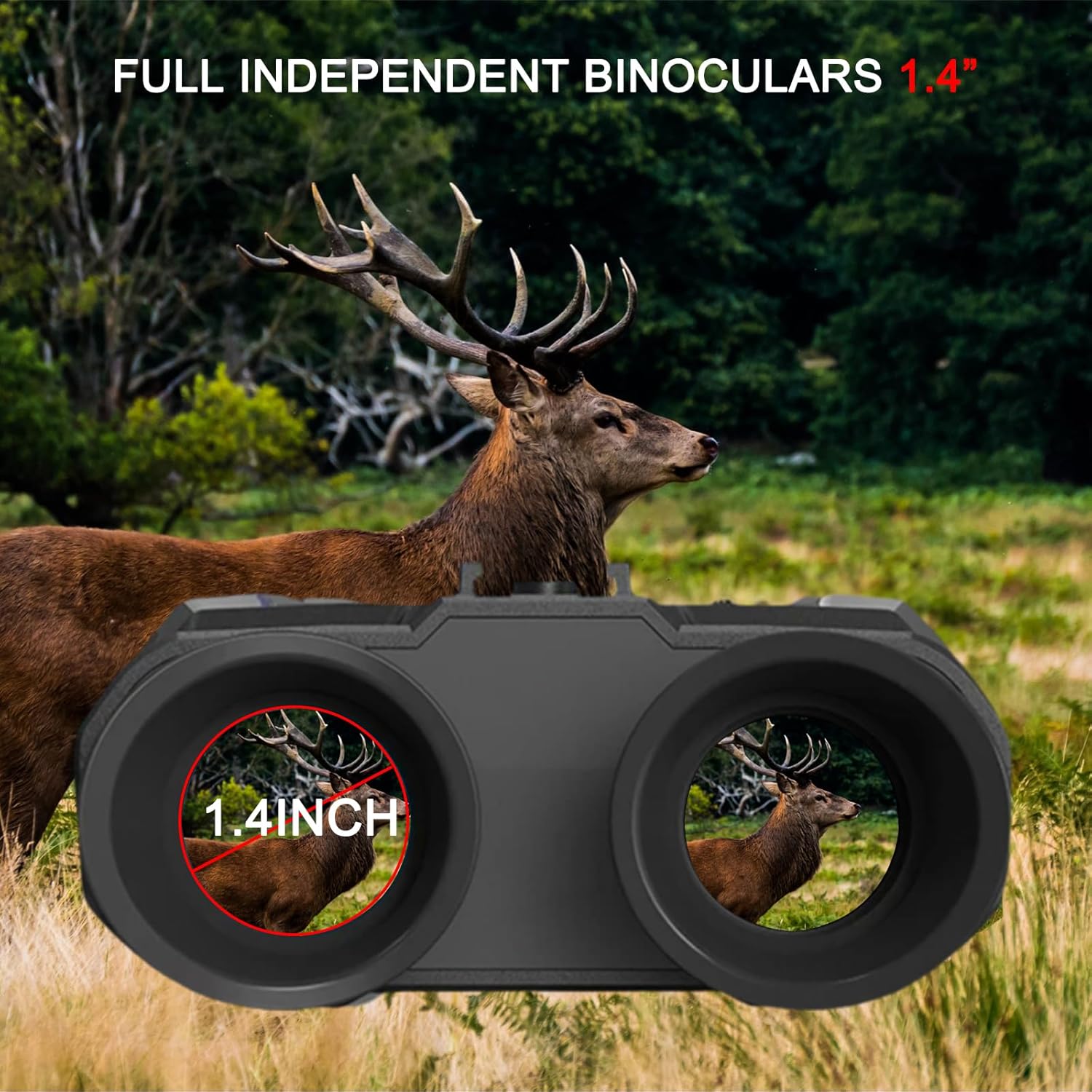
Image 8.2: Full Independent Binoculars 1.4". This image shows the view through the binoculars, highlighting the 1.4-inch display and the independent adjustment capability for each eyepiece, with a deer visible in the distance.

Image 8.3: Seeing in Complete Darkness. This image illustrates the device's ability to see in complete darkness, showing a wolf in a dark forest environment with a clear field of view (FOV 10°) up to 250-300 meters (820-924 feet).
9. Warranty and Support
For warranty information, technical support, or any inquiries regarding your SKIOVEMI NV8000 night vision binoculars, please refer to the warranty card included in your package or contact SKIOVEMI customer service directly. Contact details can typically be found on the manufacturer's official website or through your purchase platform.