
1. Product Overview
The MIYOUKE Smart WiFi Watering Timer is an automatic sprinkler timer designed for garden hose applications. It features IP65 waterproofing and offers three distinct watering modes. This device supports remote control via the Smart Life App and integrates with voice assistants like Alexa and Google Assistant.
- Smart Connectivity: Direct connection to 2.4GHz WiFi without a separate gateway.
- Watering Modes: Timed irrigation, cycle watering, and delayed watering for rainy days.
- Scheduling: Up to 6 watering schedules can be set daily.
- Durability: IP65 waterproof rating for outdoor use.
- Power: Operates on 4 AA batteries (included).
- Compatibility: Includes 1/2 and 3/4 inch adapters for various hose connections.

2. Setup Instructions
2.1 Unboxing and Initial Inspection
Carefully remove all components from the packaging. Verify that all items listed in the product overview are present and undamaged.

2.2 Battery Installation
- Locate the battery compartment on the back of the watering timer.
- Open the battery compartment cover. Note the waterproof rubber ring inside the cover.
- Insert the 4 included AA batteries, ensuring correct polarity (+/-).
- Securely close the battery compartment cover, ensuring the waterproof rubber ring is properly seated to maintain the IP65 rating.
2.3 Physical Installation
- Attach the appropriate adapter (1/2 or 3/4 inch) to your outdoor faucet or spigot.
- Screw the MIYOUKE Smart WiFi Watering Timer onto the adapter. Ensure a tight, leak-free connection.
- Connect your garden hose to the outlet of the watering timer.
2.4 App Connection (Smart Life App)
The timer connects directly to a 2.4GHz WiFi network without requiring a separate gateway.
- Download the 'Smart Life' App from your mobile device's app store (iOS or Android).
- Register or log in to your Smart Life account.
- Follow the in-app instructions to add a new device. Select 'Watering Timer' or a similar category.
- Ensure your mobile device is connected to a 2.4GHz WiFi network during the pairing process.
- The timer's built-in enhanced WiFi chip allows connection within a 100m range of your 2.4GHz WiFi router.

2.5 Voice Control Setup
Once connected to the Smart Life App, you can link your timer to Alexa or Google Assistant for voice control.
- Open the Alexa or Google Home app on your mobile device.
- Navigate to 'Skills & Games' (Alexa) or 'Works with Google' (Google Home).
- Search for and enable the 'Smart Life' skill/service.
- Link your Smart Life account when prompted.
- Discover devices. Your MIYOUKE Smart WiFi Watering Timer should now be available for voice commands.

3. Operating Instructions
3.1 Watering Modes
The MIYOUKE Smart WiFi Watering Timer offers three primary watering modes:
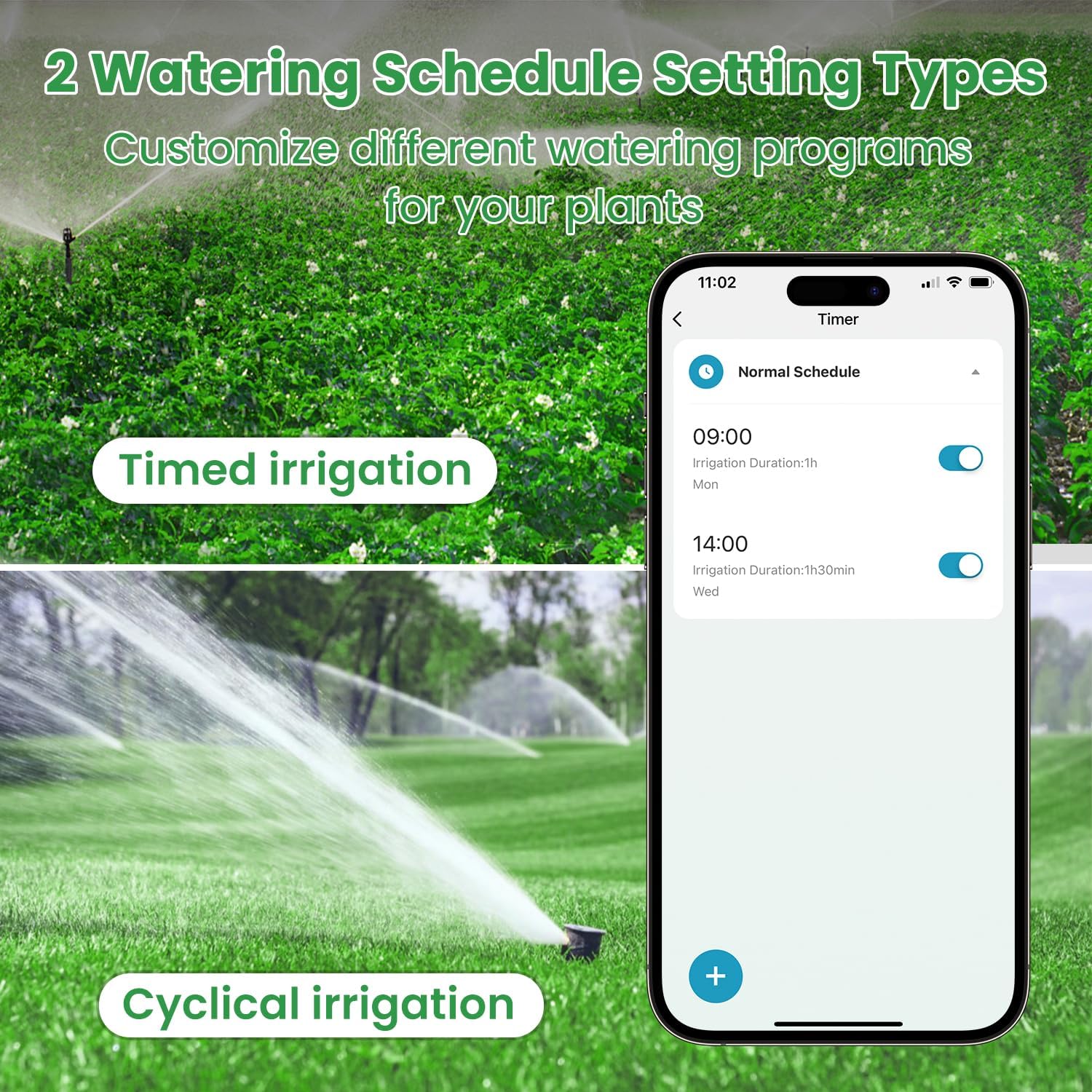
- Timed Irrigation: Set specific start and end times for watering cycles.
- Cycle Watering: Program repetitive watering and pause intervals.
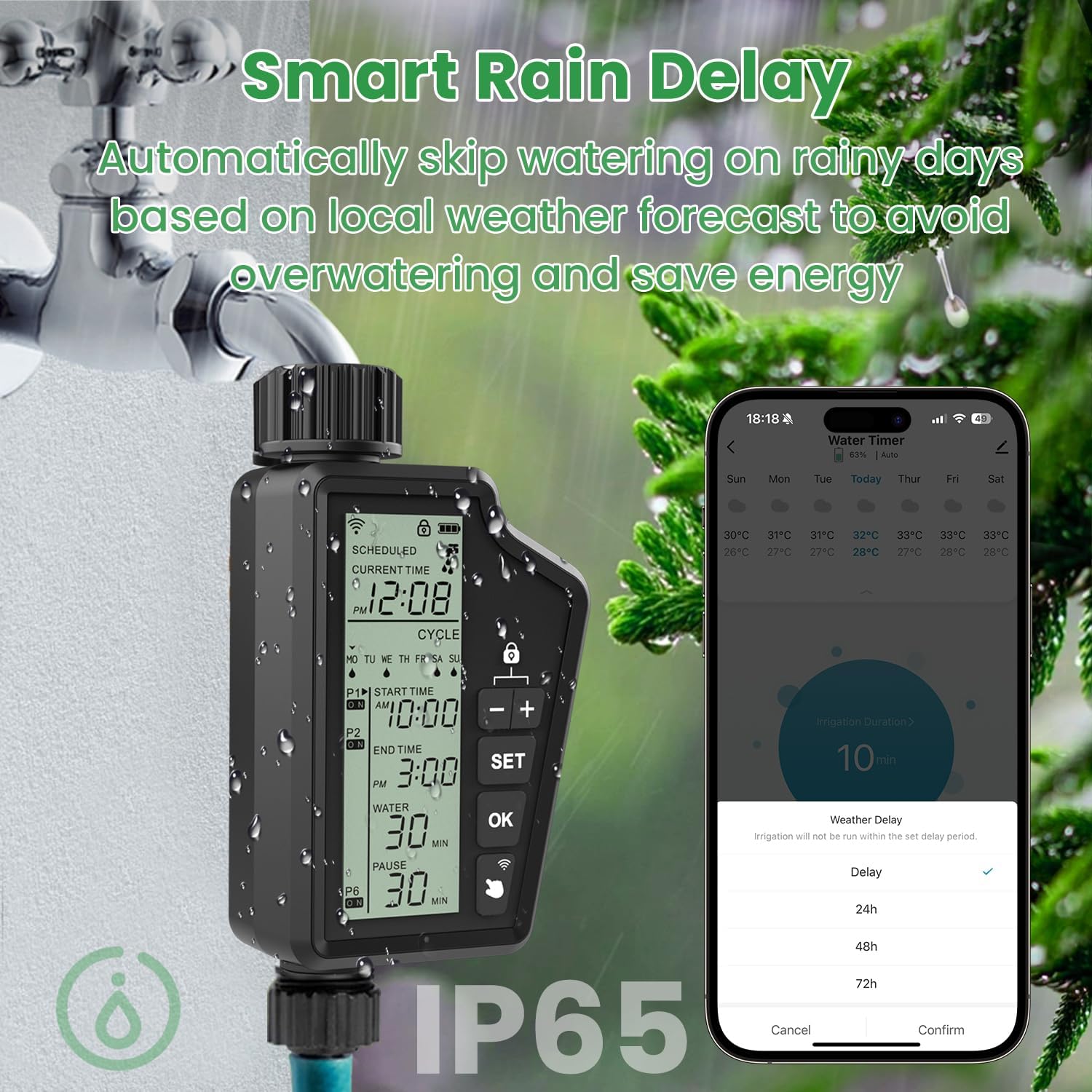
- Delayed Watering (Rain Delay): Automatically skips watering based on local weather forecasts to prevent overwatering and conserve water.
3.2 Setting Watering Schedules
You can set up to 6 watering schedules per day using the Smart Life App. Refer to the app's interface for detailed instructions on creating and managing schedules.
3.3 Manual Control
The device features physical buttons (SET, OK, +,-) for direct control and adjustments without the app. Consult the device's display and buttons for manual operation.
3.4 Voice Control Commands
After linking with Alexa or Google Assistant, use commands such as:
- "Alexa, turn on the smart water timer."
- "Hey Google, turn off the garden sprinkler."
- Specific commands for setting duration may vary based on the Smart Life skill/service.
4. Maintenance
Proper maintenance ensures the longevity and optimal performance of your MIYOUKE Smart WiFi Watering Timer.
- Waterproof Integrity: The device is IP65 waterproof. Ensure the battery cover is always securely closed with the rubber ring properly seated.
- Battery Check: Monitor battery levels via the Smart Life App or directly on the device's display. Replace batteries promptly when low to avoid interruption of watering schedules.
- Filter Cleaning: The timer includes a built-in metal filter. Periodically check and clean the filter to prevent debris from obstructing water flow.
- Winterization: In freezing conditions, disconnect the timer from the faucet and store it indoors to prevent damage from ice expansion.

5. Troubleshooting
If you encounter issues with your MIYOUKE Smart WiFi Watering Timer, refer to the following common solutions:
- Device Not Responding:
- Check battery level. Replace batteries if low.
- Ensure the battery compartment is sealed correctly.
- Verify the device is powered on.
- App Connectivity Issues:
- Confirm your router is broadcasting a 2.4GHz WiFi signal. The timer does not support 5GHz WiFi.
- Ensure the timer is within 100m of your WiFi router.
- Restart your WiFi router and the watering timer.
- Re-attempt the pairing process in the Smart Life App.
- Watering Schedule Not Activating:
- Check the set schedules in the Smart Life App for accuracy (times, days, duration).
- Verify that the rain delay function is not active.
- Ensure there is sufficient water pressure from the faucet.
- Check for blockages in the hose or the timer's filter.
- Leaks from Connections:
- Ensure all connections (faucet to adapter, adapter to timer, timer to hose) are tightened securely.
- Check for damaged O-rings or washers. Replace if necessary.
- Apply PTFE (Teflon) tape to threaded connections for a better seal.
6. Specifications
| Feature | Specification |
|---|---|
| Model Number | MIYOUKE |
| Product Dimensions | 3.6 x 6.9 x 1.9 inches |
| Item Weight | 1.21 pounds |
| Waterproof Rating | IP65 |
| Power Source | 4 x AA Batteries |
| Wireless Connectivity | 2.4GHz WiFi |
| Voice Control Support | Alexa, Google Assistant |
| Watering Modes | 3 (Timed, Cycle, Rain Delay) |
| Hose Adapters | 1/2 inch, 3/4 inch |
| Color | Black |
7. Warranty Information
Specific warranty details for the MIYOUKE Smart WiFi Watering Timer are not provided in the available product information. Please refer to the product packaging or contact the manufacturer directly for warranty terms and conditions.
8. Support
For technical assistance, troubleshooting, or further inquiries regarding your MIYOUKE Smart WiFi Watering Timer, please consult the Smart Life App's help section or visit the official MIYOUKE support website. Contact information for direct support was not available in the provided product details.