
Pinned Golf Dart 2.0 Speaker
Pinned 2.0 Dart Speaker Instruction Manual
Model: Dart 2.0 Speaker
Brand: Pinned Golf
Introduction
The Pinned 2.0 Dart Speaker is a portable, waterproof Bluetooth speaker designed for golf enthusiasts and outdoor activities. It features a strong magnetic attachment, long battery life, and robust sound quality, ensuring your music accompanies you on the course or wherever you go.
Key Features
- UPGRADED SOUND QUALITY: Experience size-defying sound with our Dart 2.0 golf speaker, specifically tailored for golf enthusiasts.
- EXTENDED PLAYTIME: Enjoy over 10 hours of uninterrupted music with our quick USB-C rechargeable golf cart speaker battery.
- RUGGED & WATERPROOF: IPX7 waterproof rating ensures your magnetic bluetooth speaker stays protected, come rain or shine.
- DUAL ATTACHMENT: This golf cart Bluetooth speaker includes strong magnets for secure golf cart attachment and a bag clip carabiner for walkers.
- BLUETOOTH 5.0 CONNECTIVITY: Experience seamless pairing with a 125 ft range, ensuring your music stays with you on the green.

Image: The Pinned 2.0 Dart Speaker featuring an American Flag design, showcasing its compact, round form factor with control buttons on the front.
What's in the Box
- Portable Speaker
- USB-C Charging Cable
- Carabiner Clip

Image: The Pinned 2.0 Dart Speaker shown in its retail packaging, highlighting the speaker, USB-C charging cable, and carabiner clip.
Setup
Charging the Speaker
Before first use, fully charge your Pinned 2.0 Dart Speaker.
- Locate the USB-C charging port on the back of the speaker, protected by a rubber flap.
- Open the rubber flap and insert the provided USB-C cable.
- Connect the other end of the USB-C cable to a compatible USB power source (e.g., wall adapter, computer USB port).
- The battery indicator lights on the speaker will illuminate to show charging progress. A full charge provides approximately 10+ hours of playtime.
Powering On/Off
To power on the speaker, press and hold the power button (marked with 'P') located on the front panel until you hear an audible tone and the indicator lights activate. To power off, press and hold the power button again.
Bluetooth Pairing
Once powered on, the speaker will automatically enter pairing mode, indicated by a flashing Bluetooth indicator light.
- On your mobile device (smartphone, tablet, etc.), navigate to the Bluetooth settings.
- Search for available devices and select "Pinned Dart 2.0" from the list.
- Once connected, you will hear a confirmation tone, and the Bluetooth indicator light will become solid.
Attaching the Speaker
The Pinned 2.0 Dart Speaker offers versatile attachment options:
- Magnetic Attachment: The speaker features strong built-in magnets on its back. Simply place the speaker onto any metallic surface, such as a golf cart frame, for a secure hold.
- Carabiner Clip: Use the integrated carabiner clip to attach the speaker to your golf bag, backpack, or belt loop for easy portability.
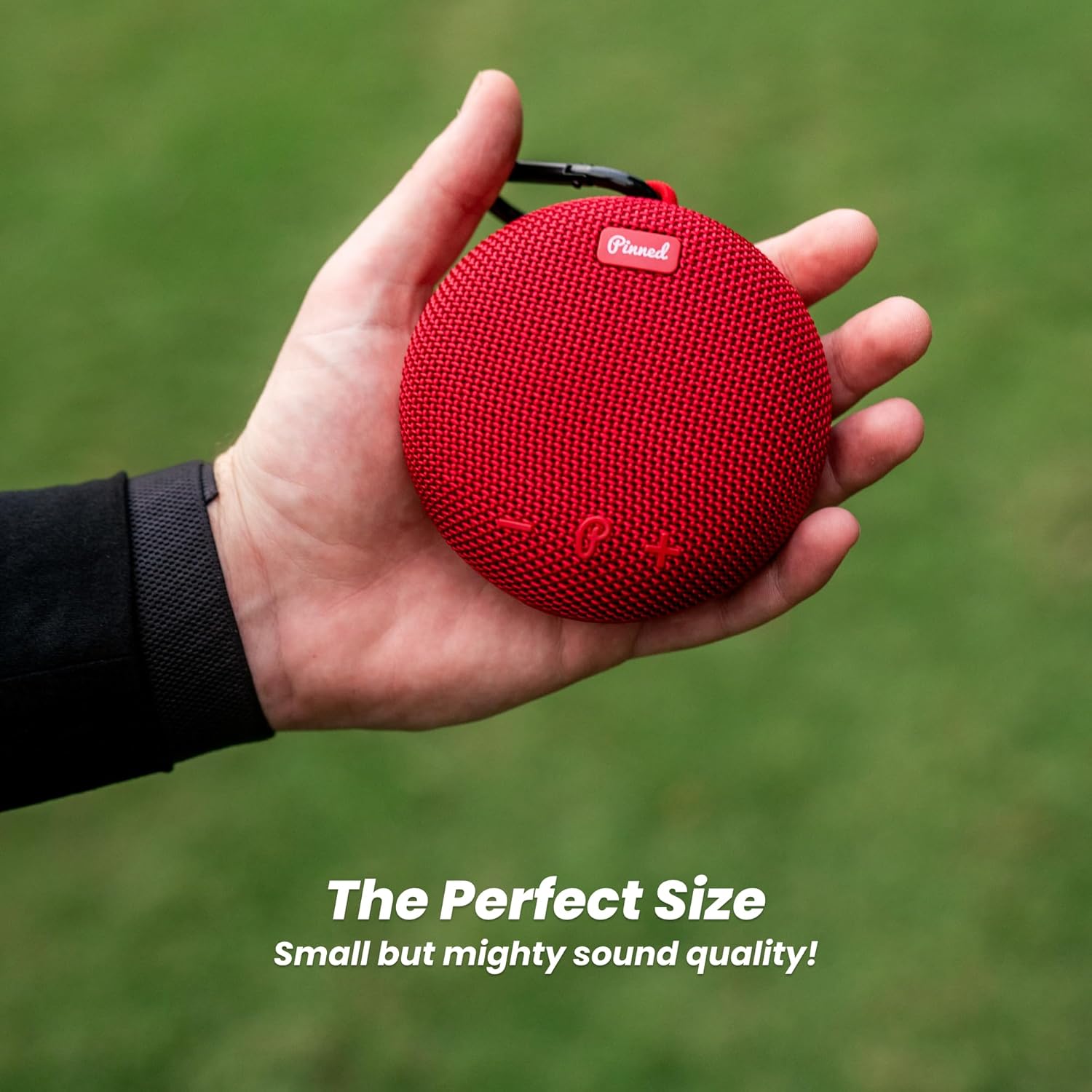
Image: The Pinned 2.0 Dart Speaker magnetically attached to the metal frame of a golf cart, demonstrating its secure hold.
Operating the Speaker
Controls
The speaker features intuitive controls on its front panel:
- Power Button (P): Press and hold to power on/off. Short press to play/pause music.
- Volume Up (+): Short press to increase volume.
- Volume Down (-): Short press to decrease volume.
- Next Track (>): Long press Volume Up (+) to skip to the next track.
- Previous Track (<): Long press Volume Down (-) to go to the previous track.
Dual Pairing (TWS Mode)
For an enhanced audio experience, you can pair two Pinned 2.0 Dart Speakers together for true wireless stereo (TWS) sound.
- Ensure both speakers are powered on and not connected to any device.
- On one speaker (this will be the primary speaker), double-press the power button. It will enter TWS pairing mode.
- The primary speaker will automatically search for and connect to the second speaker.
- Once connected, the indicator lights on both speakers will confirm the TWS connection.
- Now, connect your mobile device to the primary speaker via Bluetooth as described in the "Bluetooth Pairing" section. Audio will play through both speakers.

Image: Two Pinned 2.0 Dart Speakers, one black and one red, positioned to illustrate the "Connect Two Speakers" feature for surround sound or party mode.
Maintenance
Waterproofing
The Pinned 2.0 Dart Speaker has an IPX7 waterproof rating, meaning it can be submerged in up to 1 meter of water for 30 minutes. This makes it suitable for use in rainy conditions or near water. Ensure the USB-C charging port cover is securely closed before exposing the speaker to water.
Cleaning
To clean the speaker, wipe it with a soft, damp cloth. Do not use harsh chemicals or abrasive cleaners.
Troubleshooting
- Speaker won't turn on: Ensure the battery is charged. Connect to a power source and try again.
- Cannot pair via Bluetooth:
- Make sure the speaker is in pairing mode (flashing Bluetooth light).
- Ensure Bluetooth is enabled on your device.
- Move the speaker closer to your device.
- Forget the device on your phone's Bluetooth settings and try pairing again.
- If attempting TWS pairing, ensure both speakers are unpaired from other devices first.
- No sound:
- Check the volume level on both the speaker and your connected device.
- Ensure the speaker is successfully paired.
- Try playing a different audio source.
- Sound quality is poor:
- Move the speaker closer to your device to improve Bluetooth signal.
- Ensure the speaker is not obstructed.
Video: A user demonstrating the features of the Pinned Golf Speaker, including its magnetic attachment and button controls. This video provides a visual guide to basic operation and highlights the speaker's robust design.
Specifications
| Feature | Detail |
|---|---|
| Model Name | Golf Speaker |
| Speaker Type | Outdoor |
| Special Feature | Bass Boost, USB Port |
| Recommended Uses | Indoor/Outdoor |
| Connectivity Technology | Bluetooth |
| Wireless Communication | Bluetooth |
| Bluetooth Version | 5.0 |
| Range | 125 ft |
| Power Source | Battery Powered |
| Battery Life | 10+ Hours |
| Charging Port | USB-C |
| Waterproof Rating | IPX7 |
| Attachment | Strong Magnets, Bag Clip Carabiner |
| Product Dimensions | 5.7"D x 5.1"W x 2.2"H |
| Item Weight | 13.1 ounces |
| Color | American Flag |
| UPC | 051497460884 |
Warranty & Support
The Pinned 2.0 Dart Speaker comes with a One Year Warranty. For support or warranty claims, please contact Pinned Golf directly through their official website or customer service channels.
Official Pinned Golf Website: Pinned Golf Store
Ask a question about this manual
Ask about setup, troubleshooting, compatibility, parts, safety, or missing instructions. Manuals+ will review the question and use this page’s manual context to help answer it.