
sytiry sytiry Treadmills for Home, Heavy Duty Walking/Jogging/Running Treadmill with Incline, Max Speed 10 Miles per Hour, 3.25
sytiry Treadmill User Manual
Model: sytiry Treadmills for Home
1. Introduction
Thank you for choosing the sytiry Treadmill. This manual provides important information for the safe and efficient operation, maintenance, and troubleshooting of your new treadmill. Please read this manual thoroughly before initial use and keep it for future reference.
Important Safety Instructions
- Always consult with a physician before beginning any exercise program.
- Keep children and pets away from the treadmill during operation.
- Place the treadmill on a flat, stable surface with adequate clearance around it.
- Ensure the safety key is properly attached to your clothing during use.
- Do not operate the treadmill if it is damaged or malfunctioning.
- Unplug the treadmill from the power outlet when not in use or before cleaning/maintenance.
2. Product Features
The sytiry Treadmill is designed with advanced features to enhance your home workout experience.
- Upgrade Quiet & Powerful Motor: Equipped with a 3.25HP brushless motor for quieter operation, increased power, and extended service life. Supports speeds up to 10 MPH.
- Anti-Slip & Shock Absorption Running Belt: Features a 7-layer high-density running belt with 6 silicone shock absorbers and 2 soft rubber pads to reduce joint impact and ensure quieter runs.
- Smart App Control & Multi-functional Large Console: Integrated fitness app for simulated outdoor running. Console displays time, speed, distance, calories, and pulse. Offers 36 preset programs and speed range from 0.5 to 10 mph.
- Adjustable Incline: Allows for 3-level manual incline adjustments to simulate uphill running, increasing calorie burn and muscle engagement.
- Foldable Design & Soft-drop System: Built-in transport wheels for easy movement and storage. The soft-drop system allows for gentle unfolding.
3. Setup and Assembly
Follow these steps to set up your sytiry Treadmill.
Unpacking and Placement
- Carefully remove all components from the packaging.
- Place the treadmill on a level, solid surface. Ensure there is at least 2 meters (6.5 feet) of clear space behind the treadmill and 0.5 meters (1.6 feet) on each side.
- Inspect all parts for any damage. If any parts are missing or damaged, contact customer service.
Assembly Steps
Refer to the included assembly guide for detailed diagrams. Basic assembly typically involves:
- Attaching the uprights to the base frame.
- Mounting the console to the uprights.
- Connecting all necessary cables.
- Securing all bolts and nuts.

Image: A user running on the sytiry treadmill, demonstrating its operational setup.

Image: Diagram highlighting the 3.25HP brushless DC motor, emphasizing its quiet, powerful, and durable characteristics.
4. Operating Instructions
Getting Started
- Plug the power cord into a grounded outlet.
- Attach the safety key to the designated slot on the console and clip the other end to your clothing. The treadmill will not operate without the safety key in place.
- Step onto the treadmill, placing your feet on the side rails.
Console Functions

Image: Close-up of the treadmill console, showing the display, control buttons, and indicating support for Bluetooth and the FitShow App.
The multi-functional LED display provides real-time workout data:
- Time: Duration of your workout.
- Speed: Current speed in miles per hour (MPH).
- Distance: Total distance covered.
- Calories: Estimated calories burned.
- Pulse: Heart rate reading (if using hand pulse sensors).
Programs and Speed Adjustment
- Start/Stop: Press to begin or end your workout.
- Speed +/-: Adjust the running speed from 0.5 to 10 MPH.
- Program (PROG): Select from 36 preset workout programs.
- Mode: Cycle through display modes or set target goals.
Adjusting Incline
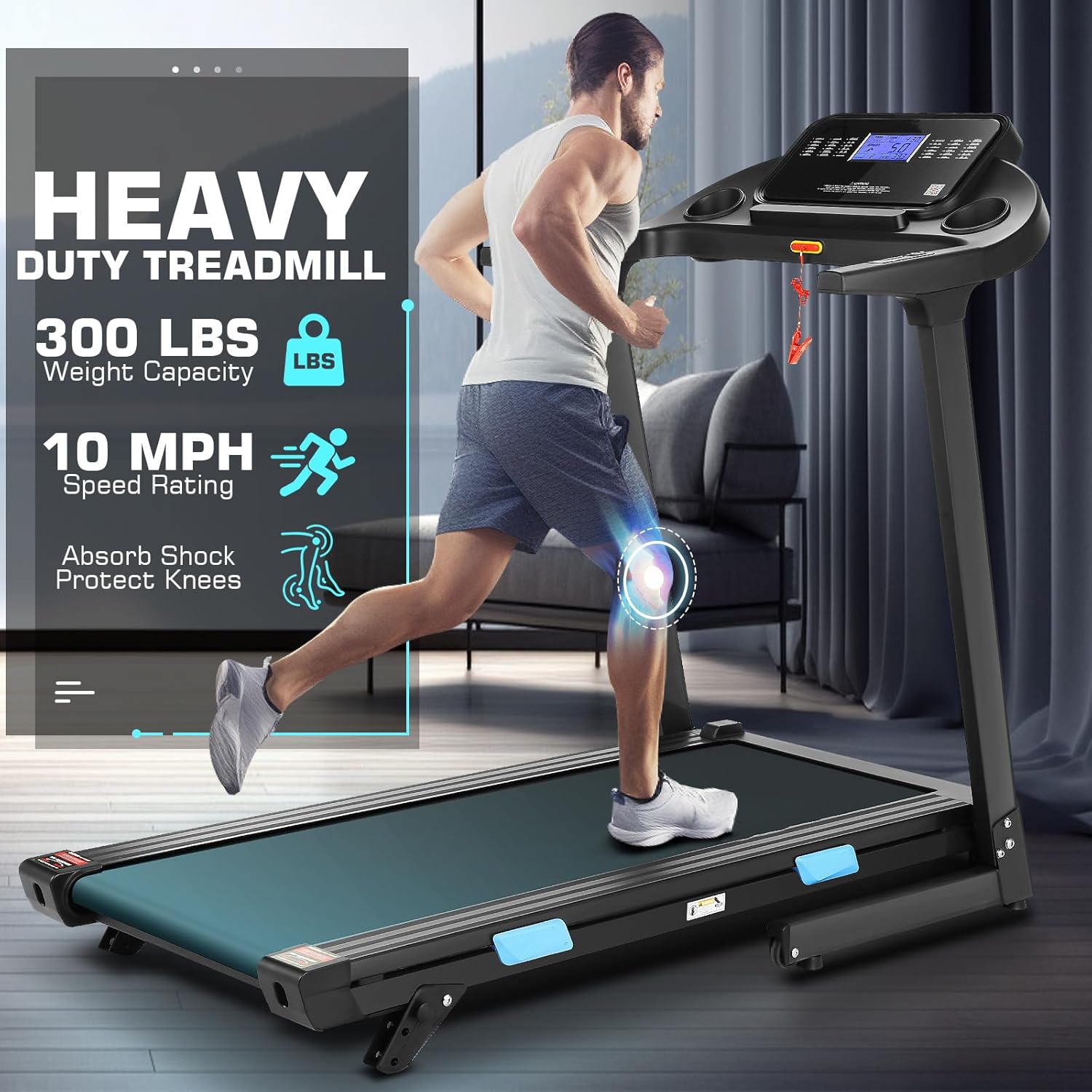
Image: Illustration demonstrating how to manually adjust the 3-level incline on the treadmill.
The sytiry Treadmill features a manual incline adjustment. To change the incline:
- Stop the treadmill and unplug it for safety.
- Locate the incline adjustment mechanism at the rear of the treadmill.
- Adjust the support feet to the desired incline level (3 levels available).
- Ensure both sides are adjusted evenly and securely before resuming use.
Smart App Control (FitShow App)
Download the FitShow app from your device's app store. Connect your treadmill via Bluetooth to access additional features, track progress, and simulate outdoor running scenarios.
5. Maintenance
Regular maintenance ensures the longevity and optimal performance of your treadmill.
Cleaning
- Wipe down the console and exterior surfaces with a damp cloth after each use. Avoid abrasive cleaners.
- Vacuum under the treadmill regularly to prevent dust buildup.
Running Belt Lubrication
The running belt requires periodic lubrication to reduce friction and extend its lifespan. Use the included lubricant or a 100% silicone treadmill lubricant.
- Unplug the treadmill.
- Loosen the rear roller bolts slightly to lift the belt.
- Apply a thin line of lubricant evenly under the center of the running belt.
- Tighten the rear roller bolts.
- Run the treadmill at a slow speed (e.g., 1 MPH) for 2-3 minutes to distribute the lubricant.
Lubricate every 3-6 months depending on usage.
Belt Adjustment
If the running belt slips or drifts to one side, it may need adjustment. Refer to the detailed instructions in the full user manual for proper belt tensioning and centering.
6. Troubleshooting
This section addresses common issues you might encounter with your treadmill.
| Problem | Possible Cause | Solution |
|---|---|---|
| Treadmill does not start. | Power cord not plugged in; Safety key not in place; Circuit breaker tripped. | Ensure power cord is securely plugged in; Insert safety key fully; Check household circuit breaker. |
| Running belt slips. | Belt too loose; Belt needs lubrication. | Adjust belt tension (refer to manual); Lubricate running belt. |
| Unusual noise during operation. | Loose parts; Motor issue; Belt friction. | Check and tighten all bolts; Contact customer service if motor noise persists; Lubricate belt. |
| Console display not working. | Loose cable connection; Power issue. | Check all cable connections to the console; Ensure power supply is stable. |
For issues not listed here, please contact sytiry customer support.
7. Specifications
Key technical specifications for the sytiry Treadmill.
| Feature | Detail |
|---|---|
| Brand | sytiry |
| Model Name | sytiry Treadmills for Home, Heavy Duty Walking/Jogging/Running Treadmill with Incline, Max Speed 10 Miles per Hour, 3.25HP Folding Running Machine, Smart App/Shock Absorption/Multi-functional Console |
| Color | BLACK |
| Product Dimensions | 58"D x 28"W x 48"H |
| Material | Alloy Steel |
| Maximum Speed | 10 Miles per Hour |
| Minimum Speed | 0.5 Miles per Hour |
| Maximum Horsepower | 3.25 Horsepower |
| Number of Programs | 36 |
| Maximum Weight Recommendation | 300 Pounds |
| Deck Length | 40 Inches |
| Included Components | Lubricant, Power Cord, Safety Key, User Manual |
| Special Feature | Heart Rate Monitor, Heavy Duty, Shock Absorbent, Wheeled |
8. Warranty and Support
sytiry provides comprehensive support for your treadmill.
Warranty Information
The sytiry Treadmill comes with a one-year replacement service for the motor, frame, and any treadmill parts. This warranty ensures a worry-free purchase.
Customer Support
If you have any questions, require assistance with assembly, operation, maintenance, or troubleshooting, please do not hesitate to contact sytiry customer service. Refer to your purchase documentation for contact details or visit the official sytiry website.
Related Documents - sytiry Treadmills for Home, Heavy Duty Walking/Jogging/Running Treadmill with Incline, Max Speed 10 Miles per Hour, 3.25
 |
SYTIRY AMA005817 Motorized Treadmill User Manual This user manual provides comprehensive instructions for the SYTIRY AMA005817 Motorized Treadmill, covering assembly, operation, safety precautions, technical specifications, maintenance, and exercise guidance. |
 |
SYTIRY Motorized Treadmill Owner's Manual - Assembly, Operation & Maintenance Guide Comprehensive owner's manual for the SYTIRY Motorized Treadmill, covering safety instructions, assembly, technical specifications, operation, maintenance, and troubleshooting. Includes detailed guides for setup, usage, and care. |
 |
KETTLER Fitness Equipment Catalog 2017: Overview and Specifications Comprehensive overview of KETTLER's 2017 range of fitness equipment, including cardio trainers, strength machines, ellipticals, treadmills, rowers, steppers, benches, and accessories. Features detailed specifications, technologies, and product recognition. |
 |
Core Health & Fitness 2026 Product Catalog: Cardio, Strength, and Functional Training Equipment Explore the comprehensive 2026 product catalog from Core Health & Fitness, featuring a wide range of commercial cardio, strength, and functional training equipment from leading brands like Nautilus, StairMaster, Star Trac, Schwinn, and Throwdown. Discover innovative solutions for gyms, fitness centers, and wellness facilities. |
 |
Coolblue Product Categories and Commissions A comprehensive list of product categories offered by Coolblue, detailing commission rates for each category since February 2019. Includes product types, brands, and associated commission percentages. |
 |
Welch Allyn US Repair Parts and Services Price List - October 2021 Official price list detailing repair parts and service fees for Welch Allyn medical devices, including ophthalmoscopes, otoscopes, handles, and monitoring systems. Features terms and conditions of sale. Effective October 1, 2021. |
Ask a question about this manual
Ask about setup, troubleshooting, compatibility, parts, safety, or missing instructions. Manuals+ will review the question and use this page’s manual context to help answer it.