
Introduction
This manual provides essential information for the installation, operation, maintenance, and troubleshooting of your new pengguo A1417 replacement battery for MacBook Pro 15-inch A1398 models (Mid 2012, Early 2013). Please read these instructions carefully before proceeding with the installation to ensure safe and optimal performance.
Compatibility
This pengguo A1417 battery is specifically designed for the following MacBook Pro 15-inch Retina models:
- MacBook Pro 15-inch A1398 (Mid 2012)
- MacBook Pro 15-inch A1398 (Early 2013)
Important: This battery is NOT compatible with MacBook Pro 15-inch A1398 models from Late 2013, Mid 2014, or Early 2015. Please verify your MacBook's model and year before installation.
Package Contents
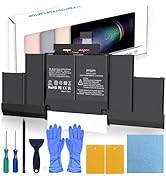
Your pengguo A1417 replacement battery package includes the following items:
- 1 x pengguo A1417 Replacement Battery for MacBook Pro A1398
- 1 x Detailed Installation Instructions
- Professional Installation Tool Kit, including:
- Screwdrivers (various types for MacBook screws)
- Crowbar plates (for safe prying)
- Dustproof paper
- Suction handle
- Gloves (to prevent static electricity)
Specifications
| Feature | Specification |
|---|---|
| Battery Model | A1417 |
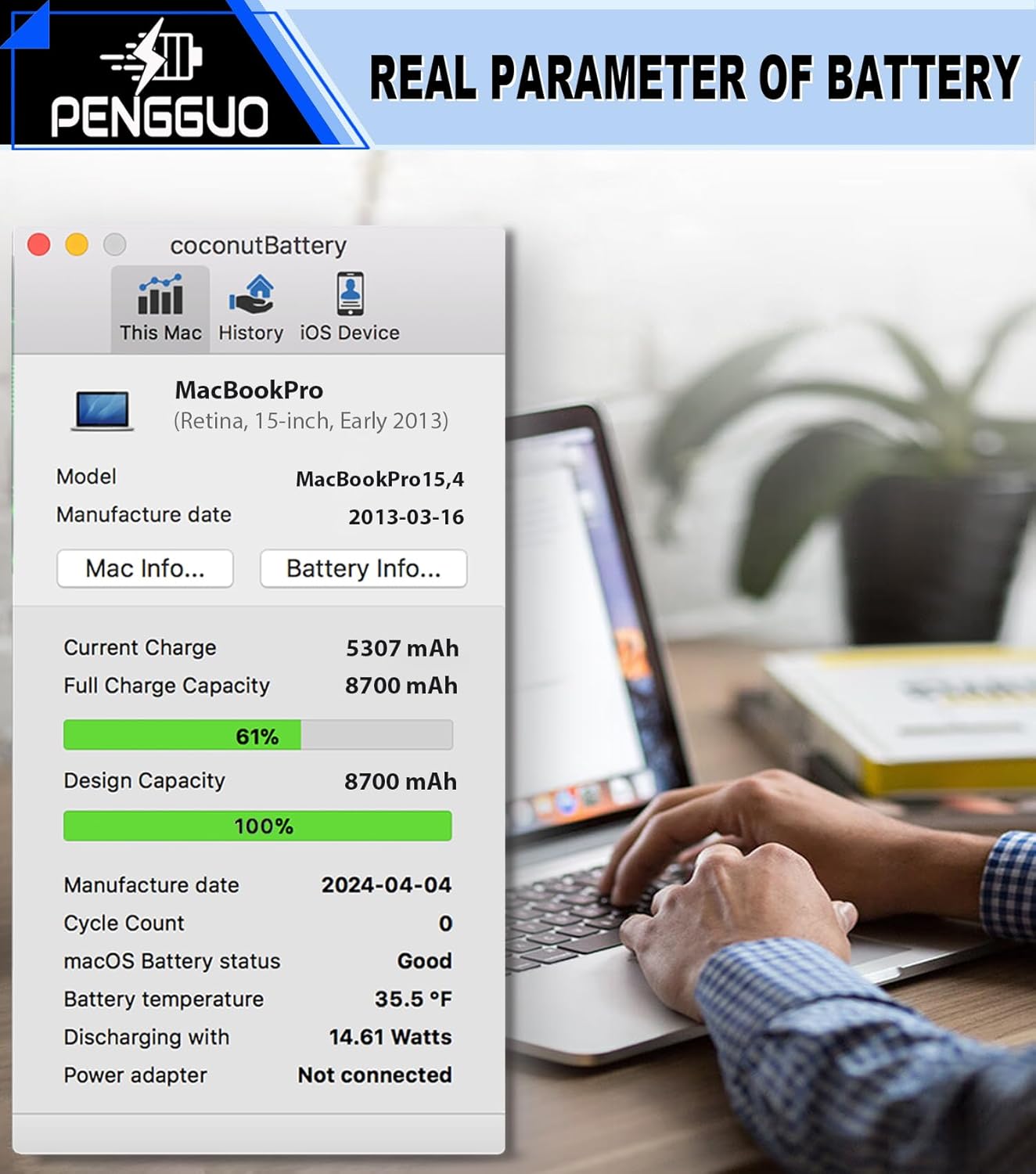
| Capacity | 8680mAh / 95Wh |
| Voltage | 10.95V |
| Battery Type | Li-Polymer |
| Item Weight | 1.5 pounds |
| Package Dimensions | 14.48 x 6.85 x 1.06 inches |
| Reusability | Rechargeable |
Setup: Battery Installation
Safety First: Before beginning the installation, ensure your MacBook Pro is powered off and disconnected from any power source. It is recommended to wear the provided anti-static gloves to prevent damage from static electricity.
- Prepare Your Workspace: Work on a clean, flat, and well-lit surface.
- Remove the Back Cover: Use the appropriate screwdriver from the tool kit to carefully remove all screws securing the MacBook's bottom case. Keep track of screw locations as they may vary in size.
- Disconnect Old Battery: Locate the battery connector on the logic board. Using a crowbar plate, gently disconnect the old battery's cable. Avoid pulling directly on the wires.
- Remove Old Battery: Carefully pry out the old battery using the crowbar plates. The battery may be adhered with adhesive, so proceed slowly and evenly to avoid bending or puncturing the battery.
- Install New Battery: Place the new pengguo A1417 battery into the battery compartment. Ensure it aligns correctly with the screw holes and the connector.
- Connect New Battery: Reconnect the new battery's cable to the logic board connector, ensuring a secure fit.
- Reassemble: Carefully reattach the MacBook's back cover and secure it with the screws.
Refer to the detailed graphic installation steps provided in the included 'Installation Instructions' booklet for visual guidance and additional precautions.

Operating: First Use and Charging
After installing your new pengguo battery, follow these steps for optimal initial performance:
- Initial Charge: Connect your MacBook Pro to its power adapter and fully charge the new battery to 100%.
- Discharge Cycle: Once fully charged, disconnect the power adapter and use your MacBook Pro until the battery is completely drained and the laptop shuts down automatically.
- Full Recharge: Reconnect the power adapter and charge the battery to 100% again without interruption.
This initial charge and discharge cycle helps to calibrate the battery and ensure accurate battery life readings. For regular use, it is generally recommended to avoid consistently draining the battery to 0% or keeping it at 100% for extended periods.
Maintenance: Battery Care and Longevity
To maximize the lifespan and performance of your pengguo A1417 battery, consider the following maintenance tips:
- Avoid Extreme Temperatures: Do not expose your laptop or battery to extreme heat or cold. Optimal operating temperatures are between 10°C and 35°C (50°F and 95°F).
- Regular Discharge/Recharge Cycles: Perform a full discharge and recharge cycle (as described in the Operating section) once every 1-2 months to maintain battery calibration.
- Partial Discharges: For daily use, it is healthier for lithium-ion batteries to undergo partial discharge cycles rather than full ones. Aim to keep the charge between 20% and 80% when possible.
- Storage: If storing your laptop for an extended period, ensure the battery is charged to about 50% before storage.
- Integrated Protection: The pengguo A1417 battery features an upgraded chip with 6-fold protection, including intelligent temperature control, overcharge protection, and short-circuit protection, to enhance safety and longevity.

Troubleshooting
If you encounter issues with your new pengguo A1417 battery, try the following solutions:
- Battery Not Recognized/Not Charging:
- Ensure the battery connector is securely seated on the logic board.
- Reset the System Management Controller (SMC) on your MacBook Pro. Instructions can be found on Apple's support website.
- Verify that your power adapter is functioning correctly.
- Short Battery Life:
- Perform a battery calibration cycle as described in the Operating section.
- Check for power-hungry applications running in the background.
- Ensure your MacBook's operating system is up to date.
- Overheating:
- Ensure proper ventilation for your MacBook.
- Close unnecessary applications.
- The battery has intelligent temperature control for protection; however, persistent overheating may indicate another issue with the laptop.
If these steps do not resolve the issue, please contact customer support for further assistance.

Warranty and Support
pengguo stands behind the quality of its products. Your A1417 replacement battery comes with a 12-month after-sales service warranty.
For any questions, technical assistance, or warranty claims, please contact pengguo customer support through Amazon:
- Click on the 'pengguo' brand name (usually located under the 'Buy Now' button on the product page).
- On the brand page, click the 'Ask a question' button to send a message to our support team.
Our professional engineer team is available to provide guidance and support.