
Product Overview
The Sparklingtrack Stage Light is a powerful and versatile lighting fixture designed for various events and venues. It features four COB LED light sources, two emitting cool white light and two emitting warm white light, providing high brightness and flexible color temperature options. The integrated barn doors allow for precise light shaping and control. This unit supports multiple operation modes including Auto, Sound-Activated, Master-Slave, and DMX512, making it suitable for both professional and casual setups.

Image: Front view of the Sparklingtrack Stage Light with its barn doors open, showcasing the four COB LED light sources.
Package Contents
Please check the package contents upon receipt to ensure all items are present and undamaged:
- Stage Lights with Barn Doors (1 unit)
- Handle (1 unit)
- Power Cord (1 unit)
- Instructions Manual (1 unit)
- Knob Screws (2 units)
Technical Specifications
| Feature | Specification |
|---|---|
| Brand | Sparklingtrack |
| Model Number | ZQ09014 |
| Light Source Type | COB LED (2x 50W Cool White, 2x 50W Warm White) |
| Total Wattage | 200 Watts |
| Voltage | 110 Volts (AC) |
| Amperage | 0.83 Amps |
| Material | Aluminum, Iron |
| Finish Type | Aluminum |
| Product Dimensions (L x W x H) | 12" x 4.33" x 5.71" |
| Item Weight | 7.72 pounds |
| Light Angle | 25 degrees |
| Recommended Projection Distance | 9.84-19.68 FT |
| Control Channel | 8CH (DMX) |
| Mounting Type | Floor Mount, Wall Mount, Truss Mount |
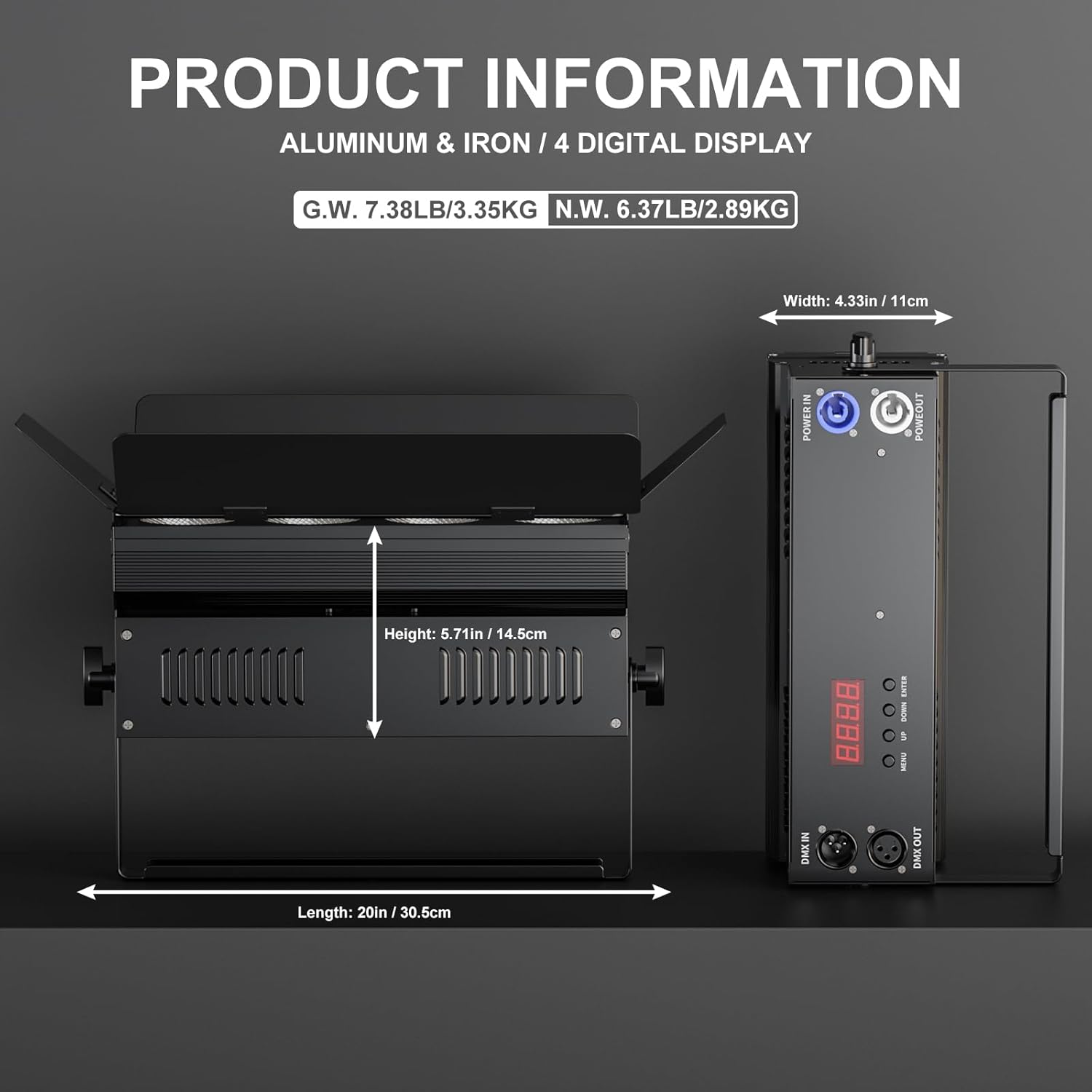
Image: Detailed view of the product's dimensions and input/output ports, including DMX In/Out and Power In/Out.
Setup Instructions
- Unpack the Light: Carefully remove the stage light and all accessories from the packaging. Inspect for any signs of damage.
- Attach the Handle: Secure the included handle to the top of the light fixture using the provided knob screws. This handle can also serve as a floor stand.
- Positioning: Place the light on a stable surface, mount it on a truss, or attach it to a wall using appropriate mounting hardware (not included, unless specified). The adjustable bracket allows for 360-degree rotation.

Image: Close-up of the stage light's control panel and adjustable features, including the barn doors and mounting knob.
- Connect Power: Connect the power cord to the "POWER IN" port on the back of the light and then plug it into a standard 110V AC power outlet.
- DMX Connection (Optional): If using DMX control, connect a DMX cable from your DMX controller to the "DMX IN" port. To daisy-chain multiple lights, connect a DMX cable from the "DMX OUT" port of the first light to the "DMX IN" port of the next light.
Operating Modes
The Sparklingtrack Stage Light offers several operating modes to suit different lighting needs:
- Auto Mode: The light cycles through pre-programmed lighting effects automatically. Speed and brightness can often be adjusted.
- Sound-Activated Mode: The light reacts to sound and music, changing patterns and intensity in sync with the audio.
- Master-Slave Mode: Connect multiple lights together using DMX cables. Set one unit as the "Master" and others as "Slave" units. The slave units will then mirror the master's lighting effects. This mode supports connecting 4-6 uplights in series.
- DMX Mode: For advanced control, connect the light to a DMX512 controller. This allows for precise control over individual light sources, brightness, color temperature (3200K/6500K), and various effects (strobe, jump, fade, pulse) via 8 DMX channels.
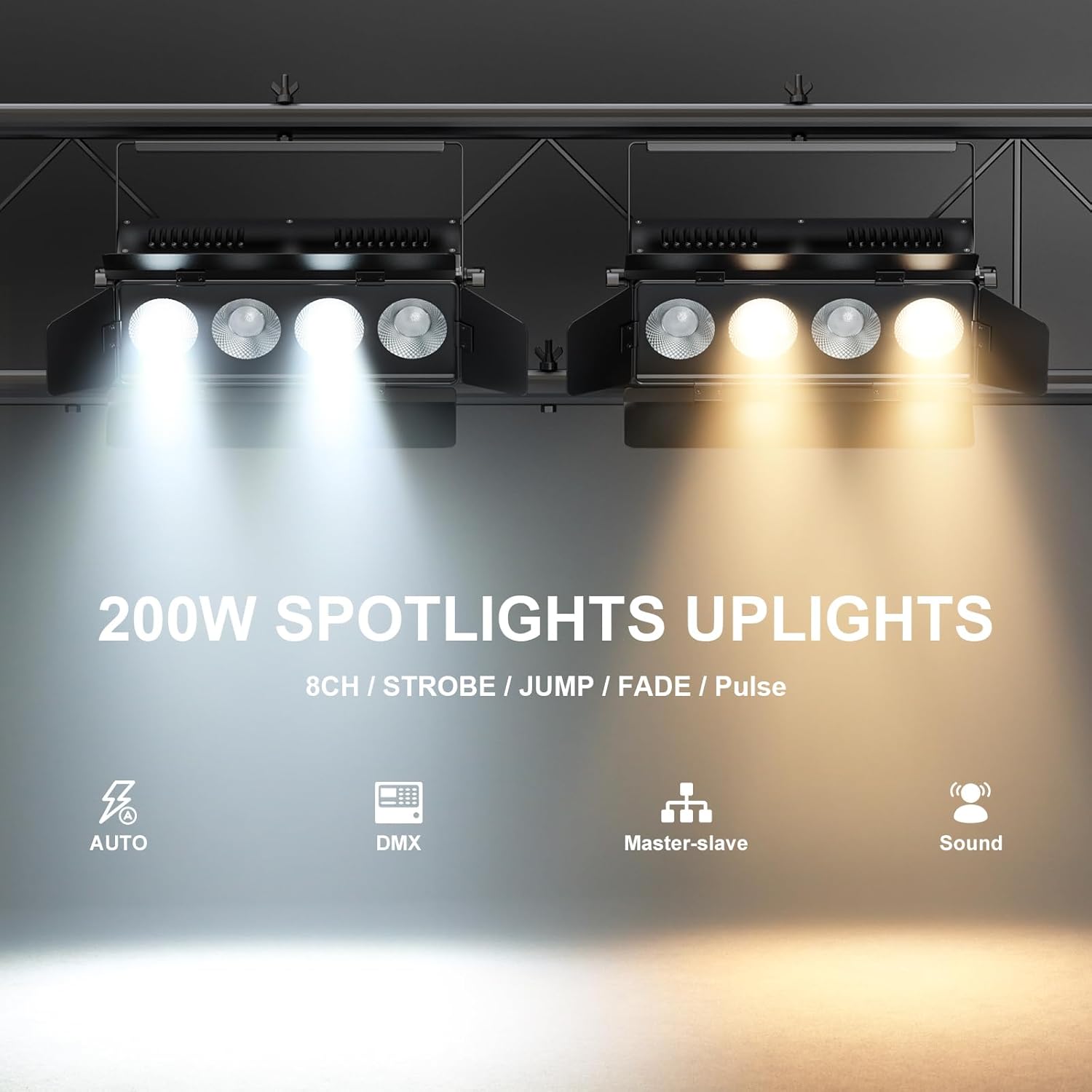
Image: Visual representation of the various operating modes, including Auto, DMX, Master-slave, and Sound-activated.
Features and Controls
This stage light is equipped with features designed for optimal performance and ease of use:
- Independent Light Control: The unit features 2 COB 50W cool white lights and 2 COB 50W warm white lights. Each of these four light sources can be controlled independently, allowing for dynamic lighting effects and precise color temperature mixing.
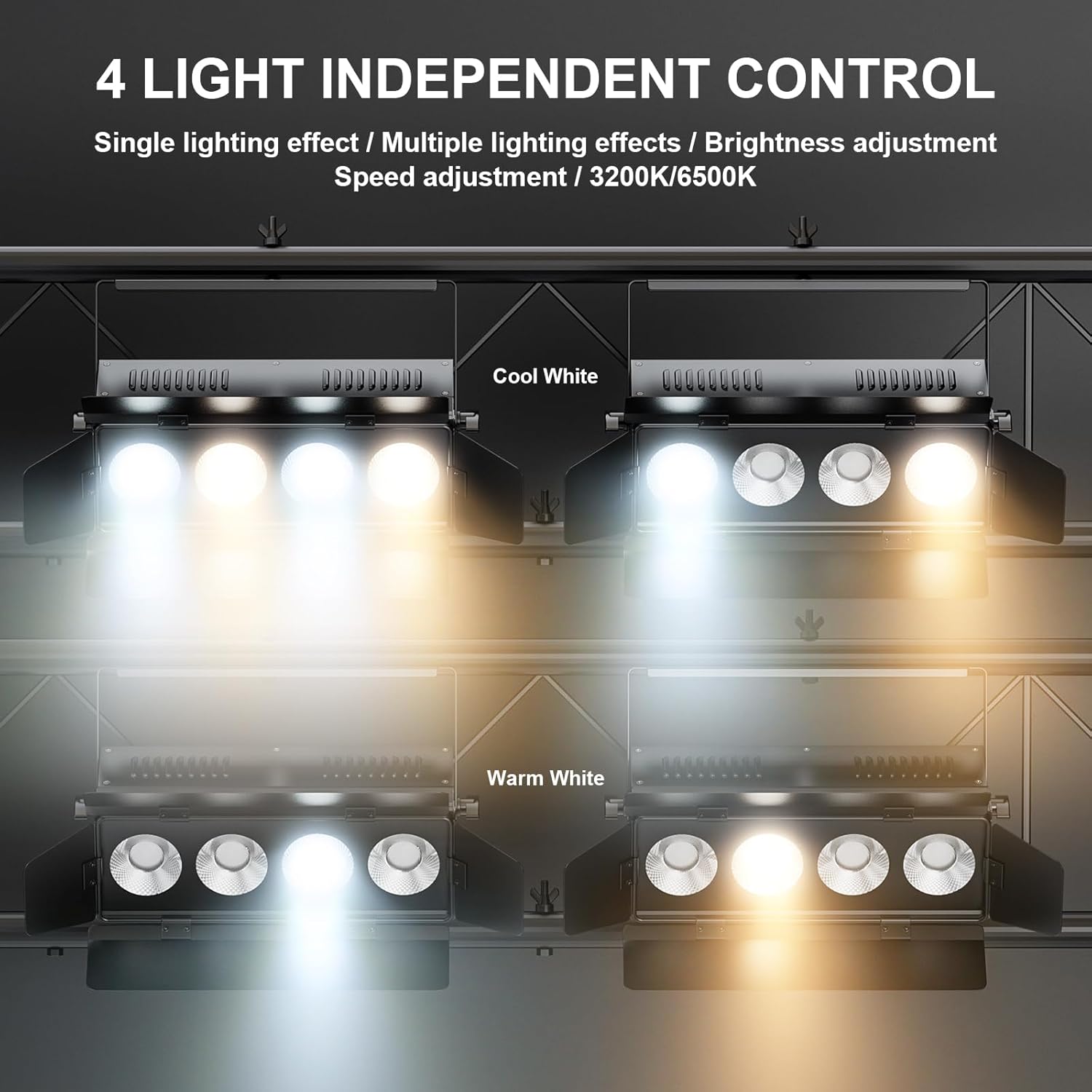
Image: Illustration demonstrating the independent control of the four light sources, allowing for distinct cool white and warm white illumination.
- Barn Doors: The unique four-leaf shading plate (barn doors) can be adjusted 180 degrees freely. This feature is crucial for directing light, blocking excess spill, and ensuring accurate light projection onto specific areas of the stage or venue.
- Adjustable Brightness and Speed: Utilize the control buttons on the unit or a DMX controller to adjust the brightness (0-100% linear dimming) and speed of various lighting effects.
- Color Temperature: The light offers two primary color temperatures: 3200K (warm white) and 6500K (cool white), which can be blended or used individually.

Image: Diagram illustrating the 25-degree light angle and recommended projection distance for the 4x50W COB LED PAR light.
Maintenance
Proper maintenance ensures the longevity and optimal performance of your stage light:
- Cleaning: Regularly clean the exterior of the light with a soft, dry cloth. For lenses, use a specialized lens cleaning solution and a microfiber cloth to avoid scratches. Ensure the unit is unplugged before cleaning.
- Ventilation: Ensure the ventilation slots are clear of dust and debris to prevent overheating. Do not block the fan or vents during operation.
- Storage: When not in use, store the light in a cool, dry place, away from direct sunlight and extreme temperatures. It is recommended to store it in its original packaging or a padded case to prevent damage.
- Safety Checks: Periodically check the power cord and DMX cables for any signs of wear or damage. Replace immediately if any damage is found.
Troubleshooting
If you encounter any issues with your Sparklingtrack Stage Light, refer to the following common problems and solutions:
| Problem | Possible Cause | Solution |
|---|---|---|
| Light does not turn on. | No power, faulty cable, unit malfunction. | Check power connection and outlet. Try a different power cord. If issue persists, contact support. |
| No DMX control. | Incorrect DMX address, faulty DMX cable, DMX controller issue. | Verify DMX address settings on the light and controller. Check DMX cable connections. Test with a different DMX cable or controller. |
| Light is overheating. | Blocked ventilation, prolonged high-intensity use. | Ensure vents are clear. Reduce intensity or allow for cool-down periods. |
| Sound-activated mode not working. | No sound input, low sound sensitivity, mode not selected. | Ensure sufficient sound is present. Adjust sound sensitivity if available. Confirm sound-activated mode is selected. |
Warranty and Support
For warranty information, technical support, or service inquiries, please refer to the contact details provided on the product packaging or visit the official Sparklingtrack store on Amazon:
Ask a question about this manual
Ask about setup, troubleshooting, compatibility, parts, safety, or missing instructions. Manuals+ will review the question and use this page’s manual context to help answer it.