
1. Introduction
Thank you for choosing the VEVOR TWW95 Portable Car Refrigerator. This dual-zone compressor cooler is designed for versatile use, providing efficient refrigeration and freezing for your outdoor adventures, camping trips, road travel, or home use. With a generous 95-liter capacity and a wide temperature range, it ensures your food and beverages remain perfectly preserved.
This manual provides important information regarding the safe operation, setup, maintenance, and troubleshooting of your refrigerator. Please read it thoroughly before use and retain it for future reference.

Image 1.1: The VEVOR TWW95 Portable Car Refrigerator showcasing its dual-zone capacity, capable of holding numerous bottles and packaged items.
2. Safety Instructions
- Read all instructions before operating the appliance.
- Do not operate the refrigerator if it is damaged. Contact VEVOR customer support.
- Ensure the power supply voltage matches the specifications of the refrigerator (AC 100-240V or DC 12/24V).
- Avoid placing the refrigerator in direct sunlight or near heat sources.
- Ensure adequate ventilation around the unit. Do not block ventilation openings.
- Do not use electrical devices inside the refrigerator unless they are recommended by the manufacturer.
- Keep the refrigerator away from water or other liquids to prevent electric shock.
- Always disconnect the power supply before cleaning or performing maintenance.
- This appliance is not intended for use by persons (including children) with reduced physical, sensory or mental capabilities, or lack of experience and knowledge, unless they have been given supervision or instruction concerning use of the appliance by a person responsible for their safety.
3. Product Overview and Included Components
3.1. Key Features
- Dual-Zone Capacity: Two independent compartments totaling 95 liters (100.3 qt) for simultaneous refrigeration and freezing.
- Fast Cooling: Reaches -20°C (-4°F) in approximately 2 hours at an ambient temperature of 25°C (77°F).
- LED Control Panel & Bluetooth App: Easy temperature adjustment and monitoring via the integrated LED display or a mobile application.
- Energy Efficient: Features ECO and MAX modes with low power consumption (46W in ECO, 53W in MAX).
- Low Noise Operation: Operates at a noise level of ≤ 45 dB.
- Portable Design: Equipped with robust wheels and a telescopic handle for easy transport.
- Versatile Power: Compatible with AC 100-240V and DC 12/24V power sources.
3.2. Package Contents
The following items are included with your VEVOR TWW95 Portable Car Refrigerator:
- 1 x Portable Car Refrigerator (TWW95)
- 1 x AC Adapter
- 1 x AC Power Cable
- 1 x DC Car Cigarette Lighter Cable
- 1 x User Manual

Image 3.1: The refrigerator's portable design with wheels and telescopic handle, along with the included AC and DC power cables.
4. Setup
4.1. Placement
- Place the refrigerator on a flat, stable surface.
- Ensure there is at least 10 cm (4 inches) of space around all sides for proper ventilation.
- Avoid placing it in direct sunlight or near heat-emitting appliances.
- The refrigerator can operate normally even when tilted up to 45 degrees, making it suitable for various vehicle types.
4.2. Power Connection
The refrigerator can be powered by either AC (home) or DC (vehicle) power sources.
- AC Power (Home Use):
Connect the AC power cable to the AC adapter, then plug the adapter into the refrigerator's AC input port. Plug the other end of the AC power cable into a standard 100-240V AC wall outlet. - DC Power (Vehicle Use):
Connect the DC car cigarette lighter cable to the refrigerator's DC input port. Plug the other end into your vehicle's 12V or 24V cigarette lighter socket.

Image 4.1: The AC power adapter and DC car cigarette lighter cable for connecting the refrigerator to power sources.
5. Operating Instructions
5.1. Control Panel Overview
The refrigerator features an intuitive LED control panel for easy operation.

Image 5.1: The LED control panel and the smartphone Bluetooth app interface for remote control.
- Power Button: Press to turn the unit ON/OFF.
- Temperature Adjustment Buttons (+/-): Use to increase or decrease the target temperature.
- Settings Button: Press to cycle through settings or long-press to switch modes.
- LED Display: Shows current temperature, battery protection level, and operating mode.
5.2. Temperature Setting
- Turn on the refrigerator using the Power button.
- Press the '+' or '-' buttons to set your desired temperature. The temperature range is -20°C to 20°C (-4°F to 68°F).
- The display will flash briefly and then show the current internal temperature as the unit begins to cool or heat to the set point.
5.3. ECO and MAX Modes
The refrigerator offers two operating modes to optimize performance and energy consumption.
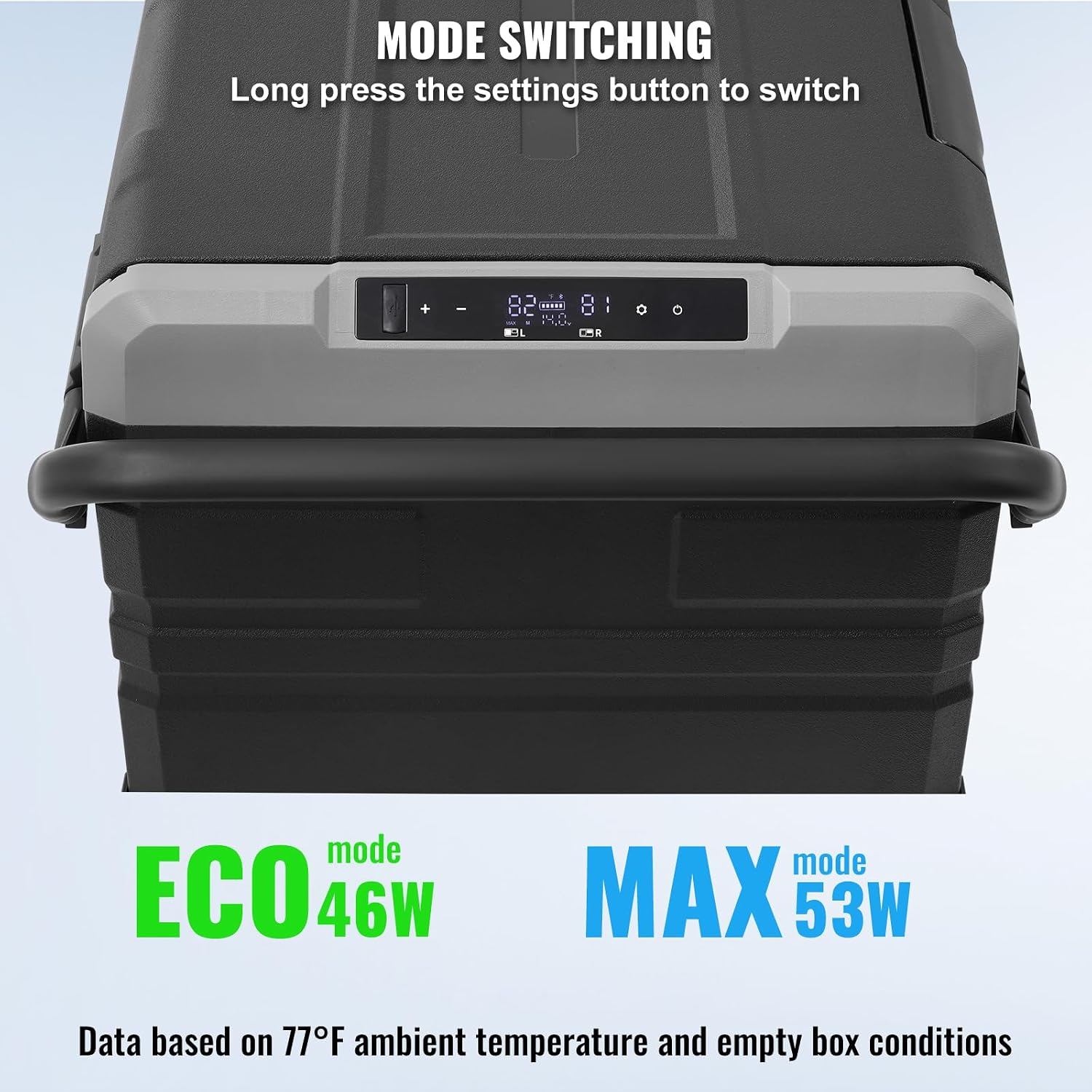
Image 5.2: Switching between ECO and MAX power modes.
- ECO Mode (46W): Energy-saving mode, ideal for maintaining temperature over longer periods with lower power consumption.
- MAX Mode (53W): Provides maximum cooling power for rapid temperature reduction.
To switch between ECO and MAX modes, long-press the Settings button on the control panel.
5.4. Bluetooth App Control
Control your refrigerator remotely using the dedicated mobile application.
- Download the VEVOR refrigerator app from your smartphone's app store.
- Ensure Bluetooth is enabled on your smartphone.
- Open the app and follow the on-screen instructions to pair with your refrigerator.
- Once connected, you can monitor temperatures, adjust settings, and switch modes directly from your phone.
5.5. Dual Zone Functionality
The TWW95 features two separate compartments, allowing you to set different temperatures for each zone. This enables simultaneous refrigeration and freezing.

Image 5.3: The dual-zone interior, illustrating different storage modes for various food types.
Refer to the control panel or app for specific instructions on adjusting temperatures for each zone independently.
6. Maintenance
6.1. Cleaning
- Always disconnect the power supply before cleaning.
- Clean the interior and exterior surfaces with a soft cloth dampened with mild detergent and warm water.
- Do not use abrasive cleaners, harsh chemicals, or sharp objects, as these can damage the surfaces.
- Ensure the unit is completely dry before reconnecting to power.
- Regularly clean the ventilation openings to prevent dust buildup, which can affect cooling efficiency.
6.2. Storage
- If storing the refrigerator for an extended period, ensure it is clean and dry.
- Leave the lids slightly ajar to prevent odors and mildew buildup.
- Store in a dry, well-ventilated area, away from direct sunlight and extreme temperatures.
7. Troubleshooting
If you encounter issues with your refrigerator, refer to the following common problems and solutions:
| Problem | Possible Cause | Solution |
|---|---|---|
| Refrigerator does not turn on. | No power supply; Faulty power cable/adapter; Blown fuse in vehicle. | Check power connection; Try a different outlet/socket; Inspect cables for damage; Check vehicle fuse. |
| Cooling performance is poor. | Insufficient ventilation; Too high ambient temperature; Door not closed properly; Overloaded with warm items. | Ensure proper ventilation; Move to a cooler location; Close door securely; Allow unit to cool down gradually. |
| Display shows an error code. | Internal sensor error; Compressor fault. | Turn off and restart the unit. If the error persists, contact customer support. |
| Unusual noise during operation. | Unit not level; Items inside are rattling; Fan obstruction. | Ensure unit is on a flat surface; Secure items inside; Check for obstructions in fan area. |
If the problem persists after attempting these solutions, please contact VEVOR customer support for assistance.
8. Specifications

Image 8.1: Detailed technical specifications of the VEVOR TWW95.
| Feature | Specification |
|---|---|
| Model Number | TWW95 |
| Voltage | AC 100-240V (50/60Hz), DC 12/24V |
| Power | 80 W |
| Temperature Adjustment Range | -20°C to 20°C (-4°F to 68°F) |
| Capacity | 95 Liters / 100.3 Quarts |
| Noise Level | ≤ 45 dB |
| Net Weight | 29 kg / 63.9 lbs |
| Product Dimensions (L x W x H) | 1005 x 571 x 465 mm / 39.6 x 22.5 x 18.3 inches |
| Inner Liner Material | Vacuum-formed HIPS |
| Outer Shell Material | PP + HDPE |
| Cooling Method | Compressor |
| Number of Sections | 2 (Dual Zone) |
| Energy Star Certified | Yes |
9. Warranty and Support
VEVOR products are designed for durability and performance. For warranty information, please refer to the warranty card included with your purchase or visit the official VEVOR website.
If you require technical assistance, have questions about your product, or need to report an issue, please contact VEVOR customer support. Our team is available to help you with any concerns.
Contact Information:
Please refer to your purchase documentation or the VEVOR official website for the most up-to-date customer support contact details.