
Carego Y42 Pro-B
Carego Wireless Ear Buds Y42 Pro-B User Manual
Model: Y42 Pro-B
Brand: Carego
1. Introduction
Thank you for choosing Carego Wireless Ear Buds Y42 Pro-B. These earbuds are designed to provide a high-quality audio experience with advanced features such as Bluetooth 5.3 connectivity, smart touch controls, and long battery life. This manual will guide you through the setup, operation, and maintenance of your new earbuds.
2. What's in the Box
- Charging Case
- Eartips (S, M, L sizes)
- User Manual
- USB-C Charging Cable
3. Product Overview
The Carego Wireless Ear Buds Y42 Pro-B feature an ergonomic design for comfortable and stable wear, along with an intuitive LED display on the charging case to show battery status.

Image: The Carego Wireless Ear Buds Y42 Pro-B, shown in their charging case. The case features an LED display indicating the battery percentage and individual earbud charging status (L and R).
4. Setup
4.1 Charging the Earbuds and Case
Before first use, fully charge the earbuds and the charging case. The LED display on the case will show the charging progress.
- Insert the earbuds into the charging case.
- Connect the USB-C charging cable to the charging port on the case and to a power source.
- A full charge provides up to 6 hours of music time for the earbuds, and the charging case extends total playtime to up to 40 hours.

Image: An illustration demonstrating the battery life of the Carego earbuds. It highlights 6 hours of music time, 40 hours of total playtime with the charging case, and shows the battery indicator on the case.

Image: A visual representation of the earbuds' power capabilities, showing 40 hours of total playtime with the charging case and 6 hours on a single charge, set against an airplane window background.
4.2 Pairing with Your Device
The earbuds utilize Bluetooth 5.3 for a fast and stable connection.
- Open the charging case. The earbuds will automatically enter pairing mode.
- On your device (smartphone, tablet, laptop), enable Bluetooth.
- Search for "Y42 Pro-B" in the list of available Bluetooth devices and select it to connect.
- Once successfully paired, the earbuds will automatically reconnect to the last connected device when you open the charging case.

Image: An illustration demonstrating the one-step pairing process with Bluetooth 5.3, showing a smartphone with Bluetooth settings and the earbuds connecting.
5. Operating Instructions
5.1 Smart Touch Controls
The Carego Ear Buds feature intuitive touch controls on each earbud for easy management of your audio and calls.

Image: A diagram illustrating the smart touch controls on the earbuds, showing icons for Play/Pause, Voice Assistant, Answer, Hang up, Reject, Previous Track, Next Track, and Volume +/-.
- Play/Pause: Single tap on either earbud.
- Next Track: Double tap the right earbud.
- Previous Track: Double tap the left earbud.
- Volume Up: Triple tap the right earbud.
- Volume Down: Triple tap the left earbud.
- Answer/End Call: Single tap on either earbud during an incoming call or active call.
- Reject Call: Press and hold either earbud for 2 seconds during an incoming call.
- Activate Voice Assistant: Press and hold either earbud for 3 seconds.
5.2 Audio Quality
Experience immersive sound with 13mm large drivers, delivering a balanced sound profile with rich bass and clear details.

Image: An illustration highlighting the Hi-Fi sound quality of the earbuds, showing internal components like the 13mm driver and a visual representation of sound waves and music notes.
5.3 Environmental Noise Cancellation (ENC)
The earbuds feature Environmental Noise Cancellation (ENC) to provide clearer and more intelligible audio during calls, even in noisy environments.

Image: An illustration depicting Environmental Noise Cancellation (ENC), showing a person wearing an earbud with sound waves indicating noise reduction and voice clarity.
6. Maintenance
6.1 Cleaning
- Regularly clean the earbuds and charging case with a soft, dry, lint-free cloth.
- Remove any earwax or debris from the ear tips and speaker mesh using a small, soft brush or cotton swab.
- Do not use abrasive cleaners or immerse the earbuds or case in water.
6.2 Storage
When not in use, store the earbuds in their charging case to protect them from dust and damage.
6.3 Water Resistance
The earbuds are water resistant. While they can withstand splashes and sweat, they are not designed for submersion in water. Avoid exposing them to excessive moisture or liquids.
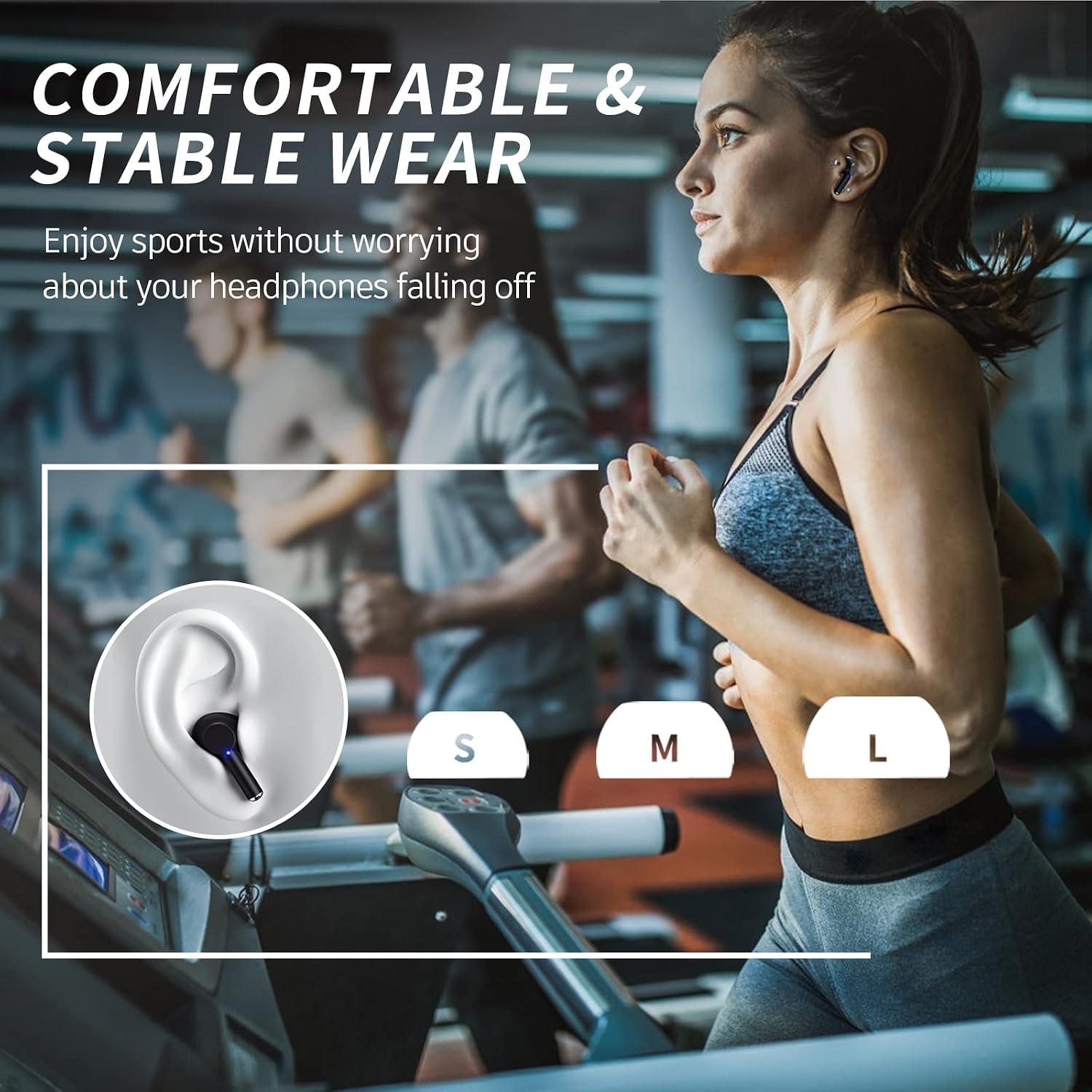
Image: A depiction of a person running while wearing the earbuds, emphasizing their comfortable and stable fit during physical activity. The image also shows the different ear tip sizes (S, M, L) for optimal fit.
7. Troubleshooting
- Earbuds not pairing: Ensure the earbuds are charged and in the case. Open the case to activate pairing mode. Turn off and on your device's Bluetooth, then try searching again.
- Only one earbud working: Place both earbuds back in the charging case, close the lid for a few seconds, then open it again. This often resets the connection. Check if both earbuds are charged.
- No sound: Check the volume level on your device and on the earbuds. Ensure the earbuds are properly connected to your device.
- Charging issues: Ensure the charging cable is securely connected to both the case and the power source. Check if the charging port is clean and free of debris.
- Poor sound quality: Ensure the earbuds are properly seated in your ears and that you are using the correct size ear tips for a good seal. Check for any obstructions in the speaker mesh.
8. Specifications
| Model Name | Y42 Pro-B |
| Connectivity Technology | Wireless |
| Wireless Communication Technology | Bluetooth 5.3 |
| Bluetooth Range | 10 Meters / 33 Feet |
| Audio Driver Size | 13 Millimeters |
| Battery Life (Earbuds) | 6 Hours (single charge) |
| Total Playtime (with Case) | 40 Hours |
| Charging Time | Approx. 1.5 - 2 hours for full charge (case) |
| Control Type | Touch Control |
| Noise Control | Sound Isolation / Environmental Noise Cancellation (ENC) |
| Water Resistance Level | Water Resistant |
| Material | Acrylonitrile Butadiene Styrene (ABS) |
| Item Weight | 2.4 ounces |
| Product Dimensions | 2.44 x 0.94 x 1.77 inches |
9. Warranty and Support
Carego provides a 2-year warranty for this product, reflecting our confidence in its quality and durability. If you encounter any issues with your Carego Wireless Ear Buds Y42 Pro-B during this period, please contact our customer support team for assistance.
For further support or to learn more about Carego products, please visit the official Carego Store on Amazon: Carego Store
Related documentsY42 Pro-B


Ask a question about this manual
Ask about setup, troubleshooting, compatibility, parts, safety, or missing instructions. Manuals+ will review the question and use this page’s manual context to help answer it.