
YTEATH PRO Y01
YTEATH PRO Electric Toothbrush User Manual
Model: Y01
Brand: YTEATH PRO
1. Safety Information
CAUTION: NOT SUITABLE FOR CHILDREN UNDER 3 YEARS. KEEP OUT OF REACH OF CHILDREN.
Always supervise children when using the toothbrush. Do not immerse the charging base in water. Ensure the charging port cover is securely closed before rinsing the toothbrush handle.
2. Product Overview
The YTEATH PRO Electric Toothbrush is a rechargeable sonic toothbrush designed for adults, offering superior cleaning and gum health improvement. It features multiple brushing modes, a long-lasting battery, and smart timers for an optimal brushing experience.
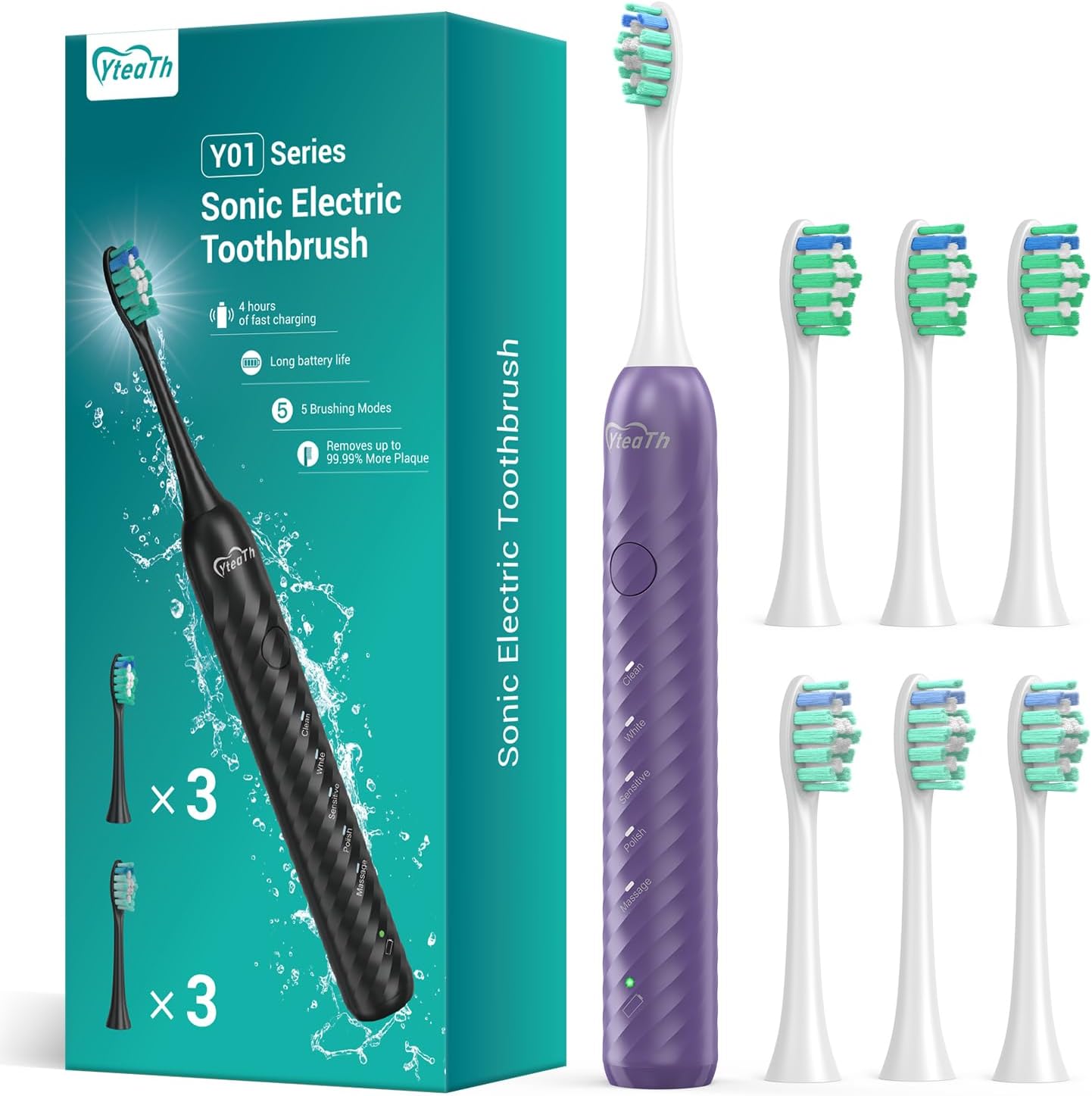
Image: The YTEATH PRO Electric Toothbrush, its retail packaging, and six replacement brush heads, showcasing the complete product package.
Key Features:
- High Vibration Sonic Technology: Up to 40,000 Vibrations Per Minute (VPM) for effective plaque removal.
- 5 Performance Modes: Clean, Sensitive, Whitening, Polishing, and Massage for diverse oral care needs.
- Ultra-Long Battery Life: Up to 180 days of use on a single 4-hour charge.
- Smart 2-Minute Timer: Ensures scientifically recommended brushing time with 30-second quadrant reminders.
- IPX7 Waterproof: Allows safe use in the shower or bath.
- 6 Replacement Brush Heads: Provides up to 18 months of continuous use.
3. Package Contents
Verify that all items are present in the package:
- 1 x YTEATH PRO Electric Toothbrush Handle
- 6 x Replacement Brush Heads
- 1 x USB-C Charging Cable (adapter not included)
- 1 x User Manual

Image: A close-up view of the six replacement brush heads, highlighting their design and the blue indicator bristles.
4. Setup
4.1 Initial Charging
- Locate the USB-C charging port at the bottom of the toothbrush handle.
- Open the protective cover of the charging port.
- Insert the provided USB-C cable into the port.
- Connect the other end of the USB-C cable to a compatible USB power adapter (not included) or a USB port.
- The indicator light will illuminate to show charging status. A full charge takes approximately 4 hours.
- Once fully charged, disconnect the cable and securely close the charging port cover to maintain IPX7 waterproof rating.

Image: A detailed view of the toothbrush's base, showing the Type-C charging port with its protective cover opened, ready for charging.
4.2 Attaching a Brush Head
- Align the brush head with the metal shaft on the toothbrush handle.
- Gently push the brush head down until it clicks securely into place.
- To remove, pull the brush head straight up from the handle.
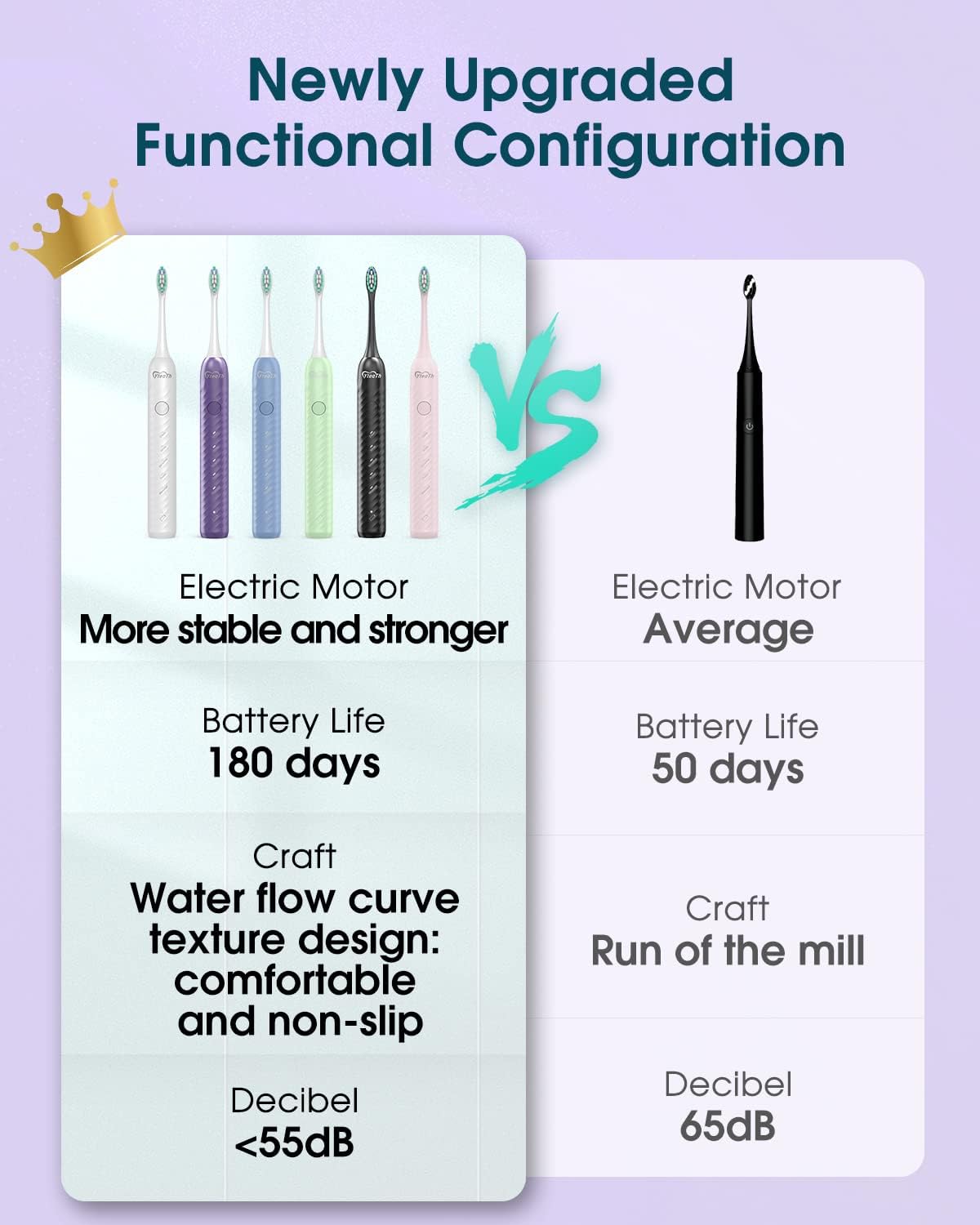
Image: The YTEATH PRO Electric Toothbrush handle with a brush head securely attached, ready for use.
5. Operating Instructions
5.1 Power On/Off and Mode Selection
- Press the power button once to turn on the toothbrush. It will start in the last used mode.
- Press the power button repeatedly to cycle through the 5 available modes: Clean, White, Sensitive, Polish, Massage.
- To turn off the toothbrush, press and hold the power button for 2 seconds, or cycle through all modes until it turns off automatically.

Image: A visual representation of the toothbrush handle, highlighting the power button and the indicator lights for each of the five brushing modes: Clean, White, Sensitive, Polish, and Massage.
5.2 Brushing Modes Explained
- Clean: Standard mode for daily plaque removal and general cleaning.
- White: Designed to remove surface stains and whiten teeth. Recommended for 1 minute per week.
- Sensitive: Gentle cleaning for sensitive teeth and gums.
- Polish: Provides quick polishing for brighter teeth, ideal for emergency whitening.
- Massage: Gently stimulates and massages gums to improve gum health.
5.3 Smart Timer and Quadrant Reminder
The toothbrush features a built-in 2-minute smart timer, which is the dental professional recommended brushing time. It also includes a 30-second interval reminder:
- Every 30 seconds, the toothbrush will briefly pause its vibration to signal you to move to the next quadrant of your mouth (upper right, upper left, lower left, lower right).
- After 2 minutes, the toothbrush will automatically turn off, indicating the completion of the recommended brushing cycle.

Image: The YTEATH PRO Electric Toothbrush handle, with a graphic illustrating the smart vibration timer that notifies the user every 30 seconds to change brushing quadrants.
5.4 Brushing Technique
- Wet the brush head and apply a small amount of toothpaste.
- Place the brush head against your teeth at a slight angle towards the gumline.
- Turn on the toothbrush and gently move the brush head slowly across each tooth surface. Allow the sonic vibrations to do the cleaning.
- Do not scrub aggressively.
- Follow the 30-second quadrant reminders to ensure all areas of your mouth are cleaned evenly.
6. Maintenance
6.1 Cleaning the Toothbrush
- After each use, rinse the brush head thoroughly under running water while the toothbrush is still on, to remove any remaining toothpaste and debris.
- Turn off the toothbrush and remove the brush head.
- Rinse the brush head and the metal shaft area of the handle separately under running water.
- Wipe the handle with a damp cloth. Do not use abrasive cleaners or harsh chemicals.
- Ensure the charging port cover is securely closed before rinsing the handle.
- Allow all parts to air dry before reassembling or storing.
6.2 Replacing Brush Heads
It is recommended to replace your brush head every 3-4 months, or sooner if the bristles become frayed or worn. The blue indicator bristles on the brush head will fade to white, signaling that it's time for a replacement.
Image: A close-up of the brush heads, showing the blue indicator bristles that fade over time to signal when a replacement is needed.
7. Troubleshooting
| Problem | Possible Cause | Solution |
|---|---|---|
| Toothbrush does not turn on. | Low battery or no charge. | Charge the toothbrush for at least 4 hours. Ensure the charging cable is properly connected. |
| Weak vibration. | Low battery. | Recharge the toothbrush. |
| Brush head falls off or is loose. | Brush head not properly attached. | Ensure the brush head is pushed down firmly until it clicks into place. |
| Indicator light not working during charging. | Faulty cable or power source. | Try a different USB-C cable or power adapter. |
| Toothbrush turns off too quickly. | Battery low or automatic 2-minute timer activated. | Recharge the toothbrush. The toothbrush is designed to turn off after 2 minutes of brushing. |
8. Specifications
| Feature | Specification |
|---|---|
| Model Number | Y01 |
| Vibration Frequency | Up to 40,000 VPM |
| Battery Type | Lithium Ion (included) |
| Charging Time | Approx. 4 hours |
| Battery Life | Up to 180 days (based on 2 minutes, twice daily use) |
| Charging Interface | USB-C |
| Waterproof Rating | IPX7 |
| Brushing Modes | 5 (Clean, White, Sensitive, Polish, Massage) |
| Timer | 2-minute auto-timer with 30-second quadrant reminders |
| Brush Head Material | Dupont Soft Polished Bristles, Premium End-Rounded Bristles, Bacterial Protection Bristles |
| Product Dimensions | 20 x 8.7 x 3.2 cm (Package) |
| Product Weight | 225 g (Package) |
| Age Range | Adult |
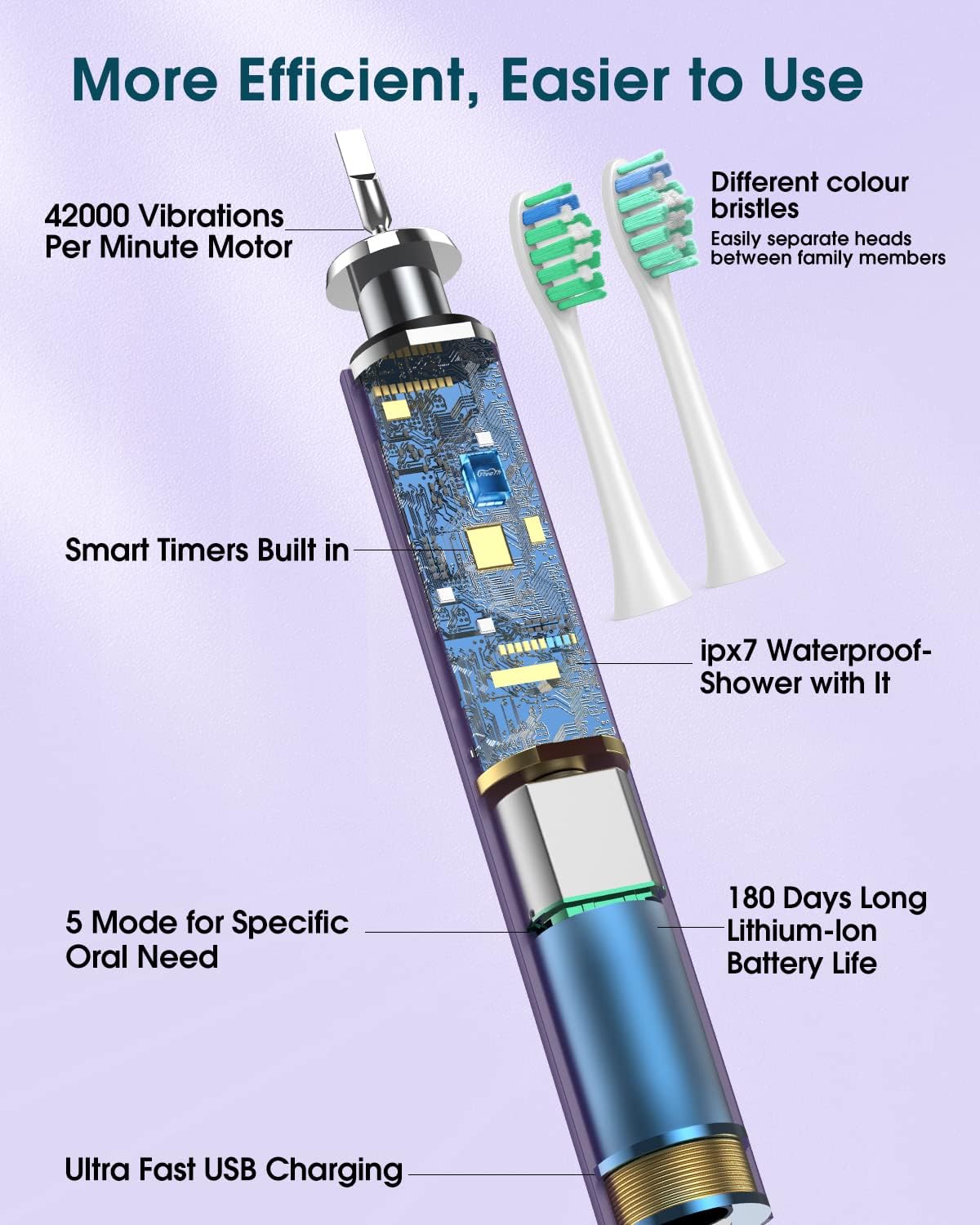
Image: An illustrative diagram showing the internal components of the toothbrush, highlighting features like the motor, smart timers, IPX7 waterproofing, and battery life.
9. Warranty and Support
For warranty information, technical support, or any product-related inquiries, please contact the manufacturer or your point of purchase. Keep your purchase receipt as proof of purchase for warranty claims.
Manufacturer: YTEATH PRO
Ask a question about this manual
Ask about setup, troubleshooting, compatibility, parts, safety, or missing instructions. Manuals+ will review the question and use this page’s manual context to help answer it.