
Introduction
This instruction manual provides detailed guidance on the safe and effective use of your YUQBLITTY Red Light Therapy & Vibration Knee Massager. This device is designed to offer targeted relief for various body joints, including knees, elbows, and shoulders, utilizing multi-wavelength red and infrared light therapy, heat, and vibration massage. Please read this manual thoroughly before first use and retain it for future reference.
Important Safety Information
- Consult a healthcare professional before using this device if you have any pre-existing medical conditions, are pregnant, or have implanted medical devices.
- This device is not intended for medical diagnosis, treatment, or prevention of any disease.
- Do not use on open wounds, broken skin, or areas with inflammation, swelling, or skin irritation.
- Keep the device away from water and do not immerse it in any liquid.
- Ensure the device is fully charged before use to avoid interruptions during therapy.
- Do not modify or attempt to repair the device yourself. Contact customer support for assistance.
- Keep out of reach of children and pets.
- The device features a 20-minute automatic shut-off timer to prevent overuse. Do not exceed recommended usage times.
- Unplug the device when not in use or during cleaning.
Package Contents

Image: The YUQBLITTY Red Light Therapy Knee Brace and its accompanying accessories, including straps, charging cable, and storage bag, neatly arranged within the product packaging.
- Red Light Therapy Knee Brace x 1
- Long Extension Strap x 1
- Short Extension Strap x 1
- USB-C Power Cord x 1 (Power adapter not included)
- Storage Bag x 1
- User Manual x 1
Product Overview

Image: A detailed diagram of the YUQBLITTY knee brace controller, highlighting the power button, massage mode button, heating level adjustments, power display, screen lock, and charging port.
- LED Touch Screen: Displays current settings for heating and massage.
- Power & Lock Button: Press and hold to power on/off. Short press to lock/unlock the screen.
- 'M' Button: Selects between 3 vibration massage modes.
- '+' / '-' Buttons: Adjusts 5 heating levels (L1-L5) and activates 10Hz pulse mode (L6).
- Charging Port: USB-C port for recharging the device.

Image: An illustration showing the penetration depth of 660nm red light (surface level) and 850nm infrared light (deep tissue) into the epidermis, hypodermis, and muscle layers.
- 660nm Red Light: Targets surface-level discomfort and supports overall wellness.
- 850nm Infrared Light: Penetrates deeper for tissue relief, easing muscle tension and promoting relaxation.
- 10Hz Pulse Therapy: Provides advanced warmth and intelligent light therapy comfort.
Setup and Charging
- Charging the Device: Connect the provided USB-C power cord to the device's charging port and a suitable USB power adapter (not included). The power display on the LED screen will indicate the charging status. Ensure the device is fully charged before its first use. A full charge typically provides 1-2 hours of cord-free therapy, depending on environmental temperature and intensity settings.
- Attaching the Brace: Place the knee brace around the desired joint (knee, elbow, or shoulder). Use the adjustable straps to secure it firmly but comfortably. For larger areas or different body parts, utilize the included long and short extension straps to achieve a proper fit.

Image: The YUQBLITTY Red Light Therapy & Vibration Knee Massager being used on an elbow and a shoulder, demonstrating its versatility across multiple body parts. The image also displays the dimensions of the brace and the included extension straps for customizable fit.
Operating Instructions
- Power On/Off: Press and hold the Power button (located on the side of the control panel) for a few seconds to turn the device on or off. The LED screen will illuminate.
- Unlock Screen: If the screen shows a lock icon, short press the Power & Lock button to unlock it and enable function adjustments.
- Select Massage Mode: Press the 'M' button to cycle through the three vibration massage modes:
- M1: Gentle - Improves circulation.
- M2: Smoothing - Eases joint and muscle tightness.
- M3: Powerful - Delivers deep tissue comfort.
- Adjust Heating Level: Use the '+' and '-' buttons to select one of the five adjustable heat levels (L1 to L5), ranging from 108°F to 122°F. The device also features a 10Hz pulse mode (L6) for dynamic therapy.
- Automatic Timer: The device is equipped with a 20-minute automatic shut-off timer to prevent overuse.
- Application: Apply the device to the desired joint. Ensure the red light LEDs are in direct contact with the skin for optimal therapy.

Image: A person wearing the YUQBLITTY Red Light Therapy & Vibration Knee Massager on their knee, demonstrating its cordless and portable design. The LED screen shows a '20' minute timer, indicating the automatic shut-off feature.

Image: A person engaged in exercise while wearing the YUQBLITTY knee brace, illustrating its secure fit during activity. The image also includes a graphic detailing the three vibration modes (Low, Mid, High) and five Red Light + Heating Levels (L1-L5, 108°F-122°F).
Care and Maintenance
- Cleaning: Wipe the device with a soft, damp cloth. Do not immerse the device in water or any other liquid. Ensure the device is completely dry before storage or next use.
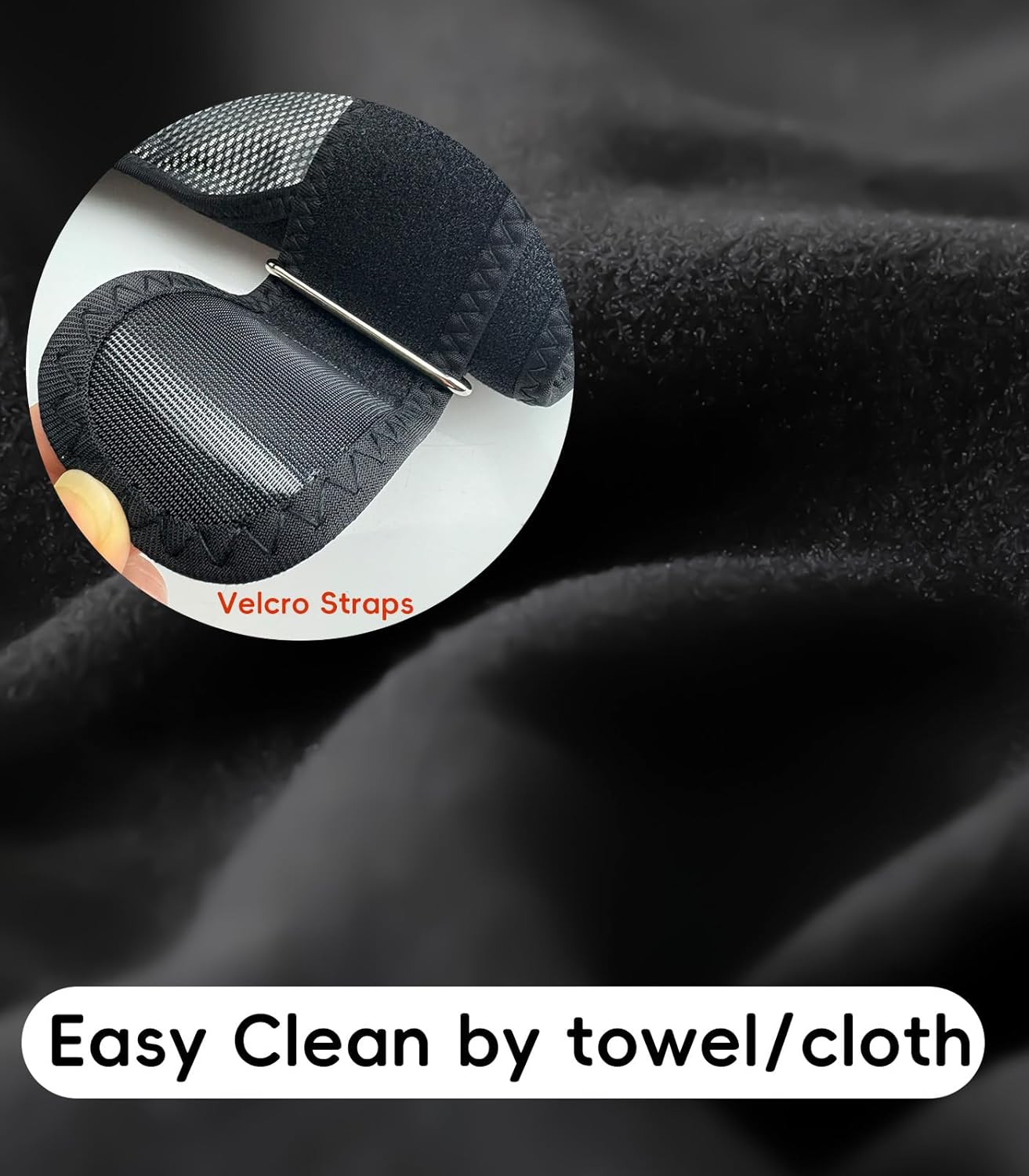
Image: A close-up view of the neoprene material and Velcro straps of the YUQBLITTY knee brace, emphasizing its soft texture and adjustable fasteners. Text indicates that the device is easy to clean with a towel or cloth.
- Storage: Store the device in the provided storage bag in a cool, dry place away from direct sunlight and extreme temperatures.
Troubleshooting
| Issue | Solution |
|---|---|
| Device not turning on. | Ensure the battery is charged. Check the USB-C charging cable connection. |
| No heat or vibration. | Check the selected mode and intensity levels on the LED screen. Ensure the screen is unlocked. |
| Device shuts off unexpectedly. | The 20-minute automatic shut-off timer has activated. This is a safety feature to prevent overuse. |
Product Specifications
- Material: Neoprene
- Color: Black
- Item Model Number: XPRE426
- Batteries: 1 Lithium Ion battery (included)
- Light Wavelengths: 660nm (Red Light), 850nm (Infrared Light)
- Heating Levels: 5 adjustable levels (108°F to 122°F)
- Vibration Modes: 3 intensity levels
- Timer: 20-minute automatic shut-off
- Target Use Body Part: Knee, Shoulder, Elbow
- Special Features: Adjustable, Cordless, Lightweight, LED Touch Screen
Warranty and Support
YUQBLITTY offers dedicated customer support to ensure your satisfaction. For any issues, inquiries, or to claim warranty services, please refer to the contact information provided in your product's purchase documentation or visit the official YUQBLITTY store.

Image: A customer service representative with a headset, symbolizing available support. Text indicates 'Customer Service Support 24 hours online return or replacement'.