
1. Introduction
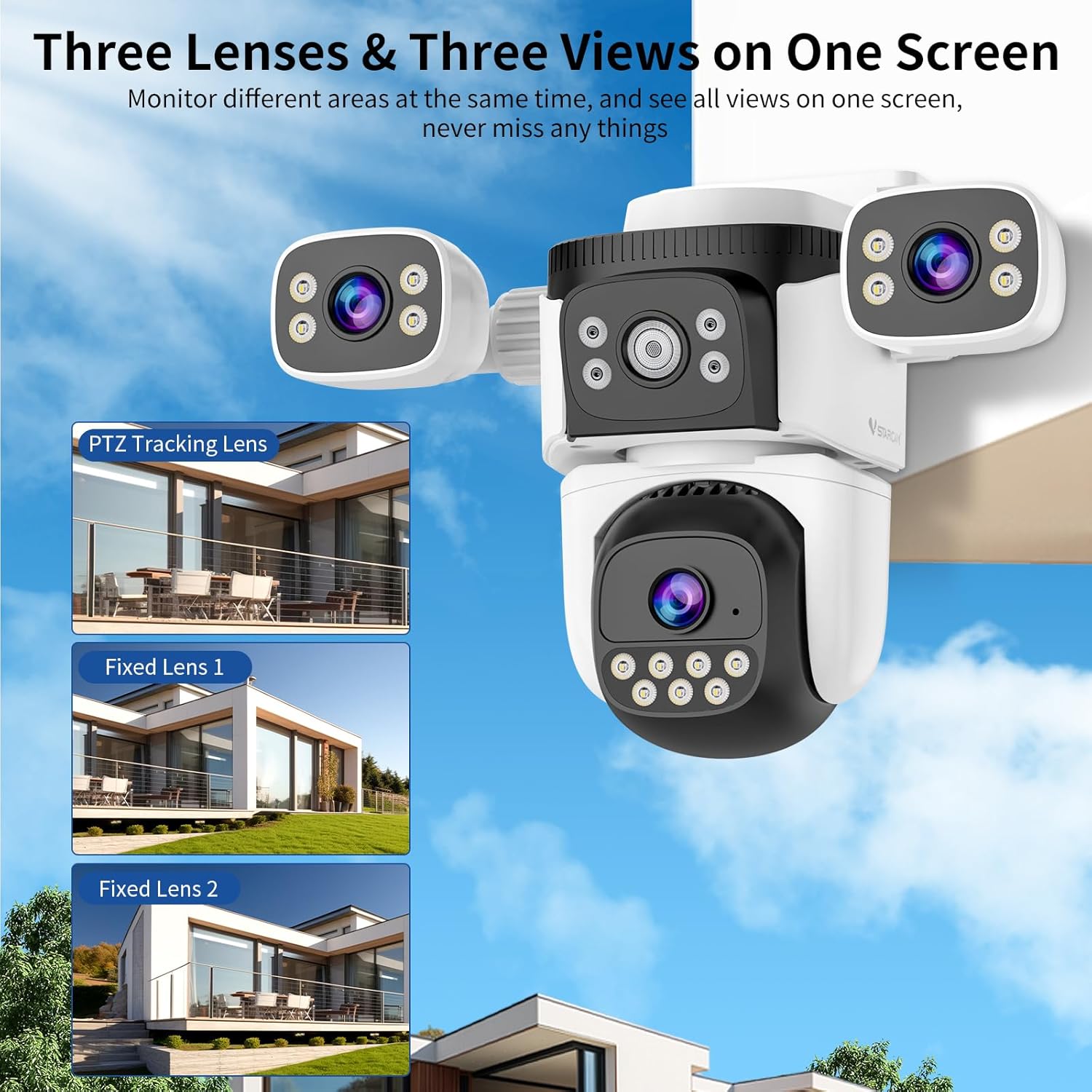
The VSTARCAM Three-Lens Security Camera Outdoor is an advanced surveillance solution designed to provide comprehensive monitoring for your property. Featuring two fixed lenses and one pan-tilt-zoom (PTZ) lens, this camera offers a wide field of view and flexible monitoring capabilities. It integrates features such as 1080P HD color night vision, AI human detection with auto-tracking, two-way audio, and smart siren alarms to enhance your home security.

This manual provides detailed instructions for setting up, operating, and maintaining your VSTARCAM security camera, ensuring optimal performance and longevity.

2. What's in the Box
Before beginning installation, please verify that all components are present in the package:
- 1 x VSTARCAM Three-Lens Security Camera
- 1 x Set of Screws (for mounting)
- 1 x Power Supply
- 1 x User Manual
- 1 x Waterproof Set

3. Setup and Installation
3.1 Physical Installation
The VSTARCAM camera can be mounted on a wall or ceiling. Choose a location that provides the desired viewing angle and is within reach of a power outlet. Ensure the mounting surface is sturdy enough to support the camera's weight.
- Wall Mount: Position the camera with the main lens facing the area to be monitored.
- Ceiling Mount: The camera can also be inverted and mounted on a ceiling. The image can be flipped in the app settings if needed.

Use the included screws and anchors to securely fasten the camera to the chosen surface. Ensure the power cable is routed safely and protected from environmental elements.
3.2 App Download and Connection
To operate your VSTARCAM camera, you need to download the 'O-KAM Pro' application on your smartphone.
- Step 1: Download the 'O-KAM Pro' app from the App Store (iOS) or Google Play Store (Android) and register an account.
- Step 2: Plug the camera into a power source. The camera will power on. Press and hold the Reset Button for 5 seconds to initiate pairing mode.
- Step 3: In the 'O-KAM Pro' app, click the '+' icon (or similar) to add a new device. Scan the QR code located on the camera body.
- Step 4: Follow the in-app prompts to connect the camera to your 2.4GHz Wi-Fi network. Note: This camera only supports 2.4GHz Wi-Fi, not 5GHz.
- Step 5: Once connected, the device connection is complete, and you can begin using your camera.

4. Operation
4.1 Three Lenses & 360° All-Round Protection
The camera features two fixed lenses and one pan & tilt lens. The fixed lenses can be manually adjusted 180° horizontally and vertically to cover specific static areas. The PTZ lens can be controlled via the app to pan 270° and tilt 90°, providing dynamic coverage.

4.2 1080P HD Color Night Vision
The camera offers three night vision modes: infrared, full-color, and intelligent color night vision. With built-in spotlights and infrared lights, it provides clear 1080p Full HD clarity up to 65ft in the dark.
- Infrared Night Vision: Provides clear black and white images in low light.
- Full-Color Night Vision: Activates spotlights to capture full-color images at night.
- Intelligent Color Night Vision: Automatically switches to color vision when motion is detected.

4.3 AI Detection & Auto Tracking
Equipped with advanced AI algorithms, the camera can intelligently recognize human figures and automatically track their movement within the field of view. You can customize motion detection schedules, recording duration, and sensitivity settings via the app.

You can also define specific activity zones to focus detection on critical areas and reduce false alerts from irrelevant movements.
4.4 Two-Way Audio & Smart Siren Alarm
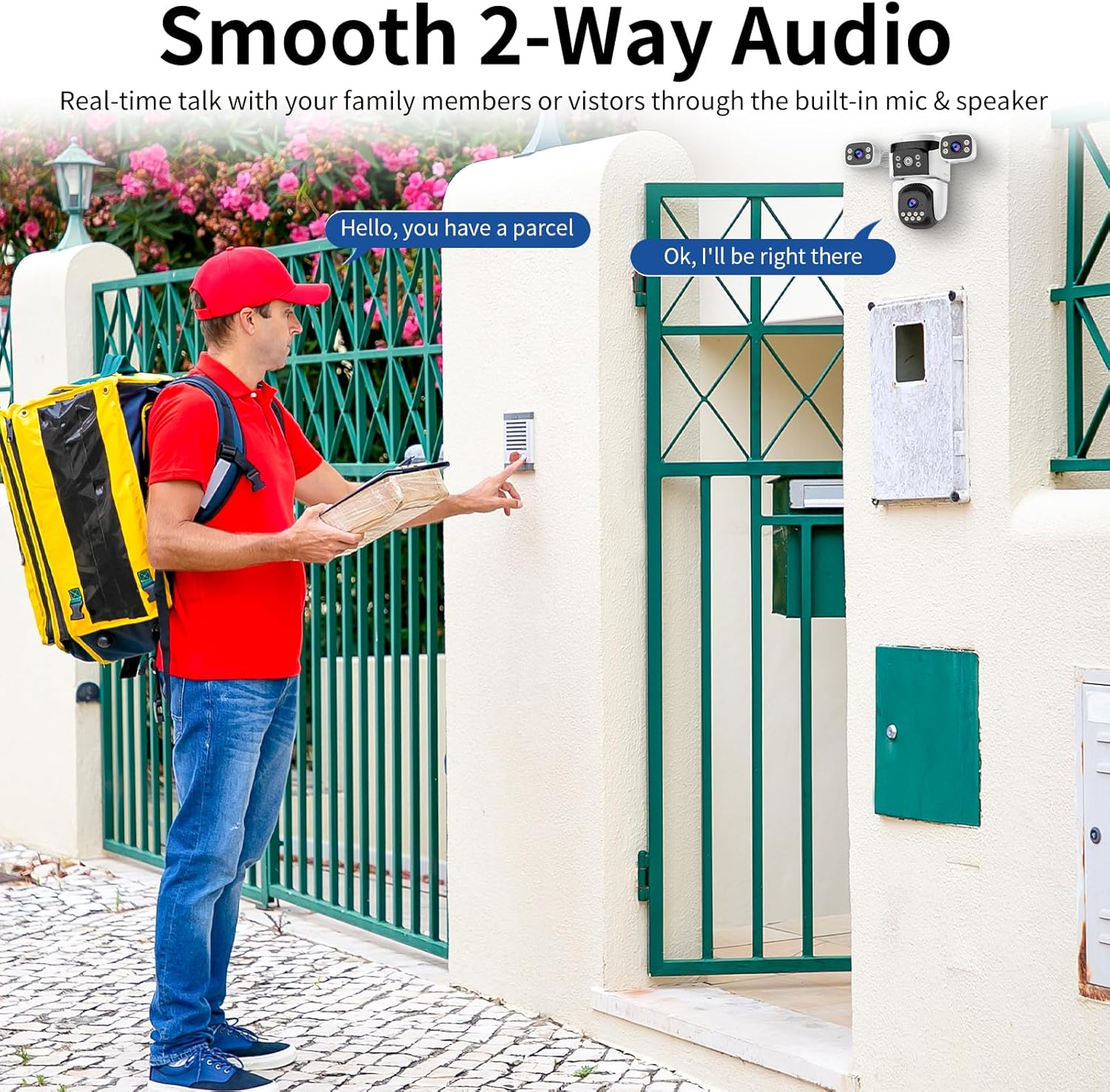
The built-in microphone and speaker enable real-time two-way communication. You can speak directly with visitors or deter intruders. When suspicious activity is detected, the camera can trigger a siren alarm, flashing LED lights, and send instant alerts to your phone.

4.5 Flexible Storage Options
The camera supports both local storage via a Micro SD card (up to 256GB, not included) and optional cloud storage. Both options allow for 24/7 continuous recording, ensuring you can review footage at any time.

4.6 Multi-Device Access and Control
You can remotely access and control the camera through multiple devices, including smartphones, iPads, and PCs. The 'O-KAM Pro' app allows simultaneous viewing of up to four VSTARCAM cameras.

4.7 Multi-User Live View & Family Sharing
The system supports remote access and live viewing by multiple users. You can easily share important moments and camera access with family members, allowing them to monitor the property as well.

5. Maintenance
5.1 Weather Resistance
The VSTARCAM camera has an IP66 waterproof and dust-proof rating, ensuring it can withstand various outdoor conditions, including rain, snow, and hot days. This rating signifies protection against dust ingress and powerful water jets.

5.2 Cleaning and Care
- Regularly wipe the camera lenses with a soft, damp cloth to ensure clear image quality. Avoid abrasive cleaners.
- Keep the camera's vents clear of debris to prevent overheating.
- Ensure the power connection remains secure and free from moisture.
5.3 Firmware Updates
Periodically check the 'O-KAM Pro' app for available firmware updates. Keeping your camera's firmware updated ensures optimal performance, security, and access to new features.
6. Troubleshooting
6.1 Connection Issues
- Camera Offline: Ensure the camera is powered on and the Wi-Fi signal is strong. Verify your router is functioning correctly. If the router was recently restarted, unplug and re-plug the camera to re-establish connection.
- Cannot Connect to Wi-Fi: Confirm your Wi-Fi network is 2.4GHz. The camera does not support 5GHz networks. Ensure you have entered the correct Wi-Fi password. Try moving the camera closer to the router during setup.
- Setup Failure: Perform a factory reset by pressing and holding the reset button for 5 seconds, then try the setup process again.
6.2 Performance Issues
- Poor Image Quality: Check if the lens is clean. Ensure there are no obstructions in the camera's field of view. Verify your internet connection speed is sufficient for streaming HD video.
- False Motion Detections: Adjust the motion detection sensitivity in the app. Utilize the activity zone feature to exclude areas with frequent irrelevant motion (e.g., busy streets, swaying trees).
- SD Card Not Recognized: Ensure the Micro SD card is correctly inserted and is a Class 10 or higher. Format the SD card through the app settings. If the issue persists, try a different SD card.
- Two-Way Audio Quality: Ensure there is no excessive background noise. Check the microphone and speaker areas for any obstructions.
6.3 App Related Issues
- App Crashing/Freezing: Ensure your 'O-KAM Pro' app is updated to the latest version. Clear the app's cache or reinstall the app if necessary.
- Notifications Not Received: Check your phone's notification settings for the 'O-KAM Pro' app. Ensure motion detection alerts are enabled in the camera's settings within the app.
7. Specifications
| Feature | Specification |
|---|---|
| Model Name | CS621SR |
| Indoor/Outdoor Usage | Outdoor |
| Power Source | Corded Electric |
| Connectivity Protocol | Wi-Fi (2.4GHz only) |
| Controller Type | PC, iOS, Android |
| Mounting Type | Wall Mount, Ceiling Mount |
| Video Capture Resolution | 1080p |
| Item Dimensions (L x W x H) | 5.9 x 9 x 7.28 inches |
| Item Weight | 2.2 pounds |
| International Protection Rating | IP66 |
| Special Features | Local Recording, 2-Way Audio, Night Vision, Three Lenses, PTZ Technology, AI Detection |

8. Warranty and Support
For warranty information and technical support, please refer to the official VSTARCAM website or contact VSTARCAM customer service directly. Keep your purchase receipt as proof of purchase for warranty claims.
Manufacturer: VSTARCAM
For further assistance, you may visit the VSTARCAM store on Amazon: VSTARCAM Store