
ToruKeep FC
ToruKeep Fireproof Safe Box User Manual
Model: FC
Introduction
This manual provides essential information for the safe and effective use of your ToruKeep Fireproof Safe Box. Please read it thoroughly before operation and retain it for future reference. This safe is designed to protect your valuables from fire, water, and unauthorized access.

Image: The ToruKeep Fireproof Safe Box, highlighting its fireproof and waterproof capabilities with visual effects of fire and water. The safe features a digital keypad and a keyhole for access.

Image: A visual summary of the safe's robust security features, including protection against prying, drilling, collision, and general theft attempts.
Safety Information
- Do not store flammable liquids or materials inside the safe.
- Keep emergency keys in a secure location away from the safe and out of reach of children.
- Ensure the safe is securely mounted to prevent unauthorized removal, especially if storing heavy items.
- Avoid exposing the safe to extreme temperatures or direct sunlight for prolonged periods.
- While designed for protection, no safe is completely impenetrable. Always choose a discreet and secure location.
Package Contents
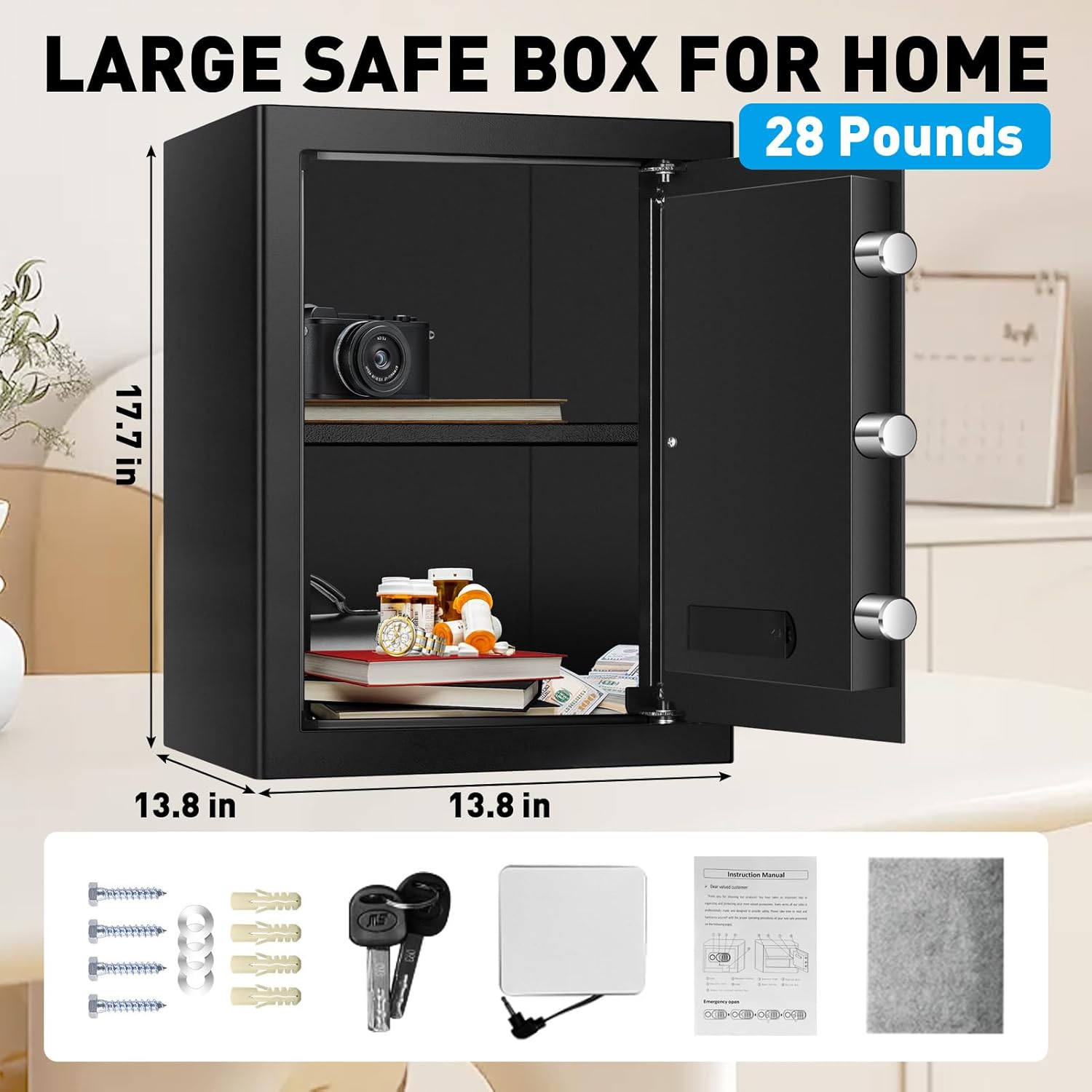
Image: A visual representation of the ToruKeep safe and its included accessories: the safe unit, an instruction manual, two emergency keys, an external battery box, and a set of expansion screws for mounting.
- ToruKeep Fireproof Safe Box (Model: FC)
- Emergency Keys (2)
- External Battery Box
- Expansion Screws (for mounting)
- Instruction Manual (this document)
- Removable Shelf
Setup
Unpacking and Placement
Carefully remove the safe from its packaging. Choose a suitable location for the safe, considering both accessibility and security. The compact size allows for placement in drawers, cabinets, or wardrobes.
Installing the Removable Shelf
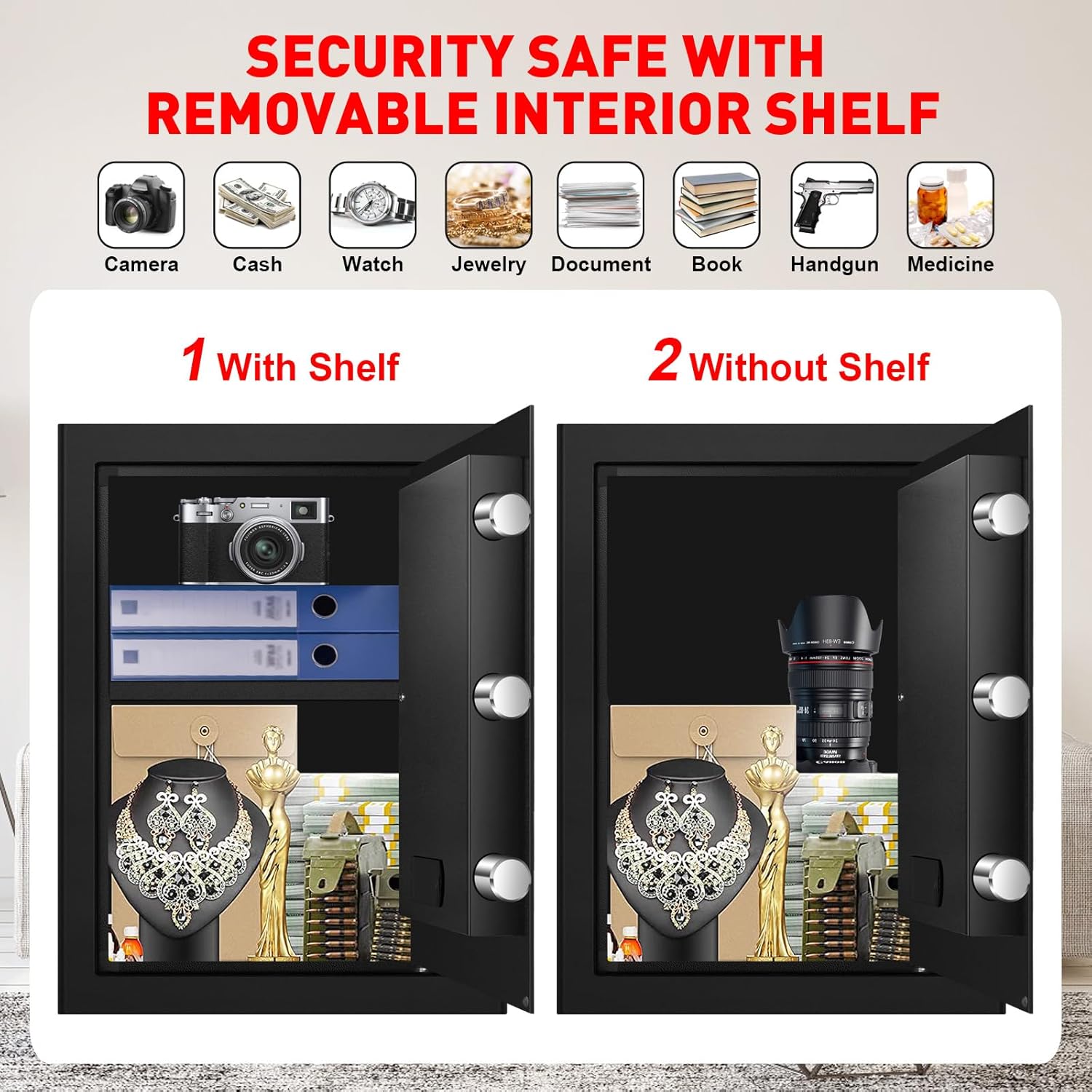
Image: The interior of the ToruKeep safe, illustrating how the removable shelf can be used to organize items or removed to accommodate larger valuables like camera lenses or handguns.
The safe includes a removable shelf to customize the interior storage space. To install, simply slide the shelf into the designated grooves inside the safe. To remove, lift and pull out.
Mounting the Safe

Image: Step-by-step diagrams demonstrating how to securely mount the ToruKeep safe to a wall or floor using the provided expansion screws. This enhances security against unauthorized removal.
For enhanced security, the safe can be bolted to a wall or floor. Pre-drilled holes are located on the back and bottom of the safe. Use the included expansion screws for installation.
- Position the safe in the desired location and mark the drilling points through the pre-drilled holes.
- Drill pilot holes in the wall or floor using an appropriate drill bit.
- Align the safe with the drilled holes and secure it using the expansion screws.
- Ensure the safe is firmly attached and stable.
Operating Instructions
Opening the Safe (3 Ways)

Image: An illustration detailing the three primary methods for opening the ToruKeep safe: by rotating the knob after entering a correct password on the keypad, by inserting and turning the emergency key in the keyhole, or by connecting the external power box for emergency power to the keypad.
- Using the Digital Keypad: Enter your programmed combination. The indicator light will confirm successful entry. Turn the knob to open the door.
- Using the Emergency Key: Insert the emergency key into the keyhole, turn it, and then turn the knob to open the door. This method bypasses the digital keypad.
- Using the External Power Box: If the internal batteries are depleted, connect the external battery box to the designated port on the keypad. This will power the keypad, allowing you to enter your combination and open the safe.
Setting Your Combination
Refer to the specific instructions provided with your safe for programming your personal digital combination. Typically, this involves pressing a reset button located inside the safe, entering your new code, and confirming it. Ensure you remember your code and test it before closing the safe.
Intelligent Lighting Design

Image: The interior of the ToruKeep safe, brightly illuminated by a built-in motion sensor light, making it easy to view and access contents even in low-light conditions.
The safe features a built-in sensor light that illuminates the interior when the door is opened. The light will stay on for approximately 30 seconds and then slowly dim and turn off automatically.
Smart Warning Alarm System & Silent Mode
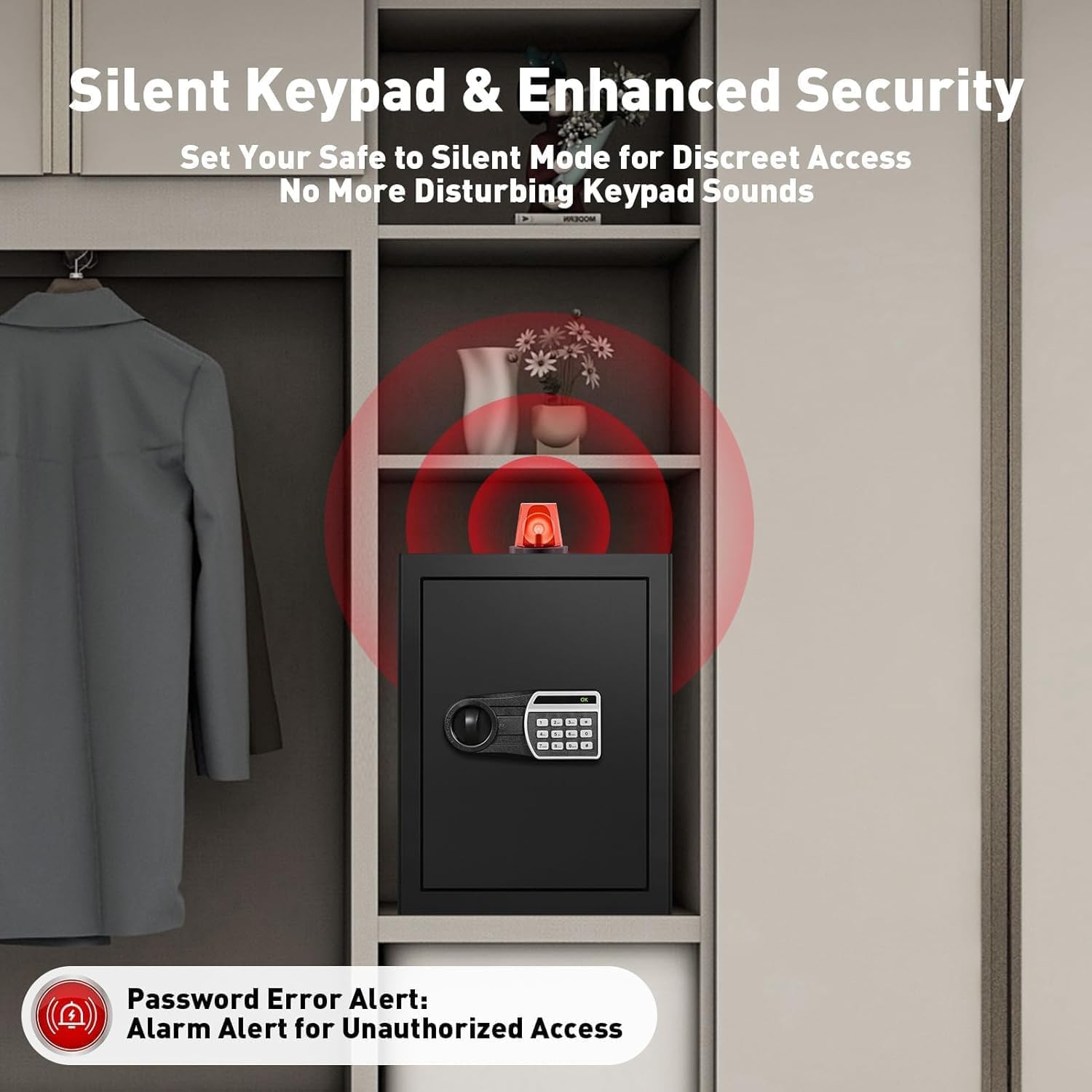
Image: The ToruKeep safe placed within a cabinet, with red concentric circles emanating from it, symbolizing its smart warning alarm system that activates upon unauthorized access attempts.
The safe is equipped with an automatic lock and warning system:
- If an incorrect password is entered 3 times consecutively, the system will lock for 20 seconds.
- If an incorrect password is entered 6 times consecutively, the system will lock for 300 seconds.
The keypad can be set to silent mode for discreet access. Refer to your specific model's instructions for enabling/disabling silent mode.
Security Features: Door Bolts
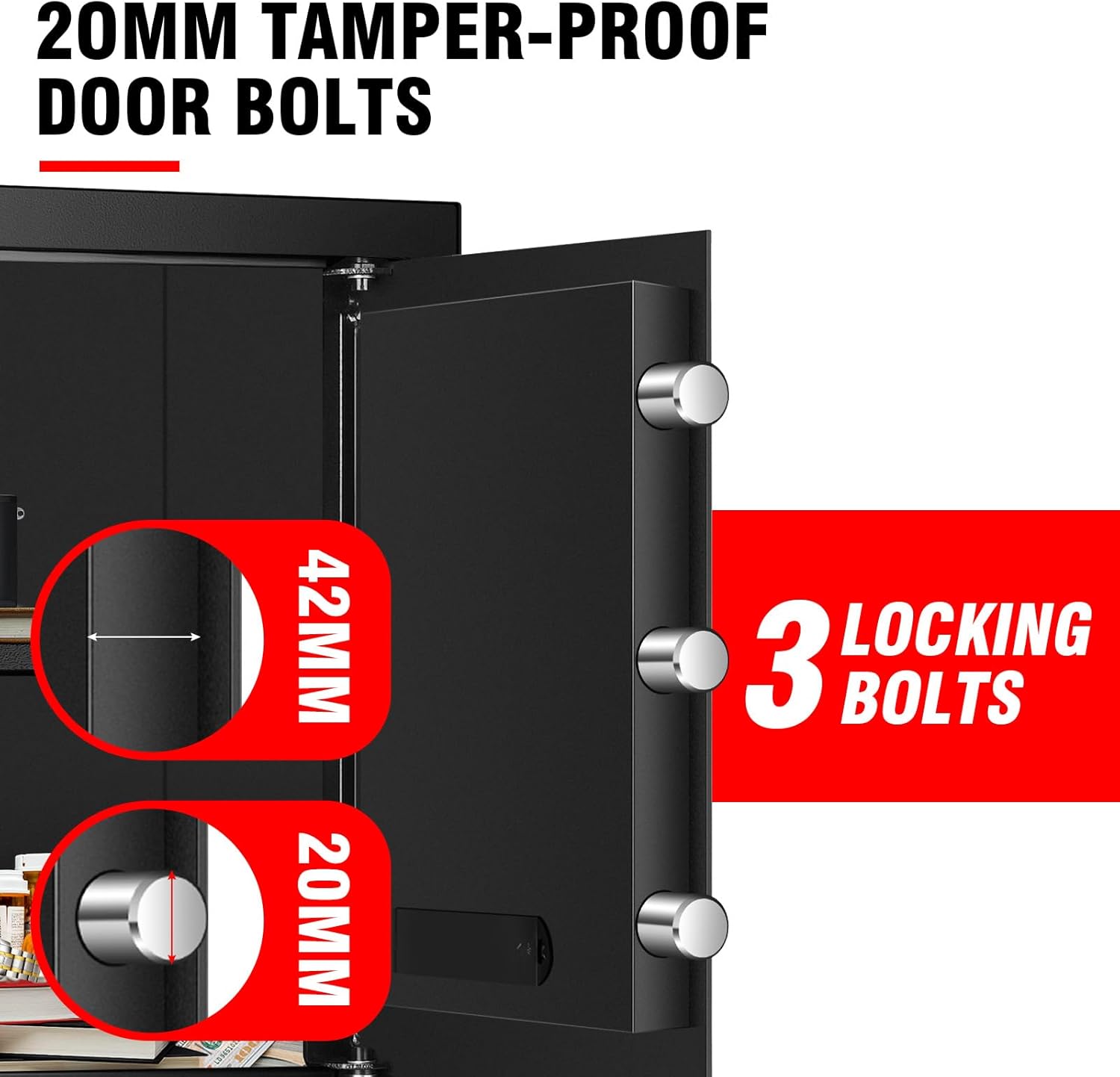
Image: A detailed view of the ToruKeep safe's door mechanism, highlighting the robust 20mm tamper-proof door bolts and the three-point locking system for enhanced security.
The safe features 20mm tamper-proof door bolts and a 3-point locking system to provide robust protection against forced entry.
Maintenance
Battery Replacement
The digital keypad is powered by batteries (not included). When the battery indicator light signals low power, replace the batteries immediately to ensure proper function. Use the external battery box if the batteries are completely depleted and you need to open the safe.
Cleaning
Wipe the exterior of the safe with a soft, damp cloth. Do not use abrasive cleaners or solvents, as they may damage the finish.
Troubleshooting
| Problem | Possible Cause | Solution |
|---|---|---|
| Keypad not responding | Low or dead batteries | Replace batteries or use the external battery box. |
| Safe won't open with code | Incorrect code entered; Keypad locked due to multiple incorrect attempts | Ensure correct code is entered; Wait for the lockout period to expire; Use emergency key. |
| Door not closing properly | Obstruction in the door frame; Bolts not retracting fully | Check for obstructions; Ensure the knob is fully turned to retract bolts before closing. |
Specifications
Image: The ToruKeep safe with its external dimensions clearly marked: 17.7 inches in height, 13.8 inches in width, and 13.8 inches in depth. The image also indicates the safe weighs 28 pounds.
- Model: FC
- Brand: ToruKeep
- Capacity: 2.4 Cubic Feet
- Dimensions (External): 35D x 35W x 45H Centimetres (approx. 13.8D x 13.8W x 17.7H inches)
- Weight: 14.5 kg (approx. 28 pounds)
- Material: Iron
- Lock Type: Electronic Combination Lock, Key
- Special Features: Alarm System, Sensor Light, Removable Shelf, Fireproof, Waterproof
- Mounting Type: Wall Mount, Floor Mount
Warranty and Support
For warranty information and customer support, please refer to the contact details provided on the product packaging or visit the official ToruKeep website. Keep your purchase receipt as proof of purchase for warranty claims.
Related Documents - FC
 |
PINEWORLD K3 Pro Biometric Safe User Manual - Secure Your Valuables Comprehensive user manual for the PINEWORLD K3 Pro Biometric Safe. Learn how to install batteries, set passcodes, use fingerprint recognition, bind to the FC Smarthome APP, and secure your items. |
 |
Product Manual - Waterproof Cable Management Box User manual for the Waterproof Cable Management Box, providing overview, usage instructions, maintenance, troubleshooting, safety warnings, manufacturer details, and disposal information. |
 |
Ferro Concepts Bora Belt™ Product Guide: Features, Installation, and Adjustment Comprehensive product guide for the Ferro Concepts Bora Belt™. Learn about its features, how to adjust it for a secure fit, install accessories, and set up the Bora Webbing Lock™ for optimal performance. Designed for rugged, uncompromising loadout platforms. |
 |
Accurate Lock & Hardware 2002CPDL/2002Q-3 Entry FC2348T/C Flush Pull Technical Specifications Detailed technical specifications and installation notes for the Accurate Lock & Hardware 2002CPDL/2002Q-3 Entry FC2348T/C Flush Pull, including dimensions, backset options, and installation guidance. |
 |
Verkada AL54-CY Cylindrical Lock: Smart Access Control Datasheet Comprehensive datasheet for the Verkada AL54-CY Cylindrical Lock, detailing its features, technical specifications, variations, and ordering information for advanced access control solutions. |
 |
Verkada AL54-MS Mortise Lock Datasheet and Technical Specifications Comprehensive datasheet for the Verkada AL54-MS Mortise Lock, detailing its features, technical specifications, variations, ordering information, and compatibility with the WH32 wireless hub for advanced access control solutions. |
Ask a question about this manual
Ask about setup, troubleshooting, compatibility, parts, safety, or missing instructions. Manuals+ will review the question and use this page’s manual context to help answer it.