
1. Introduction
This manual provides essential information for the safe and efficient use of your Nusyddy AC-02EP 20000mAh Portable Charger. Please read it thoroughly before operating the device and retain it for future reference.
2. Package Contents
Verify that all items are present in your package:
- 1x Nusyddy AC-02EP 20000mAh Portable Charger
- 1x Type-C Charge Cord
- 1x User Manual (This Document)
3. Product Features
- High Capacity: 20000mAh battery for extended charging.
- Fast Charging: Up to 22.5W ultra-fast charging via USB-A2 port and PD-20W via USB-C.
- Built-in Cables: Integrated Type-C and iOS (Lightning) cables for convenience.
- Built-in AC Wall Plug: Foldable 90-degree AC plug for direct wall charging of the power bank.
- Multiple Output Ports: Two USB-A ports and one USB-C port for versatile device charging.
- LED Digital Display: Provides real-time monitoring of remaining power percentage.
- Simultaneous Charging: Capable of charging up to 5 devices concurrently.

Image 3.1: The Nusyddy AC-02EP Portable Charger highlighting its built-in cables and foldable AC wall plug.

Image 3.2: Detail of the charger's LED display, USB-C input/output, and USB-A outputs.
4. Setup
Before initial use, it is recommended to fully charge the power bank.
4.1 Charging the Power Bank
The Nusyddy AC-02EP offers two methods for recharging:
- Via AC Wall Plug: Extend the integrated AC wall plug and insert it directly into a standard 100-240V wall outlet. The LED display will activate, showing the charging status. A full recharge takes approximately 11 hours.
- Via Type-C Cable Input: Connect the provided Type-C charge cord to the power bank's Type-C port and to a compatible USB power adapter (not included). A full recharge takes approximately 6 hours.

Image 4.1: Recharging the power bank using the built-in AC wall plug.

Image 4.2: Recharging the power bank using the Type-C cable input.
5. Operating Instructions
5.1 Charging Your Devices
The power bank can charge up to 5 devices simultaneously using its various outputs:
- Built-in iOS (Lightning) Cable: Connect directly to your iPhone or other compatible iOS devices.
- Built-in Type-C Cable: Connect directly to your USB-C compatible devices such as Android phones or tablets.
- USB-A Output Ports: Use your device's standard USB-A charging cable to connect to either of the two USB-A ports on the power bank. The USB-A2 port supports 22.5W fast charging.
- USB-C Output Port: Use a USB-C to USB-C cable (not included) to connect to your USB-C compatible devices. This port supports PD-20W fast charging.
Once connected, your device should begin charging automatically. The LED display on the power bank will show the remaining battery percentage.
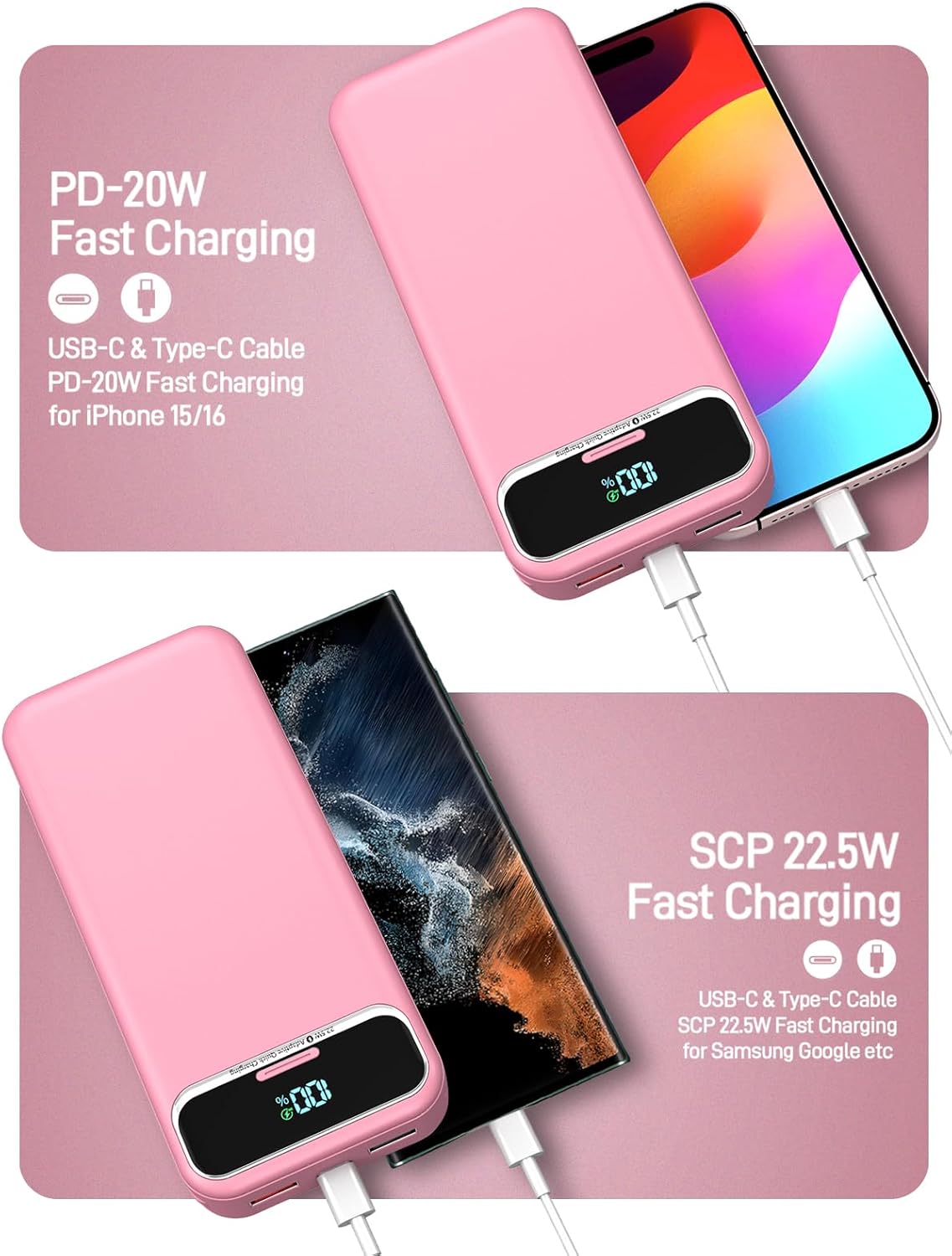
Image 5.1: Charging an iPhone using the built-in iOS cable, demonstrating PD-20W fast charging.

Image 5.2: Charging a Samsung device using the built-in Type-C cable, demonstrating SCP 22.5W fast charging.

Image 5.3: The power bank supporting simultaneous charging for up to 5 devices.
6. LED Digital Display Guide
The integrated LED digital display provides clear information about the power bank's status:
- Battery Percentage: Shows the exact remaining battery charge from 0-100%.
- Charging Indicator: When the power bank is being recharged, the percentage will flash. When fully charged, it will display 100% steadily.
- Output Indicator: When charging a device, the display will show the remaining battery percentage.
7. Safety Information
To ensure safe operation and prolong the life of your power bank, please observe the following:
- Do not expose the power bank to extreme temperatures (above 60°C/140°F or below 0°C/32°F).
- Avoid dropping, disassembling, or attempting to repair the device yourself.
- Keep away from water, moisture, and flammable materials.
- Do not use if the power bank is damaged, swollen, or leaking.
- Use only compatible charging cables and adapters.
- Keep out of reach of children.
- Dispose of the power bank responsibly according to local regulations.
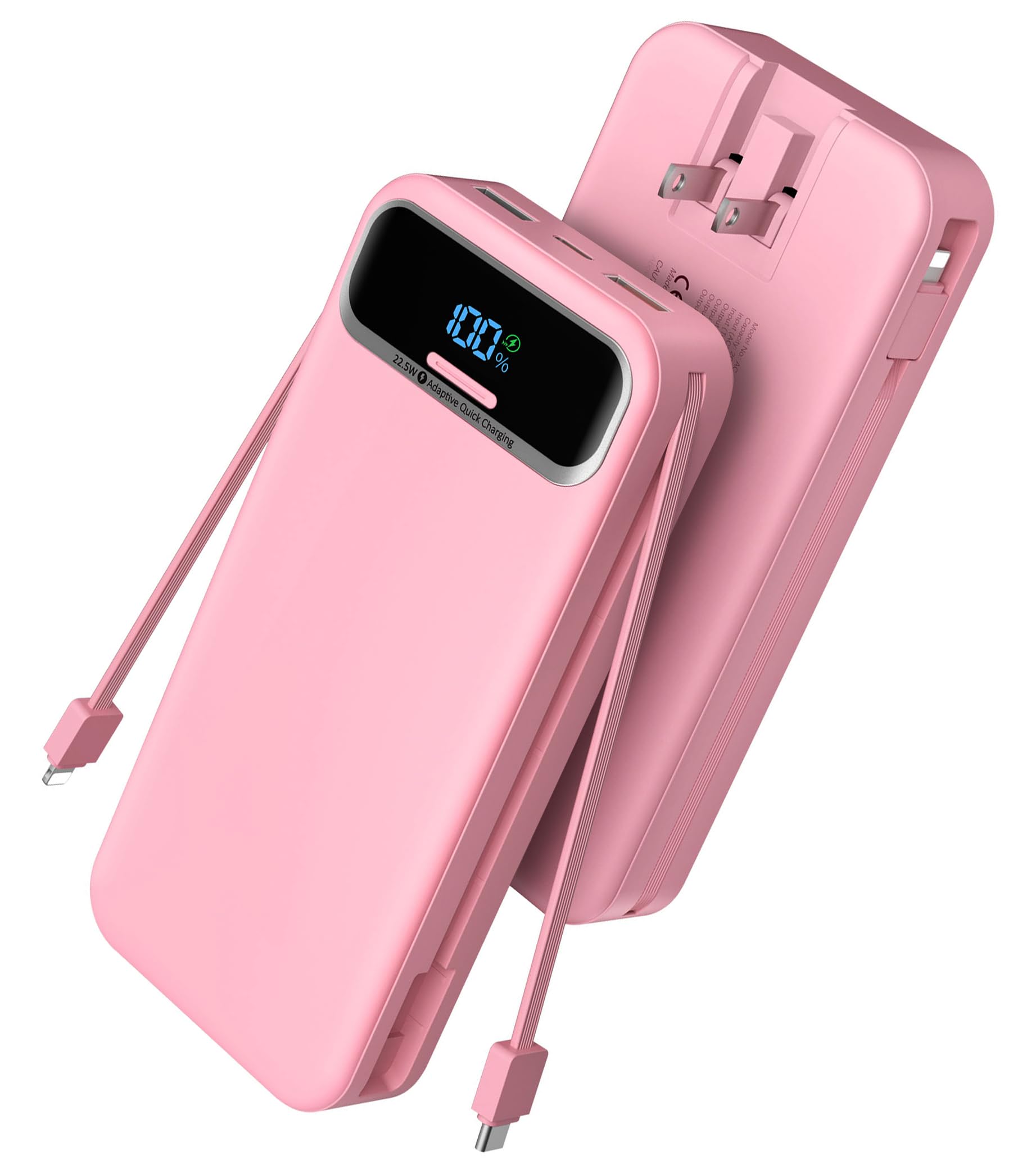
Image 7.1: Overview of the multiple safety protection features integrated into the power bank.
8. Specifications
| Feature | Detail |
|---|---|
| Model Number | AC-02EP |
| Battery Capacity | 20000 Milliamp Hours (mAh) |
| Product Dimensions | 5.91 x 2.71 x 1.17 inches |
| Item Weight | 13 ounces |
| Input (AC Wall Plug) | 100-240V (approx. 11 hours for full charge) |
| Input (Type-C) | 18W (approx. 6 hours for full charge) |
| Output (USB-A2) | Up to 22.5W |
| Output (USB-C) | PD-20W |
| Built-in Cables | Type-C, iOS (Lightning) |
| Special Features | Built-in Cables, Digital Display, Built-in Wall Plug |
9. Troubleshooting
- Device not charging: Ensure the power bank is sufficiently charged. Check that cables are securely connected to both the power bank and the device. Try a different cable or port.
- Power bank not recharging: Verify the AC wall plug is fully inserted into a live outlet, or that the Type-C cable and adapter are functioning correctly.
- Slow charging: Ensure your device and cable support fast charging. Some devices may charge slower if multiple devices are connected simultaneously.
- LED display not working: Press the power button briefly to activate the display. If it remains off, the power bank may be fully discharged or require service.
10. Maintenance
To maintain optimal performance and longevity of your power bank:
- Clean the exterior with a soft, dry cloth. Avoid liquid cleaners.
- Store in a cool, dry place away from direct sunlight.
- If storing for extended periods, charge the power bank to approximately 50-75% every 3 months to prevent battery degradation.
11. Warranty and Support
Your Nusyddy AC-02EP Portable Charger comes with a 12-month support period. For any issues or inquiries, please contact our customer service team. We offer 7 days/24 hours friendly customer service and aim to resolve problems within 24 hours.
For support, please refer to the contact information provided on the product packaging or the official Nusyddy website.
12. Product Video
Video 12.1: An official product video from Nusyddy demonstrating the 20000mAh All-in-one Portable Charger Power Bank, showcasing its features and functionality.