
Introduction
Thank you for choosing the Nusyddy 20000mAh 22.5W Fast Charging Power Bank. This device is designed to provide a convenient and efficient charging solution for your electronic devices on the go. Featuring built-in cables and a foldable AC wall plug, it offers versatile recharging and output options. Please read this manual carefully to ensure proper use and to maximize the lifespan of your power bank.
What's in the Box
- 1x Nusyddy 20000mAh Portable Charger
- 1x USB-A to Type-C Charging Cable
- 1x User Manual
Product Overview
The Nusyddy 20000mAh Power Bank is an all-in-one charging solution, integrating multiple charging cables and a wall plug for ultimate convenience.
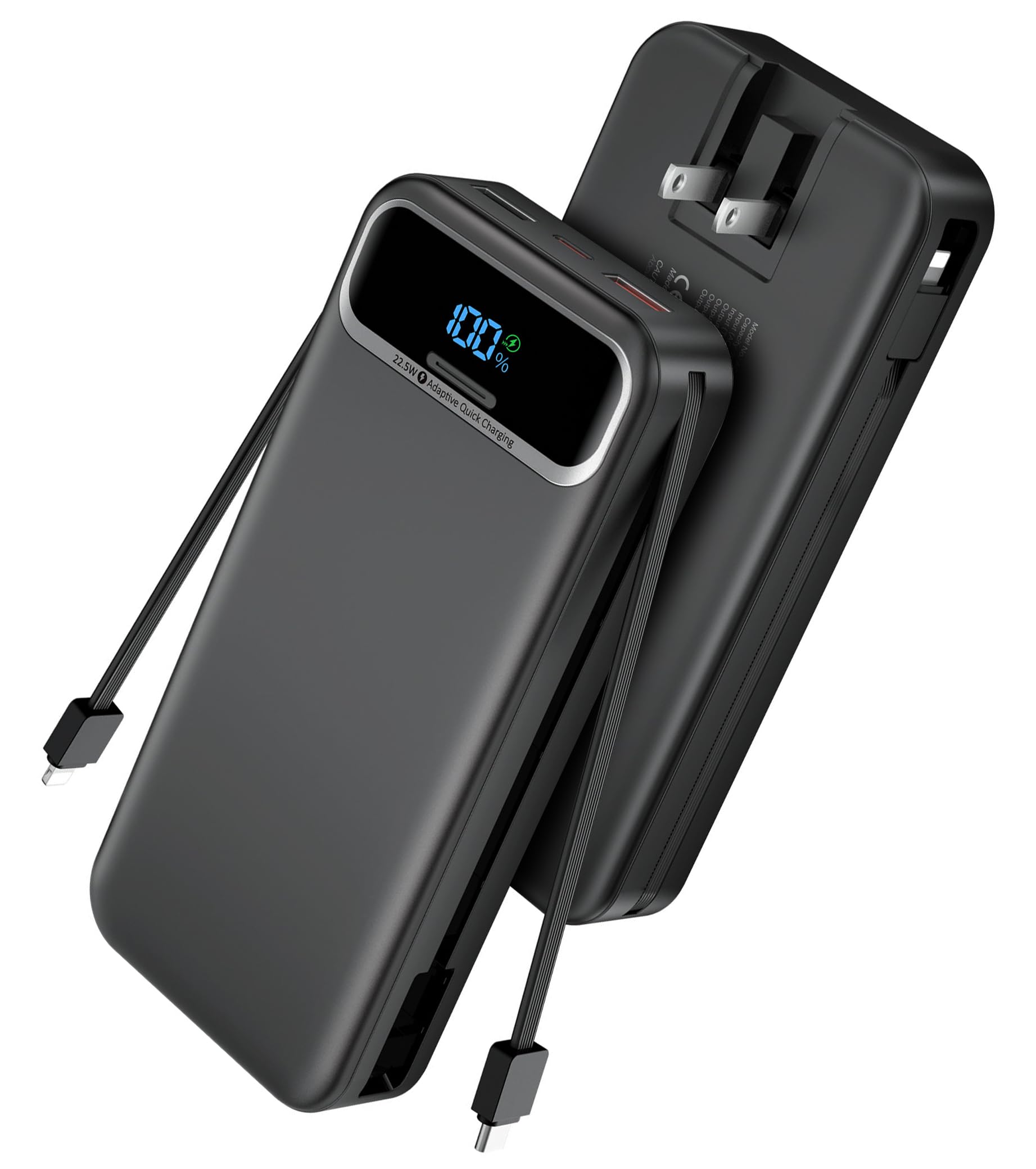
Figure 1: Nusyddy 20000mAh Portable Charger with built-in cables and wall plug, showcasing its compact design.
Key Features
- Built-in Cables: Includes integrated Type-C and iOS cables for direct device charging.
- Built-in AC Wall Plug: Foldable plug for direct recharging from a wall outlet.
- Fast Charging: Supports 22.5W ultra-fast charging via USB-A2 port and PD20W via USB-C.
- Multiple Output Ports: Two USB-A ports and one USB-C port for versatile connectivity.
- LED Digital Display: Provides real-time battery percentage for easy monitoring.
- Simultaneous Charging: Capable of charging up to 5 devices at once.

Figure 2: This image highlights the integrated Type-C and iOS charging cables, along with the convenient foldable AC wall plug for direct charging.

Figure 3: The top of the power bank features a clear LED digital display, a USB-C port for input and output, and two USB-A output ports for versatile charging.
Video 1: Official product video demonstrating the key features and all-in-one design of the Nusyddy 20000mAh portable charger.
Setup: Recharging the Power Bank
Before using your power bank to charge other devices, ensure it is fully charged. There are two methods to recharge the power bank:
1. Via Built-in AC Wall Plug
- Fold out the integrated AC wall plug from the back of the power bank.
- Plug the power bank directly into a standard wall outlet (100-240V).
- The LED digital display will show the charging progress.
- A full recharge using this method takes approximately 11 hours.

Figure 4: The power bank can be recharged by plugging its integrated AC wall plug directly into a standard wall outlet. This method fully recharges the device in approximately 11 hours.
2. Via Type-C Cable Input
- Connect the provided USB-A to Type-C cable (or another compatible Type-C cable) to the power bank's Type-C input port.
- Connect the other end of the cable to a suitable USB power adapter (not included).
- The LED digital display will indicate the charging status.
- A full recharge using this method takes approximately 6 hours.

Figure 5: Alternatively, the power bank can be recharged using a Type-C cable, which takes about 6 hours for a full charge.
Operating Instructions: Charging Your Devices
The power bank offers multiple ways to charge your devices:
1. Using Built-in Cables
- Pull out the appropriate built-in cable (Type-C or iOS) from the side of the power bank.
- Connect the cable directly to your compatible device.
- The power bank will automatically begin charging your device.
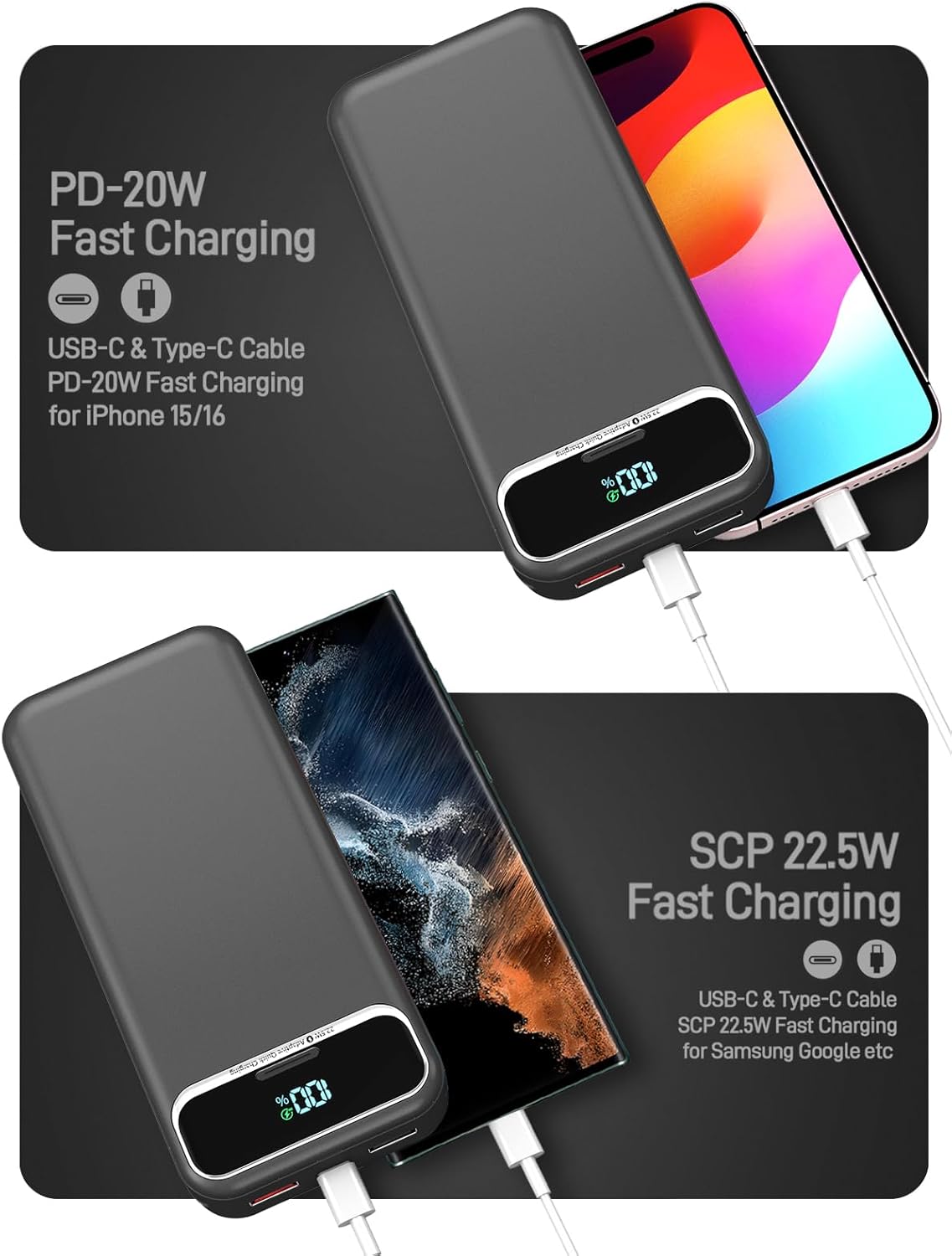
Figure 6: Utilize the built-in iOS cable for fast charging compatible iPhone models.

Figure 7: The built-in Type-C cable supports SCP 22.5W fast charging for compatible Android devices like Samsung and Google phones.
2. Using External Cables (USB-A / USB-C Ports)
- Connect your device's charging cable to one of the available USB-A or USB-C output ports on the power bank.
- The power bank will detect the connected device and begin charging.
3. Monitoring Battery Level
- The LED digital display on the power bank shows the remaining battery percentage.
- Press the power button once to activate the display and check the current battery level.

Figure 8: The integrated LED digital display provides a precise real-time indication of the remaining power, allowing you to monitor the battery level easily.
4. Charging Multiple Devices
- The power bank can charge up to 5 devices simultaneously using a combination of its built-in cables and external USB ports.
- Note that charging multiple devices may affect the overall charging speed for each individual device.

Figure 9: The power bank is designed to charge up to 5 devices concurrently, including smartphones, tablets, and wireless earbuds, using its various output ports and built-in cables.
Safety Information
The Nusyddy Power Bank is equipped with multiple safety features to protect your devices and the power bank itself.
- Overcharge Protection: Prevents the battery from being overcharged.
- Overcurrent Protection: Safeguards against excessive current flow.
- Overvoltage Protection: Protects against voltage surges.
- Temperature Protection: Monitors and regulates internal temperature.
- Over-discharge Protection: Prevents the battery from being fully depleted.
- Short-circuit Protection: Automatically shuts off in case of a short circuit.

Figure 10: The power bank incorporates a superior safety protection system, guarding against overcharge, overcurrent, overvoltage, high temperature, over-discharge, and short circuits.
Maintenance
- Store the power bank in a cool, dry place away from direct sunlight and extreme temperatures.
- Avoid dropping or subjecting the power bank to strong impacts.
- Clean the exterior with a soft, dry cloth. Do not use harsh chemicals or abrasive materials.
- Recharge the power bank at least once every three months if not in regular use to maintain battery health.
Troubleshooting
Power Bank Not Charging
- Ensure the AC wall plug is fully extended and securely plugged into a live outlet.
- If using the Type-C input, verify the cable and power adapter are functioning correctly.
- Check the LED display for any error indicators.
Device Not Charging
- Ensure the power bank has sufficient charge (check the LED display).
- Verify that the built-in cable or external cable is securely connected to both the power bank and your device.
- Try a different port or cable to rule out a faulty connection.
- Confirm your device is compatible with the power bank's output specifications.
Specifications
| Feature | Detail |
|---|---|
| Model Number | AC-02EP |
| Battery Capacity | 20000 Milliamp Hours (mAh) |
| Product Dimensions | 5.91 x 2.71 x 1.17 inches |
| Item Weight | 13 ounces |
| Input (AC Wall Plug) | 100-240V (Full recharge in ~11 hours) |
| Input (Type-C) | 18W (Full recharge in ~6 hours) |
| Output (USB-A2) | Up to 22.5W Fast Charging |
| Output (USB-C) | PD20W Fast Charging |
| Special Features | Built-in Cables (Type-C, iOS), Digital Display, Foldable AC Plug |
Warranty and Support
Nusyddy provides 12 months of support for this product. If you encounter any problems or have questions, please contact our customer service team. We offer 7 days/24 hours friendly customer service and aim to resolve issues within 24 hours.
For further assistance, please refer to the contact information provided with your purchase or visit the official Nusyddy website.