
Nusyddy M42
Nusyddy 27000mAh Portable Charger User Manual
Model: M42

Nusyddy 27000mAh Portable Charger (Pink)
Introduction
Thank you for choosing the Nusyddy 27000mAh Portable Charger. This power bank is designed to provide reliable and fast charging for your mobile devices, featuring a high capacity battery, multiple charging ports, and a convenient built-in cable. It also includes a powerful LED flashlight for emergencies and outdoor activities. Please read this manual carefully to ensure proper use and maintenance of your device.
What's in the Box
- 1x 27000mAh portable iPhone charger
- 1x Type-C charging cable
- 1x user manual
Product Features
- Emergency Charging: 27000mAh capacity, capable of charging iPhone 15 approximately 5.2 times, iPhone 15 Pro Max 2.3 times, and Samsung Galaxy S23 4.5 times.
- Simultaneous Charging: Charge up to 3 devices concurrently via the built-in USB-C cable, USB-C port, and USB-A port.
- Built-in USB-C Cable: Integrated USB-C cable serves as both a charging cable and a convenient handheld lanyard, eliminating the need for extra cables.
- Dual Recharging Options: Recharge the power bank using either the built-in USB-C cable or the dedicated fast charging USB-C input port.
- LED Digital Display: Clear LED display shows the remaining battery percentage, allowing for easy monitoring.
- Powerful Backup Flashlight: Features a built-in 3W 300 Lumen LED flashlight with four modes: strong, soft, SOS, and strobe. Can operate continuously for 25 hours.
- Multi-Protection: Equipped with overcharge protection, over-discharge protection, overvoltage protection, over-power protection, short-circuit protection, and magnetic field protection for safe use.
Setup Guide
- Initial Charge: Before first use, fully charge the power bank. Connect the included Type-C charging cable to the power bank's USB-C input port (or use the built-in USB-C cable for input) and plug the other end into a compatible USB wall adapter (not included). The LED display will show charging progress.
- Check Battery Level: Press the power button once to activate the LED digital display, which shows the current battery percentage.
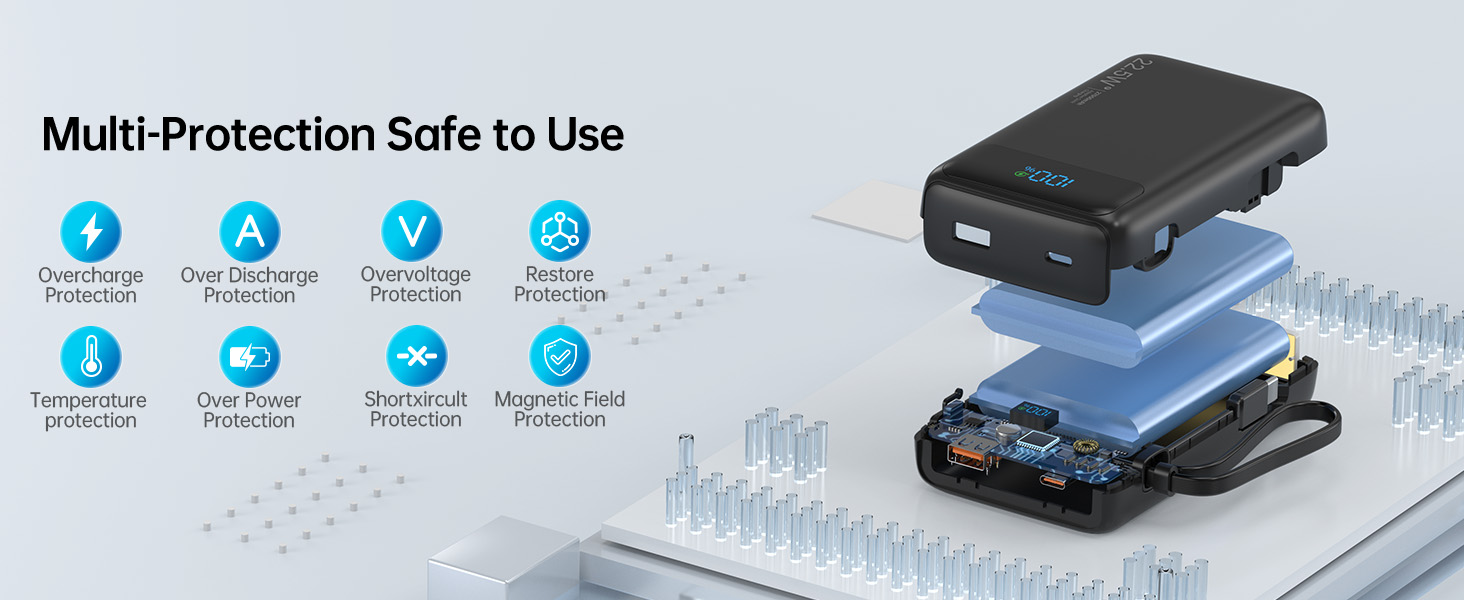
Figure 1: Two options for recharging the power bank.
Operating Instructions
Charging Your Devices
- Using the Built-in USB-C Cable:
Gently pull out the built-in USB-C cable from its storage slot. Connect the USB-C end to your compatible device (e.g., iPhone 15 series, Android phones with USB-C). The power bank will automatically begin charging your device.
- Using USB-C or USB-A Ports:
Connect your device's charging cable to either the USB-C output port (20W fast charging) or the USB-A output port (22.5W for compatible devices like Huawei). The power bank will detect the connection and start charging.
- Simultaneous Charging:
You can charge up to three devices at once by utilizing the built-in USB-C cable, the USB-C port, and the USB-A port simultaneously.
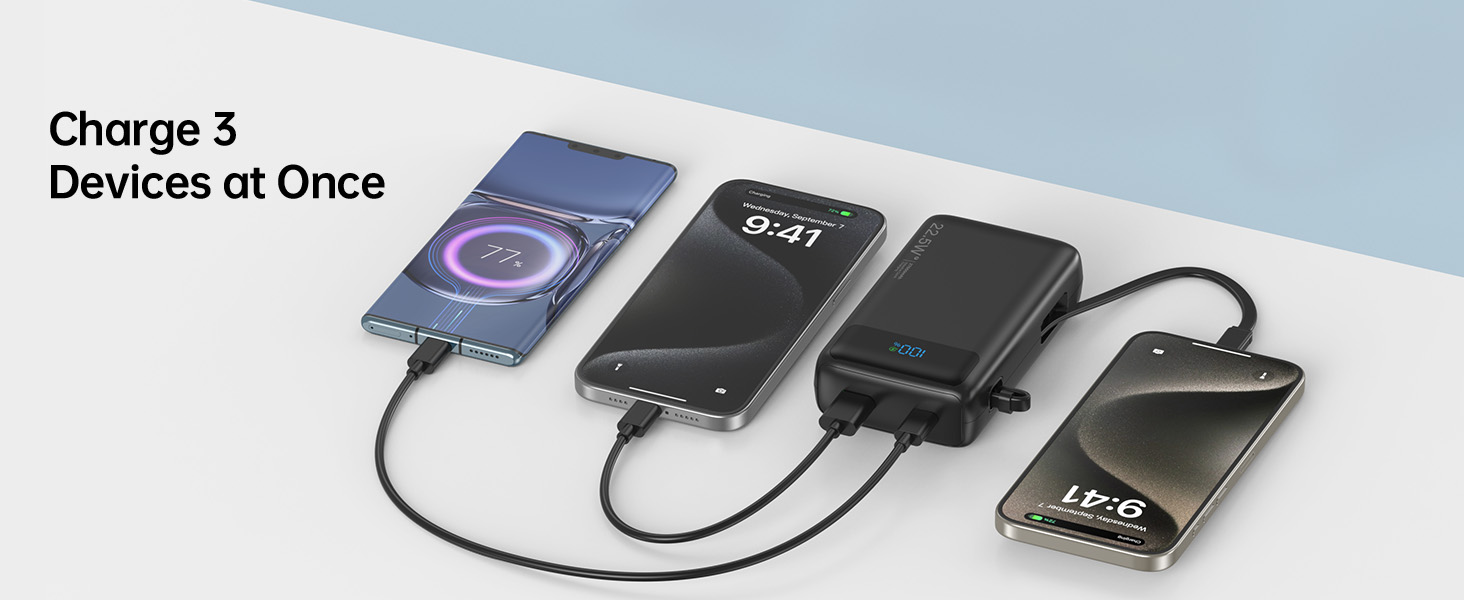
Figure 2: Charging three devices simultaneously.
Using the LED Flashlight
- Turn On/Off: Long press the power button for 4 seconds to turn the flashlight on or off.
- Change Modes: Once the flashlight is on, short press the power button to cycle through the four modes: Strong, Soft, SOS, and Strobe.

Figure 3: Powerful 3W LED flashlight with multiple modes.
Maintenance
- Cleaning: Use a soft, dry cloth to clean the surface of the power bank. Do not use liquid cleaners or abrasive materials.
- Storage: Store the power bank in a cool, dry place away from direct sunlight, extreme temperatures, and humidity.
- Battery Care: To prolong battery life, fully charge the power bank at least once every three months if not in regular use. Avoid completely draining the battery for extended periods.
- Handling: Avoid dropping or subjecting the power bank to strong impacts, as this may damage internal components.
Troubleshooting
| Problem | Possible Cause | Solution |
|---|---|---|
| Power bank not charging | Cable not properly connected; Wall adapter faulty; Power bank fully discharged. | Ensure all connections are secure. Try a different cable or wall adapter. Allow the power bank to charge for a few minutes before checking the display. |
| Device not charging from power bank | Power bank battery low; Device cable faulty; Device incompatible; Power bank in protection mode. | Recharge the power bank. Try a different charging cable. Ensure your device is compatible with USB-C or USB-A charging. Disconnect and reconnect the device. |
| Flashlight not working | Power button not long-pressed; Power bank battery low. | Long press the power button for 4 seconds. Recharge the power bank. |
| LED display not showing | Power button not pressed; Power bank battery completely drained. | Short press the power button. Charge the power bank. |
Specifications
| Feature | Detail |
|---|---|
| Brand | Nusyddy |
| Model Number | M42 |
| Battery Capacity | 27000mAh (Lithium Polymer) |
| Product Dimensions | 4.93 x 2.84 x 1.3 inches |
| Item Weight | 14.2 ounces |
| USB-C Output | 20W Fast Charging |
| USB-A Output | 22.5W Fast Charging |
| Flashlight | 3W 300 Lumen LED (Strong, Soft, SOS, Strobe) |
| Color | Pink |
| Manufacturer | Dongguan Xionel Electronic Technology Co., Ltd |
| Country of Origin | China |
Warranty & Support
Nusyddy products are manufactured to the highest quality standards. For any questions, technical support, or warranty claims, please contact Nusyddy customer service through the retailer's platform where you purchased the product. Please retain your proof of purchase for warranty purposes.