
APUZOM M5
APUZOM M5 Kids Educational Day/Night Alarm Clock User Manual
Introduction
Thank you for choosing the APUZOM M5 Kids Educational Day/Night Alarm Clock. This device is designed to help children develop healthy sleep habits by visually indicating wake-up and sleep times. It also features a night light, sound machine, and traditional alarm functions. Please read this manual carefully to ensure proper use and maintenance of your alarm clock.
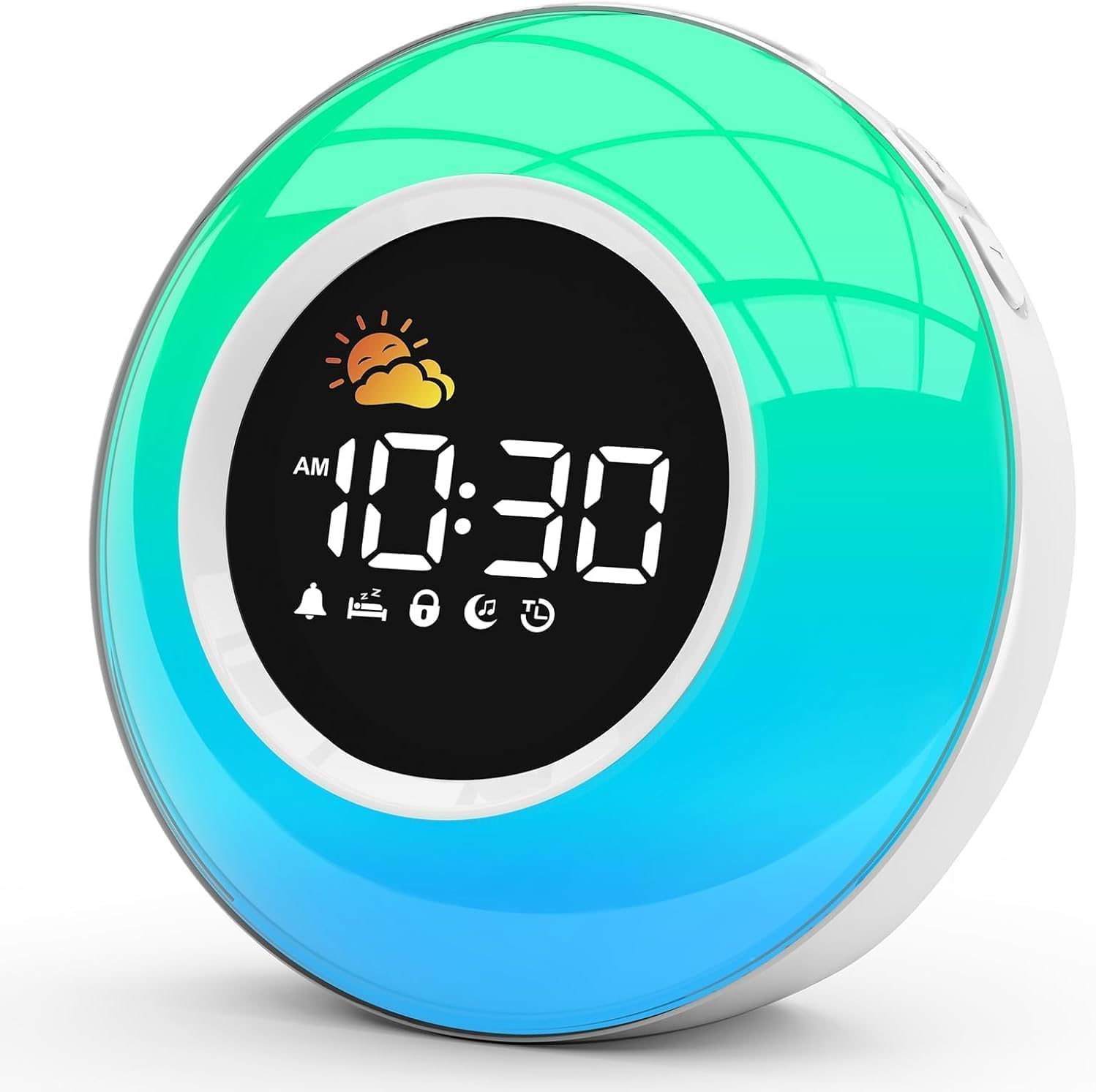
Front view of the APUZOM M5 alarm clock, showcasing its digital time display, sun icon, and vibrant color-changing light.
Product Features
- Sleep Training Function: Visually indicates wake-up (sun icon, green light) and sleep (moon icon, red light) times to help children establish healthy routines.
- Dimmable Color-Changing Night Light: Offers 10 soft, adjustable colors, including red light for optimal sleep, with customizable brightness levels.
- Integrated Sound Machine: Features 12 soothing sounds (e.g., waves, rain, lullabies) with adjustable volume and a sleep timer (15/30/60/90/120 minutes).
- Multiple Alarm Ringtones: Provides 6 ringtone options, including a buzzer, light music, and bird sounds, along with a snooze function.
- Clear LCD Display: Easy-to-read digital time display with support for 12-hour and 24-hour formats.
- Compact and Durable Design: Made from Acrylonitrile Butadiene Styrene (ABS) for child safety and longevity.
Package Contents
Please check the package for the following items:
- APUZOM M5 Kids Educational Day/Night Alarm Clock
- USB-C Power Cable
- Power Adapter
- User Manual (this document)

Detailed view of the alarm clock, indicating its dimensions (13 cm height, 6.6 cm depth, 13 cm width) and labeling the control buttons on the top and back for functions like sound machine, snooze, nightlight brightness, time set, alarm set, and sleep timer.
Setup
- Power Connection: Connect the provided USB-C power cable to the clock and plug the power adapter into a standard wall outlet. The clock requires continuous power to operate.
- Backup Battery: The clock uses a CR2032 battery (may be pre-installed) to retain time settings during power outages. Ensure it is correctly inserted.
- Initial Time Setting: Upon first power-up or after a battery change, the display may flash. Use the 'Time Set' buttons on the back to set the current time. Refer to the 'Operating Instructions' for detailed time setting.
Operating Instructions
1. Setting Time and Date
- Press and hold the 'Time Set' button on the back.
- Use the '+' or '-' buttons to adjust hours, minutes, and 12/24-hour format.
- Press 'Time Set' again to confirm each setting.
2. Sleep Training Function (Day/Night Display)
This feature uses visual cues (sun/moon icons and colored lights) to guide children on when to wake up and when to stay in bed.
- Setting Wake-Up Time: Press and hold the 'Wake Set' button. Use '+' or '-' to set the desired wake-up time. The sun icon will appear, and the clock will glow green for one hour at this time.
- Setting Bedtime: Press and hold the 'Sleep Set' button. Use '+' or '-' to set the desired bedtime. The moon icon will appear, and the clock will glow red at this time.
- To activate/deactivate the sleep training function, briefly press the 'Sun/Moon' button.
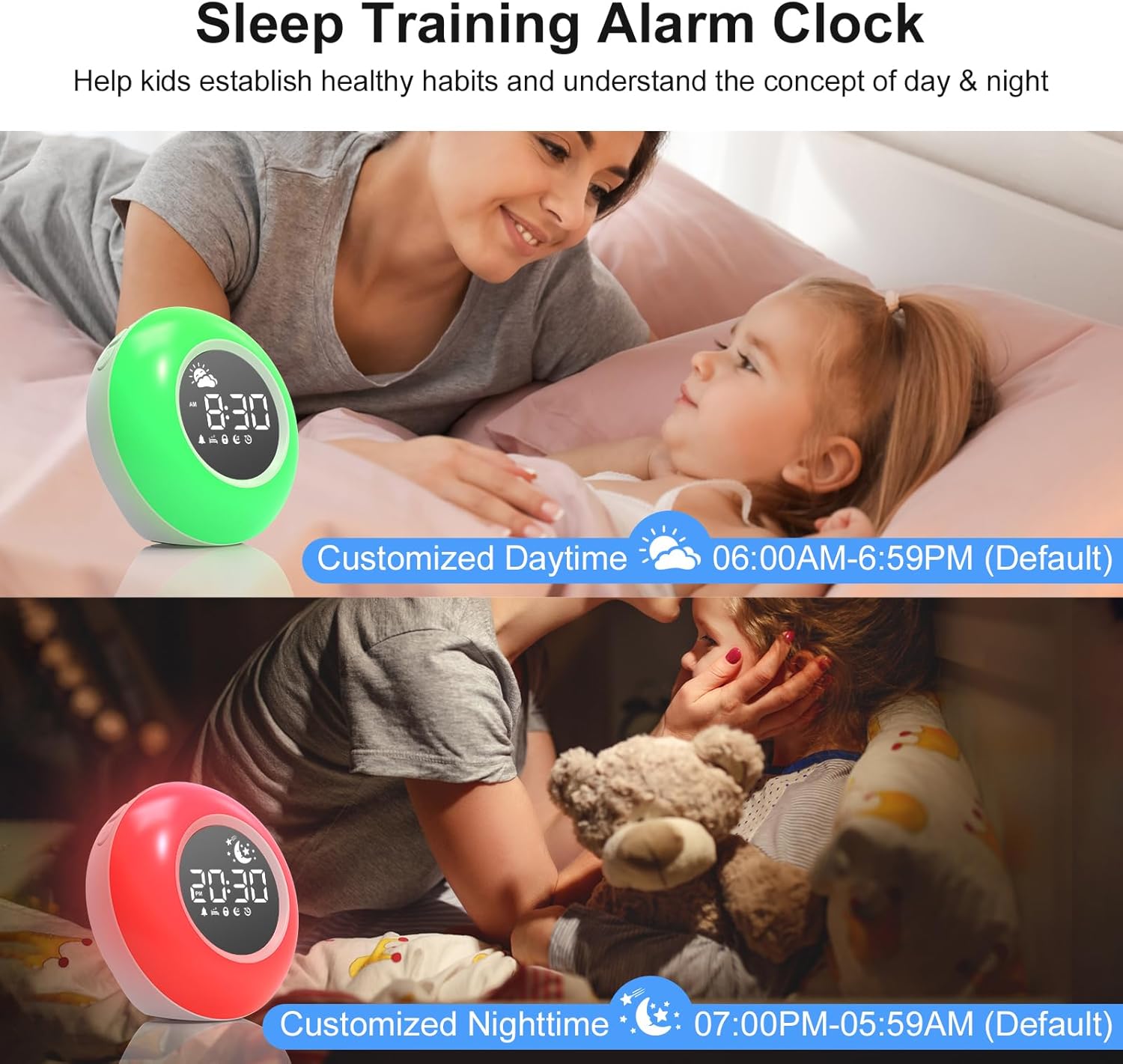
Image illustrating the sleep training function. The clock displays a green light and sun icon for daytime (e.g., 06:00 AM - 06:59 PM) and a red light with a moon icon for nighttime (e.g., 07:00 PM - 05:59 AM), helping children understand wake-up and sleep times.
3. Alarm Settings
- Setting Alarm Time: Press and hold the 'Alarm Set' button. Use '+' or '-' to set the desired alarm time. Press 'Alarm Set' again to confirm.
- Selecting Ringtones: While in alarm setting mode, use the 'Add/Next' button to cycle through the 6 available ringtones (buzzer, light music, bird sounds).
- Adjusting Alarm Volume: Use the 'Decrease/Previous' or 'Add/Next' buttons to adjust the alarm volume.
- Snooze Function: When the alarm sounds, press the large 'Snooze/Nightlight' button on top for an additional 9 minutes of sleep.

An image detailing the 6 available alarm ringtones, including a beep, light music, and bird sounds. It also shows icons for snooze, alarm volume, and 12/24-hour display.
4. Night Light Operation
- Turning On/Off: Briefly press the 'Snooze/Nightlight' button on top to turn the night light on or off.
- Changing Colors: Press the 'Multicolor' button on the top to cycle through 10 different soft colors or a color-changing mode.
- Adjusting Brightness: Use the 'Brightness/Time Set' button on the back to adjust the night light intensity (Low, Medium, High, Off).

This image demonstrates the dimmable display and nightlight features. It shows 3 color-changing light modes and 7 solid color options, with adjustable brightness levels (Low, Medium, High, Off).

A collage of images showing practical uses of the night light function, such as providing soft illumination for night breastfeeding, acting as a comforting night light for children, assisting during diaper changes, and serving as a mood light.
5. Sound Machine Operation
- Selecting Sounds: Press the 'Sound Machine' button on the top to cycle through the 12 soothing sound options.
- Adjusting Volume: Use the 'Decrease/Previous' or 'Add/Next' buttons to adjust the sound volume.
- Setting Sleep Timer: Press the 'Sleep Timer' button on the top to set a timer for the sound to automatically turn off after 15, 30, 60, 90, or 120 minutes.

Visual representation of the sound machine feature, showing 12 soothing sounds like white noise, running water, and lullabies. It also highlights the adjustable volume and sleep timer options (15/30/60/90/120 minutes).
Maintenance
- Cleaning: Use a soft, dry cloth to clean the surface of the alarm clock. Do not use abrasive cleaners or solvents.
- Battery Replacement: If the backup battery (CR2032) needs replacement, carefully open the battery compartment on the bottom of the clock and insert a new battery, ensuring correct polarity.
- Keep the device away from water and excessive humidity.
Troubleshooting
| Problem | Possible Cause | Solution |
|---|---|---|
| Clock not powering on | Power cable not connected or faulty adapter. | Ensure the USB-C cable is securely connected and the adapter is plugged into a working outlet. |
| Display is dim or not visible | Brightness setting is too low or off. | Adjust the display brightness using the 'Brightness/Time Set' button. |
| Alarm not sounding | Alarm is not set or alarm volume is too low. | Verify alarm settings and ensure the volume is adequately adjusted. |
| Sleep training light not changing color | Sleep training function is not activated or incorrect times are set. | Ensure the 'Sun/Moon' function is active and the day/night times are correctly configured. |
| Sound machine not playing | Sound machine is off or volume is too low. | Press the 'Sound Machine' button to turn it on and adjust the volume. |
Specifications
| Brand | APUZOM |
| Model Number | M5 |
| Color | White |
| Dimensions (L x W x H) | 5 x 3.81 x 15 cm (approx. 1.97 x 1.5 x 5.9 inches) |
| Weight | 330 grams (approx. 0.73 lbs) |
| Material | Acrylonitrile Butadiene Styrene (ABS) |
| Power Source | Corded Electric (USB-C) |
| Backup Battery | 1 CR2032 (required) |
| Display Type | Digital |
| Special Features | Day-Night Educational Alarm, Dimmable Night Light, Color Change, Sleep Timer, Snooze, Sound Machine |
Warranty and Support
Information regarding specific warranty details and direct customer support contacts is not available in the provided product data. Please refer to the retailer or your purchase documentation for warranty information and support options.
Ask a question about this manual
Ask about setup, troubleshooting, compatibility, parts, safety, or missing instructions. Manuals+ will review the question and use this page’s manual context to help answer it.