
1. Introduction
This manual provides detailed instructions for the installation, operation, and maintenance of your CZSWCH Android 13 Car Stereo. This unit is specifically designed for Toyota Prado models manufactured between 2018 and 2023, offering an enhanced in-car entertainment and navigation experience. Please read this manual thoroughly before installation and use to ensure proper functionality and safety.
2. Safety Information
- Always ensure the vehicle is parked safely before operating the stereo's advanced features or making adjustments.
- Do not attempt to install or service the unit if you are not qualified. Improper installation can lead to damage to the unit or vehicle, and may void the warranty.
- Avoid exposing the unit to extreme temperatures, direct sunlight for prolonged periods, or excessive moisture.
- Keep the volume at a level that allows you to hear external traffic sounds.
- Use only approved accessories and cables with this device.
3. Package Contents
Verify that all items are present in the package:
- Android 13 Car Stereo Unit
- Wiring Harness and Cables
4. Product Overview
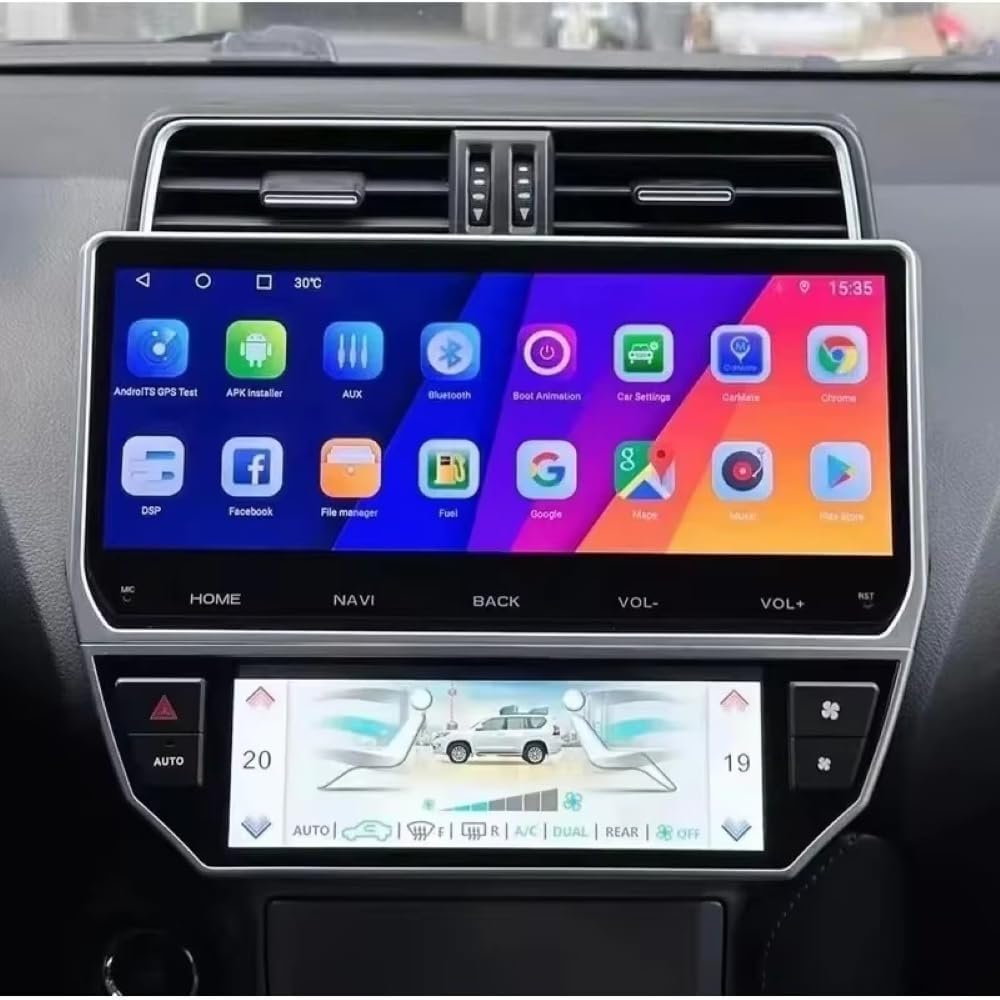
The CZSWCH Android 13 Car Stereo is an advanced infotainment system featuring an Octa-Core processor, 4GB RAM, and 64GB ROM for smooth performance. It includes a 12.3-inch IPS QLED display and supports wireless CarPlay and wired Android Auto.
5. Installation
Professional installation is recommended for this car stereo system. Ensure the vehicle's power is disconnected before beginning installation. Refer to your vehicle's service manual for specific dashboard disassembly instructions.
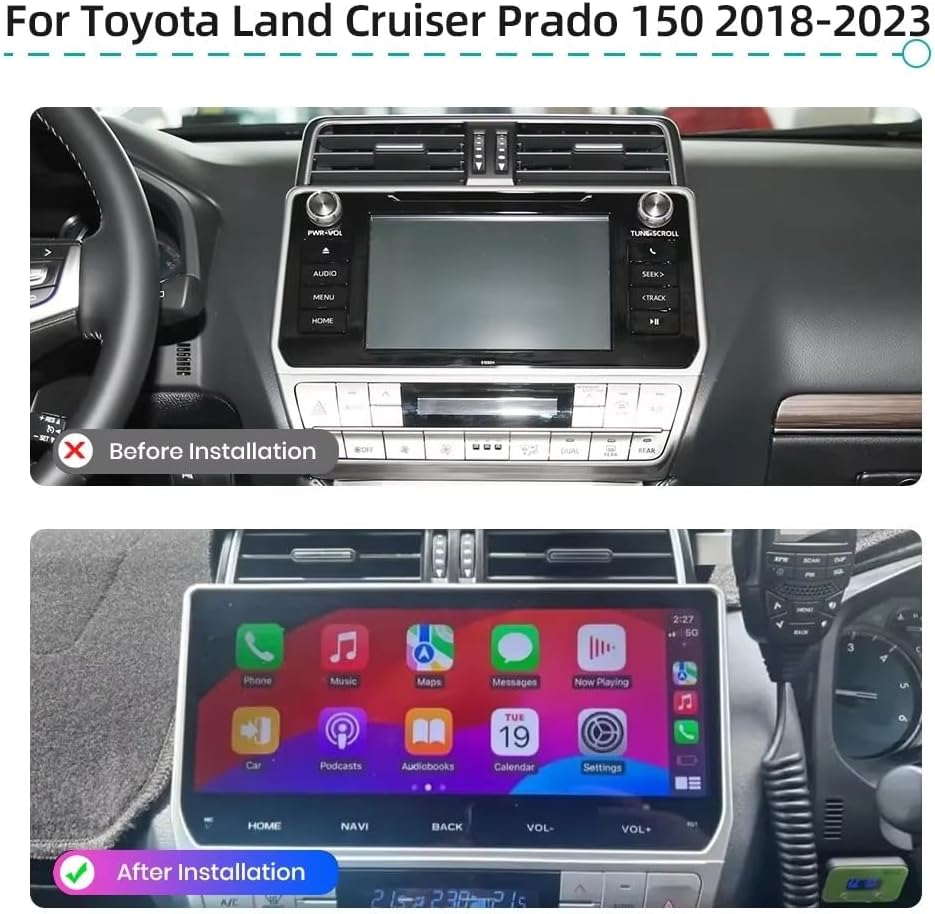
6. Setup
6.1 Initial Power-On
After installation, turn on your vehicle's ignition. The stereo should power on automatically. Follow any on-screen prompts for initial setup, such as language selection and time zone.
6.2 System Configuration
The unit features an Octa-Core CPU, 4GB RAM, and 64GB ROM for optimal performance. These specifications ensure a responsive and stable user experience.

7. Operating Instructions
7.1 Display and Interface
The 12.3-inch IPS QLED display offers a wide viewing angle and vibrant colors. Navigate the interface using the responsive touch screen.

7.2 CarPlay and Android Auto
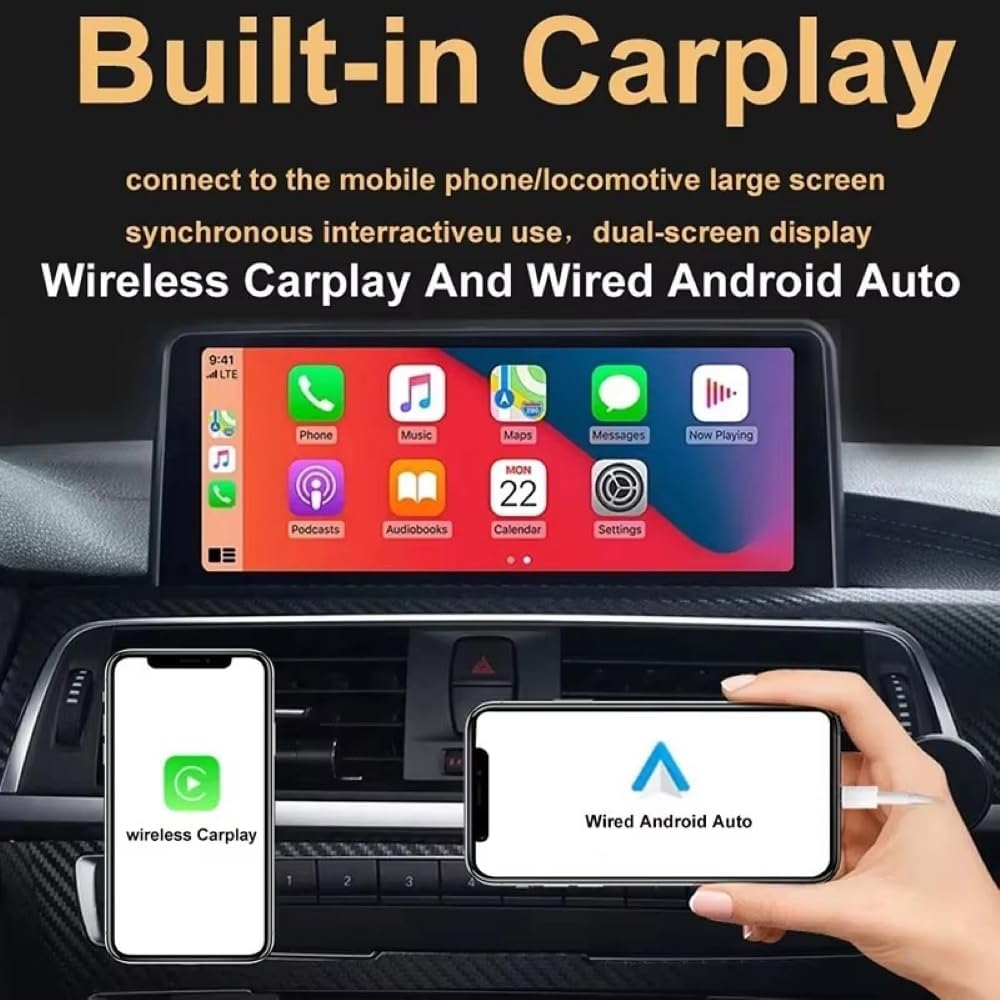
The unit supports both wireless Apple CarPlay and wired Android Auto. Connect your smartphone to access navigation, music, messages, and other compatible apps directly on the stereo display.
7.3 Audio Features (DSP Tuning)
Utilize the Digital Sound Processor (DSP) with 48-band EQ adjustment to fine-tune your audio experience, including equalizer, surround sound, and bass settings.

7.4 GPS Navigation & Wi-Fi
The unit includes a built-in GPS module and external antenna for accurate navigation. Preloaded offline maps are available, and you can download online navigation apps via Wi-Fi hotspot connection.

7.5 Multimedia Features
The stereo supports split-screen functionality, allowing you to run two applications simultaneously. It also supports 1080P camera input for enhanced visibility.

7.6 FM Radio
Access and save your favorite FM radio stations. The intuitive interface allows for easy station tuning and preset management.

7.7 Reversing Display
When connected to a compatible rearview camera, the stereo automatically displays the camera feed when the vehicle is in reverse, providing a clear view with parking guidelines.

7.8 Mirror Link
Use the Mirror Link function to duplicate your smartphone's screen onto the car stereo display, allowing you to view content from your phone on the larger screen.

7.9 Steering Wheel Control
Configure the stereo to work with your vehicle's existing steering wheel controls for convenient access to functions like volume, track changes, and call management.

7.10 Dual USB Functions
The unit features dual USB ports for connecting external devices. These ports support file transfer for media playback and can also be used for charging compatible devices.

8. Maintenance
8.1 Cleaning the Screen
Use a soft, lint-free cloth slightly dampened with water or a screen cleaner specifically designed for electronic displays. Do not use abrasive cleaners or solvents.
8.2 General Care
Keep the unit free from dust and debris. Ensure all connections are secure. Avoid placing heavy objects on the unit or exposing it to physical impact.
9. Troubleshooting
- No Power: Check all power connections and fuses. Ensure the vehicle's ignition is on.
- No Sound: Verify speaker connections. Check volume levels and audio settings (e.g., DSP equalizer).
- GPS Signal Loss: Ensure the GPS antenna is properly installed and has a clear view of the sky.
- Touch Screen Unresponsive: Try restarting the unit. If the issue persists, a factory reset may be necessary (refer to system settings).
- CarPlay/Android Auto Connection Issues: Ensure your phone's software is up to date. Try reconnecting the cable (for wired Android Auto) or re-pairing the Bluetooth/Wi-Fi (for wireless CarPlay).
10. Specifications
| Feature | Specification |
|---|---|
| Model Name | CZSWCH Android 13 Radio for Toyota Prado (2018-2023) Stereo Upgrade |
| Operating System | Android 13 |
| Processor | Octa Core |
| RAM | 4GB |
| ROM | 64GB |
| Screen Size | 12.3 Inches |
| Display Type | QLED IPS |
| Resolution | 1280*720 HD pixel |
| Connectivity | USB, Wi-Fi |
| Special Features | Android Auto, Apple CarPlay, GPS Navigation, DSP Tuning |
| Vehicle Service Type | SUV (Toyota Prado 2018-2023) |
| Included Components | Stereo Unit, Cables |
| Audio Output Mode | Stereo |
| Mounting Type | Dashboard Mount |
11. Warranty and Support
This Android radio is guaranteed for one year from the date of purchase. Professional technical support is available to assist with any questions or issues you may encounter.
For technical assistance or warranty claims, please contact us through Amazon's messaging system. We aim to respond as soon as possible to ensure your satisfaction.