Introduction
Thank you for choosing the OKK Smart Programmable Robot Puppy. This interactive robot dog is designed to provide engaging play with features such as voice control, programmable actions, music, and dance. This manual provides essential information for setting up, operating, and maintaining your robot puppy to ensure a safe and enjoyable experience.

Image: The OKK Smart Programmable Robot Puppy, its remote control, and product packaging. The robot is white and blue with LED eyes.
Safety Information
- Age Recommendation: Suitable for users aged 6 years and older.
- Battery Safety: Do not mix old and new batteries. Do not mix alkaline, standard (carbon-zinc), or rechargeable (nickel-cadmium) batteries. Insert batteries with correct polarity. Remove batteries if the product is not used for an extended period.
- Choking Hazard: Small parts may be present. Keep away from young children.
- Supervision: Adult supervision is recommended during play.
- Environment: Use on flat, dry surfaces. Avoid water and extreme temperatures.
Package Contents
- 1 x OKK Smart Programmable Robot Puppy
- 1 x Remote Control
- 1 x USB Charging Cable
- 1 x Instruction Manual (this document)
Setup
1. Robot Puppy Battery Installation & Charging
- Locate the battery compartment on the underside of the robot puppy.
- Open the compartment cover.
- Insert the rechargeable battery pack, ensuring correct polarity.
- Close the battery compartment cover.
- Connect the USB charging cable to the robot's charging port and a suitable USB power source (e.g., computer, wall adapter). The charging indicator will illuminate.
- Charge the robot until the indicator light changes or turns off, signifying a full charge.
2. Remote Control Battery Installation
- Locate the battery compartment on the back of the remote control.
- Open the compartment cover.
- Insert 2 x AAA batteries (not included), observing the correct polarity (+/-).
- Close the battery compartment cover.
3. Power On and Pairing
- Turn on the robot puppy using the power switch, usually located on its underside or back.
- Turn on the remote control.
- The robot and remote should automatically pair. If not, turn both off and on again, ensuring they are close to each other.
Operating Instructions
Remote Control Functions
The remote control allows for direct command of the robot puppy's movements and actions. Refer to the remote control diagram (if available on the physical remote) for specific button layouts.
- Directional Buttons: Control forward, backward, left, and right movement.
- Action Buttons: Trigger pre-programmed stunts, dances, or other specific actions.
- Volume Control: Adjust the robot's sound output.
- Music/Song Button: Initiate music playback or songs.
- Programming Button: Enter or exit programming mode.
Voice Control
The robot puppy responds to specific voice commands. Ensure you are speaking clearly and within close proximity to the robot for optimal recognition. The robot supports English voice commands only.

Image: A child and an adult interacting with the robot puppy, demonstrating voice control. The robot's display shows "Story" as a command.
Common voice commands include:
- "Story"
- "Sit down"
- "Handstand"
- "Dance"
- "Demo"
- (And up to 10-15 other commands, refer to product packaging or quick start guide for a complete list)
Intelligent Programming Mode
This feature allows you to program a sequence of actions for the robot puppy to perform. The robot will repeat the customized sequence.

Image: A child using the remote control to program the robot puppy. A sequence of actions like "Program," "Forward," "Sit down," "Handstand," and "Push-up" are illustrated.
- Press the "Program" button on the remote control. The robot may indicate it's in programming mode (e.g., LED eyes change, sound cue).
- Input your desired sequence of actions using the remote control buttons (e.g., forward, turn left, sit down, dance).
- Press the "Program" button again to save and exit programming mode.
- To execute the programmed sequence, press the designated "Play Program" or "Execute" button on the remote (refer to remote diagram).
Touch and Gesture Sensor
The robot puppy features a touch sensor, typically located on its chin, and may respond to hand gestures.

Image: A hand touching the robot puppy's chin sensor, and another image showing a hand waving to control the robot's movement.
- Touch Sensor: Gently touch the robot's chin area to elicit reactions such as barking, happy sounds, or small movements.
- Gesture Control: Wave your hand in front of the robot (specific distance and motion may vary) to command movements like forward, backward, or turning. Experiment with different gestures to discover its responses.
Animal Imitation Show
The robot puppy can imitate the movements and sounds of various animals.

Image: A child playing with the robot puppy, which is shown imitating a tiger. Icons for other animals like cat, giraffe, sheep, and cow are also visible.
To activate this feature, press the dedicated "Animal Imitation" button on the remote control or use a specific voice command (if available). The robot can imitate up to 10 different animals, including cats, giraffes, tigers, sheep, and cows.
Singing and Dancing
The robot puppy can perform various songs and dance routines.
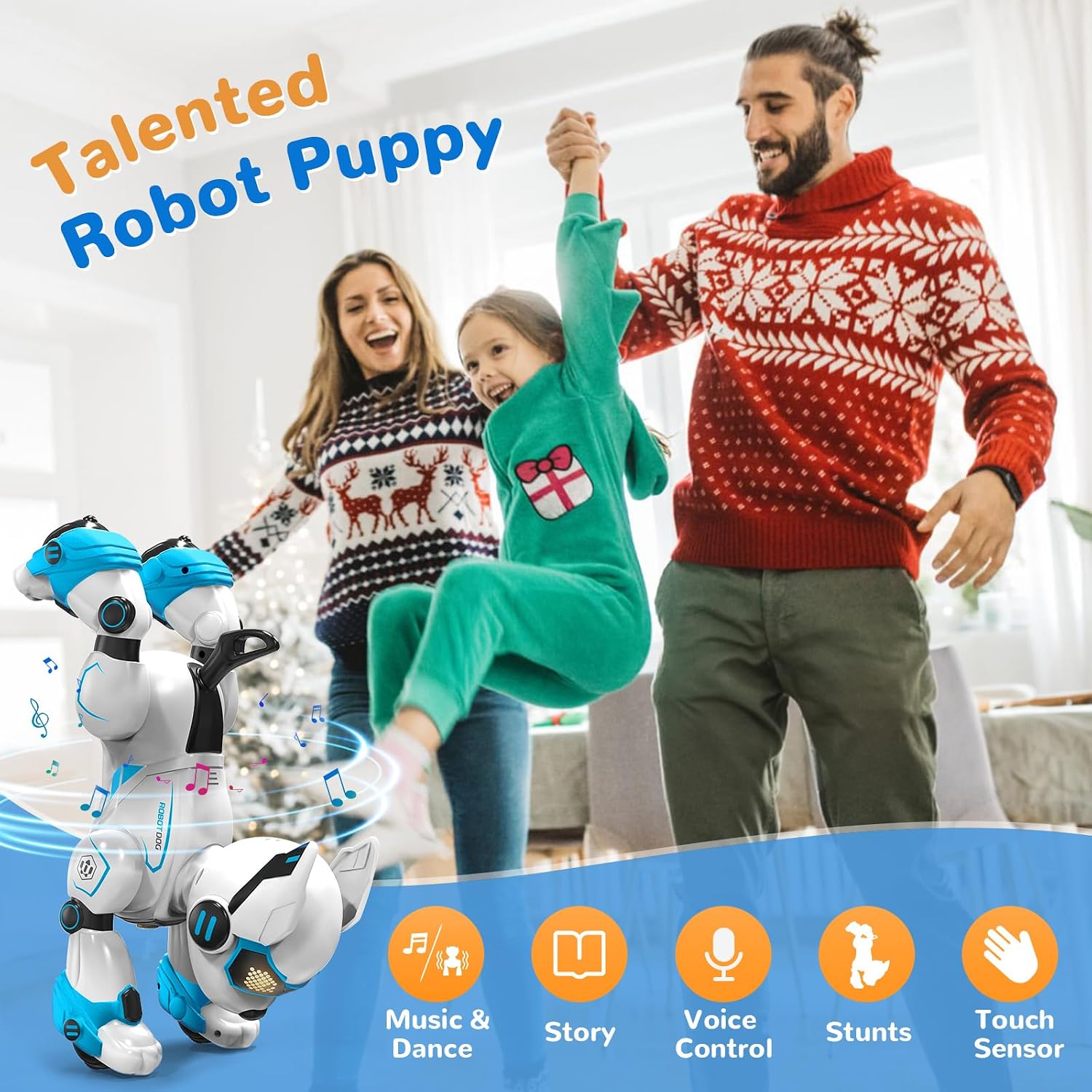
Image: The robot puppy dancing with musical notes around it, while a family observes in the background. Icons for Music & Dance, Story, Voice Control, Stunts, and Touch are displayed.
Press the "Music" or "Dance" button on the remote control to activate these functions. The robot will play music and perform synchronized movements.
Flexible Actions and Stunts
The robot puppy is capable of performing various flexible actions and stunts, enhancing its interactive play.

Image: The robot puppy shown in a central position, surrounded by smaller images depicting it performing various actions such as Yoga, Handstand, Sit down, Push up, Acting Cute, and expressing Anger.
These actions can be triggered via remote control buttons, voice commands, or incorporated into programmed sequences. Examples include:
- Yoga poses
- Handstands
- Sitting down
- Push-ups
- "Acting Cute" gestures
- Expressing "Anger" (simulated)
Maintenance
- Cleaning: Wipe the robot puppy with a soft, dry cloth. Do not use harsh chemicals or immerse in water.
- Storage: Store the robot and remote control in a cool, dry place away from direct sunlight when not in use. Remove batteries from the remote if storing for extended periods.
- Battery Care: Fully charge the robot's battery before long-term storage to maintain battery health.
Troubleshooting
| Problem | Possible Cause | Solution |
|---|---|---|
| Robot does not turn on. | Low battery; Power switch off. | Charge the robot's battery; Ensure power switch is in the "ON" position. |
| Remote control not working. | Dead or incorrectly installed batteries; Not paired. | Replace remote batteries, check polarity; Re-pair the remote and robot (turn both off and on). |
| Robot not responding to voice commands. | Too far away; Background noise; Incorrect command; Language setting. | Move closer to the robot; Reduce background noise; Speak clearly; Ensure commands are in English. |
| Robot moves erratically or stops. | Low battery; Obstruction; Interference. | Recharge the robot; Clear any obstructions; Move away from other electronic devices. |
Specifications
- Model: 717018397359
- Product Dimensions: 9.5 x 5.5 x 6.5 inches
- Item Weight: 2.28 pounds
- Power Source (Robot): Rechargeable Battery (type not specified, typically Li-ion)
- Power Source (Remote): 2 x AAA Batteries (not included)
- Control Method: Remote Control, Voice Control, Touch/Gesture Sensor
- Recommended Age: 6+ years
- Manufacturer: GUANGDONG JIANJIAN INTELLIGENT TECHNOLOGY CO., LTD.
Warranty and Support
Warranty information for the OKK Smart Programmable Robot Puppy is not explicitly provided in the product details. Please refer to the retailer's return policy or contact the manufacturer directly for warranty claims and technical support.
For further assistance, you may visit the OKK Store on Amazon.


