
Introduction
Welcome to the user manual for your Barphygo Portable Power Station 1000W Solar Generator. This device is designed to provide reliable power for various applications, including outdoor camping, RV travel, hiking, and as an emergency backup for home power outages. Featuring a 1024Wh LiFePO4 battery and multiple output options, it offers a versatile and efficient power solution.
Important Safety Instructions
Please read all safety instructions carefully before operating the device.
- Do not disassemble, repair, or modify the unit. Unauthorized modifications may result in fire, electric shock, or injury.
- Keep away from heat sources, direct sunlight, and flammable materials. Store in a cool, dry, and well-ventilated area.
- Do not expose the unit to rain or moisture. Avoid using it in wet conditions.
- Use only specified chargers and accessories provided or approved by Barphygo.
- Keep out of reach of children and pets.
- Ensure proper ventilation during use to prevent overheating. Do not block ventilation openings.
- In case of fire, use a dry powder fire extinguisher. Do not use water.
Package Contents
Verify that all items are included in your package:
- 1x Barphygo 1000W Portable Power Station
- 1x AC Adapter
- 1x Car Charger Cable
- 1x User Manual

Image: The Barphygo 1000W Portable Power Station, AC adapter, car charger cable, and user manual are shown as included items.
Product Overview
The Barphygo Portable Power Station features a robust design with various input and output ports, an LED display, and integrated lighting.

Image: Front view of the Barphygo Portable Power Station, highlighting the control panel, display, AC outlets, USB ports, DC outputs, and LED flashlight.
Components and Ports
- Power Button: Press and hold to turn the unit on/off.
- LED Display: Shows battery level, input/output wattage, and remaining runtime.
- AC Output (1000W): Four 120V AC outlets for household appliances.
- USB-C Port (PD 100W): For fast charging compatible devices.
- USB-A Ports: One QC 18W fast charge port and one 5V/2.4A standard port.
- DC Output (12V/10A): Two DC5525 ports.
- Car Port (12V/10A): Two car charger ports.
- DC Input: For AC adapter and car charging.
- Solar Input: Dedicated port for solar panel connection.
- LED Flashlight: Dual LED flashlights with multiple modes (flashlight, strobe, SOS).

Image: Close-up view of the power station's output panel, clearly labeling the AC outlets, USB ports, DC outputs, and the digital display.
Setup and Initial Charging
- Unpacking: Carefully remove the power station and all accessories from the packaging.
- Initial Charge: Before first use, fully charge the power station using the AC adapter. Connect the AC adapter to the DC input port and plug it into a wall outlet. The LED display will indicate charging status.
- Full Charge Time: AC charging typically takes 6-8 hours for a full charge.

Image: The portable power station connected to a wall outlet via its AC adapter for charging.
Operating Instructions
Turning On/Off
Press and hold the Power Button for a few seconds to turn the unit on or off. The LED display will illuminate.
Using AC Outlets
Press the AC ON/OFF button to activate the AC outlets. The AC indicator on the display will light up. Plug your devices into the 120V AC outlets. Press the button again to turn off AC output when not in use.
Using DC/USB Outputs
Press the DC ON/OFF button to activate the DC and USB ports. The DC indicator on the display will light up. Plug your devices into the appropriate USB-A, USB-C, or DC5525 ports. Press the button again to turn off DC/USB output.
Using the LED Flashlight
Press the Light Button once for constant illumination. Press again to cycle through Strobe mode, SOS mode, and off.
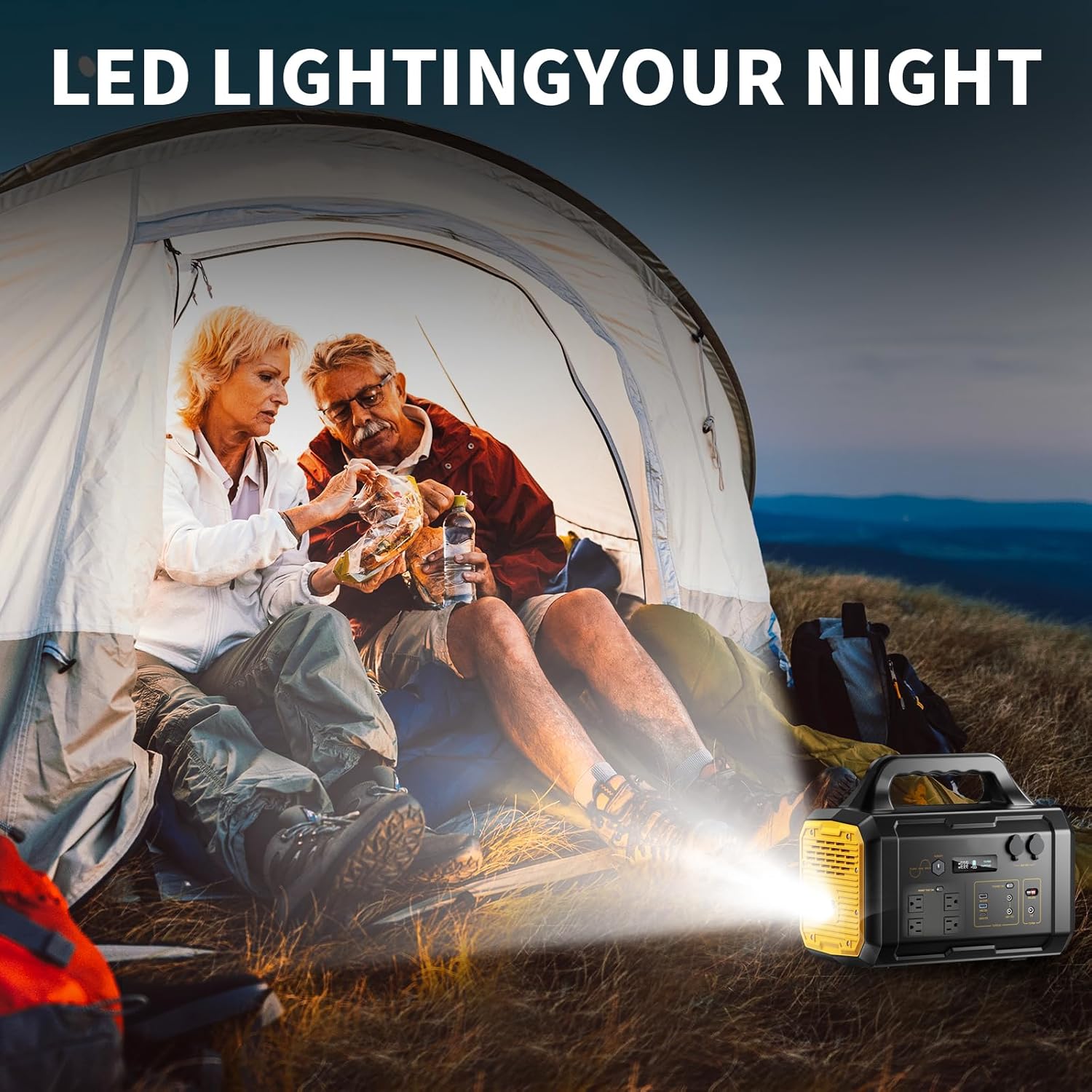
Image: The portable power station's LED flashlight providing illumination inside a tent during nighttime camping.
Charging Methods
Your Barphygo Portable Power Station can be recharged using three methods:
1. AC Wall Charging
Connect the provided AC adapter to the DC input port on the power station and plug it into a standard wall outlet.
- Charging Time: Approximately 6-8 hours.
2. Car Charging
Use the provided car charger cable. Plug one end into the DC input port of the power station and the other end into your vehicle's 12V cigarette lighter socket.
- Charging Time: Approximately 5-6 hours.
3. Solar Panel Charging (Optional)
Connect a compatible 100W solar panel (not included) to the dedicated solar input port on the power station. Ensure the solar panel is placed in direct sunlight for optimal charging.
- Charging Time: Approximately 5-7 hours in full sunlight (with a 100W solar panel).

Image: An illustration depicting the three ways to recharge the power station: via a solar panel, an AC wall outlet, and a car charger.
Maintenance and Storage
- Cleaning: Use a dry, soft cloth to clean the exterior of the unit. Do not use abrasive cleaners or solvents.
- Storage: Store the power station in a cool, dry place, away from direct sunlight and extreme temperatures.
- Long-Term Storage: For extended storage periods, it is recommended to discharge the battery to approximately 50-80% and recharge it every 3-6 months to prolong battery life. Avoid storing with a completely empty or full battery for long durations.
- Battery Care: The LiFePO4 battery has a longer lifespan. To maximize its longevity, avoid frequent deep discharges.
Troubleshooting
- Unit Not Turning On:
- Ensure the battery is charged. Connect to an AC outlet for charging.
- Press and hold the power button firmly for several seconds.
- No Output from Ports:
- Ensure the respective output (AC or DC/USB) is turned on.
- Check if the device you are trying to power exceeds the power station's output limits.
- If the unit shuts off unexpectedly, try a hard reset by completely draining the battery and then fully recharging it.
- Slow Charging:
- For solar charging, ensure the solar panel is in direct sunlight and not obstructed.
- Verify that the charging cable and adapter are correctly connected and not damaged.
- Overload Protection: If the unit shuts down due to overload, disconnect the high-power device, turn the power station off, then on again, and try connecting lower-power devices.
Specifications
| Feature | Specification |
|---|---|
| Model Name | PYS-PEG-U01000 |
| Model Number | PYS-PEG-E01000 |
| Battery Type | LiFePO4 (Lithium Iron Phosphate) |
| Battery Capacity | 1024Wh |
| AC Output | 1000W (Rated), 120V |
| USB-C Output | PD 100W |
| USB-A Output | QC 18W, 5V/2.4A |
| DC Output | 12V/10A (2 ports) |
| Car Port Output | 12V/10A (2 ports) |
| AC Charging Time | 6-8 hours |
| Car Charging Time | 5-6 hours |
| Solar Charging Time | 5-7 hours (with 100W solar panel) |
| Dimensions | 15.12"L x 9.13"W x 12.64"H |
| Weight | 28.8 Pounds |
| Special Features | Portable, Dual LED Flashlight, BMS Safety System |

Image: A diagram illustrating the length, width, height, and net weight of the Barphygo 1000W Portable Power Station.
Warranty and Support
For any questions or issues regarding your Barphygo Portable Power Station, please refer to the contact information provided in the original product packaging or contact Barphygo customer support.
The product typically comes with a manufacturer's warranty. Please consult your purchase documentation for specific warranty terms and conditions.