
1. Introduction
This manual provides detailed instructions for the assembly, operation, and maintenance of your Lvifur Farmhouse Nightstand Model 91098Black. This versatile nightstand features a concealed gun drawer, human sensor LED lighting, a built-in charging station, and three storage drawers, designed to enhance convenience and security in your bedroom or living space.
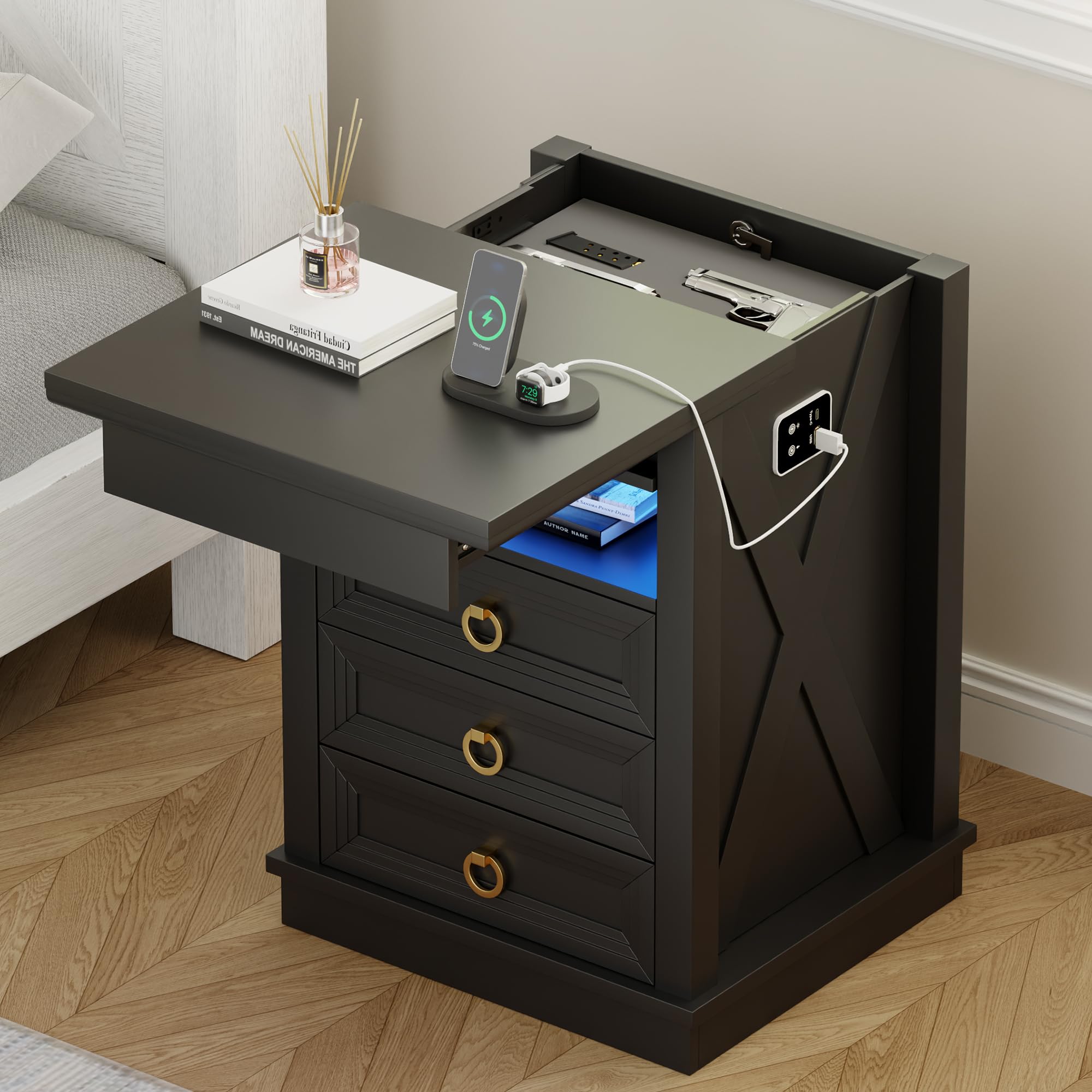
Image 1.1: The Lvifur Farmhouse Nightstand Model 91098Black in black finish.
2. Safety Information
Please read and understand all safety warnings before assembly and use. Failure to follow these instructions may result in injury or damage to the product.
- Always follow the assembly instructions carefully. Ensure all parts are correctly installed and tightened before use.
- Keep the gun safe drawer locked when not in use and store the key in a safe place. This is crucial for preventing unauthorized access, especially by children.
- Never leave firearms unattended. Always secure firearms immediately after use.
- Always keep firearms unloaded and store them in a secure location. This product is designed for secure storage, but proper firearm handling practices are paramount.
- Do not overload drawers or shelves. Distribute weight evenly to prevent tipping.
- Keep small parts and packaging materials away from children to prevent choking hazards.
- Ensure the nightstand is placed on a stable, level surface.
- Do not use abrasive cleaners or harsh chemicals on the surface, as this may damage the finish.
3. Package Contents
Before beginning assembly, verify that all components listed below are present and undamaged. If any parts are missing or damaged, please contact customer support.
- 1 x Nightstand (disassembled components)
- 1 x Assembly Kit (screws, dowels, etc.)
- 1 x Instruction Manual
- All necessary assembly tools (Hammer, Screw Driver)
4. Setup & Assembly
Assembly typically requires 1 person. Please follow the visual instructions provided in the video and diagrams carefully. It is recommended to assemble the nightstand on a soft, clean surface to prevent scratches.
4.1. Assembly Video Guide
Video 4.1: Step-by-step installation guide for the Lvifur LED Farmhouse Nightstand. This video demonstrates the complete assembly process.
Video 4.2: Detailed assembly instructions for the farmhouse nightstand with lights. This video provides visual guidance for each step.
4.2. Key Assembly Steps (Visuals)
Refer to the provided diagrams for component identification and assembly sequence.

Image 4.1: Exploded view of the nightstand components, showing individual parts for assembly.

Image 4.2: Assembly of the main frame and drawer slides. Ensure all screws are tightened securely.

Image 4.3: Installation of the charging station module. Connect the wires as indicated in the detailed instructions.

Image 4.4: Final assembly of the LED lighting and top panel. Ensure the LED strip is properly secured.
5. Operating Instructions
5.1. LED Lighting System
The nightstand features a multi-functional LED lighting system with adjustable colors and brightness, and a human body sensing function.
- Power Button: Locate the power button on the side control panel. Press once to turn the LED light on/off.
- Color Change: With the light on, press the power button repeatedly to cycle through 3 dimmable colors: White, Warm, and Blue.
- Brightness Adjustment: Press and hold the power button to adjust the brightness of the selected color. Release when desired brightness is reached.
- Human Sensor Mode: Activate the human sensor mode by pressing the dedicated sensor button on the control panel. The LED light will automatically turn on when motion is detected nearby and turn off after a period of inactivity.

Image 5.1: The human body induction feature automatically illuminates the shelf when motion is detected.

Image 5.2: Close-up of the multi-functional smart module, showing the light and sensor controls, along with USB and Type-C ports.
5.2. Charging Station
The integrated charging station provides convenient power for your electronic devices.
- USB Ports: Plug your USB-A compatible charging cables into the available USB ports.
- Type-C Port: Use the Type-C port for devices that support USB-C charging.
- Ensure the nightstand is plugged into a power outlet for the charging station to function.
Image 5.3: The integrated charging station with USB and Type-C ports for convenient device charging.
5.3. Concealed Gun Safe Drawer
The nightstand features a discreet, lockable top compartment for secure storage of valuables.
- Opening: Gently slide the top panel forward to reveal the hidden compartment.
- Locking: Insert the provided key into the lock mechanism located at the back of the compartment. Turn the key to secure the drawer. Ensure the top panel is fully closed and the lock is engaged.
- Unlocking: Insert the key and turn to unlock the compartment.
- Always store the key in a secure location, separate from the nightstand.

Image 5.4: The nightstand with its top panel slid open, revealing the concealed gun drawer. The lock mechanism is visible at the back.

Image 5.5: Close-up of the lock mechanism for the concealed drawer, ensuring secure storage.

Image 5.6: The interior of the concealed compartment, designed to securely hold items.
5.4. Storage Drawers
The nightstand includes three bottom drawers and an open shelf for diversified storage.
- Opening/Closing: Use the ring handles to smoothly pull out or push in the drawers.
- Open Shelf: Utilize the open shelf for easy access items like books or decorative pieces.
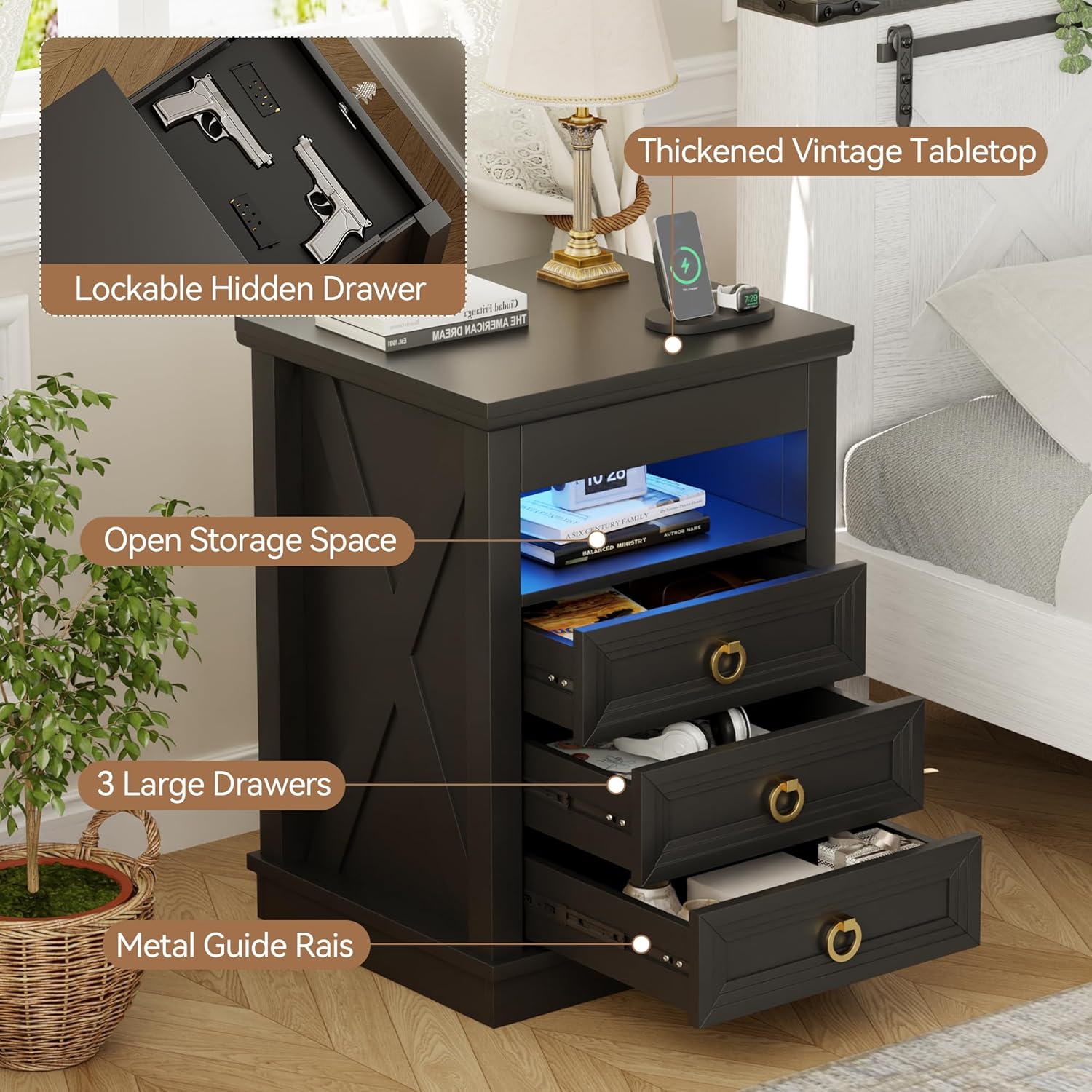
Image 5.7: The nightstand with its three bottom drawers and open shelf, showcasing ample storage options.
6. Maintenance
- Cleaning: Wipe surfaces with a soft, damp cloth. Avoid harsh chemicals or abrasive cleaners.
- Dusting: Regularly dust with a dry, soft cloth to maintain the finish.
- Hardware: Periodically check and tighten all screws and fasteners to ensure stability.
- LED Lights: If LED lights malfunction, ensure the power connection is secure. Contact customer support if issues persist.
7. Troubleshooting
| Problem | Possible Cause | Solution |
|---|---|---|
| LED lights not turning on. | Power cable disconnected; LED strip faulty. | Ensure power cable is securely plugged in. Check the power outlet. If issue persists, contact support. |
| Drawers are stiff or not sliding smoothly. | Misaligned drawer slides; debris in tracks. | Check drawer slides for proper alignment and clear any obstructions. Ensure screws are not overtightened. |
| Concealed drawer not locking. | Drawer not fully closed; lock mechanism jammed. | Ensure the top panel is fully closed and flush. Gently try the key again. Do not force the lock. |
| Charging ports not working. | Nightstand not powered; device cable faulty. | Verify the nightstand is plugged in. Try a different charging cable or device to isolate the problem. |
8. Specifications
| Feature | Detail |
|---|---|
| Brand | Lvifur |
| Model Name | 91098Black |
| Product Dimensions | 16"D x 17"W x 25"H |
| Frame Material | Engineered Wood |
| Color | Farmhouse Black |
| Top Material Type | Engineered Wood |
| Number of Drawers | 3 (plus 1 concealed) |
| LED Lights | 3-Colors Dimmable, Human Sensor |
| Charging Ports | USB & Type-C |
| Required Assembly | Yes |
| Recommended Uses | Securing Valuables, Charging Devices, Providing Ambient Lighting, Organizing Items |
9. Warranty & Support
For warranty information, technical support, or to report missing/damaged parts, please contact Lvifur customer service through your original purchase platform. Please have your model number (91098Black) and purchase date ready when contacting support.