
CAMMHD V8PRO-128G
CAMMHD V8-128GB 4K Body Camera User Manual
Model: V8PRO-128G
1. Introduction
Thank you for choosing the CAMMHD V8-128GB 4K Body Camera. This device is designed for professional and personal use, offering high-resolution audio and video recording capabilities. Its robust features, including 4K/2160P video resolution, 42 million pixels for still images, IP68 waterproofing, and enhanced night vision, make it ideal for law enforcement, security, and various outdoor activities. This manual provides detailed instructions to help you set up, operate, and maintain your body camera for optimal performance.

Figure 1.1: Diverse applications of the CAMMHD V8 Body Camera.
2. Package Contents
Please verify that all items listed below are included in your package:
- 1x V8-128GB Body Camera
- 1x Charging Dock
- 1x Type-C Cable
- 1x Charger (Plug)
- 1x Battery (additional battery included, total 2)
- 1x Long Clip
- 1x Short Clip
- 1x User Manual

Figure 2.1: Contents included in the CAMMHD V8-128GB Body Camera package.
3. Product Overview
3.1 Key Features
- High Resolution: Records 4K/2160P video and captures 42-megapixel photos with a 170° ultra-clear wide-angle lens.
- Storage: Built-in 128GB SD card with loop recording functionality, automatically overwriting older files when storage is full.
- Extended Battery Life: Equipped with two 2200mAh polymer lithium batteries (4400mAh total), providing up to 14 hours of recording time (at 720p). The camera can operate for 3 minutes after battery removal.
- Advanced Night Vision: Two powerful IR night vision LED lights enable clear capture of subjects up to 50 feet in darkness. Supports automatic and manual night vision switching.
- Durability: IP68 waterproof rating, suitable for heavy rain and snowstorms. ABS shell designed to withstand free falls within 2.5m.
- Dual Security Protection: Features date stamping on all recordings (cannot be modified or deleted) and optional camera password protection for viewing or data transfer.
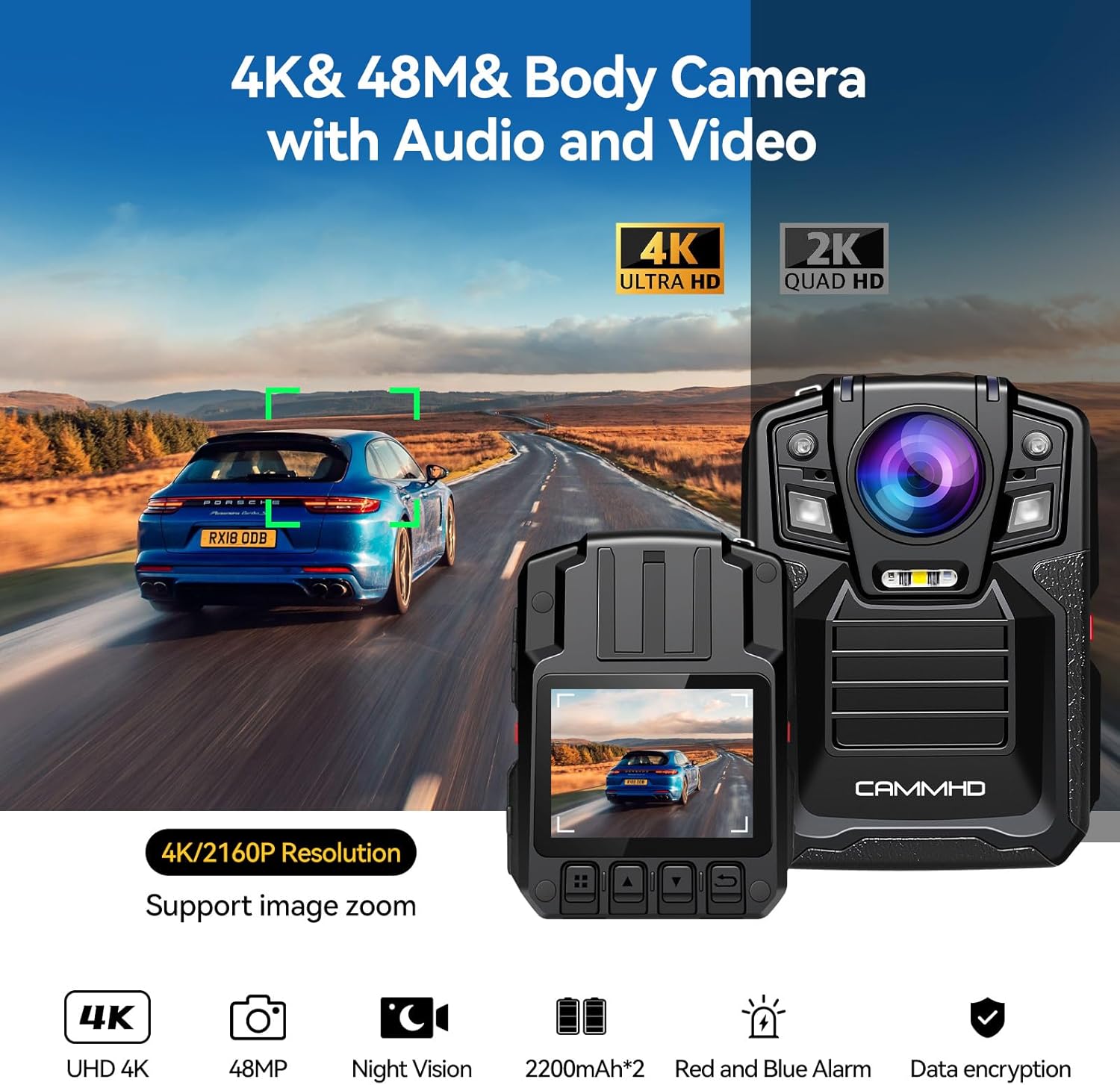
Figure 3.1: Visual representation of the CAMMHD V8 Body Camera's high-resolution capabilities.
3.2 Component Identification

Figure 3.2: Front and side view of the CAMMHD V8-128GB Body Camera with labeled components.
- Marking button: Used to mark important video segments.
- Video button: Initiates or stops video recording.
- Night vision button: Toggles night vision mode (automatic/manual).
- Audio button: Starts or stops audio-only recording.
- Photo button: Captures still images.
- Type-C interface: Primary charging and data transfer port.
- Power on/off: Turns the device on or off.
- Mini-USB interface: Secondary charging and data transfer port.
- Battery buckle: Secures the removable battery.

Figure 3.3: Detailed front view highlighting the lens, infrared lights, and alarm lights.
4. Setup
4.1 Initial Charging
Before first use, fully charge the body camera and the spare battery. The charging dock allows simultaneous charging of both the camera and an extra battery.
- Connect the Type-C cable to the charging dock and a power source.
- Place the body camera into the designated slot on the charging dock.
- Insert the spare battery into its slot on the charging dock.
- Charging indicators on the dock will illuminate. A full charge typically takes approximately 4 hours.

Figure 4.1: Simultaneous charging of the body camera and battery using the charging dock.
4.2 Attaching Clips
The camera comes with two types of clips for versatile attachment:
- Long Clip: Suitable for attaching to belts, pockets, or thicker clothing.
- Short Clip: Ideal for more discreet attachment or lighter fabrics.
Both clips can rotate 360 degrees, allowing for flexible camera positioning.
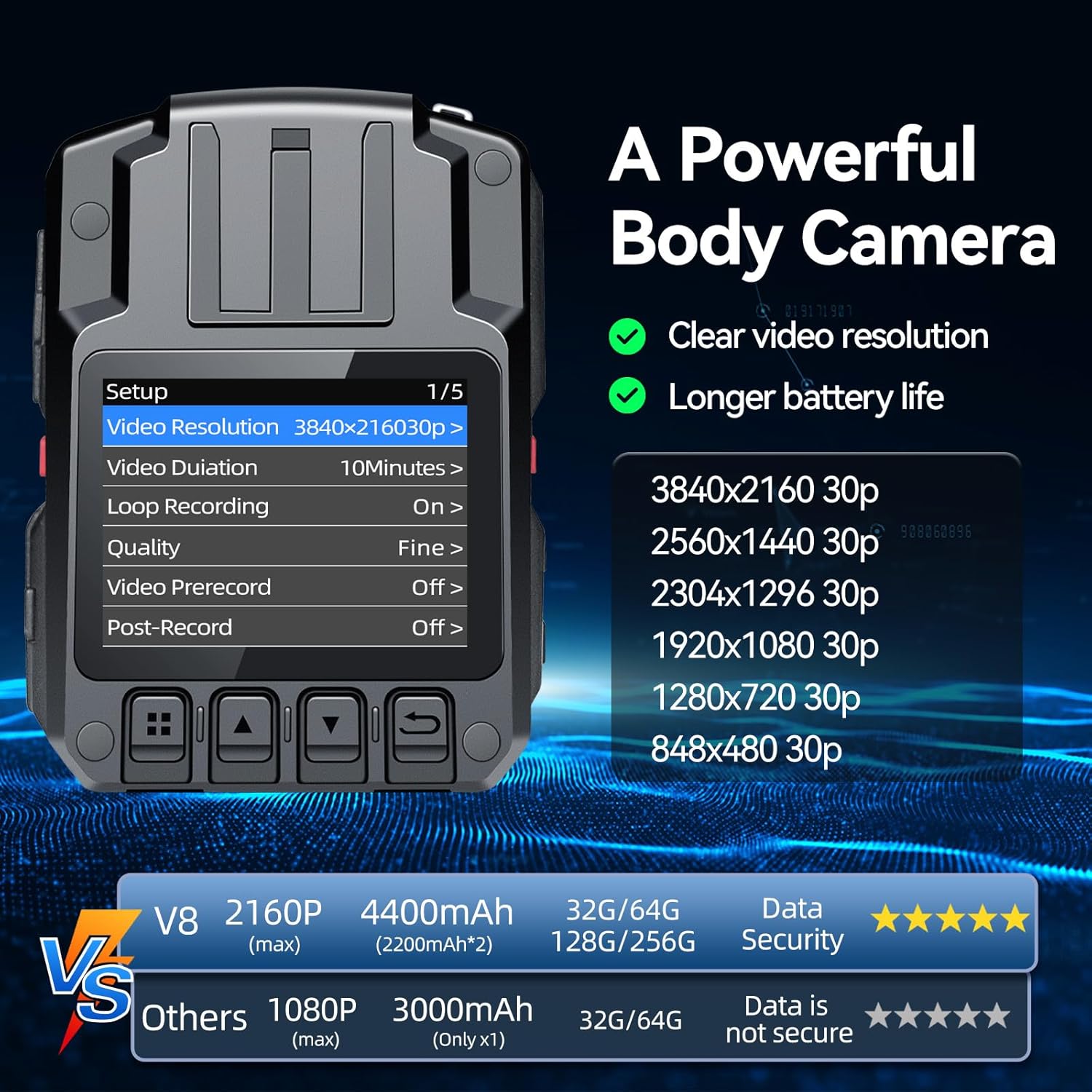
Figure 4.2: The body camera with its versatile clips.
5. Operating Instructions
5.1 Power On/Off
- To power on, press and hold the Power On/Off button (7) until the screen illuminates.
- To power off, press and hold the Power On/Off button (7) until the device shuts down.
5.2 Video Recording
- To start video recording, press the Video button (2). A recording indicator will appear on the screen.
- To stop video recording, press the Video button (2) again.
- The camera supports loop recording, automatically overwriting the oldest files when the 128GB storage is full.
- During recording, you can zoom in/out and take snapshots.
5.3 Audio Recording
- To start audio-only recording, press the Audio button (4).
- To stop audio recording, press the Audio button (4) again.
5.4 Photo Capture
- To capture a still image, press the Photo button (5).
5.5 Night Vision
The camera features powerful IR night vision for low-light conditions.
- To toggle night vision, press the Night vision button (3). The camera can automatically switch to night vision mode in dark environments.
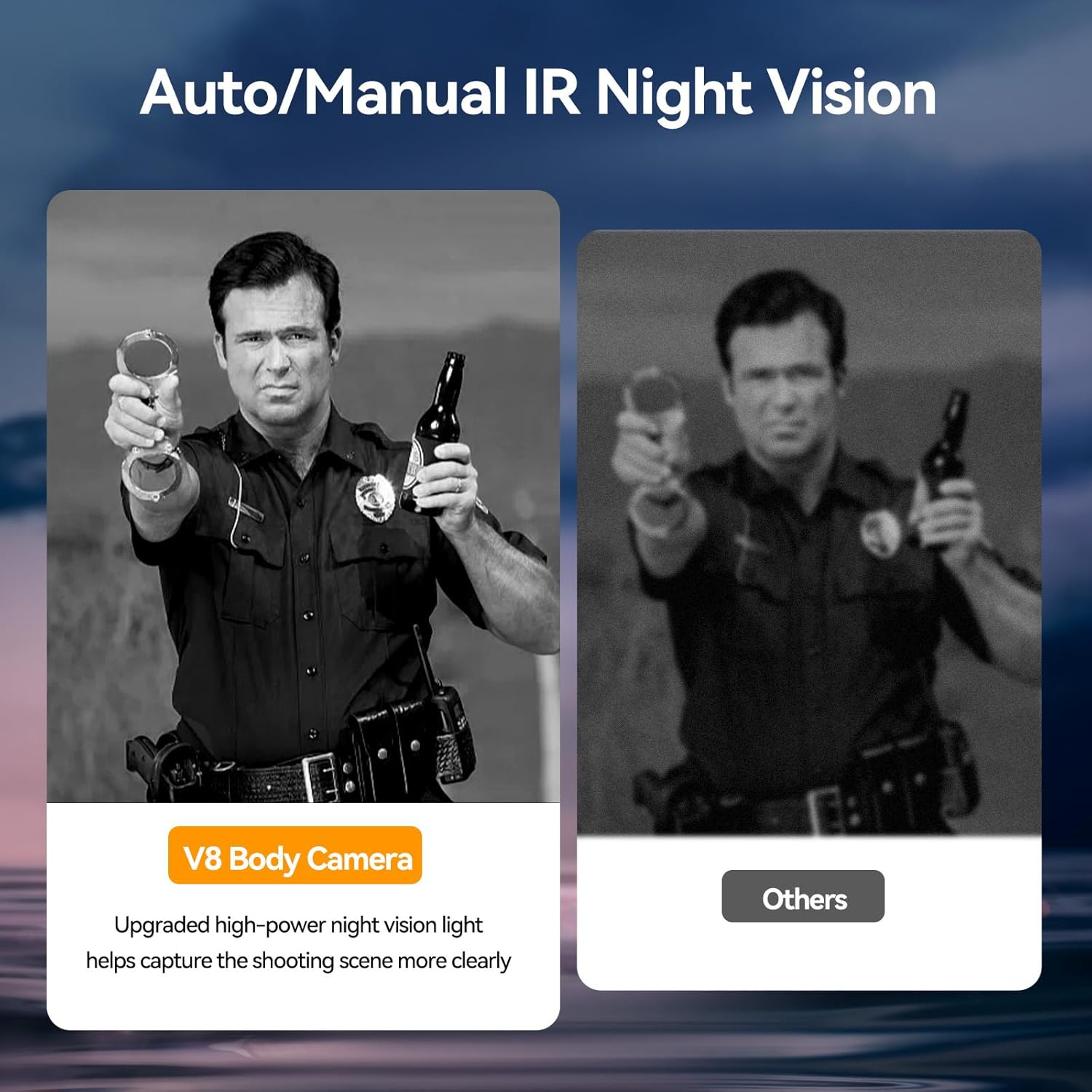
Figure 5.1: Night vision capability of the CAMMHD V8 Body Camera.
5.6 Data Transfer
To access recorded files, connect the camera to a computer using the provided Type-C or Mini-USB cable. You can then browse and transfer files from the built-in 128GB storage.
6. Battery Management
The CAMMHD V8 body camera is equipped with two 2200mAh polymer lithium batteries, providing extended operational time.
- Battery Life: Up to 14 hours of continuous video recording (at 720p).
- Swappable Batteries: The design allows for quick battery replacement, ideal for extended shifts.
- Charging: Use the included charging dock to charge both the camera and a spare battery simultaneously.
Video 6.1: Instructions on how to replace the V8 body camera battery.
7. Maintenance
- Cleaning: Use a soft, dry cloth to clean the camera body and lens. Avoid abrasive materials or harsh chemicals.
- Storage: Store the camera in a cool, dry place away from direct sunlight and extreme temperatures.
- Firmware Updates: Check the official CAMMHD website periodically for any available firmware updates to ensure optimal performance and new features.
- Data Backup: Regularly back up important video and audio files to a computer or external storage device to prevent data loss.
8. Troubleshooting
| Problem | Possible Cause | Solution |
|---|---|---|
| Camera does not power on. | Low battery; faulty battery; power button issue. | Ensure battery is fully charged. Try using the spare battery. Press and hold the power button firmly. |
| Video quality is poor. | Dirty lens; incorrect resolution settings; low light conditions. | Clean the lens with a soft cloth. Check video resolution settings in the camera menu. Activate night vision in low light. |
| Cannot transfer files to computer. | Loose cable connection; driver issue; camera password enabled. | Ensure cable is securely connected. Try a different USB port or cable. Disable camera password if enabled. |
| Short battery life. | Battery degradation; continuous high-resolution recording; frequent night vision use. | Ensure batteries are fully charged. Use lower resolution settings if extended recording is needed. Replace old batteries if necessary. |
9. Specifications
- Model Name: V8PRO-128G
- Video Resolution: 4K/2160P (various resolutions supported including 3840x2160p 30fps, 2560x1440p 30fps, 2304x1296p 30fps, 1920x1080p 30fps, 1280x720p 30fps, 848x480p 30fps)
- Photo Resolution: 42 Million Pixels
- Lens Angle: 170° Wide Angle
- Internal Storage: 128GB (built-in SD card)
- Battery Capacity: 4400mAh (2 x 2200mAh Lithium Ion batteries)
- Battery Life: Up to 14 hours (720p recording)
- Charging Time: Approximately 4 hours
- Waterproof Rating: IP68
- Night Vision Range: Up to 50 feet
- Connectivity: USB (Type-C, Mini-USB)
- Dimensions: 1.22 x 23.32 x 3.27 inches
- Item Weight: 5.7 ounces
- Color: Black
10. Warranty & Support
For warranty information, technical support, or any inquiries regarding your CAMMHD V8-128GB Body Camera, please refer to the contact information provided in your product packaging or visit the official CAMMHD website. Keep your purchase receipt for warranty claims.
Video 10.1: General overview of CAMMHD V8 Body Mounted Video Cameras.
Ask a question about this manual
Ask about setup, troubleshooting, compatibility, parts, safety, or missing instructions. Manuals+ will review the question and use this page’s manual context to help answer it.