
Introduction
The M47 Ear Clip Bluetooth Headset offers an innovative open-ear design, providing a unique listening experience that allows you to enjoy audio while remaining aware of your surroundings. This wireless headset features bone conduction technology for clear sound, intuitive touch controls, and a long-lasting battery, making it ideal for various activities.
What's Included
- Headphone body (Left and Right Earbuds)
- Charging case
- USB Charging Cable (Note: Cable type not specified, assume standard USB-C or Micro-USB)
- User Manual (This document)

Image: The M47 Ear Clip Bluetooth Headset, showing both earbuds and the sleek charging case with a digital display.
Setup Guide
1. Charging the Headset
Before first use, fully charge the M47 headset and its charging case. Place the earbuds into the charging case. The digital display on the case will indicate the charging status and battery level.
- Connect the charging case to a USB power source using the provided charging cable.
- The charging time for a full charge is approximately 1.5 hours.
- The charging case provides multiple full charges, extending the total battery life up to 50 hours. Each earbud offers approximately 6 hours of playback on a single charge.

Image: The M47 earbuds placed inside their charging case, illustrating the charging process and battery life indicators.
2. Bluetooth Pairing
To connect your M47 headset to a device:
- Ensure the earbuds are charged and removed from the charging case. They will automatically enter pairing mode.
- On your device (smartphone, tablet, laptop), go to Bluetooth settings and turn Bluetooth on.
- Search for available devices. Select "M47" or "Open Wireless Bluetooth Headphones" from the list.
- Once connected, you will hear a confirmation tone, and the headset will be ready for use.
- The headset supports Bluetooth 5.3 for stable and efficient connection.
Operating Instructions
Wearing the Headset
The M47 headset features an ear clip design that rests comfortably on your outer ear without blocking the ear canal. This open-ear design allows for situational awareness while enjoying audio.
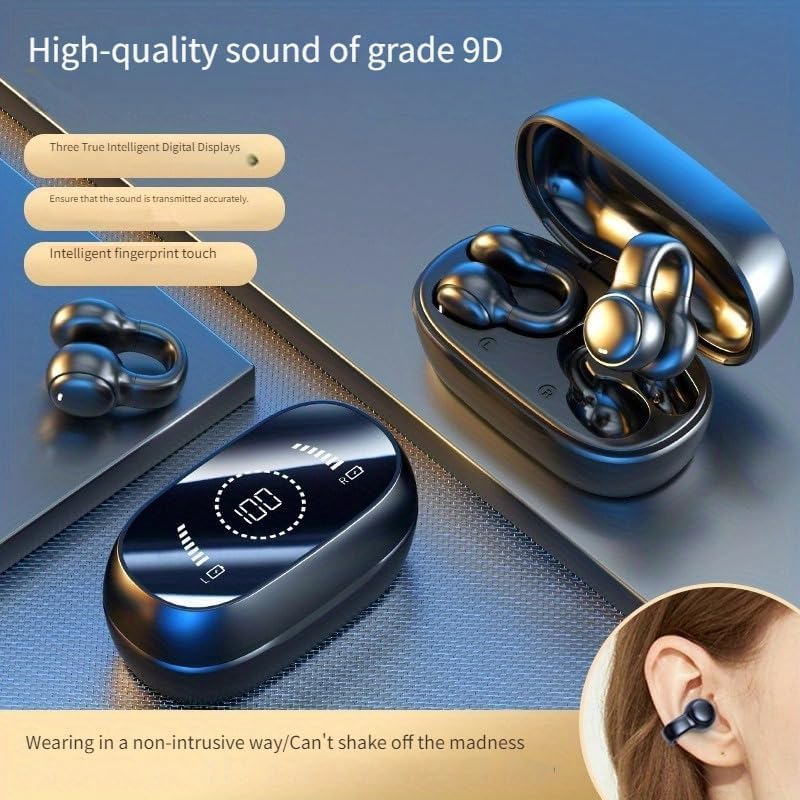
Image: An illustration showing how the M47 ear clip headset is worn on the ear, highlighting its non-intrusive design.
Touch Controls
The M47 headset is equipped with smart fingerprint touch controls for easy management of audio and calls:
- Play/Pause: Single tap on either earbud.
- Next Track: Double tap on the right earbud.
- Previous Track: Double tap on the left earbud.
- Volume Up: Triple tap on the right earbud.
- Volume Down: Triple tap on the left earbud.
- Answer/End Call: Single tap on either earbud during an incoming call.
- Reject Call: Press and hold either earbud for 2 seconds during an incoming call.
- Activate Voice Assistant: Press and hold either earbud for 3 seconds.
Sound Technology
The M47 headset utilizes bone conduction technology combined with DT4.0 directional sound transmission to deliver high-fidelity audio directly to your inner ear, minimizing sound leakage. This ensures a rich and immersive sound experience while maintaining awareness of your surroundings.
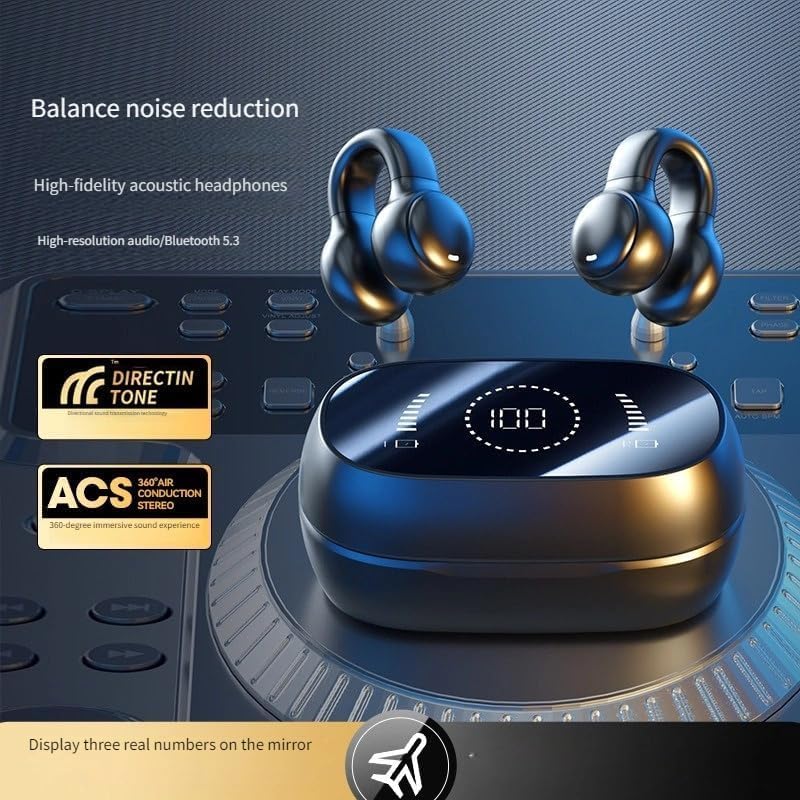
Image: Visual representation of the M47 headset's sound features, including balance noise reduction and high-fidelity acoustic headphones.

Image: A diagram illustrating the DT4.0 directional sound transmission technology, showing how sound is directed to the ear canal to reduce leakage.
Maintenance
- Cleaning: Gently wipe the earbuds and charging case with a soft, dry, lint-free cloth. Do not use abrasive cleaners or solvents.
- Water Resistance: The M47 headset is waterproof. However, avoid prolonged submersion in water. Ensure the charging port is dry before charging.
- Storage: When not in use, store the headset in its charging case to protect it from dust and damage. Store in a cool, dry place.
- Battery Care: To prolong battery life, avoid fully discharging the battery frequently. Charge regularly, even if not used for extended periods.
Troubleshooting
| Problem | Possible Cause | Solution |
|---|---|---|
| Headset does not turn on. | Low battery. | Charge the headset and charging case fully. |
| Cannot pair with device. | Bluetooth is off on device; headset not in pairing mode; too far from device. | Ensure Bluetooth is on. Remove earbuds from case to enter pairing mode. Keep devices within 10 meters. |
| No sound from headset. | Volume too low; not connected; incorrect audio output selected. | Increase volume on headset and device. Re-pair the headset. Check device's audio output settings. |
| Intermittent connection. | Interference; too far from device; low battery. | Move closer to device. Avoid strong electromagnetic interference. Charge headset. |
| Touch controls not responding. | Dirty sensor; temporary software glitch. | Clean the touch sensor area. Place earbuds back in case and remove to reset. |
Specifications
| Feature | Detail |
|---|---|
| Model Name | Open Wireless Bluetooth Headphones (M47) |
| Connectivity Technology | Bluetooth, Wireless (Bluetooth 5.3) |
| Audio Driver Type | Bone Conduction Driver |
| Control Method | Touch (Smart fingerprint touch) |
| Water Resistance Level | Waterproof |
| Frequency Range | 20 Hz - 20,000 Hz |
| Impedance | 80 Ohm |
| Ear Placement | Over Ear (Ear Clip Design) |
| Charging Time | Approx. 1.5 hours |
| Battery Life (Earbuds) | Approx. 6 hours per charge |
| Total Battery Life (with case) | Approx. 50 hours |
| Compatible Devices | Cellphones, Laptops, Tablets |
| Color | Black |
Warranty and Support
This product is manufactured by Guangzhou Kung Fu Fat Technology Co., Ltd. For warranty information, technical support, or customer service inquiries, please refer to the contact information provided with your purchase or visit the manufacturer's official website. Please retain your proof of purchase for warranty claims.
Note: Specific warranty terms may vary by region and retailer.