
Wyze Lifestyle WVODV2-SZNEW
Wyze Cam Outdoor Add-on v2 Instruction Manual
Model: WVODV2-SZNEW
Introduction
The Wyze Cam Outdoor Add-on v2 is a 1080p HD wireless home security camera designed to expand your existing Wyze Cam Outdoor system. This camera requires a Wyze Base Station (sold separately) to function. It features a 6-month battery life, color night vision, 2-way audio, and PIR motion detection, making it suitable for both indoor and outdoor surveillance.

Figure 1: Wyze Cam Outdoor Add-on v2
What's in the Box
- Wyze Cam Outdoor v2 x1
- MicroUSB Cable x1
- Screw Assembly x1
- Quick Start Guide x1
Setup
The Wyze Cam Outdoor Add-on v2 requires a Wyze Base Station for operation. Ensure your Base Station is already set up and connected to your home network before proceeding with camera setup. The camera connects to the Base Station via Wi-Fi (2.4GHz networks only).
1. Base Station Connection
The Wyze Base Station acts as a central hub for your Wyze Outdoor cameras. Up to four cameras can be connected to a single Base Station, allowing for centralized monitoring through the Wyze app.
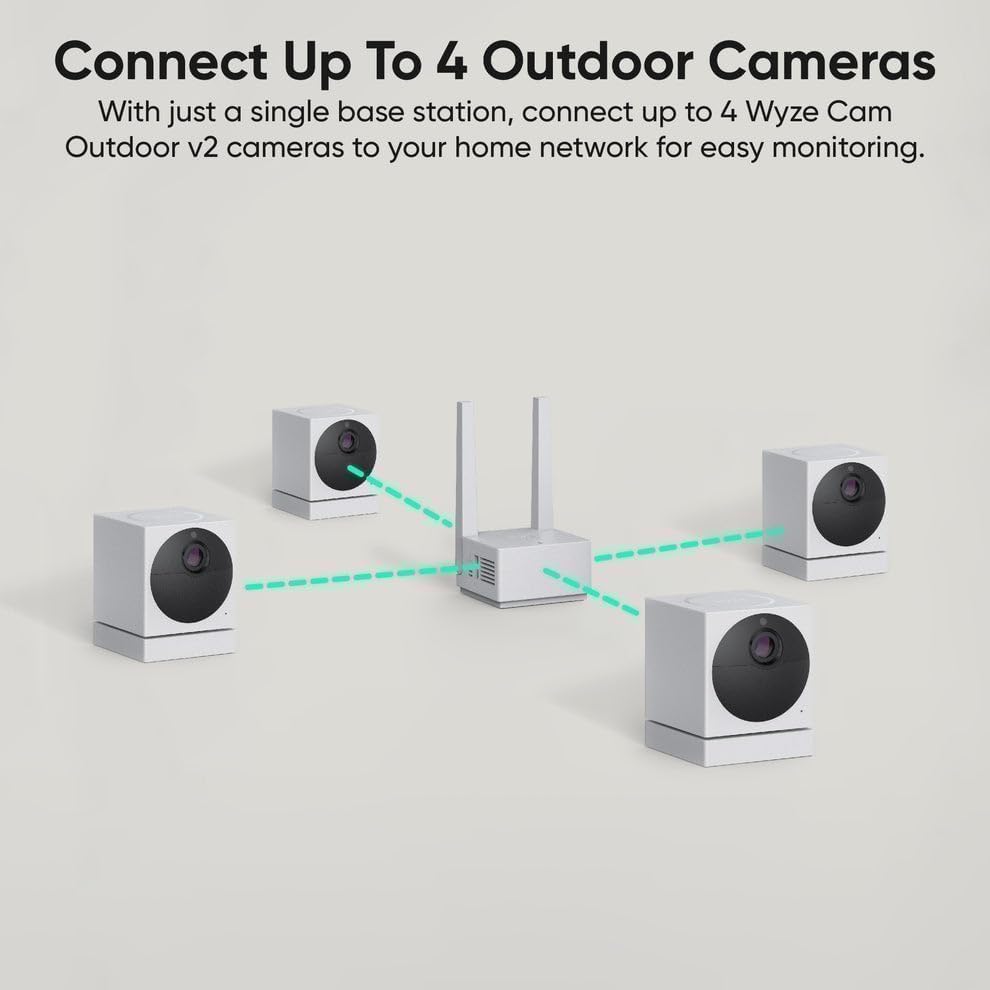
Figure 2: Connect up to 4 Outdoor Cameras to a single Base Station
2. Initial Charging
Before initial use, fully charge your Wyze Cam Outdoor v2 using the provided MicroUSB cable. The integrated 2,600 mAh rechargeable batteries provide an estimated 3-6 months of life based on normal usage (10-20 event videos per day). Battery life may vary based on settings, temperature, and usage patterns.

Figure 3: Battery Powered & Wire-Free Installation
3. Wyze App Installation and Pairing
Follow the step-by-step guides within the Wyze app for a seamless wireless DIY installation. Ensure your mobile device is on the same network as the Base Station during setup.
- Open the Wyze app and navigate to the 'Cameras' section.
- Select 'Wyze Base Station' from the list of devices to ensure it's connected.
- Plug the Base Station into power and your router. The light will flash blue and then remain solid once connected.
- In the app, select 'Add Wyze Cam Outdoor'.
- Flip the power switch on the back of the camera. The status light will flash yellow. Keep the camera within 6 feet of the Base Station during setup.
- Name your device within the app.
- Press the SYNC button on the bottom of the camera. You will hear "Pairing is in progress. Please wait."

Figure 4: Wyze App - Select Base Station

Figure 5: Base Station Connection
Figure 6: Wyze App - Add Camera
Figure 7: Powering On the Camera
Figure 8: Naming Your Camera
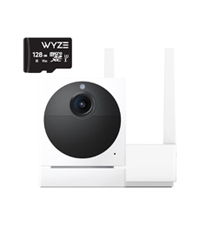
Figure 9: Syncing the Camera
Operating the Camera
The Wyze Cam Outdoor v2 offers various features for enhanced home security and monitoring.

Figure 10: Key Features of Wyze Cam Outdoor v2
1. 1080p HD Color Night Vision
Equipped with an all-new Starlight Sensor, the camera records nighttime video in full, vivid color. This technology allows the camera to capture full-color images in environments up to 25 times darker than traditional video cameras.

Figure 11: Color Night Vision Capability
2. PIR Motion Detection
The Passive Infrared (PIR) sensor detects body heat and movement, reducing false alerts from non-human sources like waving branches. You can customize detection zones within the Wyze app and activate an optional motion-activated siren to deter intruders. Free event thumbnails are provided when motion is detected, with full-length videos available through Cam Plus subscription.

Figure 12: PIR Motion Detection Zones
3. 2-Way Audio
The camera supports simultaneous 2-way communication, allowing you to speak and listen through the camera via the Wyze app. This feature enables you to communicate with visitors or deter unwanted individuals from your property.

Figure 13: Instant Notifications and 2-Way Audio
4. Local and Cloud Storage
You have flexible recording solutions. Choose between secure 14-day cloud storage with Cam Plus (subscription required) or local storage using a microSD card (up to 256GB, sold separately) for continuous recording without a subscription.

Figure 14: 24/7 Recording with microSD Card
5. Smart Home Integration
The Wyze Cam Outdoor v2 integrates with popular smart home platforms, including Amazon Alexa, Google Assistant, and IFTTT, providing convenience and customization for your security system.

Figure 15: Works with Alexa, Google Assistant, IFTTT
Maintenance
1. Battery Management
Monitor the battery level of your camera through the Wyze app. Recharge the camera when the battery is low to ensure continuous operation. Battery life is influenced by the number of recorded events, temperature, and specific settings.
2. Weather Resistance
The Wyze Cam Outdoor v2 has an IP65 weather resistance rating, meaning it is protected against dust ingress and low-pressure water jets from any direction. This allows for confident outdoor installation under eaves or in other sheltered outdoor locations. While designed for harsh conditions, avoid direct exposure to high-pressure water or prolonged submersion.

Figure 16: IP65 Weatherproof Design
3. Cleaning
To clean the camera lens and body, use a soft, dry cloth. Avoid using harsh chemicals or abrasive materials that could damage the camera's surface or lens.
Troubleshooting
If you encounter issues with your Wyze Cam Outdoor v2, consider the following common troubleshooting steps:
- Camera Not Connecting: Ensure the Wyze Base Station is powered on and connected to your network. Verify that the camera is within range of the Base Station and that your Wi-Fi network is 2.4GHz.
- Battery Not Charging/Holding Charge: Confirm the MicroUSB cable is securely connected to both the camera and a power source. If issues persist, try a different cable or power adapter.
- Poor Video Quality: Check your Wi-Fi signal strength in the camera's location. Ensure the lens is clean and free from obstructions.
- Motion Detection Issues: Review your detection zone settings in the Wyze app. Ensure the PIR sensor is not obstructed.
- No Audio/2-Way Audio Issues: Check microphone and speaker settings in the Wyze app. Ensure there are no physical obstructions to the microphone or speaker on the camera.
For more detailed troubleshooting guides and solutions, please refer to the Wyze app's help section or the official Wyze support website.
Specifications
| Feature | Specification |
|---|---|
| Model Name | WVODV2-SZNEW |
| Video Capture Resolution | 1080p HD |
| Indoor/Outdoor Usage | Indoor, Outdoor (IP65 Rated) |
| Power Source | Battery Powered (2 x 2,600 mAh Lithium Polymer) |
| Connectivity Protocol | Bluetooth, Wi-Fi (2.4GHz) |
| Viewing Angle | 130 Degrees |
| Night Vision Range | 25 Feet (Color Night Vision) |
| Frame Rate | Day time 20FPS, Night time 10FPS |
| Storage Options | Local (microSD up to 256GB, sold separately), Cloud (Cam Plus subscription) |
| Dimensions (L x W x H) | 4.68 x 3.3 x 3 inches |
| Item Weight | 14.9 ounces |
| Control Method | App (Wyze App) |
| Compatible Devices | Smartphone, Amazon Alexa, Google Assistant, IFTTT |
Warranty Information
Wyze Lifestyle products typically come with a limited manufacturer's warranty. For specific details regarding the warranty period, coverage, and terms for your Wyze Cam Outdoor Add-on v2, please refer to the warranty information provided with your product packaging or visit the official Wyze Lifestyle website.
Support
For technical assistance, product inquiries, or further support, please contact Wyze Lifestyle customer service through their official channels. You can typically find support contact information on the Wyze website or within the Wyze app's help section.
Official Wyze Lifestyle Store: Visit the Wyze Lifestyle Store on Amazon
Ask a question about this manual
Ask about setup, troubleshooting, compatibility, parts, safety, or missing instructions. Manuals+ will review the question and use this page’s manual context to help answer it.