
1. Product Overview
The B.FRIENDIT KB1430 is a full-size, ultra-slim wired USB keyboard designed for comfortable and quiet typing. It features 105 upgraded scissor-switch keys, offering a significant reduction in typing noise and a durable design. The keyboard is compatible with various Windows operating systems and includes an ergonomic design for extended use.

Image 1.1: Top-down view of the B.FRIENDIT KB1430 Wired USB Keyboard.
2. What's in the Box
Upon opening your B.FRIENDIT KB1430 package, you should find the following items:
- 1 x B.FRIENDIT Wired USB Keyboard (KB1430)
- 1 x Keyboard Cover/Protector Skin
- 1 x User Manual (this document)
3. Setup Instructions
The B.FRIENDIT KB1430 keyboard is designed for simple plug-and-play functionality, requiring no additional drivers for most Windows operating systems.
3.1 Connecting the Keyboard
- Locate an available USB-A port on your computer (desktop PC or laptop).
- Insert the USB connector of the keyboard cable into the USB-A port.
- Your operating system should automatically detect and install the necessary drivers. The keyboard will be ready for use within a few seconds.

Image 3.1: The keyboard connects to your computer via a standard USB cable for immediate use.
3.2 Compatibility
This keyboard is compatible with Windows 11, 10, 8, 7, 2000, XP, and Vista operating systems.
4. Operating Instructions
4.1 Basic Typing
The KB1430 features a standard QWERTY layout with a full numeric keypad. The scissor-switch keys provide a comfortable and quiet typing experience with a 2mm key travel and moderate rebound.
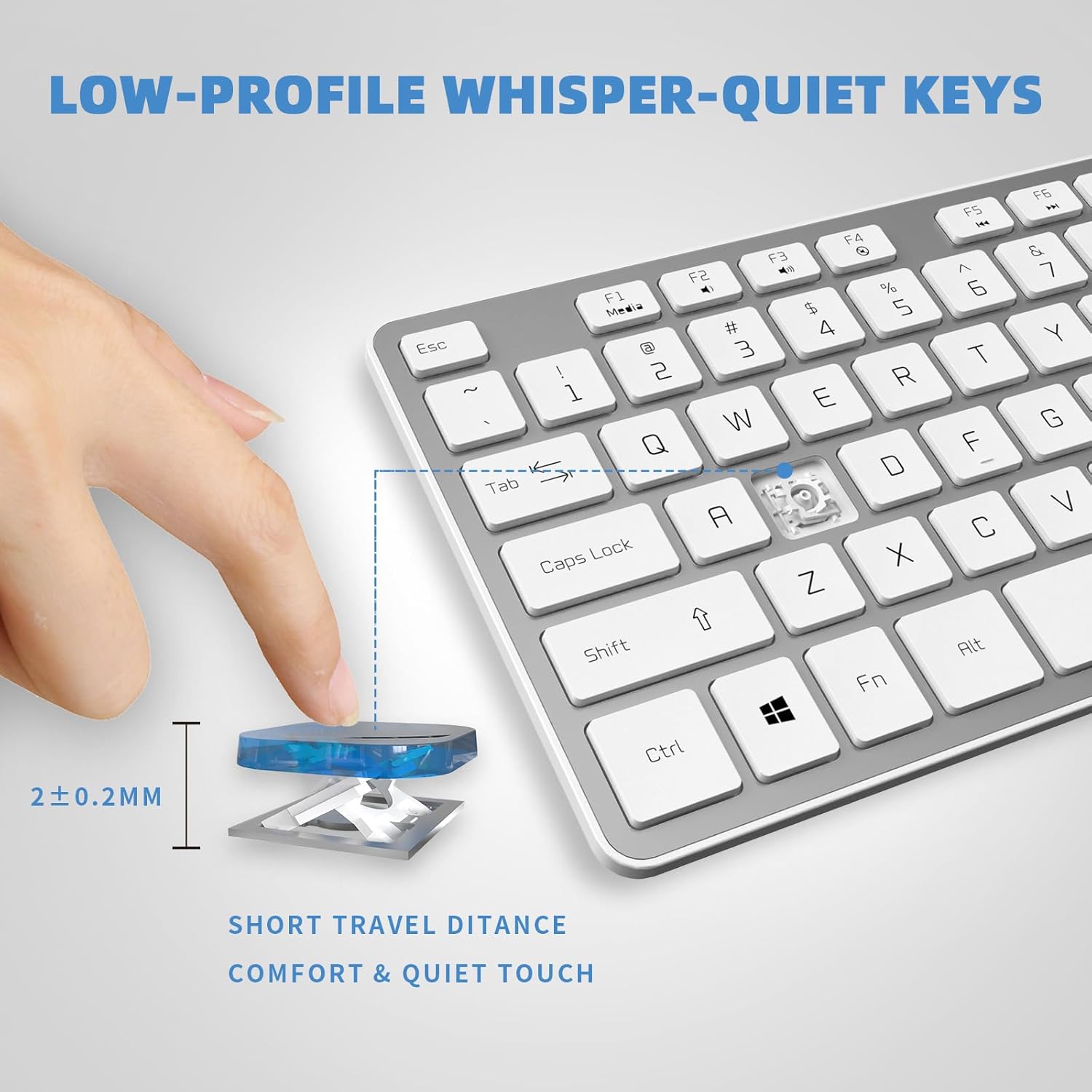
Image 4.1: Illustration of the low-profile, whisper-quiet scissor-switch key design, highlighting the short travel distance for comfort.
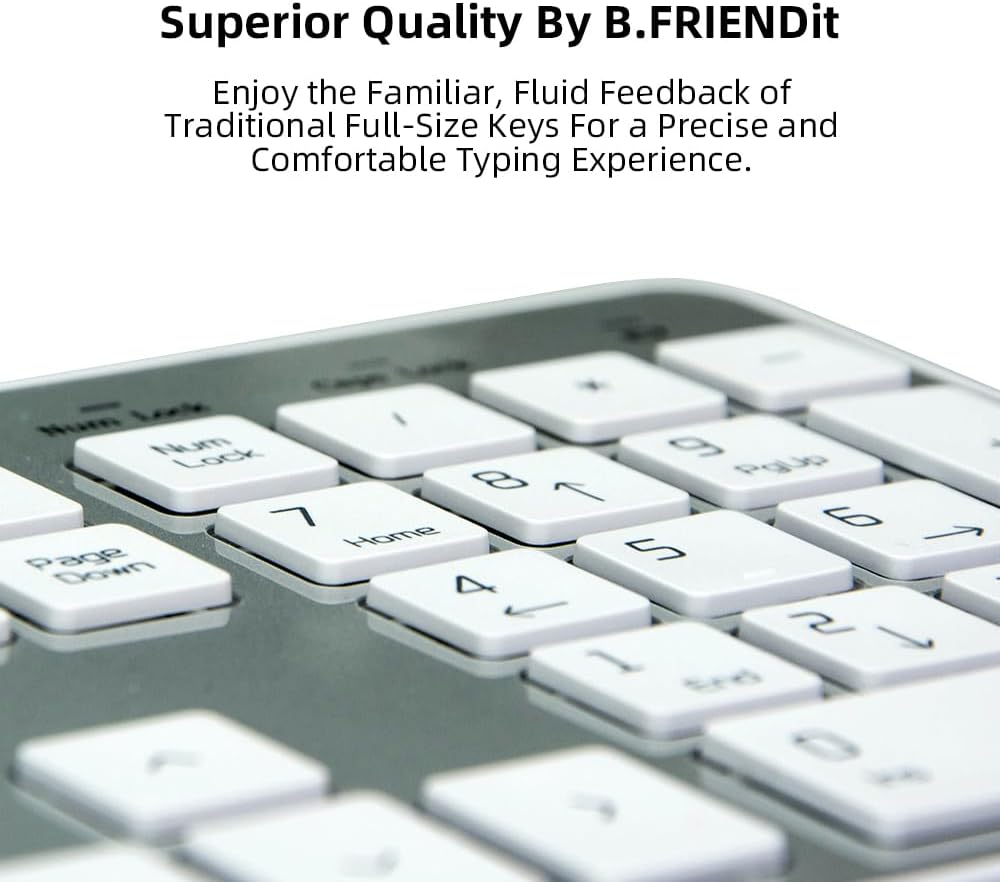
Image 4.2: Close-up view of the full-size keys, designed for precise and comfortable typing feedback.
4.2 Multimedia Function Keys
The keyboard includes dedicated multimedia function keys (F1-F12) that can be accessed by pressing the Fn key in combination with the desired function key. These keys provide quick access to media controls and system functions.
- Fn + F1: Media Player
- Fn + F2: Volume Down
- Fn + F3: Volume Up
- Fn + F4: Mute
- Fn + F5: Previous Track
- Fn + F6: Next Track
- Fn + F7: Play/Pause
- Fn + F8: Stop
- Fn + F9: Website/Homepage
- Fn + F10: Mail
- Fn + F11: My Computer
- Fn + F12: Favorite

Image 4.3: Overview of the multimedia function keys and their corresponding actions.
4.3 Ergonomic Design
The keyboard features an ergonomic folding stand on the underside, allowing you to adjust the typing angle for optimal wrist support. This helps reduce muscle strain during prolonged use.

Image 4.4: The ergonomic folding stand provides a comfortable typing angle.
5. Maintenance
5.1 Using the Keyboard Cover
The included silicone keyboard cover protects the keys from dust, spills, and crumbs, extending the lifespan of your keyboard. Place the cover directly over the keys when not in use or during typing for added protection.

Image 5.1: The silicone keyboard cover protects against dust and liquids.
5.2 Cleaning the Keyboard
To clean the keyboard, gently wipe the keycaps and surface with a soft, damp cloth. The matte UV-coated keycaps are designed for easy cleaning. Ensure the keyboard is disconnected from your computer before cleaning. Avoid using harsh chemicals or abrasive materials.
6. Troubleshooting
If you encounter issues with your B.FRIENDIT KB1430 keyboard, please refer to the following common solutions:
- Keyboard Not Responding: Ensure the USB cable is securely plugged into both the keyboard and your computer's USB port. Try plugging the keyboard into a different USB port or a different computer to rule out port-specific issues.
- Keys Not Working or Repeating Characters: This can sometimes be caused by dust or debris under the keycap. Gently remove the keycap (if applicable and safe to do so, refer to product design) and clean the area. If using the silicone cover, ensure it is properly seated and not interfering with key presses. If the issue persists, it may indicate a hardware fault.
- Multimedia Keys Not Functioning: Ensure you are pressing the Fn key simultaneously with the desired function key (F1-F12).
- Lag or Delayed Input: Ensure your computer's operating system is up to date. Try restarting your computer.
If these steps do not resolve your issue, please contact customer support as detailed in Section 8.
7. Specifications
| Feature | Specification |
|---|---|
| Model Number | KB1430 |
| Product Dimensions | 17.3 x 4.8 x 0.3 inches (44 x 12 x 0.8 cm) |
| Item Weight | 1.1 pounds |
| Manufacturer | B.FRIENDit |
| Compatible Devices | Laptop, PC |
| Connectivity Technology | USB-A |
| Keyboard Description | Membrane (Scissor-switch mechanism) |
| Special Features | Ergonomic, Foldable Stand, Hotkeys and Media Keys, Lightweight, Low-Profile Key |
| Color | Silver |

Image 7.1: The keyboard's ultra-slim profile and dimensions.
8. Warranty and Support
B.FRIENDIT offers a replacement warranty within one year of purchase for the KB1430 keyboard. Our customer service team is available to respond to inquiries within a 24-hour timeframe.
For support, please refer to the contact information provided on the product packaging or the official B.FRIENDIT website.


