
1. Introduction
The RDINSCOS MT69 is a versatile 2-in-1 moisture meter designed for accurate and efficient detection of moisture content in various materials. It features both pin and non-invasive pinless measurement modes, making it suitable for a wide range of applications including woodworking, home inspection, and construction. This manual provides essential information for the safe and effective operation, maintenance, and troubleshooting of your MT69 moisture meter.

Image 1.1: The RDINSCOS MT69 2-in-1 Moisture Meter, showing the main unit with the spherical pinless sensor and the detachable pin-type probe.
2. Safety Information
Please read and understand all safety instructions before operating the device. Failure to follow these instructions may result in injury or damage to the device.
- General Safety: Keep the device away from children. Do not attempt to disassemble or modify the meter.
- Pin Probe Safety: The pin probes are sharp. Handle with care to avoid injury. Keep the protective cap on when not in use.
- Electrical Safety: Do not use the meter on live electrical circuits or materials that may contain live wires.
- Environmental Conditions: Avoid exposing the meter to extreme temperatures, high humidity, or corrosive environments.
- Metal Detection: When using the pinless mode, ensure there is no metal within 2 inches (approximately 5 cm) around the material to be tested to prevent inaccurate readings.

Image 2.1: Illustration showing the importance of avoiding metal objects within 2 inches of the measurement area when using the pinless sensor to ensure accurate readings.
3. Package Contents
Verify that all items are present in the package:
- RDINSCOS MT69 Moisture Meter
- Pin-type Probe Attachment
- USB-A to USB-C Charging Cable
- User Manual (this document)

Image 3.1: The retail box for the RDINSCOS MT69 Moisture Meter, indicating the included components.
4. Product Overview
Familiarize yourself with the components of your MT69 moisture meter:
- Spherical Pinless Sensor: For non-destructive moisture detection.
- Pin Probe Interface: Port for connecting the pin-type probe.
- 2.9-inch Backlit LCD Display: Shows moisture readings, battery status, and mode.
- Control Buttons: Power, Mode selection, Hold, Settings, Backlight, Auto Power Off (APO).
- USB-C Charging Port: For recharging the internal battery.
- Three-color LED Indicator: Provides visual alerts for moisture levels (low/medium/high).
Image 4.1: Detailed view of the MT69 meter, highlighting its display, buttons, and sensors.
5. Setup
5.1 Initial Charging
The MT69 meter is equipped with a built-in 1200mAh rechargeable battery. Before first use, or if the battery indicator shows low charge, connect the meter to a USB power source using the provided USB-A to USB-C charging cable. The display will indicate charging status.
5.2 Powering On/Off
- To power on, press and hold the Power button () for a few seconds.
- To power off, press and hold the Power button again. The device also features an Auto Power Off (APO) function, which will turn off the meter after 30 minutes of inactivity to conserve battery.
6. Operating Instructions
The MT69 offers two measurement modes: Pinless (non-destructive) and Pin-type (contact).
6.1 Pinless Measurement Mode
This mode uses the spherical sensor for non-invasive detection of moisture. It is ideal for quickly scanning large areas or for materials where pin marks are undesirable.
- Ensure the pin-type probe is disconnected.
- Press the Mode button to select the pinless mode (indicated by a specific icon on the display).
- Place the spherical sensor firmly against the surface of the material to be tested.
- Read the relative moisture value on the LCD display. The three-color LED indicator will provide a visual cue (green for low, yellow for medium, red for high moisture).
- The measurement depth for the pinless mode is approximately 20-40mm.

Image 6.1: Demonstrating the non-destructive pinless scanning capability of the MT69 meter on a wall surface.
6.2 Pin-type Measurement Mode
This mode uses the detachable pin probe for precise percentage readings of moisture content. It is suitable for wood and building materials.
- Carefully attach the pin-type probe to the designated port on the meter.
- Press the Mode button to select the pin-type mode (indicated by a specific icon on the display).
- Gently push the pins into the material to be tested. Ensure good contact.
- Read the moisture content percentage on the LCD display. The meter provides readings for wood (5% to 52%) and building materials (2% to 30%) with an accuracy of ±2.5%.
- The three-color LED and audible alarm will indicate moisture levels.
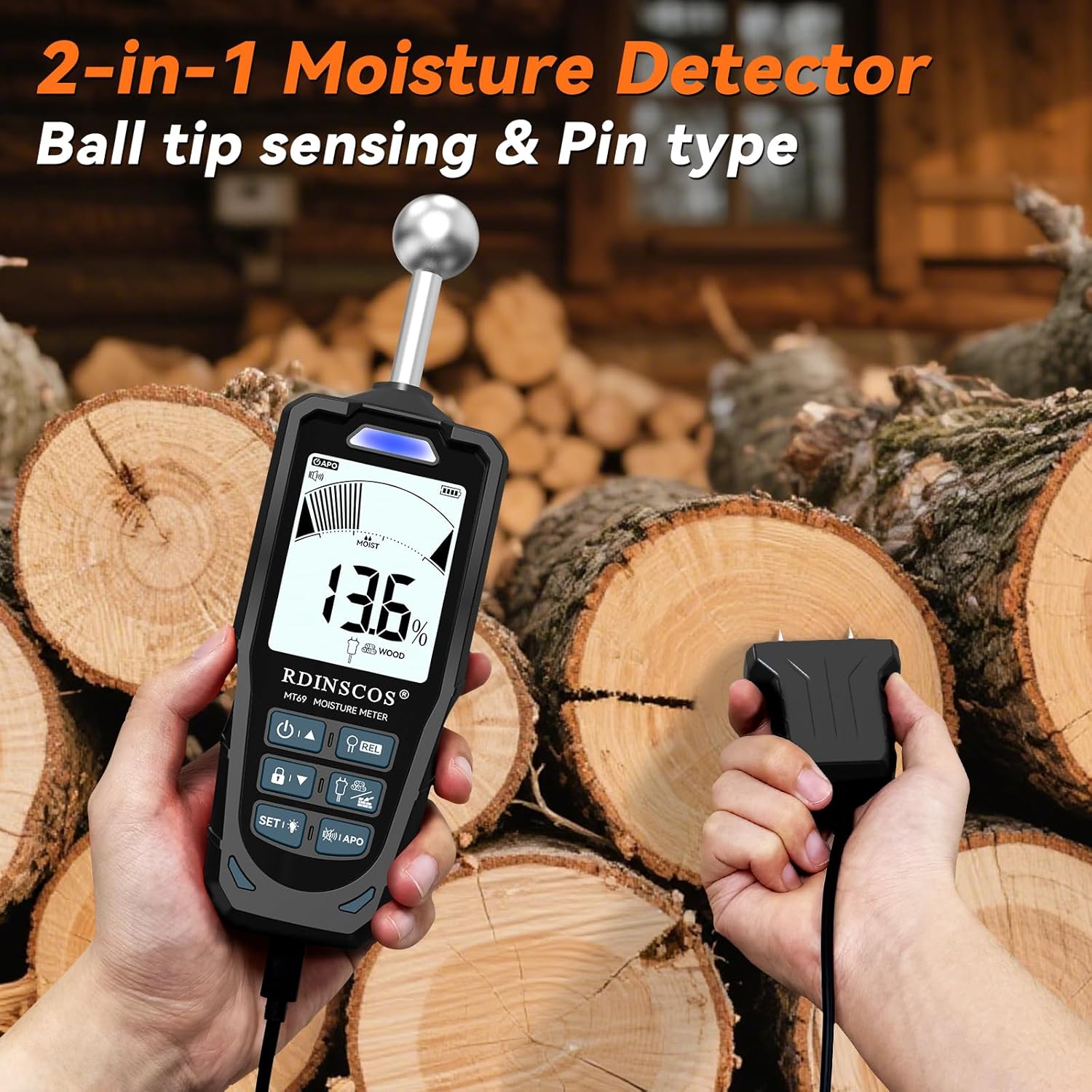
Image 6.2: The MT69 meter showcasing both its pinless ball tip sensor and the separate pin-type probe for comprehensive moisture detection.

Image 6.3: Visual representation of the measurement depth for the pinless mode and the specific measurement ranges for wood and building materials using the pin-type probe.
6.3 Smart Alerts and Display
- The 2.9-inch backlit LCD ensures clear readability in various lighting conditions.
- The three-color LED (green, yellow, red) provides an immediate visual indication of moisture levels.
- An audible alarm will sound if the detected moisture content exceeds a user-defined threshold. This threshold can be adjusted in the settings.
- Use the HOLD button to freeze the current reading on the display for easier recording.
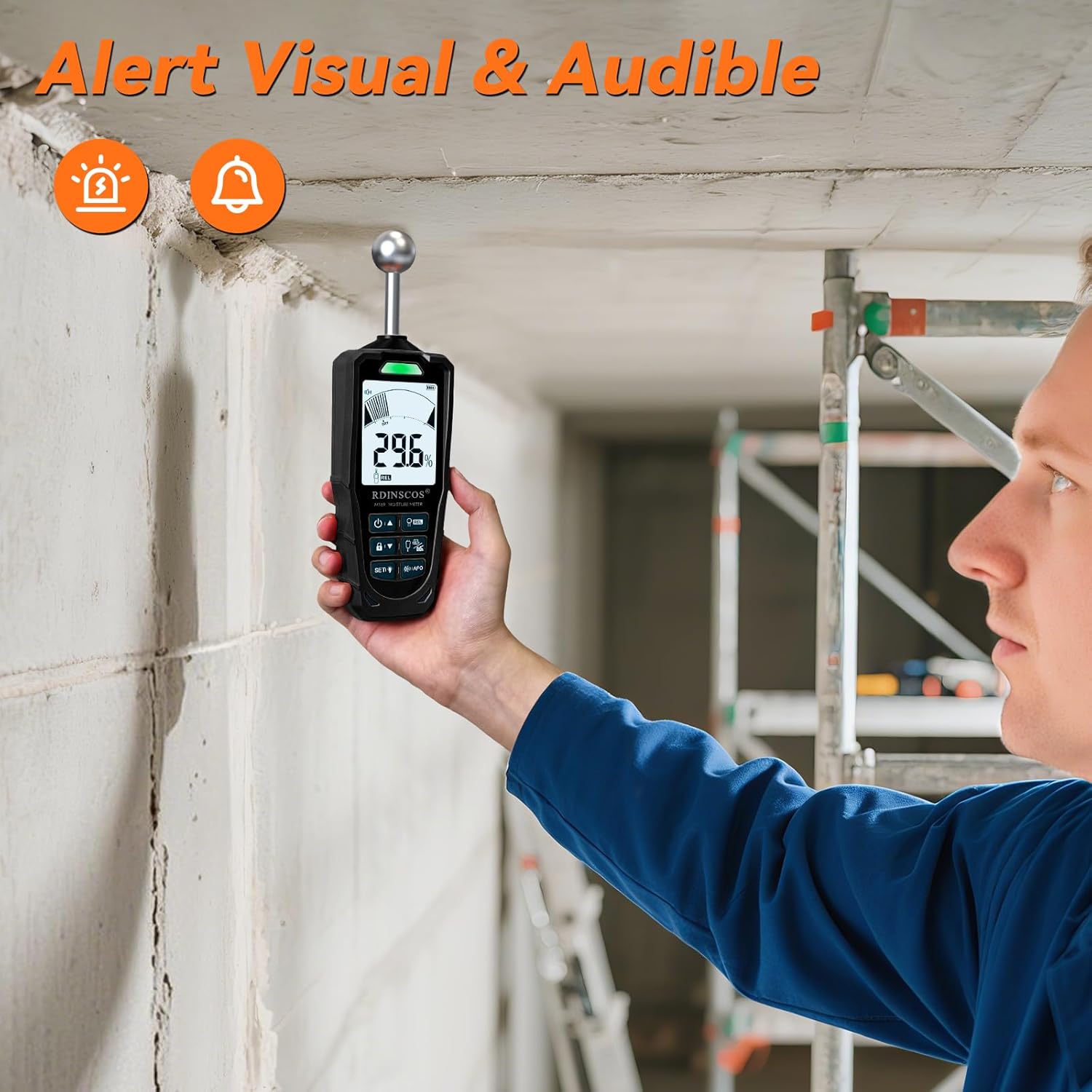
Image 6.4: The MT69 meter's display showing a high moisture reading with visual and audible alert indicators.
7. Maintenance
- Cleaning: Wipe the meter with a dry, soft cloth. Do not use abrasive cleaners or solvents.
- Storage: Store the meter in a cool, dry place, away from direct sunlight and extreme temperatures. Ensure the protective cap is on the pin probe when stored.
- Battery: Recharge the battery regularly, even if not in frequent use, to maintain its lifespan.
- Calibration: The device features automatic calibration. If you suspect inaccurate readings, refer to the troubleshooting section or contact support.
8. Troubleshooting
| Problem | Possible Cause | Solution |
|---|---|---|
| Meter does not power on. | Low or depleted battery. | Charge the meter using the provided USB cable. |
| Inaccurate readings in pinless mode. | Metal objects near the measurement area. | Ensure no metal is within 2 inches of the sensor. |
| No reading in pin-type mode. | Poor contact with material; pins not fully inserted. | Ensure pins are firmly inserted into the material. Check for damaged pins. |
| Audible alarm constantly sounds. | Moisture content exceeds set threshold. | Check the material for high moisture. Adjust alarm threshold in settings if necessary. |
9. Specifications
| Feature | Detail |
|---|---|
| Model Number | MT69A |
| Measurement Modes | Pinless (Spherical Probe), Pin-type |
| Pinless Inductive Depth | 20-40mm |
| Pinless Measurement Range | Relative value 0-100 |
| Pin-type Wood Range | 5% - 52% |
| Pin-type Building Material Range | 2% - 30% |
| Accuracy | ±2.5% |
| Display | 2.9-inch Backlit LCD |
| Battery | Built-in 1200mAh Rechargeable Lithium Battery |
| Auto Power Off (APO) | 30 minutes of inactivity |
| Alerts | Three-color LED, Audible Alarm |
| Dimensions | 23.7 x 14.9 x 3.9 cm (Package) |
| Weight | 500 g (Item) |
| Manufacturer | SHENZHEN REDDRAGON INSTRUMENTS CO.,LTD |
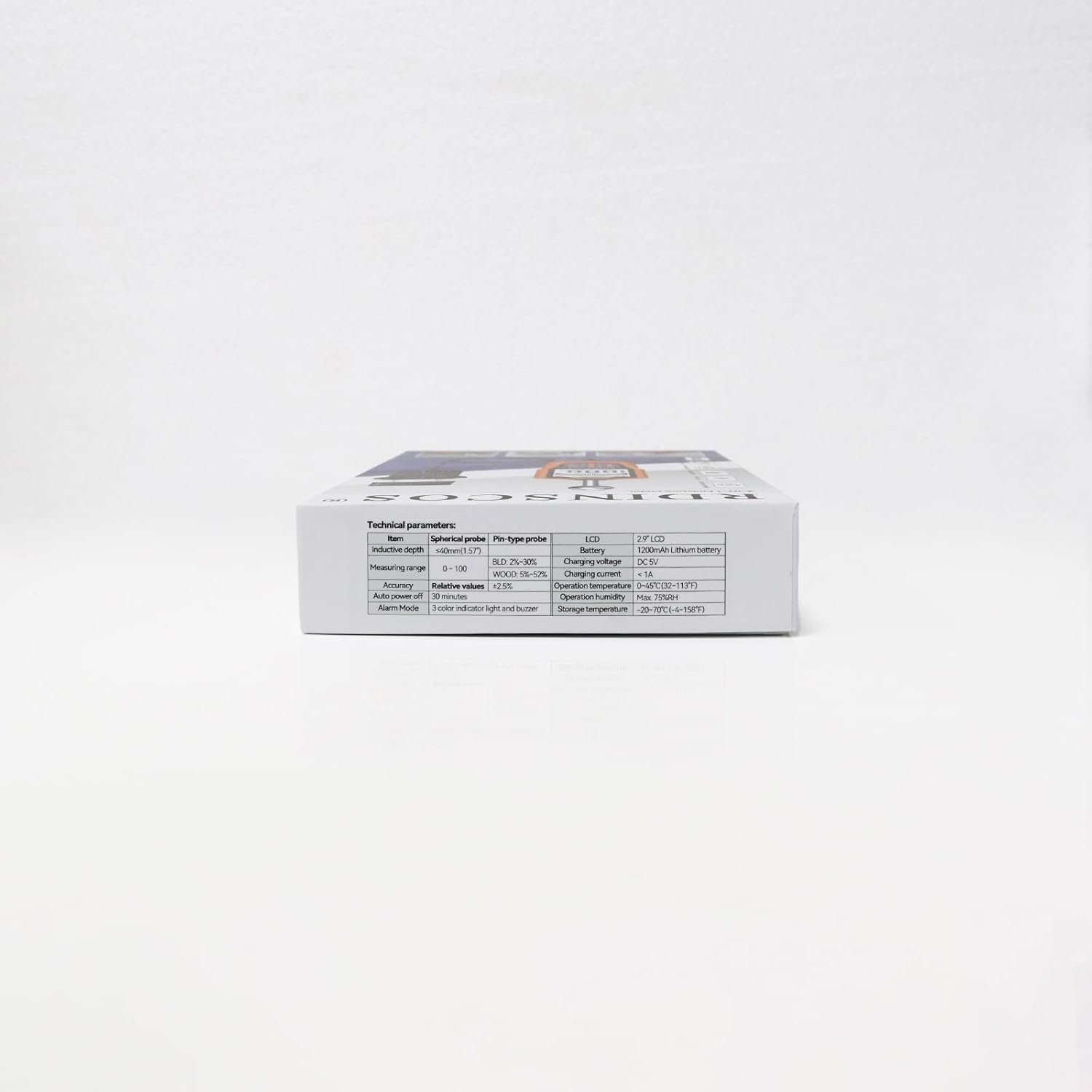
Image 9.1: Technical parameters and specifications as listed on the product packaging.
10. Warranty and Support
For warranty information and customer support, please refer to the contact details provided on the product packaging or visit the official RDINSCOS website. Keep your purchase receipt as proof of purchase for warranty claims.
Manufacturer: SHENZHEN REDDRAGON INSTRUMENTS CO.,LTD
Customer service mail: reddragonmeter@gmail.com

Image 10.1: Back of the product packaging, displaying manufacturer details and customer service contact information.