
Desiontal DK10
Desiontal DK10 High-Speed SD Card Reader User Manual
Model: DK10
1. Product Overview
The Desiontal DK10 is a versatile 2-in-1 device combining a high-speed SD card reader with a secure storage case. Designed for photographers, videographers, and drone enthusiasts, it offers efficient data transfer and organized storage for various memory card types.

Figure 1: Desiontal DK10 High-Speed SD Card Reader and Storage Case. The image shows the black, rectangular device with a carabiner clip, with its internal tray partially extended, revealing multiple memory card slots. Another view of the closed device is shown next to it.
2. Key Features
- Two-in-One Design: Functions as both a high-speed card reader and a protective storage case.
- Large Capacity Storage: Features a drawer card slot design capable of simultaneously storing 4 SD cards, 6 TF (Micro SD) cards, and 2 Nano SIM cards.
- High-Speed Data Transfer: Supports SD4.0 specification SD/TF cards with a transfer rate of up to 5Gbps (USB 3.1, 310+ MB/s), backward compatible with SD3.0/2.0 cards.
- Wide Compatibility: Ideal for cameras, mobile phones, drones, and sports cameras, serving as an efficient creative partner for memory card carrying, replacement, and reading needs.
- Durable and Portable: Equipped with quick climbing buckles for easy attachment to backpacks or clothing, ensuring stress-free outdoor travel. Features IP54 dustproof and splash-proof rating, along with anti-vibration and anti-fall protection.

Figure 2: The Desiontal DK10 functions as both a card reader and a storage box. The image shows the device connected to a laptop via a USB-C cable, with the internal card tray extended, indicating its dual functionality.

Figure 3: The DK10's large capacity storage. This diagram illustrates the internal layout of the storage tray, showing dedicated slots for 4 SD cards, 6 TF cards, and 2 Nano SIM cards, highlighting its organizational capabilities.

Figure 4: High-speed data transfer capabilities. The image details the SD card reading slot and TF card reading slot, emphasizing the USB 3.1 interface with a stated transfer speed of 310+ MB/s, significantly faster than USB 2.0.
3. Package Contents
Please verify that all items are present in your package:
- 1 x Desiontal DK10 High-Speed SD Card Reader and Storage Case
- 1 x USB-C to USB-C Cable (integrated)
- 1 x Carabiner Clip
4. Setup and Installation
4.1 Inserting Memory Cards
- Gently slide out the internal card tray from the main body of the DK10.
- Identify the appropriate slots for your SD, TF (Micro SD), or Nano SIM cards.
- Insert the memory cards into their respective slots, ensuring they are fully seated. The design allows for secure placement to prevent accidental dislodgement.
- Once all cards are inserted, slide the tray back into the main body until it clicks securely into place.
Video 1: Demonstrates the process of inserting and removing memory cards from the Desiontal DK10, as well as connecting it to a camera, drone, smartphone, and tablet for data transfer. The video also shows the device's dustproof, splash-proof, and anti-fall features.
4.2 Connecting to a Device
- Extend the integrated USB-C cable from the DK10.
- Connect the USB-C end of the cable to a compatible port on your computer, smartphone, tablet, or other device.
- The device is plug-and-play and should be recognized automatically by your operating system.
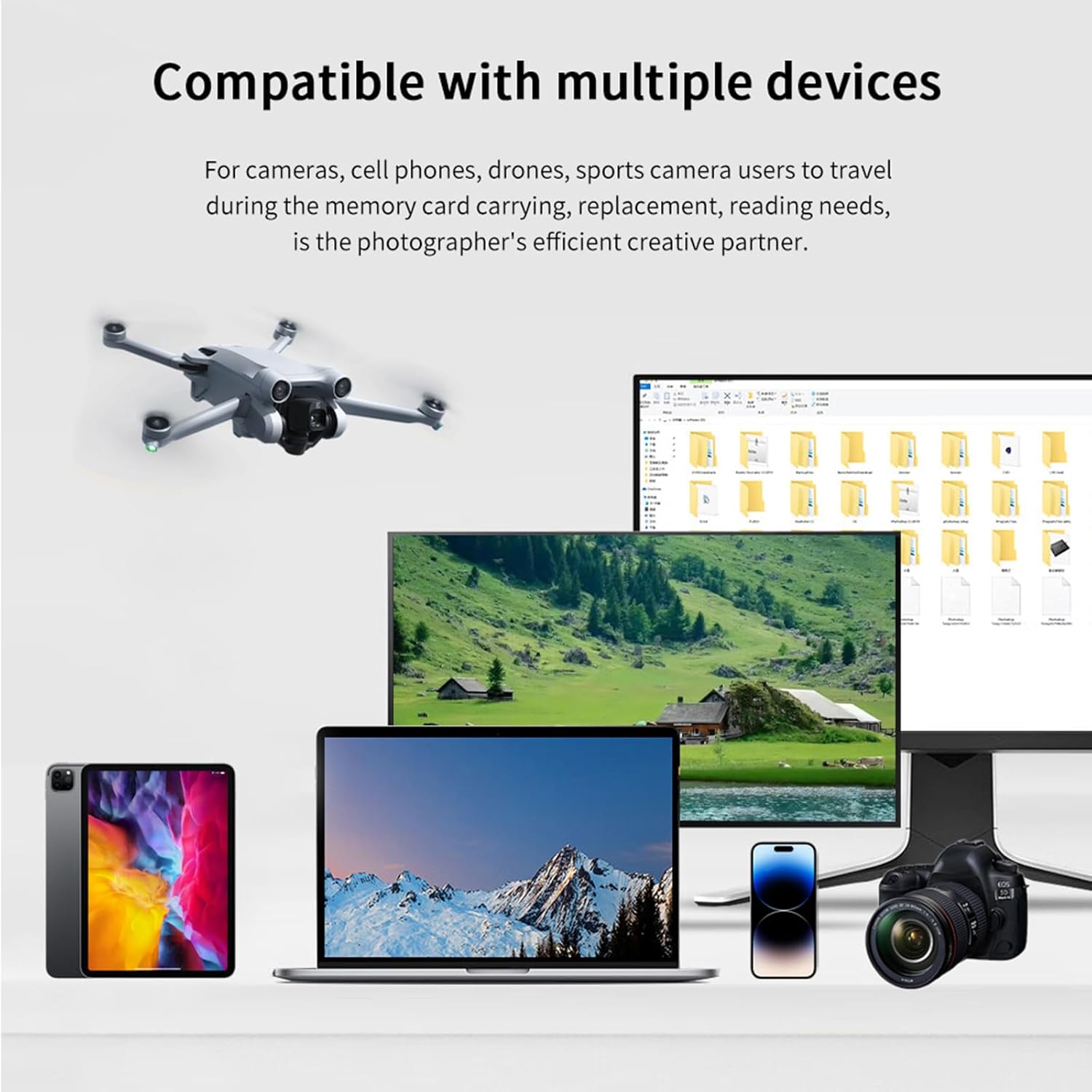
Figure 5: The Desiontal DK10 is compatible with a wide range of devices, including cameras, smartphones, drones, laptops, and tablets, facilitating memory card management for various users.
5. Operation
5.1 Reading Data
Once connected, your device will typically display the inserted memory cards as removable drives. You can then access, copy, move, or delete files as you would with any other storage device.
- Navigate to 'My Computer' or 'This PC' on Windows, or 'Finder' on macOS.
- Look for new drive letters or icons corresponding to your inserted SD or TF cards.
- Open the drive to view and manage your files.
5.2 Dual Card Reading
The DK10 supports simultaneous reading of both SD and TF cards, allowing for efficient data management between different card types.
5.3 Ejecting Safely
Always safely eject the card reader from your device before disconnecting to prevent data corruption. On Windows, right-click the drive icon and select 'Eject'. On macOS, drag the drive icon to the Trash or click the Eject button next to the drive in Finder.
6. Storage and Portability
The Desiontal DK10 is designed for maximum portability and protection of your valuable memory cards.
- Secure Closure: Ensure the internal tray is fully retracted and the case is securely closed when not in use to protect cards from dust and physical damage.
- Carabiner Clip: Utilize the integrated carabiner clip to attach the DK10 to your backpack, camera bag, or belt loop for easy access during travel or outdoor activities.
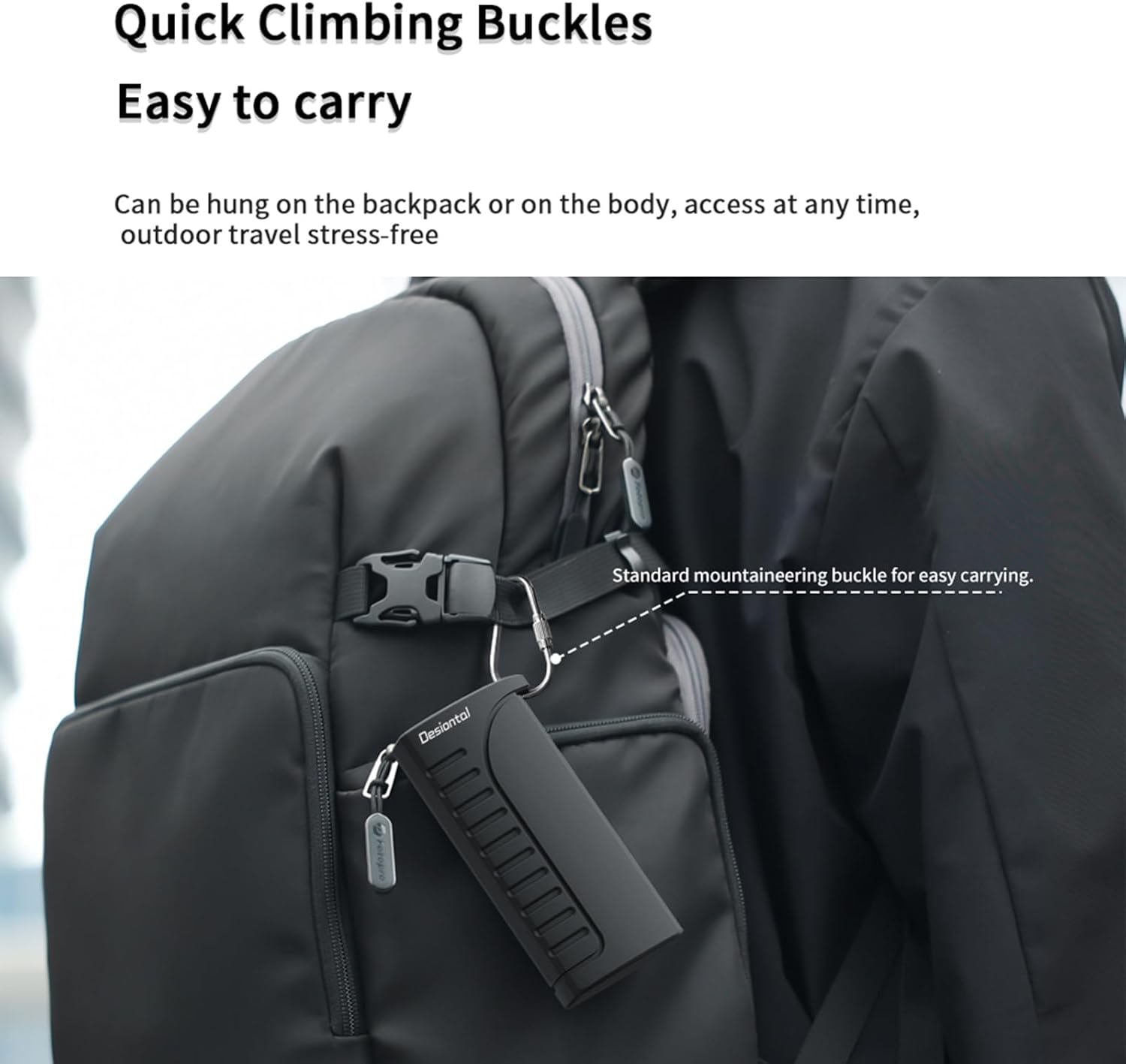
Figure 6: The DK10 features quick climbing buckles for easy portability. The image shows the device clipped to a backpack strap, demonstrating its convenient carry option for outdoor use.
7. Technical Specifications
| Specification | Detail |
|---|---|
| Model | DK10 |
| Brand | Desiontal (ZTIANFOTO) |
| Interface | USB Type-C (USB 3.1) |
| Data Transfer Rate | Up to 5Gbps (310+ MB/s) |
| Compatible Card Types | SD, SDHC, SDXC, Micro SD (TF), UHS-I/II, Nano SIM |
| Storage Capacity | 4 SD cards, 6 TF cards, 2 Nano SIM cards |
| Dimensions | Approximately 21.3 cm (8.39 inches) x 5.2 cm (2.05 inches) x 2.54 cm (1 inch) |
| Weight | Approximately 6.4 ounces |
| Protection Rating | IP54 Dustproof and Splash-proof |
| Additional Features | Anti-vibration, Anti-fall, Integrated Carabiner Clip |

Figure 7: Detailed dimensions of the Desiontal DK10. The image provides measurements in both centimeters and inches for the overall length, the length of the extended tray, and the width of the device.
8. Care and Maintenance
- Cleaning: Use a soft, dry cloth to clean the exterior of the device. Avoid abrasive cleaners or solvents.
- Storage: Store the DK10 in a cool, dry place away from direct sunlight and extreme temperatures.
- Protection: While the device is dustproof and splash-proof (IP54), avoid submerging it in water or exposing it to heavy rain. Ensure the tray is fully closed to maintain its protective features.
- Handling: Handle with care to prevent drops or impacts, although it is designed with anti-fall features, excessive force can cause damage.
9. Troubleshooting
| Problem | Possible Cause | Solution |
|---|---|---|
| Device not recognized by computer/smartphone. | Loose connection, incompatible port, driver issue. | Ensure the USB-C cable is securely connected. Try a different USB-C port or a different device. Restart your computer/smartphone. No specific drivers are usually needed for plug-and-play devices. |
| Memory card not detected. | Card not fully inserted, damaged card, incompatible card format. | Ensure the card is fully and correctly inserted into its slot. Try a different memory card to check if the reader is functional. Check if the card is formatted correctly for your device (e.g., FAT32, exFAT). |
| Slow data transfer speed. | Connected to a USB 2.0 port, old/slow memory card, large file transfers. | Ensure the DK10 is connected to a USB 3.0 or USB 3.1 Type-C port for optimal speed. Use high-speed memory cards (UHS-I/II compatible). Transferring many small files can be slower than a few large files. |
| Tray difficult to slide. | Dust/debris, misaligned cards. | Check for any obstructions or misaligned cards within the tray. Gently clean the tracks if visible debris is present. |
10. Warranty and Support
The Desiontal DK10 High-Speed SD Card Reader comes with a standard manufacturer's warranty. Please refer to the product packaging or the official Desiontal website for specific warranty terms and conditions.
For technical support, troubleshooting assistance, or warranty claims, please contact Desiontal customer service through the contact information provided on your purchase receipt or the official product page.
Manufacturer: Desiontal
Brand: ZTIANFOTO
Date First Available: August 10, 2024
Ask a question about this manual
Ask about setup, troubleshooting, compatibility, parts, safety, or missing instructions. Manuals+ will review the question and use this page’s manual context to help answer it.