
Lightahead LA-GY-JY2024
Lightahead LED Sensory Jellyfish Aquarium Lamp with Bluetooth Speaker User Manual
Model: LA-GY-JY2024
Introduction
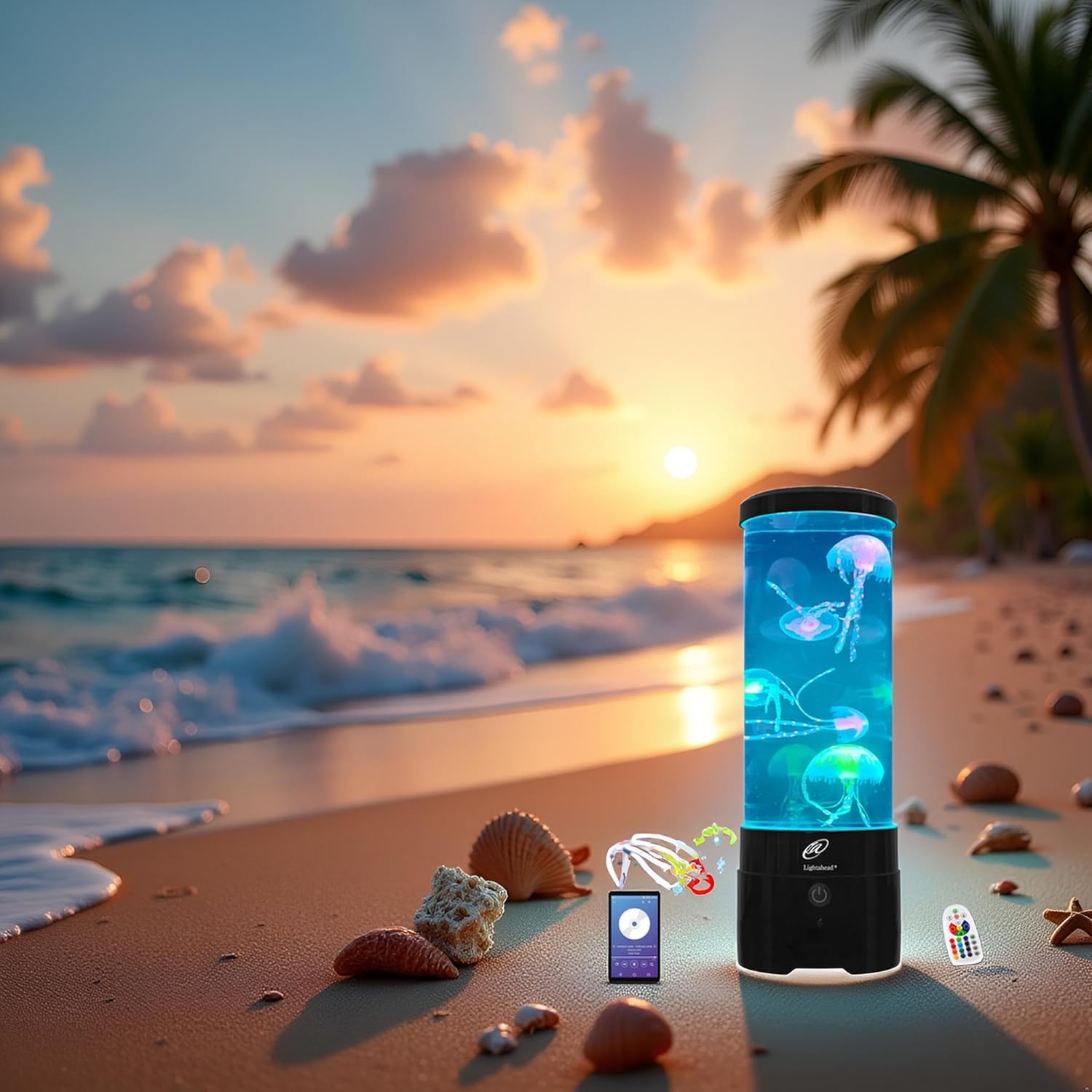
Thank you for purchasing the Lightahead LED Sensory Jellyfish Aquarium Lamp. This product combines the calming visual effect of swimming jellyfish with a Bluetooth speaker and color-changing LED lights to create a tranquil ambiance. Please read this manual carefully before use to ensure proper setup, operation, and maintenance.
Safety Information
- Keep the device away from direct sunlight and high temperatures.
- Do not immerse the electrical components in water.
- Use only the provided USB cable and power adapter (5V 1A).
- Ensure the product is placed on a stable, flat surface.
- This product is not a toy. Keep out of reach of small children without adult supervision.
- Do not attempt to open or repair the device yourself. Contact customer service for assistance.
Package Contents
Please check the package for the following items:
- 1x Lightahead LED Sensory Jellyfish Aquarium Lamp
- 3x Large Jellyfish models
- 3x Small Jellyfish models
- 1x USB Cable
- 1x US Plug Power Adapter (5V 1A)
- 1x Remote Controller (2x AAA batteries not included)
- 2x Stirring Sticks
- 1x User Manual (this document)
Setup Instructions
- Prepare the Lamp: Remove the top cover of the lamp. Fill the aquarium with distilled water up to the fill line.
- Add Detergent: Add 1-2 drops of liquid dish detergent to the water. This helps reduce surface tension, allowing the jellyfish to move freely.
- Insert Jellyfish: Place the jellyfish models into the water. Use the provided stirring sticks to gently push any trapped air bubbles out of the jellyfish and ensure they are fully submerged. This step is crucial for proper jellyfish movement.
- Secure Cover: Replace the top cover securely.
- Power Connection: Connect the USB cable to the lamp and then to the provided power adapter. Plug the adapter into a standard electrical outlet.

Operating Instructions
Powering On/Off
Press the power button on the lamp's base or the "on" button on the remote control to turn the lamp on. Press the power button again or the "off" button on the remote to turn it off.
Remote Control Functions
The remote control allows you to manage the lamp's lighting effects and brightness. Ensure 2x AAA batteries are installed (not included).

- On/Off: Power the lamp on or off.
- Increase/Reduce Brightness: Adjust the intensity of the LED lights.
- Five Main Colors (R, Y, B, G, W): Select Red, Yellow, Blue, Green, or White light.
- Select RGB Colors: Choose from 16 kinds of RGB monochrome colors.
- Color Switching Frequency Control: Cycle through 4 color-changing modes.
Tip: For improved remote control sensitivity, align the remote's RF direction with the control button area of the lamp.
Bluetooth Speaker Operation
The lamp features a built-in Bluetooth 5.3 speaker.
- Activate Bluetooth: Ensure the lamp is powered on. The Bluetooth speaker will automatically enter pairing mode.
- Pair Device: On your smartphone, tablet, or other Bluetooth-enabled device, go to Bluetooth settings and search for available devices. Select "Lightahead Jellyfish Lamp" (or similar name) to pair.
- Play Audio: Once paired, you can play audio from your device through the lamp's speaker.

Maintenance
- Water Replacement: For optimal performance and clarity, it is recommended to replace the water with distilled water approximately once a year, or if the water appears cloudy.
- Cleaning: Gently wipe the exterior of the lamp with a soft, damp cloth. Do not use abrasive cleaners or immerse the unit in water.
- Jellyfish Care: If jellyfish appear to stick together or not move properly, ensure there are no air bubbles trapped inside them. A small amount of dish detergent can be added to the water to help.
Troubleshooting
| Problem | Possible Cause | Solution |
|---|---|---|
| Lamp does not turn on. | No power connection; faulty adapter/cable. | Ensure power adapter is securely plugged in. Try a different outlet. Check USB cable for damage. |
| Jellyfish do not move or float at the top. | Air bubbles trapped in jellyfish; insufficient detergent; water surface tension too high. | Gently push out air bubbles from jellyfish using a stick. Add 1-2 drops of liquid dish detergent to the water and stir gently. |
| Remote control not working. | Batteries dead or incorrectly inserted; remote not aimed correctly. | Replace AAA batteries. Ensure batteries are inserted with correct polarity. Aim the remote directly at the lamp's base. |
| Bluetooth speaker not pairing. | Bluetooth not enabled on device; lamp not in pairing mode; device too far. | Ensure Bluetooth is enabled on your device. Restart the lamp. Keep your device within close range of the lamp. |
Specifications
| Brand | Lightahead |
| Model Number | LA-GY-JY2024 |
| Product Dimensions | 12.95 x 12.95 x 40.64 cm (5.1 x 5.1 x 16 inches) |
| Item Weight | 861.83 g (approx. 1.9 lbs) |
| Material | Acrylonitrile Butadiene Styrene (ABS) |
| Light Source Type | LED (9pcs RGB LEDs) |
| Color Options | 16 monochrome RGB colors, 4 color-changing modes |
| Bluetooth Version | 5.3 |
| Power Input | USB Cable + Adapter (5V 1A) |
| Switch Type | Remote Control / On-device button |
Warranty and Support
For warranty information, please refer to the documentation provided at the time of purchase or contact your retailer.
For technical support or inquiries, please contact Lightahead customer service through their official website or the contact information provided with your product.
Ask a question about this manual
Ask about setup, troubleshooting, compatibility, parts, safety, or missing instructions. Manuals+ will review the question and use this page’s manual context to help answer it.