
Introduction
The UltraCare PRO TENS 1.0 QUAD is a compact and portable Transcutaneous Electrical Nerve Stimulation (TENS) device designed to provide drug-free and non-invasive pain relief. This manual provides essential information for the safe and effective use of your TENS 1.0 QUAD device, including setup, operation, maintenance, and troubleshooting.
Please read this manual thoroughly before using the device and retain it for future reference.

Image: UltraCare PRO TENS 1.0 QUAD device and its retail packaging.
Understanding TENS Therapy
Transcutaneous Electrical Nerve Stimulation (TENS) is a therapeutic method that uses low-voltage electrical currents to alleviate pain. The UltraCare PRO TENS 1.0 QUAD delivers small electrical pulses through electrode pads placed on the skin. These pulses stimulate nerves, which can help reduce pain perception by blocking pain signals to the brain and encouraging the release of endorphins, the body's natural painkillers.
TENS therapy is commonly used for various types of pain, including acute and chronic conditions such as back pain, neck pain, shoulder pain, knee pain, fibromyalgia, joint injuries, and post-operative discomfort.
Product Overview and Key Features
The UltraCare PRO TENS 1.0 QUAD is a versatile and user-friendly device designed for effective pain management. Its key features include:
- Dual Channel Output: Allows for simultaneous treatment of two different areas or larger areas with four electrode pads.
- Rechargeable Battery: Provides convenience and portability, eliminating the need for disposable batteries.
- User-Friendly Display: An intuitive interface for easy navigation and setting adjustments.
- Portable & Lightweight: Designed for ease of transport and use anywhere.
- Travel Friendly: Compact design suitable for use while traveling.
- 25 Preset Modes: A variety of stimulation programs to target different types of pain and muscle groups.
- 50 Intensity Levels: Fine-tuned control over the electrical pulse strength for personalized comfort and effectiveness.

Image: UltraCare PRO TENS 1.0 QUAD device with callouts indicating its key features.
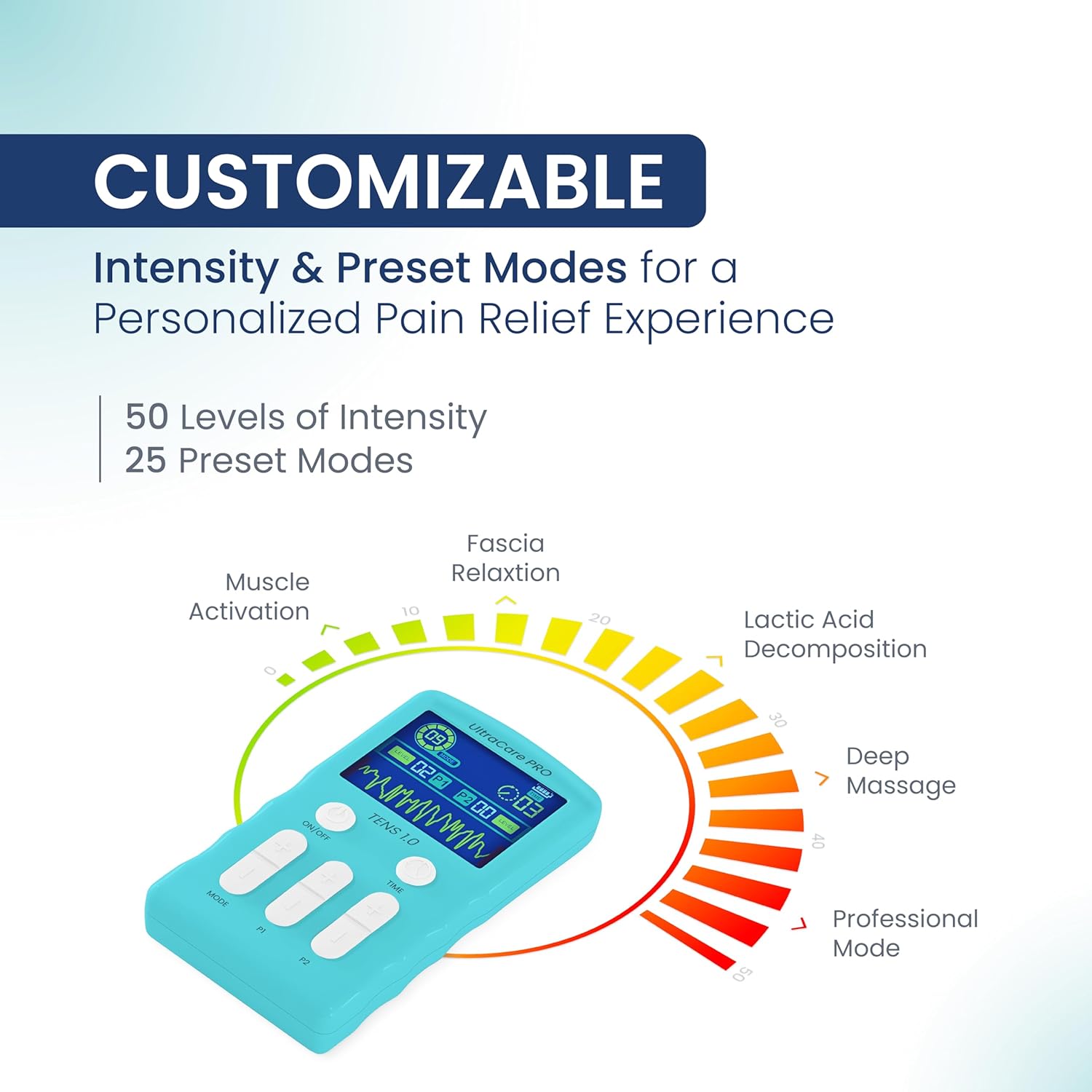
Image: Customizable settings on the TENS 1.0 QUAD, illustrating 50 intensity levels and 25 preset modes for varied pain relief.
Package Contents
Upon opening your UltraCare PRO TENS 1.0 QUAD package, please verify that all the following items are included:
- 1 x UltraCare PRO TENS 1.0 QUAD Device
- 4 x Reusable Self-adhesive Electrode Pads
- 2 x Lead Wires
- 1 x USB Charging Cable
- 1 x Storage Pouch
- 1 x Instruction Manual (this document)
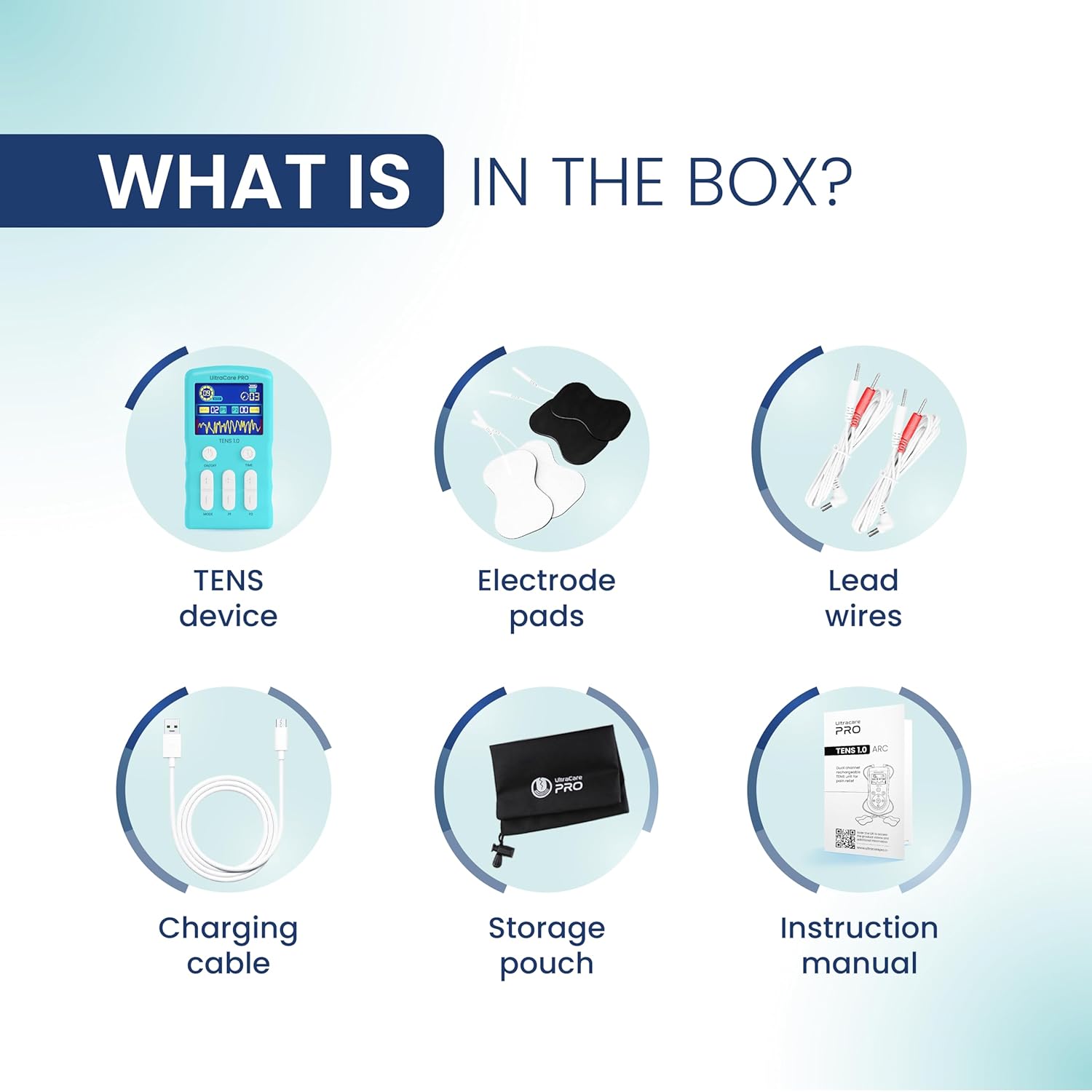
Image: Visual representation of all items included in the TENS 1.0 QUAD package.
Setup and Assembly
- Charge the Device: Before first use, fully charge the TENS 1.0 QUAD device using the provided USB charging cable. Connect the cable to the device's charging port and a compatible USB power source (e.g., computer, USB wall adapter). The charging indicator will show the charging status.
- Connect Lead Wires: Insert the pin connectors of the lead wires into the output ports on the top of the TENS device. The TENS 1.0 QUAD has two independent channels, allowing for up to four pads to be used simultaneously.
- Attach Electrode Pads: Connect the other end of the lead wires to the electrode pads. Ensure a secure connection. Peel the protective film from the adhesive side of the electrode pads.
- Apply Electrode Pads: Clean and dry the skin area where you intend to apply the pads. Place the self-adhesive electrode pads firmly onto the skin. Ensure the pads are placed on healthy, intact skin, avoiding broken or irritated areas. For optimal results, place pads around the painful area, not directly on it, or as advised by a healthcare professional.
Operating Instructions
Follow these steps to operate your UltraCare PRO TENS 1.0 QUAD device:
- Power On/Off: Press and hold the ON/OFF button located on the front of the device to turn it on or off. The display will illuminate upon activation.
- Select a Mode: Press the MODE button to cycle through the 25 available preset modes. Each mode offers a different stimulation pattern. Observe the display to see the selected mode number.
- Adjust Intensity: The device has two independent channels (P1 and P2). Use the P1 and P2 buttons to increase or decrease the intensity for each channel independently. Start with the lowest intensity and gradually increase it until you feel a comfortable, strong, but not painful, sensation. There are 50 intensity levels.
- Set Treatment Time: Press the TIME button to adjust the duration of your treatment session. The available time settings will be displayed. Select a duration appropriate for your needs, typically 15-30 minutes per session.
- Begin Treatment: Once the mode, intensity, and time are set, the device will begin delivering TENS therapy.
- End Treatment: The device will automatically shut off once the set time has elapsed. You can also manually turn off the device at any time by pressing and holding the ON/OFF button.
- Remove Pads: After treatment, gently peel the electrode pads from your skin. Reattach the protective film to the pads and store them in the provided pouch to maintain their adhesive quality.
Safety Information and Precautions
To ensure safe operation and prevent injury, please adhere to the following guidelines:
- Consult a Healthcare Professional: Always consult with a doctor or physiotherapist before using TENS therapy, especially if you have pre-existing medical conditions.
- Do Not Use If: You have a pacemaker, implanted defibrillator, or other implanted metallic or electronic device. You are pregnant. You have epilepsy or a heart condition. You have cancer in the area to be treated.
- Avoid Certain Areas: Do not place electrode pads on your head, face, neck (especially over the carotid sinus), chest, or directly over open wounds, rashes, swollen, infected, or inflamed skin areas.
- Skin Irritation: Discontinue use if you experience skin irritation, redness, or discomfort. Ensure skin is clean and dry before applying pads.
- Keep Out of Reach of Children: This device is not a toy. Store it safely away from children.
- Not for Diagnostic Purposes: This device is for pain relief only and should not be used for diagnostic purposes.
- Do Not Modify: Do not attempt to open or modify the device. This will void the warranty and may cause malfunction or injury.
- Use Only Approved Accessories: Use only the electrode pads and lead wires supplied or recommended by UltraCare PRO.
Maintenance and Care
- Cleaning the Device: Wipe the device with a soft, damp cloth. Do not use abrasive cleaners or immerse the device in water.
- Electrode Pad Care: After each use, reattach the protective film to the adhesive side of the pads. If the pads lose their stickiness, gently clean the adhesive surface with a damp cloth and allow to air dry. Replace pads when they no longer adhere properly.
- Storage: Store the device and accessories in the provided storage pouch in a cool, dry place, away from direct sunlight and extreme temperatures.
- Battery Care: To prolong battery life, avoid fully discharging the device frequently. Charge the device regularly, even if not in use for extended periods.
Troubleshooting
| Problem | Possible Cause | Solution |
|---|---|---|
| Device does not turn on. | Low battery or device not charged. | Charge the device fully using the USB charging cable. |
| No sensation or weak sensation. |
|
|
| Skin irritation under pads. |
|
|
Technical Specifications
- Model: UltraCare PRO TENS 1.0 QUAD
- Power Source: Rechargeable Lithium Ion Battery (included)
- Channels: Dual Channel
- Modes: 25 Preset Modes
- Intensity Levels: 50 Levels
- Product Dimensions: 7 x 12 x 2 cm (L x W x H)
- Item Weight: 118 g
- Color: White and Sea Green
- Manufacturer: Zealmax Innovation Pvt. Ltd
- Country of Origin: India
- Special Feature: Pain Relief
- Cordless: Yes
Warranty and Support
Your UltraCare PRO TENS 1.0 QUAD device comes with a 1-year warranty provided by Zealmax Innovations Pvt. Ltd. Please note the following terms:
- The warranty is non-transferable.
- It is valid for 1 year from the original date of purchase.
- The warranty is applicable only to the main device.
- Accessories (such as electrode pads, lead wires, and charging cable) are not covered under this warranty.
For warranty claims, technical support, or any inquiries regarding your device, please contact Zealmax Innovations Pvt. Ltd. customer service. Keep your purchase receipt as proof of purchase for warranty validation.


