
Introduction
Thank you for choosing the wurzee 52 Inch Flush Mount Ceiling Fan. This manual provides essential information for the safe installation, operation, and maintenance of your new ceiling fan. Please read all instructions carefully before beginning installation and retain this manual for future reference.
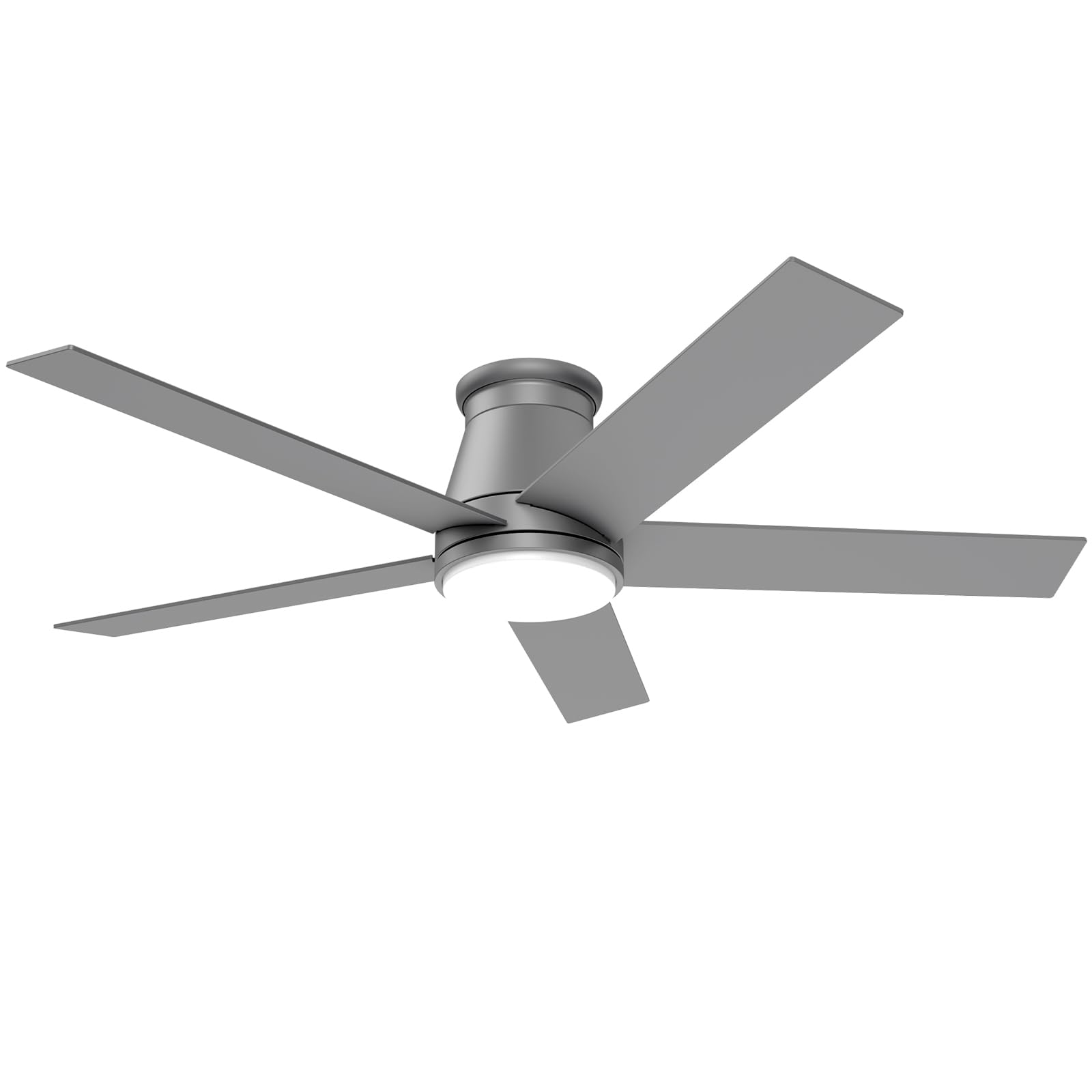
Image: The wurzee 52 Inch Flush Mount Ceiling Fan in Matte Silver, showcasing its sleek design and integrated LED light.
Safety Information
- Always disconnect power at the main circuit breaker before installation or servicing.
- Ensure all electrical connections comply with local codes and ordinances.
- Consult a qualified electrician if you are unsure about wiring procedures.
- Mount the fan to a ceiling outlet box marked "Acceptable for Fan Support of 35 lbs (15.9 kg) or less."
- Do not use with dimmer switches not specifically designed for ceiling fans.
- Keep hands and objects clear of fan blades during operation.
Package Contents
Verify that all components are present before beginning installation:
- Motor Housing (Matte Silver)
- Fan Blades (5, double-sided Matte Silver & Walnut Color)
- LED Light Kit
- Remote Control with Wall Mount Holder
- Mounting Bracket
- Hardware Pack
- Installation Manual
Product Features
- Low Profile Design: Matte Silver motor housing with double-sided Matte Silver & Walnut Color fan blades for a modern aesthetic.
- Dimmable LED Light: Acrylic housing and flicker-free LED light source provide soft, adjustable illumination.
- Quiet Reversible DC Motor: Allows for use in both warm seasons (cooling) and cold seasons (heat dissipation).
- 6-Speed Remote Control: Easily adjust fan speed, light color temperature, dimming, and set a timer.
- 3 Color Temperatures: Select between Warm White (3000K), Natural White (4000K), and Daylight White (6500K).
- Timer Function: Set the fan to turn off automatically after 1, 3, or 6 hours.
- Indoor/Outdoor Use: Suitable for various indoor and outdoor covered spaces.

Image: Close-up view highlighting the flush mount design, dimmable LED light, and the option for double-sided fan blades.
Setup & Installation
Follow these steps for proper installation. It is recommended to have two people for installation.
- Prepare for Installation: Turn off power at the circuit breaker. Ensure the mounting location is secure and can support the fan's weight.
- Install Mounting Bracket: Secure the mounting bracket to the ceiling outlet box using the provided hardware.
- Assemble Fan Blades: Attach the five fan blades to the motor housing. Ensure the desired blade color (Matte Silver or Walnut) is facing down.
- Wire Connections: Carefully connect the fan's wiring to the household wiring according to the wiring diagram in the manual. Ensure all connections are secure.
- Mount Fan to Bracket: Lift the fan assembly and securely attach it to the installed mounting bracket.
- Install LED Light Kit: Connect the LED light kit wiring and secure the light kit to the bottom of the fan motor housing.
- Test Operation: Restore power at the circuit breaker and test all fan and light functions using the remote control.

Image: An exploded view of the wurzee ceiling fan components, illustrating the motor, five blades, and integrated light kit for assembly reference.

Image: A diagram indicating that the fan is suitable for control with standard wall switches for on/off functionality, but not with traditional dimmer switches for speed and brightness control.
Installation Video
Video: An official wurzee video demonstrating the installation process of the ceiling fan, providing visual guidance for users.
Operating Instructions
Your wurzee ceiling fan is operated via the included remote control. Ensure batteries are installed correctly.

Image: A detailed diagram of the remote control, clearly labeling buttons for light on/off, fan speed (1-6), warm white, natural white, daylight white, light brightness adjustment, sleep wind, forward/reverse, and fan timer (1hr, 3hr, 6hr).
- Power On/Off: Press the central power button to turn the fan and light on or off.
- Fan Speed: Use buttons 1-6 to select desired fan speed. (1-2 for sleep wind, 3-4 for natural wind, 5-6 for strong wind).
- Light Control: Press "Light ON" or "Light OFF" to control the light.
- Color Temperature: Select Warm White (WW), Natural White (NW), or Daylight White (DW) for different light moods.
- Light Dimming: Use the "+" and "-" buttons to adjust light brightness.
- Reversible Motor: Press the forward/reverse button to change blade direction for summer (downward airflow) or winter (upward airflow).
- Timer: Set the fan to turn off after 1H, 3H, or 6H.

Image: A visual representation of the fan's reversible motor function, showing downward airflow for cooling in summer and upward airflow for heat distribution in winter.
Maintenance
Regular maintenance ensures optimal performance and longevity of your fan.
- Cleaning: Clean the fan with a soft, damp cloth. Do not use abrasive cleaners or solvents.
- Blade Inspection: Periodically check fan blade screws for tightness.
- Light Cover: Ensure the light cover is securely attached.
- No Lubrication: The motor is permanently lubricated and does not require oiling.
Troubleshooting
If you experience issues with your fan, refer to the following common problems and solutions:
| Problem | Possible Cause | Solution |
|---|---|---|
| Fan does not start | No power to fan; Loose wire connections; Remote not paired. | Check circuit breaker; Verify all wire connections; Re-pair remote control (refer to remote manual). |
| Fan is noisy | Loose fan blades; Mounting bracket not secure. | Tighten all blade screws; Ensure mounting bracket is firmly attached to the ceiling. |
| Light does not work | Loose light kit wiring; Faulty LED module. | Check light kit connections; Contact customer support for LED module replacement. |
| Remote not working | Dead batteries; Remote not paired. | Replace batteries; Re-pair remote control. |
Specifications
| Feature | Detail |
|---|---|
| Brand | wurzee |
| Model Name | DY1153 |
| Size | 52 inch |
| Color | Matte Silver |
| Product Dimensions | 52"D x 52"W x 10.6"H |
| Item Weight | 15.43 pounds |
| Power Source | AC |
| Voltage | 120 Volts |
| Wattage | 24 watts (Light) / 32 watts (DC Motor) |
| Control Method | Remote |
| Number of Power Levels | 6 |
| Special Feature | LED Light, Remote Controlled, Reversible Motor, Dimmable, Timer |
| Indoor/Outdoor Usage | Indoor, Outdoor (Covered) |

Image: A technical drawing illustrating the key dimensions of the 52-inch wurzee ceiling fan, including blade length and overall height.

Image: A helpful guide for selecting the appropriate ceiling fan size based on room dimensions, recommending a 52-inch fan for areas between 144-324 sq ft.
Warranty & Support
The wurzee 52 Inch Flush Mount Ceiling Fan comes with a 3-year warranty from the date of purchase. This warranty covers defects in materials and workmanship under normal use.
For warranty claims, technical support, or replacement parts, please contact wurzee customer service through your original point of purchase or visit the official wurzee website for contact information.