
1. Introduction and Safety Information
This manual provides essential instructions for the safe and efficient operation, maintenance, and troubleshooting of your ILIBILIB HX56 2-in-1 SMD Hot Air Rework Station. Please read this manual thoroughly before use and retain it for future reference.
1.1 Safety Precautions
- Electrical Safety: Ensure the unit is connected to a grounded power outlet. Do not operate with wet hands or in damp environments. Disconnect power before cleaning or maintenance.
- Heat Hazard: The soldering iron tip and hot air nozzle reach very high temperatures. Avoid direct contact with skin or flammable materials. Allow components to cool before handling.
- Ventilation: Use the station in a well-ventilated area to avoid inhaling solder fumes. Consider using a fume extractor.
- ESD Protection: The unit features ESD-safe design. Always use appropriate ESD precautions (e.g., wrist strap, mat) when working with sensitive electronic components.
- Children and Pets: Keep the device out of reach of children and pets.
- Proper Use: Use the station only for its intended purpose of soldering and desoldering electronic components.
1.2 Package Contents
Verify that all items are present in the package:
- ILIBILIB HX56 Control Unit
- Hot Air Gun
- Soldering Iron
- Soldering Iron Stand with Cleaning Sponge
- 5 x Replaceable Soldering Tips
- 3 x Hot Air Nozzles
- Solder Wire (30g)
- Desoldering Pump
- Brass Wool Tip Cleaner
- ESD Safe Tweezer
- Power Cord
- User Manual (this document)

Image 1.1: Overview of the ILIBILIB HX56 2-in-1 Soldering Rework Station and its complete accessory kit.
2. Setup Instructions
Follow these steps to set up your rework station:
- Unpack: Carefully remove all components from the packaging.
- Placement: Place the control unit on a stable, heat-resistant, and ESD-safe surface. Ensure adequate clearance for ventilation.
- Connect Hot Air Gun: Plug the hot air gun connector into the "REWORK" port on the left side of the control unit. Place the hot air gun into its designated holder on the side of the unit.
- Connect Soldering Iron: Plug the soldering iron connector into the "SOLDER" port on the right side of the control unit. Place the soldering iron into its stand.
- Power Connection: Connect the power cord to the back of the control unit and then to a grounded electrical outlet.

Image 2.1: Illustration of the hot air gun and soldering iron connected to the main control unit, highlighting the dual functionality.
3. Operating Instructions
3.1 General Operation
- Power On: Flip the main power switch (located at the bottom center) to the "ON" position.
- Individual Power: Use the "REWORK" and "SOLDER" switches to activate the respective tools.
- Temperature Display: The digital LED display shows the set temperature.
3.2 Soldering Iron Operation
- Activate: Turn on the "SOLDER" switch.
- Set Temperature: Use the "UP" and "DOWN" buttons in the "SOLDER" section to adjust the desired temperature. The adjustable range is 392-896°F (200-480°C). Press "SET" to confirm.
- Heating: The iron will rapidly heat to the set temperature. The display will show the current temperature.
- Soldering: Once the temperature is stable, you can begin soldering.
- Tip Replacement: Ensure the iron is cool before replacing tips. Unscrew the retaining nut, remove the old tip, insert a new one, and tighten the nut.

Image 3.1: The soldering iron in operation, demonstrating its rapid heating capability and adjustable temperature range.
3.3 Hot Air Gun Operation
- Activate: Turn on the "REWORK" switch.
- Set Temperature: Use the "UP" and "DOWN" buttons in the "REWORK" section to adjust the desired temperature. The adjustable range is 212-896°F (100-480°C). Press "SET" to confirm.
- Adjust Airflow: Use the "AIR" knob to adjust the airflow volume. There are 8 speed settings.
- Heating: The hot air gun will rapidly heat to the set temperature.
- Desoldering/Rework: Direct the hot air stream onto the component to be desoldered or reworked.
- Nozzle Replacement: Ensure the hot air gun is cool. Select the appropriate nozzle and attach it securely to the gun.
- Auto Sleep/Start: When the hot air gun is placed in its holder, it will automatically cool down to 80°C and enter standby mode ("SLP" or "OFF" displayed). Picking it up will automatically resume heating to the set temperature.

Image 3.2: Cross-section view of the hot air gun's heating element, demonstrating its 700W rapid heating capability.

Image 3.3: Illustration of the silent brushless turbo blower, which provides smooth and adjustable airflow through 8 speed settings.
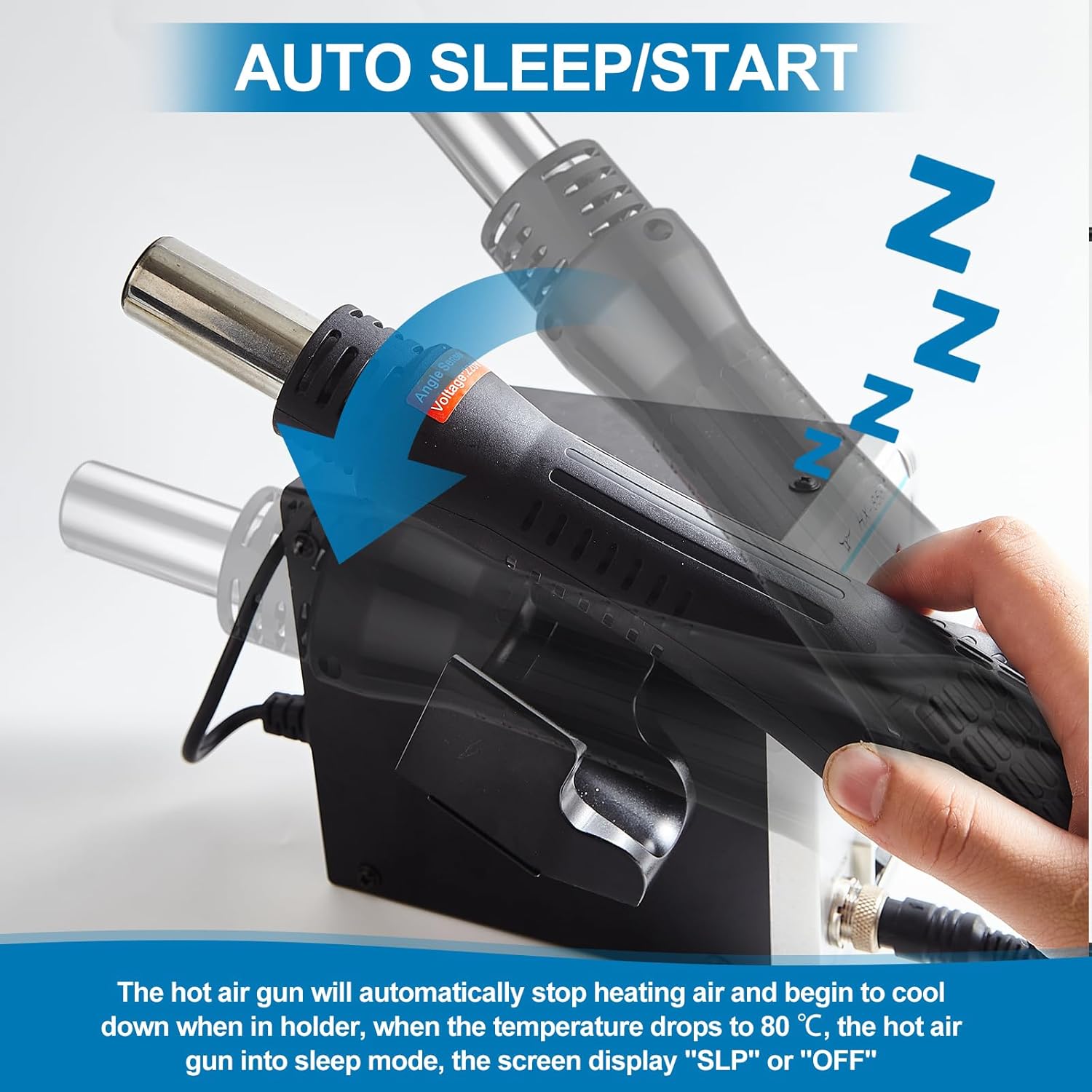
Image 3.4: The hot air gun's auto sleep/start function, showing it cooling down and entering standby when placed in its holder.
4. Advanced Functions
4.1 Intelligent Temperature Control (PID)
The HX56 station incorporates a built-in PID (Proportional-Integral-Derivative) program. This system continuously monitors and corrects the actual temperature at high speed, ensuring fast temperature compensation and maintaining precise temperature accuracy for your projects.
4.2 Temperature Calibration
The unit supports temperature calibration to ensure optimal accuracy. Refer to the detailed instructions in the printed manual for the specific calibration procedure, which typically involves using a temperature meter to measure the actual tip/air temperature and adjusting the offset on the unit.
4.3 ESD Safe Design and Fail-Safe Protection
- ESD Safe: The design helps prevent electrostatic discharge or leakage current from damaging sensitive electronic components during rework.
- Fail-Safe: If the hot air gun experiences an abnormal stop in airflow during operation, the system will automatically trigger an alarm and cut off power to the heating element. This safety feature prevents overheating and potential damage.
5. Maintenance
Regular maintenance ensures the longevity and optimal performance of your rework station.
- Soldering Tip Cleaning: Regularly clean soldering tips using the brass wool cleaner provided. This removes oxidation and solder residue, improving heat transfer and tip lifespan.
- Sponge Maintenance: Keep the cleaning sponge damp (not soaking wet) for wiping the soldering iron tip. Replace the sponge when it becomes worn or heavily soiled.
- Hot Air Nozzle Cleaning: Periodically inspect and clean hot air nozzles to ensure unobstructed airflow. Use a soft brush or cloth.
- Unit Cleaning: Wipe the control unit with a soft, dry cloth. Do not use abrasive cleaners or solvents. Ensure the unit is unplugged before cleaning.
- Storage: Store the station in a clean, dry environment when not in use.
6. Troubleshooting
If you encounter issues, refer to the following common problems and solutions:
| Problem | Possible Cause | Solution |
|---|---|---|
| Unit does not power on. | No power from outlet; power cord loose; main power switch off. | Check power outlet; ensure power cord is securely connected; turn main power switch on. |
| Soldering iron not heating. | "SOLDER" switch off; iron not connected properly; faulty heating element/tip. | Turn "SOLDER" switch on; re-connect iron; replace tip; contact support if issue persists. |
| Hot air gun not heating or no airflow. | "REWORK" switch off; gun not connected properly; airflow knob set to minimum; fail-safe activated. | Turn "REWORK" switch on; re-connect gun; adjust airflow knob; check for "SLP" or "OFF" display and ensure gun is out of holder. |
| Temperature display inaccurate. | Needs calibration. | Perform temperature calibration as per manual instructions. |
If the problem persists after attempting these solutions, please contact ILIBILIB customer support.
7. Specifications
| Feature | Specification |
|---|---|
| Model | HX56 |
| Input Voltage | AC 110-120V / 220-240V (Region Dependent) (Note: Product data listed 230V DC, but typically these units use AC mains power. Please verify your local voltage requirements.) |
| Hot Air Gun Power | 700W |
| Hot Air Gun Temperature Range | 212-896°F (100-480°C) |
| Soldering Iron Power | 60W |
| Soldering Iron Temperature Range | 392-896°F (200-480°C) |
| Airflow Type | Brushless Fan, Soft Air |
| Airflow Volume | Up to 120 L/min (Adjustable) |
| Display Type | Digital LED |
| Dimensions (Control Unit) | 5.91 x 3.74 x 5.12 inches (15 x 9.5 x 13 cm) |
| Weight | 3.31 pounds (1.5 kg) |
8. Warranty and Support
For warranty information, technical support, or service inquiries, please contact ILIBILIB customer support directly. Refer to the contact details provided with your purchase or visit the official ILIBILIB website.
Please have your model number (HX56) and purchase date available when contacting support.