
1. Introduction
The PEFEEL SG7 Smart Portable Guitar Neck is an innovative instrument designed for guitar practice, learning, and performance. Its compact size and advanced features make it ideal for beginners and experienced players alike. This manual will guide you through the setup, operation, and maintenance of your SG7 Smart Guitar Neck.

Image 1.1: The PEFEEL SG7 Smart Portable Guitar Neck and its included carrying case, highlighting its compact design.
2. Product Overview
The SG7 combines portability with smart learning capabilities. Key features include:
- Compact and lightweight design (53cm x 8cm x 5cm, 730g).
- Integrated LCD for real-time feedback.
- Dual sound modes: silent practice with headphones or loudspeaker output.
- Switchable acoustic and electric guitar tones.
- No tuning required; adjustable string tension.
- Built-in digital capo and stereo metronome.
- AI-powered learning functions: micro-motion mirroring, grid practice, scale practice, chord conversion practice.
- MIDI connectivity via USB for music notation software.
- Bluetooth connectivity for mobile apps like GarageBand.
- Long-lasting 2000mAh built-in lithium battery.
- Bilingual menu support (Chinese/English).

Image 2.1: Visual representation of the PEFEEL SG7's core features, including portability, AI learning, and connectivity.
3. Setup
3.1. Charging the Device
Before first use, fully charge your PEFEEL SG7. Connect the included Micro USB cable to the guitar's charging port and the other end to a DC 5V charger (also included). The battery indicator on the LCD will show charging status. A full charge provides approximately 8-10 hours of use.
3.2. Powering On/Off
Locate the power button on the device. Press and hold the power button for a few seconds to turn the guitar on or off. The LCD screen will illuminate upon startup.
3.3. Language Selection
The system supports both Chinese and English menus. Refer to the on-screen prompts or the settings menu to switch between languages according to your preference.
4. Operating Instructions
4.1. Sound Output Modes
- Silent Mode: Connect headphones to the 3.5mm stereo headphone jack for private practice. This mutes the built-in speaker.
- Loudspeaker Mode: Disconnect headphones to enable the built-in 4Ω 5W high-fidelity speaker.
Adjust the volume using the turntable independent volume knob located on the device.
4.2. Tone Selection
The SG7 offers both acoustic and electric guitar tones. These can be switched at will, allowing you to explore different musical styles. The sound sources are derived from high-fidelity recordings of premium guitars, featuring 44.1KHz sampling frequency and 32-bit sampling accuracy.

Image 4.1: The SG7 can produce a variety of instrument tones, including acoustic and electric guitar sounds.
4.3. Tuning and String Tension
The SG7 does not require traditional tuning. Its sound sources are pre-adjusted, meaning the pitch remains consistent regardless of string tension. Users can adjust the tightness of the customized guitar steel strings using the patented adjustable spring cable studs at the tail of the guitar to suit personal playing feel without affecting the pitch.
4.4. Digital Capo
The built-in digital capo allows you to transpose your playing. You can switch between lowering a whole tone, lowering a half tone, or clamping from the first fret up to the thirteenth fret. This feature eliminates the need for a physical capo and expands your playing range.
4.5. Stereo Metronome
Utilize the integrated stereo metronome to improve your rhythm. It supports various rhythms (1/4, 2/4, 3/4, 4/4, 6/8) and adjustable beat speeds from 10 to 200 BPM. The metronome provides both animated visual cues and audible beats.
4.6. Smart Self-Learning Functions (AI Features)
The SG7 incorporates AI technology to assist with learning and practice.
- Micro-motion Mirroring: The high-resolution LCD displays a real-time model of the guitar's fingerboard and the playing status of all six strings. It provides immediate feedback on left-hand fingering (virtual pressing, mispressing) and right-hand playing accuracy (finger-picking, strumming).
- AI Grid Practice: Practice various grid exercises with real-time intelligent judgment. The LCD and metronome provide prompts, and after each session, the AI system rates your accuracy, rhythm, and speed with stars and encouraging comments. Practice methods include ascending, descending, and staggered patterns, with speeds from 10bpm to 200bpm.
- AI Scale Practice: Five built-in scale practices (Mi, Sol, La, Si, Re scales) are available. The system displays scale charts and provides real-time correctness feedback. Post-practice AI scoring evaluates accuracy, rhythm, and speed. Speeds are adjustable from 10bpm to 200bpm.
- AI Chord Conversion Practice: Practice 11 categories of chords (major, minor, 7th, m7, maj7, 9th, 6th, m9, m6, sus4, sus2), each containing 7 common chords. The system uses AI to judge fingering in real-time, progressing to the next chord once the current one is held correctly for a fixed duration.

Image 4.2: The LCD screen of the SG7 displaying various AI learning modes, including micro-motion mirroring, finger exercises, scale exercises, and chord conversion exercises.
4.7. MIDI Connectivity
The SG7 features a built-in USB2.0 Micro USB interface. Connect it to a computer using the provided USB data cable. It is driver-free and compatible with music notation software such as Guitar Pro, allowing you to easily generate musical scores from your playing.

Image 4.3: The SG7 connected to a computer, demonstrating its compatibility with music production software like GarageBand, Logic Pro X, Sample Tank, and Ableton Live Lite for composing and playing various instrument sounds.
4.8. Mobile App Connectivity
The smart guitar includes a built-in data module for connecting to mobile applications that support standard MIDI. For example, it can connect to GarageBand, allowing you to play various instrument sounds and record your own compositions directly through the app.

Image 4.4: The SG7 paired with a tablet, illustrating its mobile app connectivity for interactive learning and practice.
5. Maintenance
5.1. Cleaning
Wipe the guitar neck with a soft, dry cloth. Avoid using abrasive cleaners or solvents that could damage the finish or electronic components.
5.2. Battery Care
To prolong battery life, avoid completely discharging the battery frequently. Recharge the device when the battery level is low. If storing the device for an extended period, ensure it has a partial charge (around 50%) and recharge it every few months.
5.3. String Care
The SG7 uses customized steel strings. While they do not require tuning, regular cleaning can extend their lifespan. If strings become worn or damaged, contact customer support for replacement options.
5.4. Storage
Store the SG7 in its carrying case in a cool, dry place, away from direct sunlight and extreme temperatures, to protect its electronic components and carbon fiber construction.
6. Troubleshooting
- Device does not power on:
- Ensure the battery is charged. Connect the device to the charger and wait a few minutes before attempting to power on again.
- Verify the power button is pressed and held correctly.
- No sound from speaker/headphones:
- Check the volume knob and ensure it is turned up.
- If using headphones, ensure they are fully plugged into the 3.5mm jack.
- If using the speaker, ensure headphones are disconnected.
- MIDI or App connection issues:
- For USB MIDI, ensure the cable is securely connected to both the guitar and the computer. Try a different USB port.
- For mobile app connection, ensure Bluetooth is enabled on your mobile device and the guitar is discoverable/paired correctly within the app.
- Some users have reported minor latency (lag) when connected to mobile apps. This can sometimes be mitigated by closing other background applications on your mobile device.
- Inconsistent note triggering or missed notes:
- The SG7's sensors are sensitive. Ensure clean and precise finger placement and strumming/picking technique.
- Some strings may exhibit varying sensitivity. Practice consistent pressure and attack across all strings.
- Avoid accidental brushing of strings with your hand, as this can cause phantom triggers.
- LCD screen not displaying correctly:
- Try restarting the device.
- Ensure the device is not exposed to extreme temperatures.
7. Specifications
| Model Number | SG7 |
| Dimensions (L x W x H) | 53cm x 8cm x 5cm (21 x 3 x 2 inches) |
| Weight | 730g (3.53 ounces) |
| Battery | 2000mAh Lithium Ion (included) |
| Battery Life | 8-10 hours |
| Power Input | DC 5V 1A |
| MIDI Output | USB2.0 Micro-B (driver-free) |
| Audio Output | 3.5mm Stereo Headphone Jack, Built-in 4Ω 5W Speaker |
| System Language | English, Chinese |
| Materials | Carbon Fiber (Back, Body, Fretboard, Neck, Top) |
| Number of Strings | 6 (Nickel Steel) |
| Scale Length | 18 Inches |
| Digital Capo Range | Flattened, Half-tone Lowered, 1st to 13th Fret |
| Metronome Speed | 10-200 BPM |
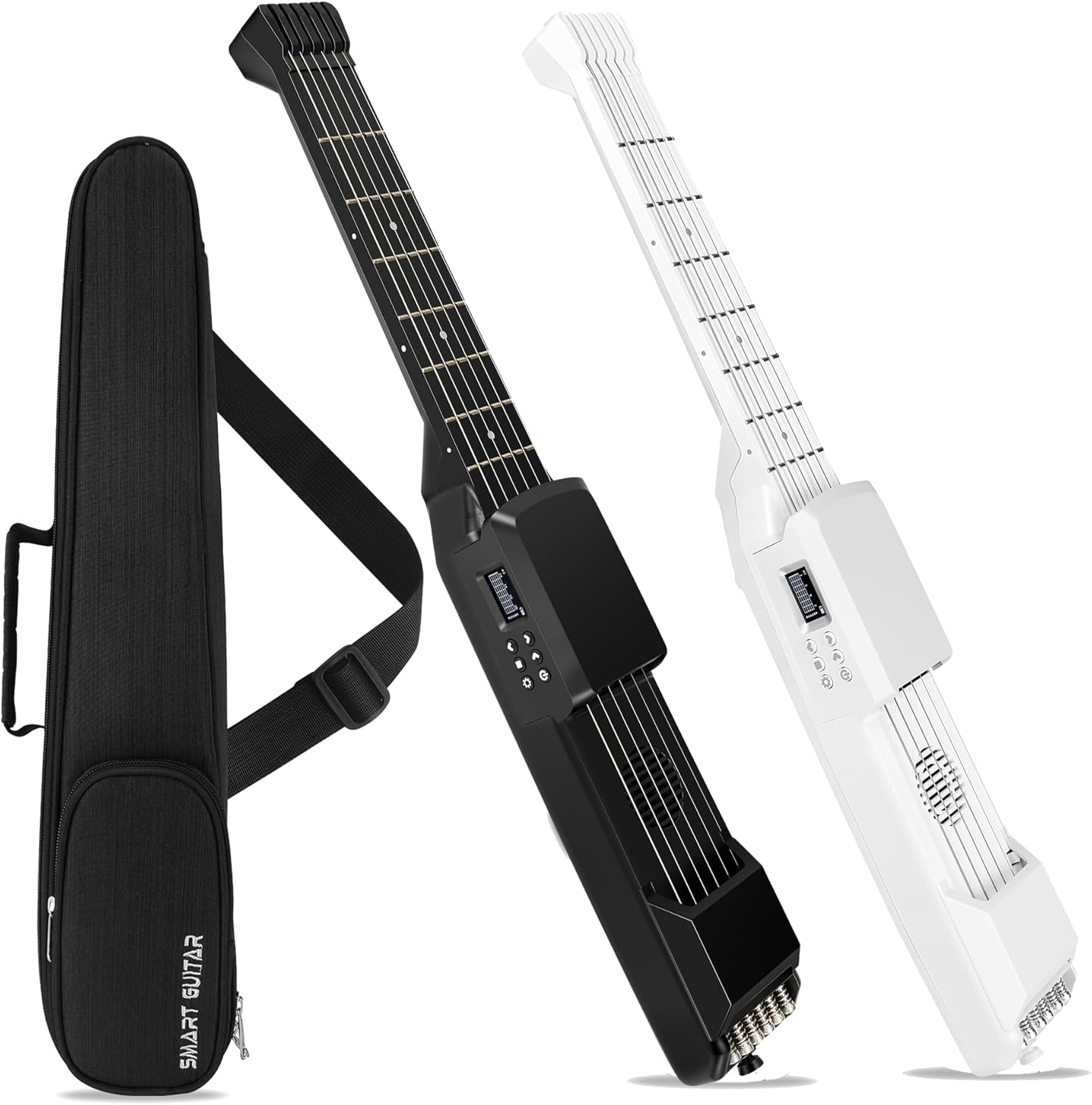
Image 7.1: Detailed dimensions of the PEFEEL SG7 Smart Portable Guitar Neck and its carrying case.
8. Warranty and Support
For warranty information, technical support, or service inquiries, please refer to the official PEFEEL website or contact PEFEEL customer support directly. Keep your purchase receipt as proof of purchase for any warranty claims.
Contact Information: Please visit the manufacturer's official website for the most up-to-date contact details.


