
X-Sense SC06-WX
X-Sense Wi-Fi Smoke and Carbon Monoxide Detector
Model: SC06-WX User Manual
1. Introduction
This user manual provides important information on the operation and maintenance of your X-Sense SC06-WX Wi-Fi Smoke and Carbon Monoxide Detector. Please read this manual thoroughly before installation and use, and retain it for future reference.
The X-Sense SC06-WX is a 2-in-1 smart detector designed to protect your home from both smoke and carbon monoxide (CO) hazards. It connects directly to your 2.4 GHz Wi-Fi network, allowing for remote monitoring and control via the X-Sense Home Security app.

Image: The X-Sense SC06-WX detector, a white circular device with a central test/silence button and a speaker grille.
2. Safety Information
Important: This device is not compatible with the SBS50 base station and does not support interconnection functionality.
- Do not paint the detector. Paint can clog the openings and interfere with the sensor's ability to detect smoke or CO.
- Do not install in areas with high humidity, extreme temperatures, or excessive dust.
- Regularly test the detector as per the instructions.
- Never ignore an alarm. Investigate the cause immediately.
3. Package Contents
Upon opening the package, verify that all components are present and in good condition:
- 1 × SC06-WX Smoke and Carbon Monoxide Detector
- 1 × CR123A Battery
- 2 × Screws
- 2 × Anchor Plugs
- 1 × User Manual

Image: The SC06-WX detector, its packaging, and included mounting hardware (screws and anchors).
4. Product Features
- 2-in-1 Protection: Detects both smoke and carbon monoxide using photoelectric and electrochemical sensors.
- Wi-Fi Connectivity: Connects directly to your 2.4 GHz Wi-Fi network for app control and remote monitoring. No base station required.
- App Control: Silence alarms, receive real-time notifications (alarm, low battery, malfunction), and monitor device status via the X-Sense Home Security app.
- Device Sharing: Share access to the detector with up to 12 other users through the app.
- Preventative CO Alert: Receive an early warning if CO levels exceed 100 ppm.
- 10-Year Sensor Life: Provides accurate detection for an extended period.
- Replaceable Battery: Uses a CR123A battery that can be easily replaced.

Image: Diagram showing the detector sensing both smoke and CO, highlighting its dual functionality.
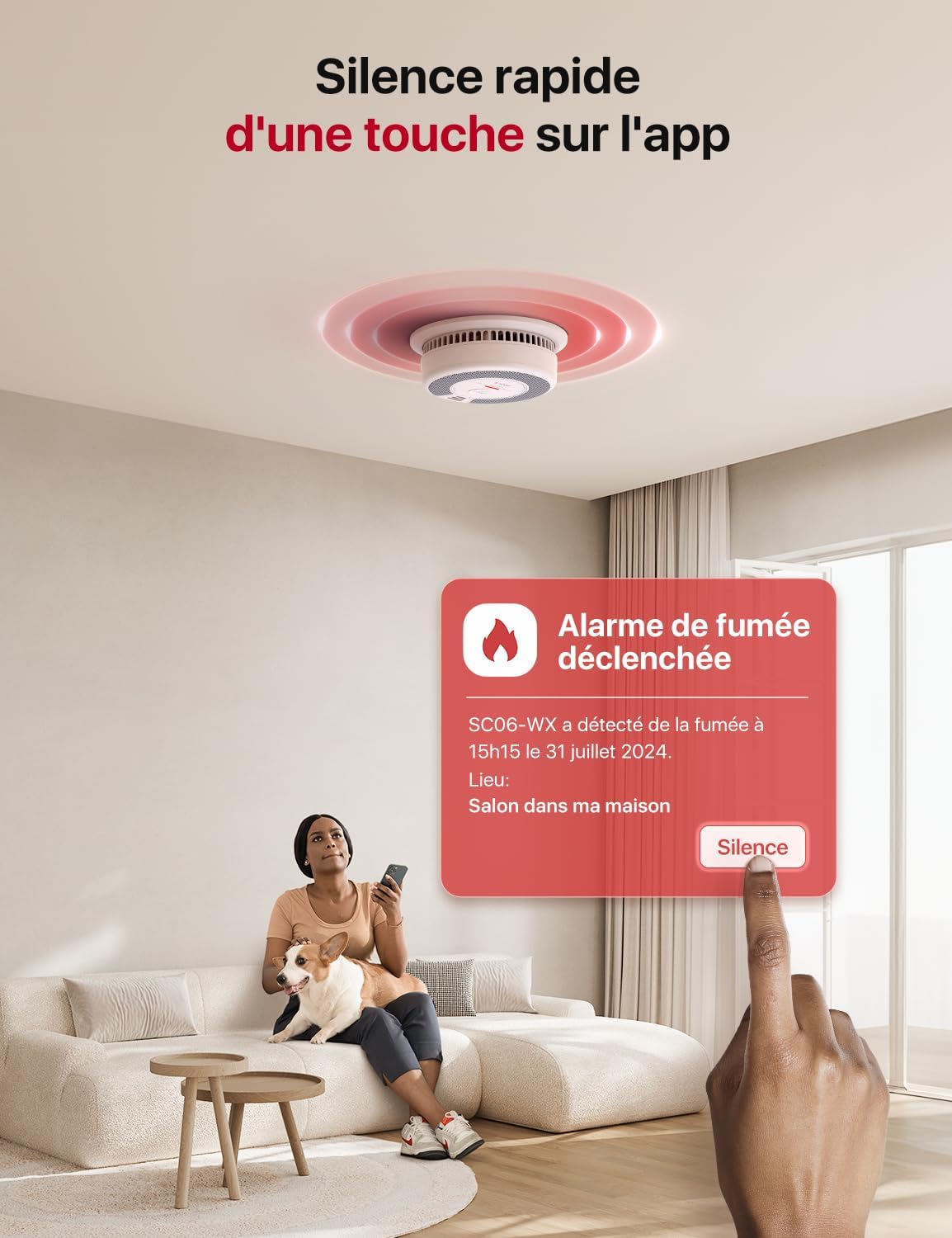
Image: The detector with Wi-Fi signals and a phone icon, indicating direct 2.4 GHz Wi-Fi connectivity.

Image: Cutaway view of the detector showing the sensor and an illustration of the replaceable CR123A battery.
5. Setup and Installation
5.1 Battery Installation
Open the battery compartment on the back of the detector. Insert the provided CR123A battery, ensuring correct polarity. Close the compartment securely.
5.2 App Download and Account Creation
Download the "X-Sense Home Security" app from your smartphone's app store (iOS or Android). Create an account and log in.
5.3 Device Pairing (Wi-Fi Connection)
- Open the X-Sense Home Security app.
- Select "Add Device" or the '+' icon.
- Choose the SC06-WX detector from the list of available products.
- Follow the on-screen instructions to connect the detector to your 2.4 GHz Wi-Fi network. You may need to enter your Wi-Fi password.
- Once successfully paired, the app will confirm the device has been added.

Image: A visual guide showing the steps to pair the SC06-WX detector with the X-Sense Home Security app, including selecting the product, connecting to Wi-Fi, and successful addition.
5.4 Mounting Location
For optimal protection, install smoke and CO detectors on every level of your home, inside each sleeping area, and outside every sleeping area. Avoid installing near vents, windows, or in dead air spaces.
5.5 Physical Installation
- Choose a suitable mounting location on a wall or ceiling.
- Use the mounting bracket as a template to mark the screw holes.
- Drill holes and insert the anchor plugs if mounting into drywall or plaster.
- Secure the mounting bracket with the provided screws.
- Attach the detector to the mounting bracket by twisting it clockwise until it clicks into place.
6. Operating the Detector
6.1 Testing the Detector
Press the "TEST/SILENCE" button on the detector. The alarm will sound, and the LED indicator will flash. This confirms the detector is functioning correctly. Perform this test weekly.
6.2 Silencing an Alarm
If a nuisance alarm occurs (e.g., from cooking smoke), you can silence the alarm by pressing the "TEST/SILENCE" button on the device or by using the "Silence" button within the X-Sense Home Security app.

Image: A person silencing an alarm through the X-Sense Home Security app on their smartphone, showing the app interface with a "Silence" button.
6.3 App Notifications and Remote Monitoring
The X-Sense Home Security app provides real-time alerts to your smartphone, even when you are away from home. These notifications include:
- Smoke/CO Alarm Triggered
- Low Battery Warning
- Device Malfunction
- Device Silenced

Image: A person viewing various notifications from the X-Sense Home Security app on their smartphone, including low battery, detector silenced, and alarm triggered alerts.
You can also share device access with family and friends through the app, allowing multiple users to receive alerts and monitor the detector's status.

Image: An illustration of the device sharing feature, showing a user sharing an alarm notification with multiple contacts via the app.
7. Maintenance
7.1 Battery Replacement
When the battery is low, the detector will emit a chirp and send a low battery notification to your app. Replace the CR123A battery promptly. To replace:
- Twist the detector counter-clockwise to remove it from the mounting bracket.
- Open the battery compartment.
- Remove the old battery and insert a new CR123A battery, observing polarity.
- Close the compartment and reattach the detector to the mounting bracket.
- Test the detector after battery replacement.
7.2 Cleaning the Detector
Clean the detector at least once a month to remove dust and debris. Use a soft, damp cloth to wipe the exterior. Do not use cleaning solvents or spray directly onto the detector.
8. Troubleshooting
| Problem | Possible Cause | Solution |
|---|---|---|
| Detector chirps periodically. | Low battery. | Replace the CR123A battery. |
| Alarm sounds without apparent smoke/CO. | Nuisance alarm (e.g., cooking fumes, steam), dust accumulation, or detector malfunction. | Silence the alarm via button or app. Ventilate the area. Clean the detector. If false alarms persist, contact support. |
| Cannot connect to Wi-Fi. | Incorrect Wi-Fi password, 5 GHz network, or weak signal. | Ensure you are connecting to a 2.4 GHz network. Double-check the Wi-Fi password. Move the detector closer to the router. |
| No app notifications. | App permissions, network issues, or notification settings. | Check app notification permissions on your phone. Ensure the detector is connected to Wi-Fi. Verify notification settings within the X-Sense Home Security app. |
9. Specifications
| Feature | Detail |
|---|---|
| Model | SC06-WX |
| Power Source | 1 × CR123A Battery (included) |
| Sensor Type | Photoelectric (Smoke), Electrochemical (CO) |
| Wi-Fi Frequency | 2.4 GHz |
| Dimensions (L x W x H) | 14.6 x 5 x 14.6 cm (5.75 x 1.97 x 5.75 inches) |
| Weight | 320 Grams (0.71 lbs) |
| Material | ABS (Fire-retardant) |
| UPC | 850066548066 |
10. Warranty and Support
For warranty information and technical support, please refer to the X-Sense official website or contact X-Sense customer service directly. Keep your purchase receipt as proof of purchase.
Note: Information regarding spare parts availability is not provided in the product details.
11. Important Notes
No official product videos from the seller were found in the provided data.
Ask a question about this manual
Ask about setup, troubleshooting, compatibility, parts, safety, or missing instructions. Manuals+ will review the question and use this page’s manual context to help answer it.