
1. Important Safety Instructions
Please read all instructions carefully before using the Facelle Food Processor. Retain this manual for future reference. Improper use can result in injury or damage to the appliance.
- Always ensure the appliance is unplugged from the power outlet before assembling, disassembling, or cleaning.
- Keep hands and utensils away from the moving blades during operation to prevent personal injury.
- The blades are extremely sharp. Handle them with extreme care, especially during assembly, disassembly, and cleaning.
- Do not operate the food processor with a damaged cord or plug, or after the appliance malfunctions or has been dropped or damaged in any manner. Contact customer support for assistance.
- Do not immerse the motor unit in water or other liquids. Clean with a damp cloth only.
- Ensure the lid is securely locked in place before operating the appliance.
- Do not fill the bowl beyond the "MAX" fill line indicated on the glass bowl to prevent overflow and ensure efficient processing.
- This appliance is not intended for use by children or persons with reduced physical, sensory, or mental capabilities unless supervised by a responsible adult.
- Avoid processing extremely hot liquids or ingredients that could cause pressure buildup.
- The glass bowl is not dishwasher safe. Hand wash only.
2. Product Components
Familiarize yourself with the parts of your Facelle Food Processor CP-4403:
- 1 x 500W Power Motor Unit
- 1 x Food Chopper Blade Assembly (4 Bi-Level Blades)
- 1 x 2L Glass Bowl
- 1 x Transparent Lid
- 1 x Non-slip Base Ring
- 1 x Silicone Spatula
- 1 x Cleaning Brush
- 1 x User Manual (this document)

Figure 2.1: Included Components of the Facelle Food Processor CP-4403.
3. Setup and Assembly
Follow these steps to assemble your food processor before first use:
- Place the non-slip base ring securely under the glass bowl.
- Carefully place the blade assembly onto the central shaft inside the glass bowl. Ensure it sits firmly. The blades are very sharp; handle with caution.
- Add your ingredients to the glass bowl. Ensure that food items are cut into small, even pieces, ideally no larger than 1.18 inches (3 cm), for optimal processing. Do not exceed the "MAX" fill line.
- Place the transparent lid onto the glass bowl, ensuring it is properly aligned and seated.
- Position the motor unit onto the lid, aligning the motor shaft with the top of the blade assembly. The motor unit should sit securely on the lid.
- Plug the power cord into a suitable electrical outlet.

Figure 3.1: Visual guide for assembling the food processor.
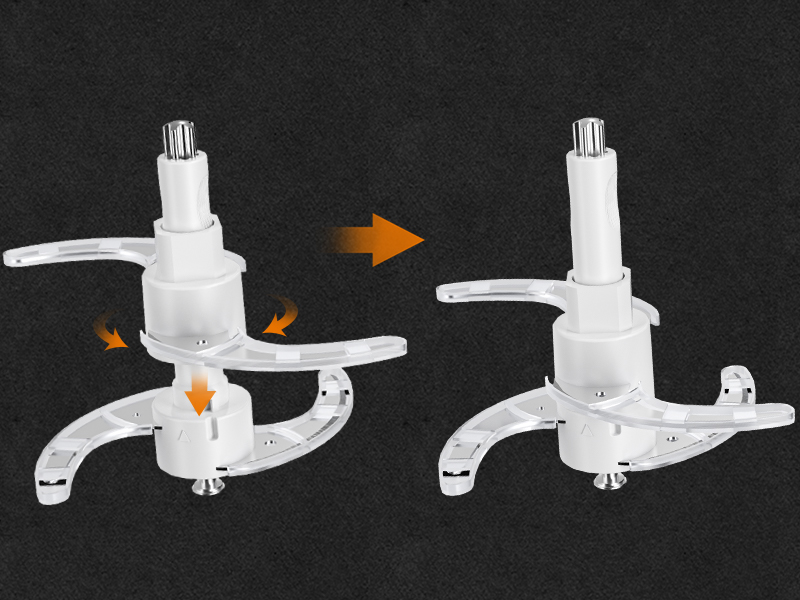
Figure 3.2: Detail of blade assembly.
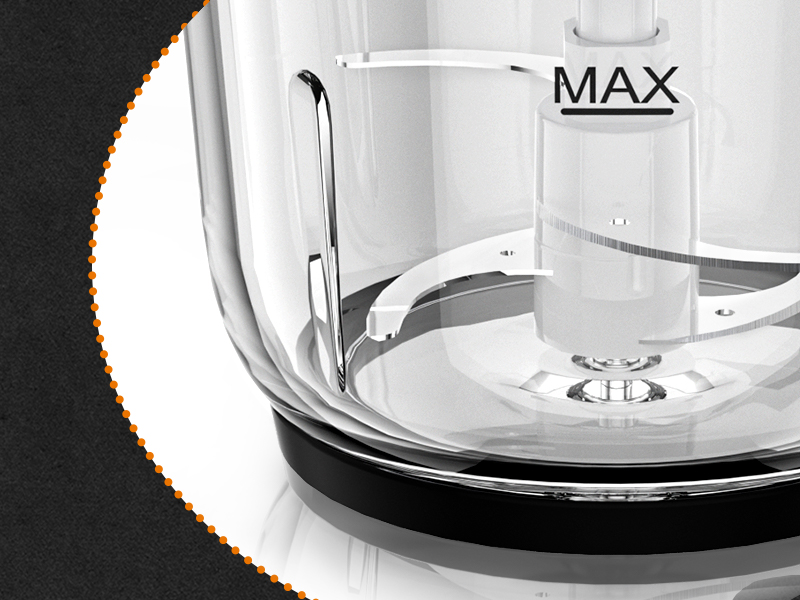
Figure 3.3: The MAX fill line on the glass bowl.
4. Operating Instructions
Your Facelle Food Processor features a powerful 500W motor and two-speed control for versatile processing.
4.1 Speed Control
The motor unit has two buttons for speed control:
- Speed I (Soft Food): Ideal for softer ingredients and achieving a coarse chop or quick blend. Press and hold for 2-4 seconds for optimal results.
- Speed II (Hard Food): Suitable for harder ingredients, mincing, or pureeing. Press and hold for 6-8 seconds for optimal results.

Figure 4.1: Two-speed control for various food types.
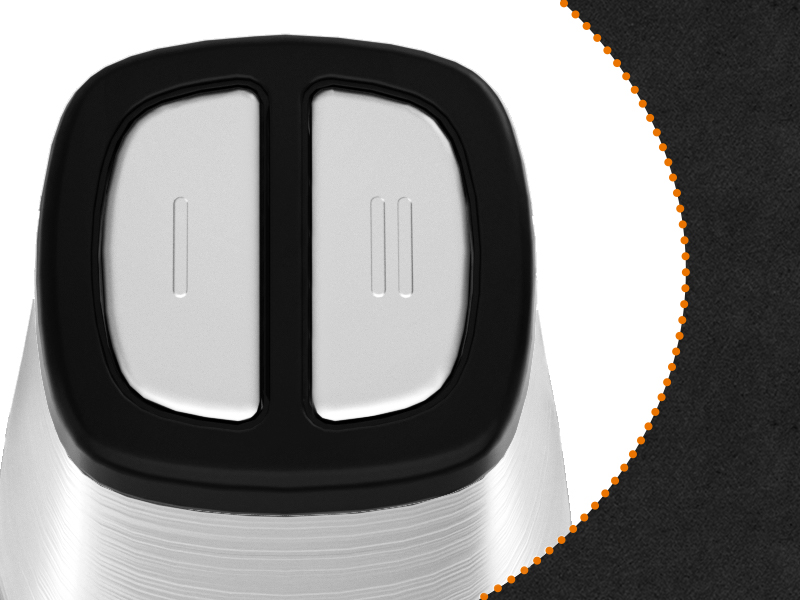
Figure 4.2: Speed control buttons.
4.2 Processing Examples
- Soft Foods (Speed I): Garlic, paprika, onions, fruits (e.g., kiwi). Process for approximately 2-4 seconds.
- Hard Foods (Speed II): Meat, carrots, nuts, beans. Process for approximately 6-8 seconds.
Always monitor the consistency of your ingredients during processing. Pulse in short bursts if a coarser texture is desired. For finer results, process for slightly longer, but avoid over-processing.

Figure 4.3: Processing soft foods with Speed I.
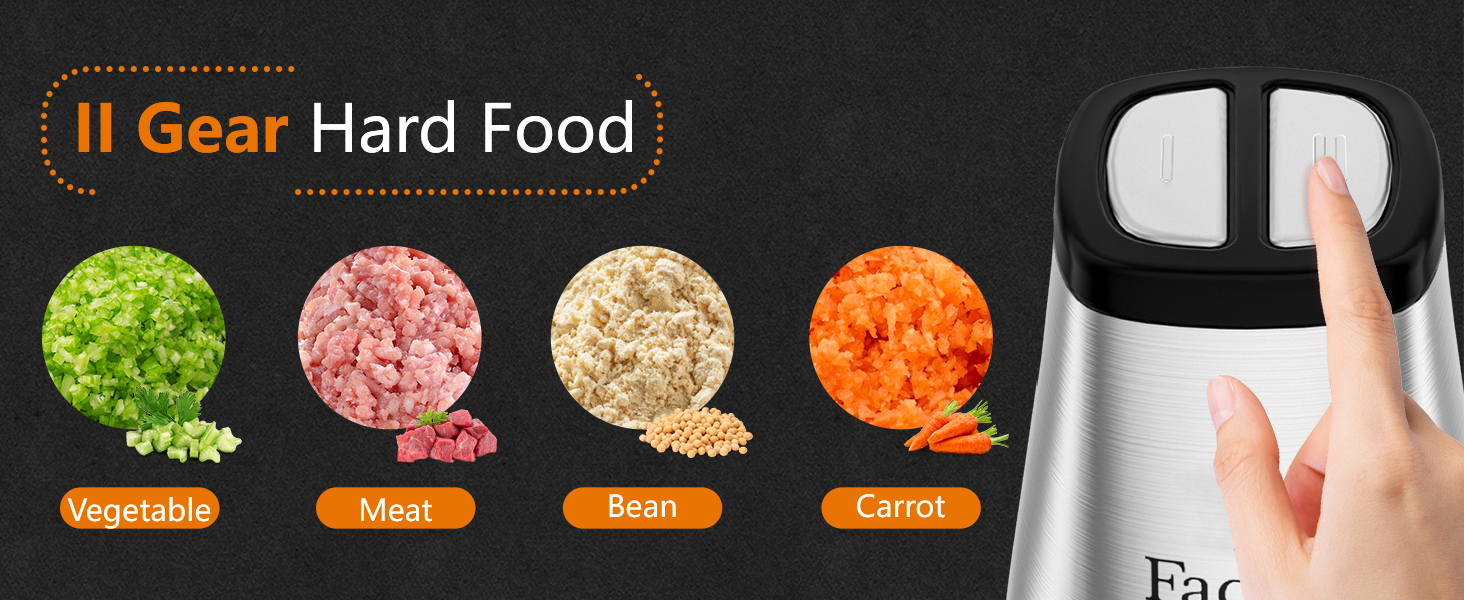
Figure 4.4: Processing hard foods with Speed II.
5. Maintenance and Cleaning
Proper cleaning and maintenance will ensure the longevity and optimal performance of your food processor.
- Always unplug the appliance from the power outlet before cleaning.
- Disassemble all removable parts: the motor unit, lid, blade assembly, glass bowl, and non-slip base.
- Motor Unit: Wipe the motor unit with a damp cloth. Do not immerse it in water or any other liquid.
- Blade Assembly: Handle the blades with extreme caution due to their sharpness. Use the provided cleaning brush to remove any food residue. Rinse under running water.
- Glass Bowl, Lid, Spatula, and Non-slip Base: Hand wash these components with warm, soapy water. Rinse thoroughly and dry immediately. The glass bowl is not dishwasher safe.
- For quick cleaning after use, you can add a small amount of clean water and detergent to the bowl and run the processor for a few seconds. Then, rinse the bowl and blades with water.
- Ensure all parts are completely dry before reassembling or storing the appliance.
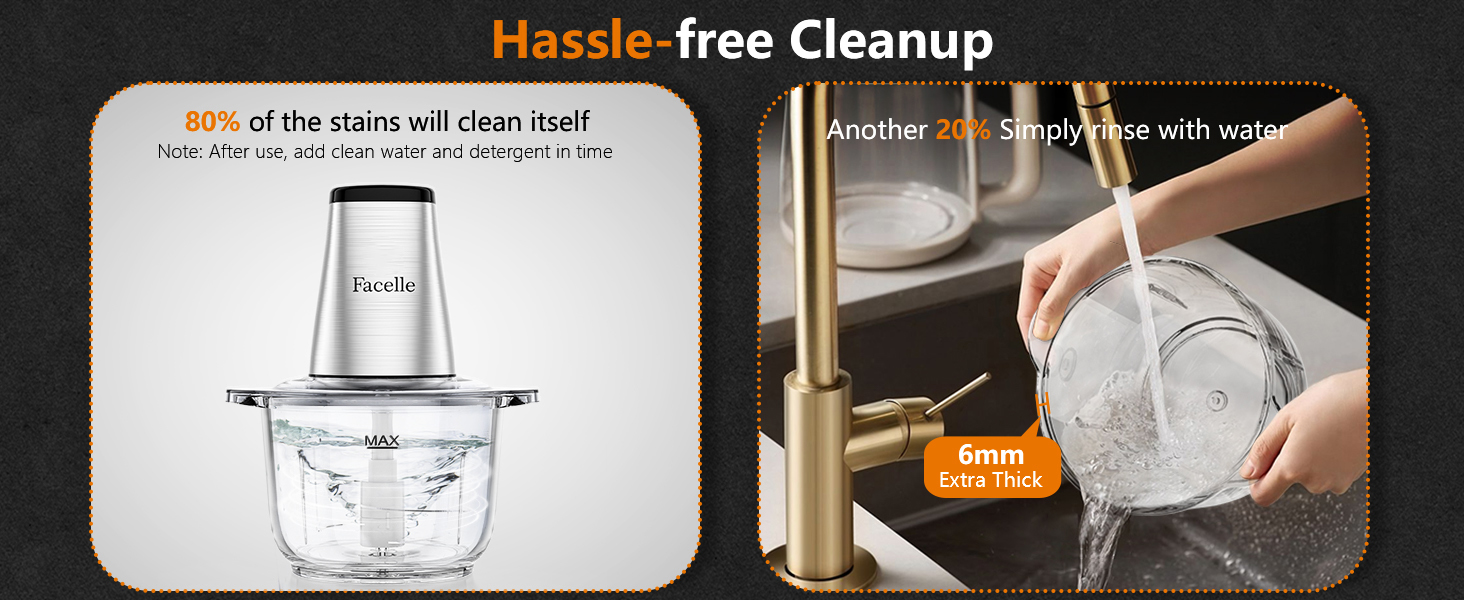
Figure 5.1: Hassle-free cleanup process.
6. Troubleshooting
If you encounter issues with your Facelle Food Processor, please refer to the following common troubleshooting tips:
- Appliance does not turn on:
- Ensure the power cord is securely plugged into a working electrical outlet.
- Verify that the motor unit is correctly seated on the lid and the lid is properly aligned with the glass bowl. The appliance has a safety interlock mechanism.
- Food is not chopping evenly:
- Ensure ingredients are cut into small, uniform pieces before processing.
- Do not overfill the bowl. Process in smaller batches if necessary.
- Use the appropriate speed setting for the type of food being processed.
- Motor sounds strained or stops:
- The bowl might be overfilled, or the ingredients might be too dense. Reduce the quantity or cut food into smaller pieces.
- Unplug the appliance, remove some ingredients, and try again.
- Leakage from the bowl:
- Ensure the lid is correctly and securely placed on the glass bowl.
- Do not fill ingredients beyond the "MAX" fill line.
- Check if the rubber sealing ring is properly installed and not damaged.
If the problem persists after attempting these steps, please contact Facelle customer support for further assistance.
7. Specifications
| Feature | Detail |
|---|---|
| Brand | Facelle |
| Model Name | CP-4403 |
| Power Source | Electric |
| Motor Power | 500W |
| Bowl Capacity | 2 Liters (8 Cups) |
| Number of Speeds | 2 (Speed I for Soft Food, Speed II for Hard Food) |
| Blade Material | Stainless Steel (4 Bi-Level Blades) |
| Product Dimensions | 9.72"D x 7.8"W x 7.8"H |
| Item Weight | 4.4 pounds |
| Product Care | Hand Wash (Not Dishwasher Safe) |
| Special Features | Adjustable 2-Speed Control, Safety Lock, Anti-slip Base, S Shaped Bi-level Blades |
8. Warranty and Customer Support
Facelle is committed to providing high-quality products and customer satisfaction. While specific warranty details are not provided in this manual, we offer 100% satisfactory service for our products.
For any questions, concerns, or assistance with your Facelle Food Processor CP-4403, please do not hesitate to contact Facelle customer support. Refer to the product packaging or the official Facelle website for contact information.
When contacting support, please have your product model number (CP-4403) and purchase details readily available.