
Seylae BJT609E01S
Seylae 10X Magnifying Glass with Light and Stand Instruction Manual
Model: BJT609E01S
1. Introduction
Thank you for choosing the Seylae 10X Magnifying Glass with Light and Stand. This versatile device is designed to provide clear magnification and adjustable illumination for various detailed tasks, hobbies, and reading. Please read this manual thoroughly before use to ensure proper setup, operation, and maintenance.
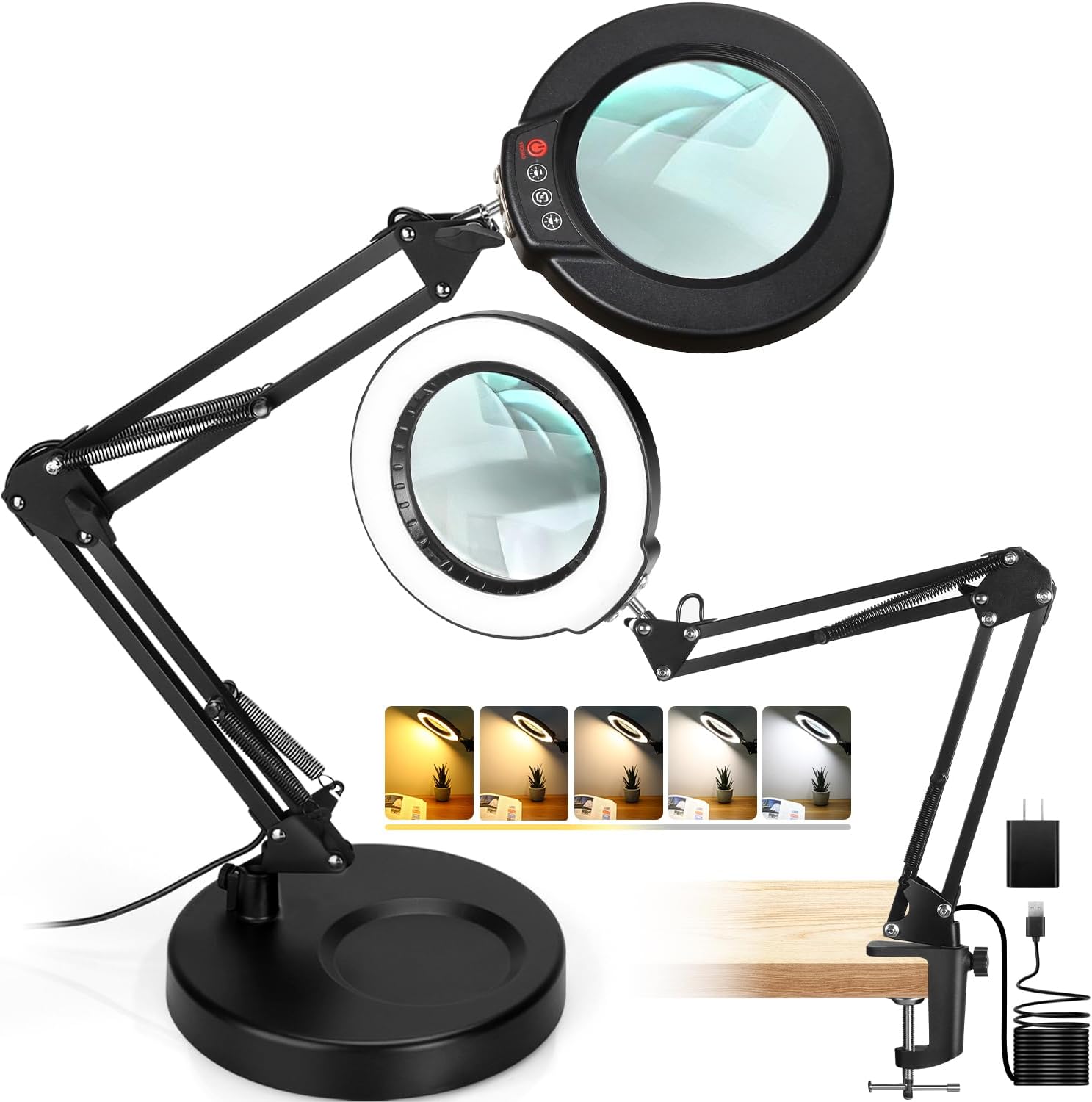
Image 1: Seylae 10X Magnifying Glass with Light and Stand in both desk and clamp setups.
2. Product Features
- 10X Optical Grade Glass Lens: Features a 4.3-inch real glass lens for exceptional clarity, minimizing eye strain and distortion. Superior light transmission compared to plastic lenses.
- 5 Color Modes & Stepless Brightness Dimming: Offers 5 distinct color temperature settings and continuous brightness adjustment. Includes a smart memory function to recall the last lighting setup.
- 2-in-1 Design: Functions as both a stable desktop lamp with a weighted base and a clip-on lamp using a robust metal clamp (up to 2.1" thick surfaces).
- Adjustable Flexibility Swing Arm: Equipped with two 8.9-inch metal arms and four supporting springs for precise, full-range positioning. Two locking knobs secure the lamp and lens.
- Innovative Head Button Controls: Conveniently located controls on the lamp head for easy adjustment of lighting settings.
3. Package Contents
- 1x Seylae 10X Magnifying Glass with Light
- 1x Weighted Desk Base
- 1x Metal Clamp (for surfaces up to 2.1" thick)
- 1x Power Adapter (USB-A)
- 1x User Manual (this document)
4. Setup Instructions
4.1 Desk Lamp Mode Setup
- Place the weighted desk base on a stable, flat surface.
- Insert the main arm of the magnifying lamp into the designated hole on the weighted base.
- Secure the arm by tightening the screw on the side of the base. Ensure it is firm but do not overtighten.
- Connect the USB-A power cable to the power adapter, then plug the adapter into a suitable power outlet.

Image 2: Illustration of the 2-in-1 setup, highlighting the weighted base and clamp options.
4.2 Clamp Light Mode Setup
- Attach the metal clamp to a stable surface, such as a desk or workbench edge, ensuring the surface thickness is no more than 2.1 inches.
- Tighten the clamp screw securely until the clamp is firmly attached.
- Insert the main arm of the magnifying lamp into the designated hole on the clamp.
- Secure the arm by tightening the screw on the side of the clamp. Ensure it is firm but do not overtighten.
- Connect the USB-A power cable to the power adapter, then plug the adapter into a suitable power outlet.
Important Note: When adjusting the lamp arm, especially with the clamp, ensure the base or clamp is securely fastened to prevent tipping or slippage. Avoid extending the arm beyond 90 degrees from the base when using the weighted base to maintain stability.
5. Operating Instructions
5.1 Power On/Off
- Locate the power button on the head of the lamp.
- Press the ON/OFF button once to turn the lamp on or off.

Image 3: Detailed view of the control buttons on the lamp head.
5.2 Adjusting Brightness
- With the lamp on, use the Brightness "+" and Brightness "-" buttons on the lamp head to adjust the illumination level.
- The lamp features stepless dimming, allowing for fine-tuned brightness control.
5.3 Changing Color Modes
- Press the Color Mode button on the lamp head to cycle through the 5 available color temperature settings (e.g., cool white, natural white, warm white).

Image 4: Visual representation of the 5 color modes and stepless dimming feature.
5.4 Adjusting the Flexible Swing Arm
- The lamp's two 8.9-inch metal arms allow for extensive positioning. Gently move the arms to achieve the desired height and angle.
- Use the two locking knobs located on the arm joints to secure the lamp and lens in place, preventing accidental movement.
- The lamp head can be rotated 360 degrees horizontally and adjusted vertically for optimal viewing.
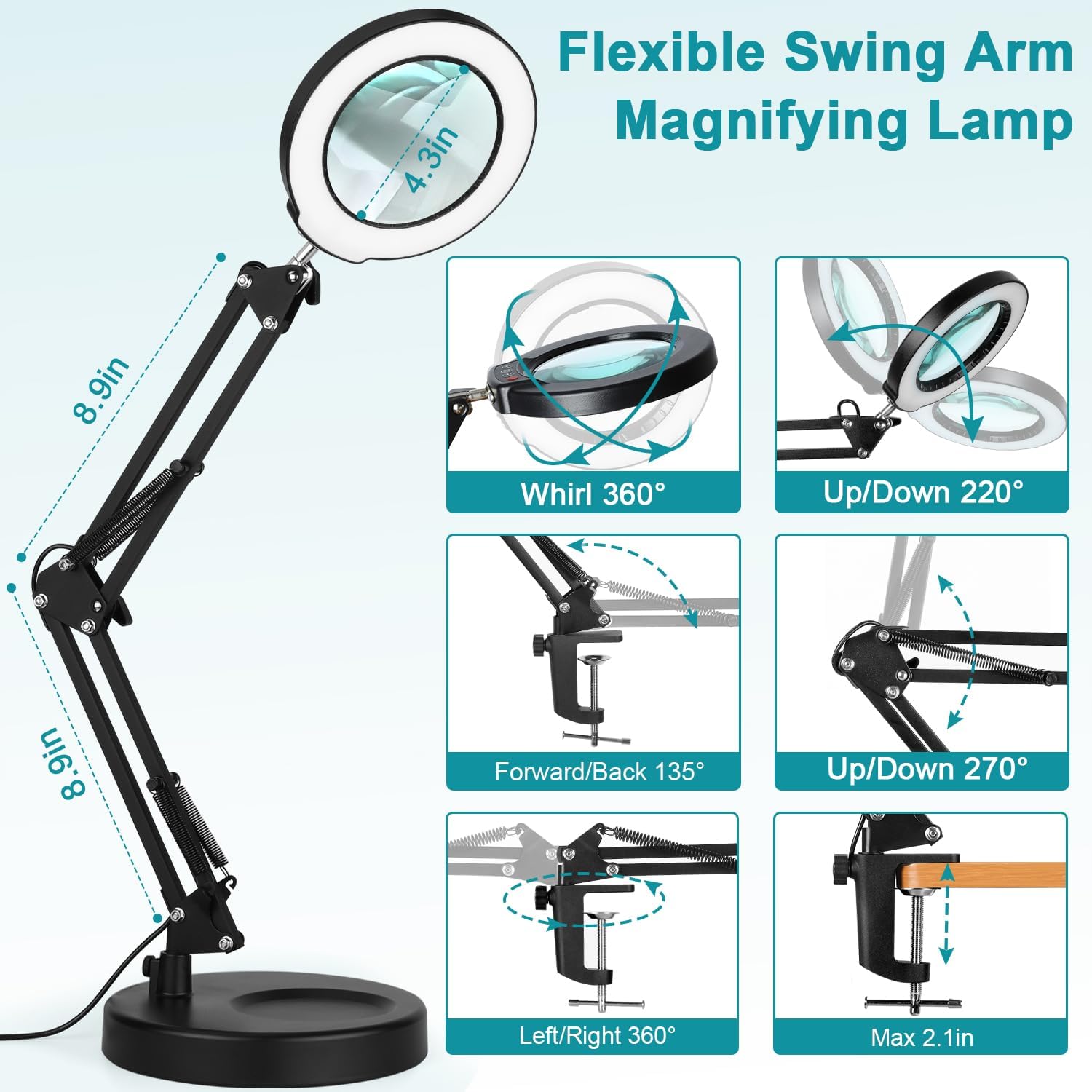
Image 5: Detailed diagram of the flexible swing arm's adjustability.
5.5 Magnification Use
- Position the 10X magnifying glass over the object you wish to view.
- Adjust the lamp arm and head to bring the object into clear focus.
- Utilize the integrated LED light to illuminate the magnified area for enhanced visibility.
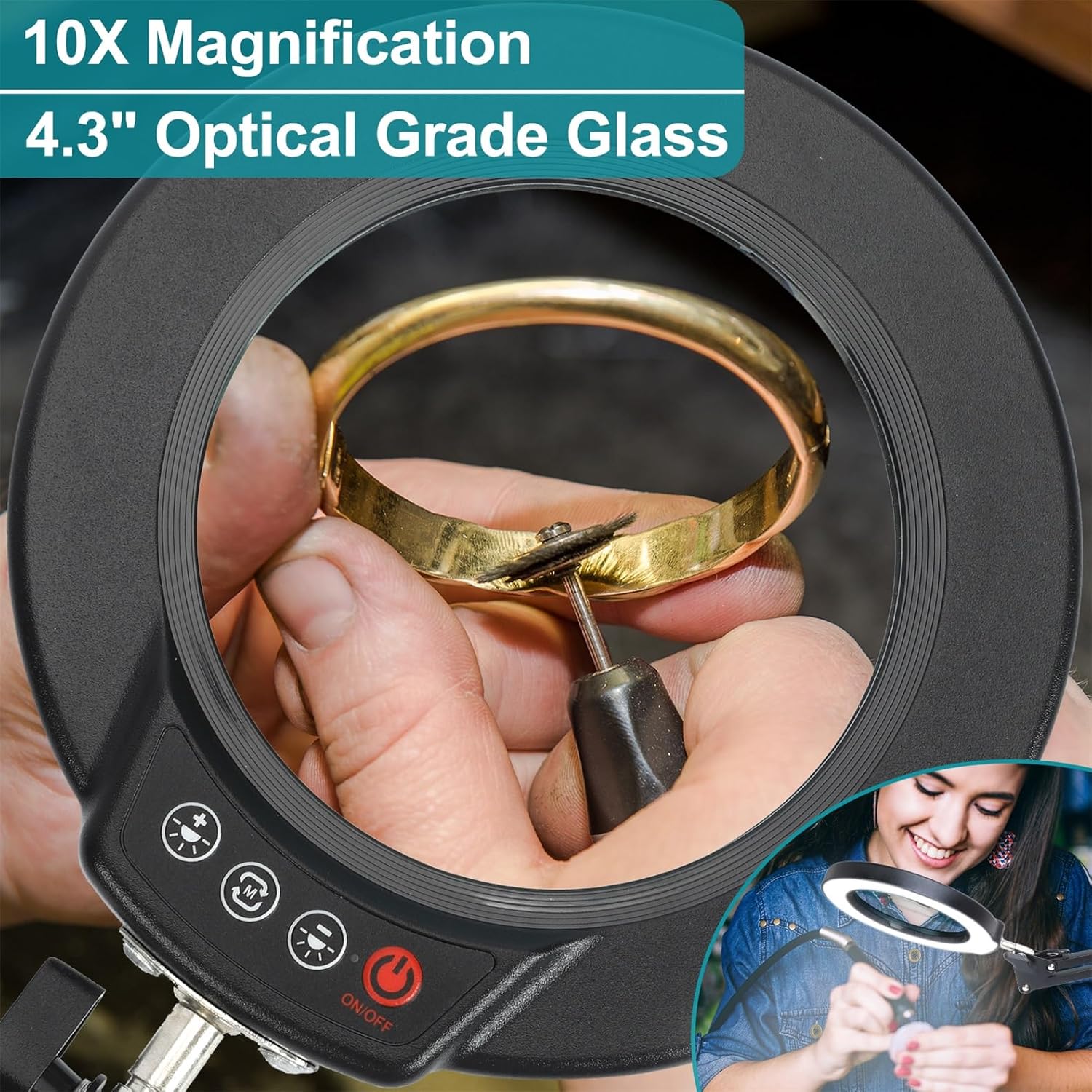
Image 6: Demonstrating the 10X optical grade glass lens in use for detailed work.
6. Maintenance
- Cleaning: Use a soft, dry cloth to clean the lamp and lens. For stubborn smudges on the lens, a lens cleaning solution and microfiber cloth can be used. Avoid abrasive cleaners or solvents.
- Storage: When not in use, fold the lamp arm to a compact position to prevent accidental damage. Store in a dry, dust-free environment.
- Power Adapter: The power adapter may become warm during extended use. This is normal. If it becomes excessively hot or emits unusual odors, discontinue use immediately and contact support.
7. Troubleshooting
| Problem | Possible Cause | Solution |
|---|---|---|
| Lamp does not turn on. | No power, loose connection, faulty adapter. | Check power outlet. Ensure all cables are securely connected. Try a different USB power adapter if available. |
| Light is too dim or too bright. | Brightness setting is not optimal. | Use the Brightness "+" and "-" buttons on the lamp head to adjust to the desired level. |
| Magnification is blurry. | Incorrect distance from object, dirty lens. | Adjust the lamp arm to bring the lens closer or further from the object. Clean the lens with a soft cloth. |
| Lamp arm is unstable or slips. | Locking knobs are loose, base/clamp not secure. | Tighten the locking knobs on the arm joints. Ensure the weighted base or clamp is firmly secured to the surface. |
8. Specifications
- Brand: Seylae
- Model: BJT609E01S
- Magnification Strength: 10X
- Lens Material: Glass
- Lens Diameter: 4.3 inches
- Light Source: LED
- Color Modes: 5
- Brightness: Stepless Dimmable
- Power Source: Corded Electric (USB-A)
- Materials: Aluminum, Plastic
- Item Weight: Approximately 5.37 pounds
- Product Dimensions: 11.1 x 10.82 x 3.19 inches (folded/compact)
- Max Clamp Opening: 2.1 inches
9. Official Product Video
Watch this video for a visual overview of the Seylae 10X Magnifying Glass with Light and its features.
Video 1: A brief demonstration of the Seylae 10X Magnifying Glass with Light, showcasing its desk and clamp functionalities, adjustable arm, and illuminated magnification.
10. Warranty and Support
Seylae products are designed for quality and reliability. For warranty information, technical support, or any questions regarding your product, please refer to the contact information provided on the product packaging or visit the official Seylae website.
Please retain your proof of purchase for warranty claims.
Ask a question about this manual
Ask about setup, troubleshooting, compatibility, parts, safety, or missing instructions. Manuals+ will review the question and use this page’s manual context to help answer it.