
Introduction
Thank you for choosing the KEATRONIC 130W BEAM Moving Head Robotic Light. This professional stage light is designed to deliver dynamic visual effects with its powerful 130-watt LED light source, 18-prism effect, 8 vibrant colors, and 10 distinct patterns. It offers versatile control options including DMX512, automatic, master-slave, and voice control modes, making it suitable for various event and stage setups. This manual provides essential information for safe installation, operation, and maintenance of your device.
Safety Information
Please read all safety instructions carefully before operating the device. Failure to follow these instructions may result in electric shock, fire, or serious injury.
- Electrical Safety: Ensure the power supply voltage matches the device's requirements (110 Volts). Always connect to a grounded outlet. Disconnect power before cleaning or servicing.
- Temperature Warning: The device generates heat during operation. Do not place flammable materials near the light. Maintain adequate ventilation around the unit. The warning label on the device indicates a maximum external surface temperature of 120°C.
- Installation: Ensure the light is securely mounted using appropriate hardware. Avoid direct exposure to rain or moisture.
- Eye Protection: Do not look directly into the light source when the device is operating, as it can cause eye damage.
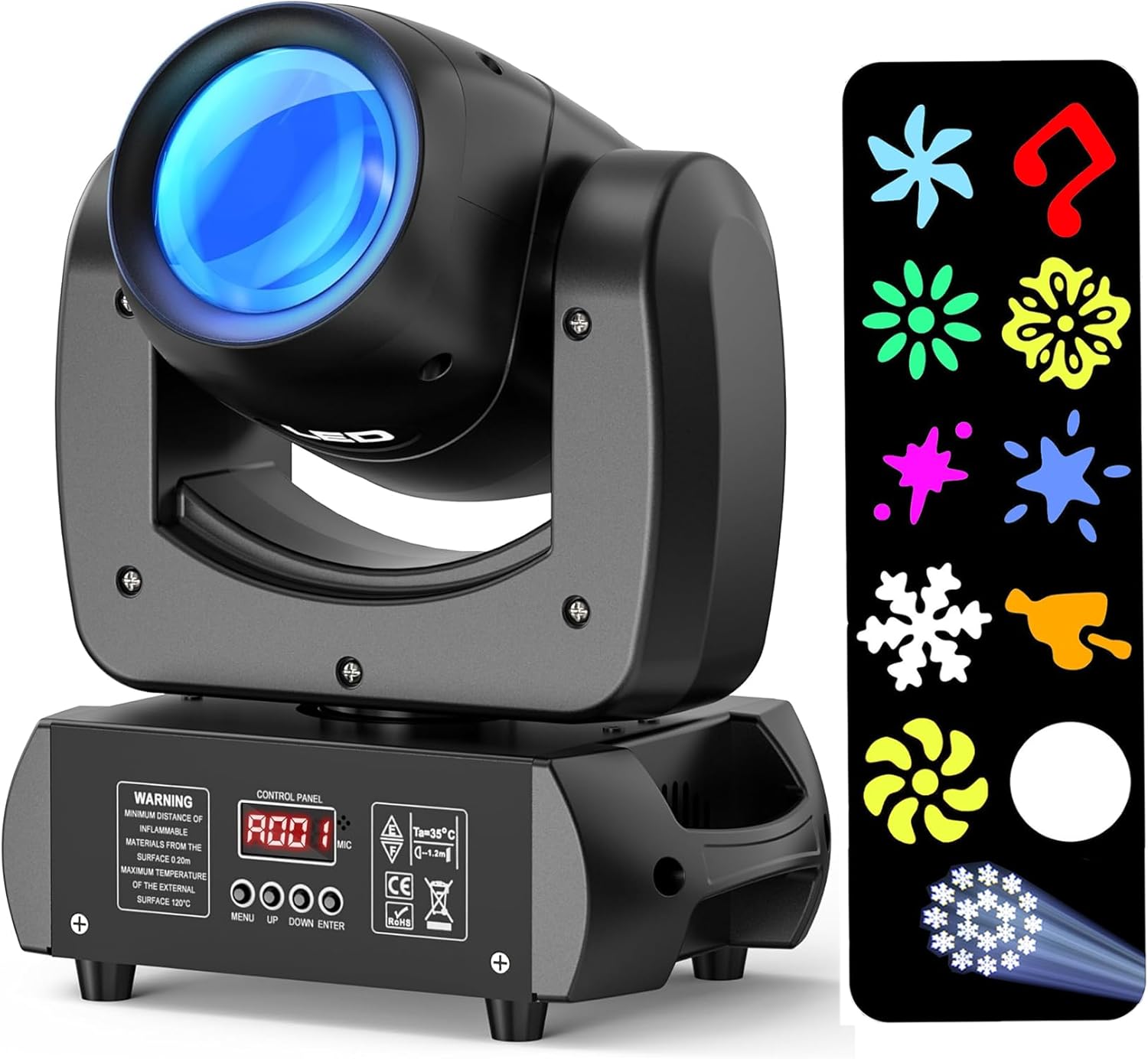
Image: Front view of the KEATRONIC 130W BEAM Moving Head Light, showing the main lens and the control panel with a visible warning label regarding flammable materials and temperature.
Product Overview
Familiarize yourself with the components of your moving head light:
- Optical Lens: High-definition lens for clear and powerful light projection.
- Control Panel: Digital display and buttons for mode selection and settings.
- Cooling Fan: Integrated 10W fan for efficient heat dissipation, ensuring longevity of the LED.
- DMX IN/OUT Ports: For connecting to DMX controllers and other DMX-compatible lights.
- Power Switch & Fuse: Main power control and fuse for electrical protection.
- Mounting Brackets: For secure installation on trusses, walls, or for floor placement.

Image: Detailed diagram illustrating the dimensions (23cm x 15cm x 31cm) and key components of the light, including the MIC, Control Panel, UP, MENU, DOWN, and ENTER buttons.

Image: Rear view of the light, highlighting the DMX IN, DMX OUT ports, FUSE, and POWER switch, along with the control panel.

Image: An exploded view showing the internal components: the high-definition optical lens, the 10W cooling fan, and the high-quality chip, emphasizing the advanced design.
Setup
Follow these steps to set up your KEATRONIC moving head light:
- Unpacking: Carefully remove the light from its packaging. Inspect for any damage during transit.
- Mounting: The light can be installed on a truss, wall, or placed on the floor. Use the provided mounting brackets and two mounting screws on the bottom of the unit to secure it. Ensure the mounting surface or structure can support the weight of the light.
- Power Connection: Connect the power cable to the light's power input and then to a standard 110V AC power outlet.
- DMX Connection (Optional): If using DMX control, connect a DMX cable from your DMX controller's output to the light's DMX IN port. For multiple lights, daisy-chain them by connecting the DMX OUT of the first light to the DMX IN of the next.
Operating Instructions
The KEATRONIC 130W BEAM Moving Head Light offers multiple control modes and effects:
Control Modes:
- Voice Control Mode: The light reacts to sound and music, changing patterns and colors in sync with the audio.
- Automatic Mode: The light cycles through pre-programmed patterns and color changes automatically.
- Master-Slave Mode: Connect multiple lights via DMX cables. Set one light as the master, and others as slaves. The slave units will automatically mimic the master's movements and effects.
- DMX512 Mode: For professional control, connect the light to a DMX controller. The light supports 12 professional DMX channels, allowing precise control over pan, tilt, color, gobo, prism, strobe, and other functions. When connected to a DMX console, the light automatically switches to DMX mode.
Effects and Features:
- Colors: The light features 8 distinct colors (RGBW).
- Patterns (Gobos): It includes 10 unique patterns that can be projected.
- 18-Prism Effect: Create stunning multi-beam effects by activating the 18-prism.
- Strobe: Adjustable strobe speed for dynamic lighting effects.
- Pan & Tilt: The moving head offers 540° horizontal pan and 270° vertical tilt for wide area coverage.
- Beam Angle: The light projects a focused 2-degree beam.
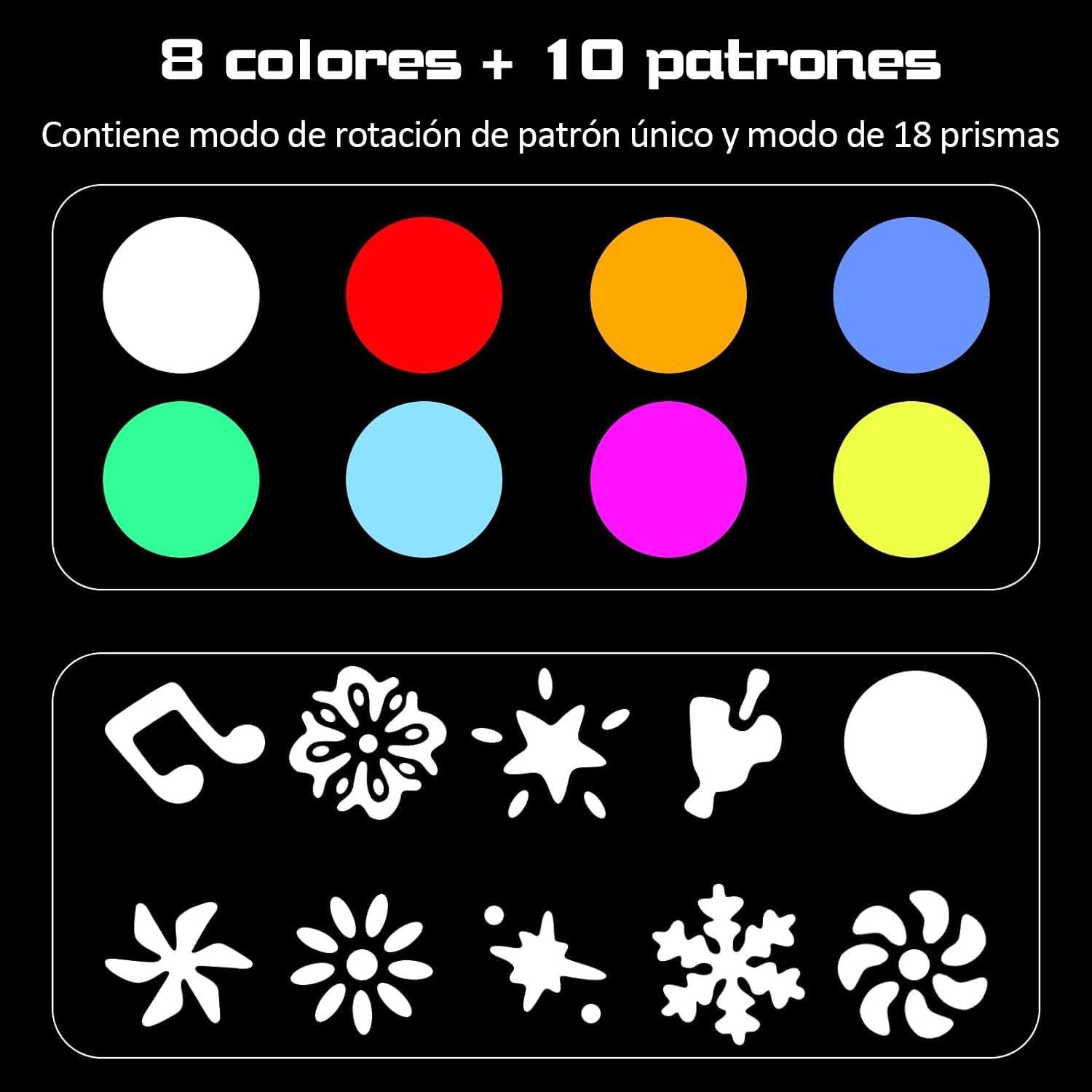
Image: A visual representation of the 8 available colors and 10 distinct patterns (gobos) that can be projected by the light.

Image: A collage displaying various light patterns and beam effects, demonstrating the versatility of the KEATRONIC light's projections.

Image: Four distinct examples of light patterns projected onto a surface, illustrating the variety of shapes and colors achievable.

Image: A diagram showing the narrow 2-degree beam angle of the LED light and its effective projection distance, highlighting the focused light output.
DMX Channel Table:
The following table details the DMX channels and their corresponding functions:
| CH | Function | Description |
|---|---|---|
| 1CH | X-axis | Pan movement |
| 2CH | X-axis fine | Fine pan adjustment |
| 3CH | Y-axis | Tilt movement |
| 4CH | Y-axis fine | Fine tilt adjustment |
| 5CH | XY axis speed | Speed of pan/tilt movement (fast to slow) |
| 6CH | White light pattern | Dimming from dark to light |
| 7CH | Strobe | 0: No function; 1-255: Strobe speed (1Hz-25Hz) |
| 8CH | Color Disc | 0-15: White light; 16-31: Color 1; 32-47: Color 2; 48-63: Color 3; 64-79: Color 4; 80-95: Color 5; 96-111: Color 6; 112-127: Color 7; 128-255: Automatic color change (clockwise, fast to slow) |
| 9CH | Pattern Disc | 0-7: White light; 8-15: Pattern 1; 16-23: Pattern 2; 24-31: Pattern 3; 32-39: Pattern 4; 40-47: Pattern 5; 48-55: Pattern 6; 56-63: Pattern 7; 64-73: Pattern 7 shake (slow to fast); 74-82: Pattern 6 shake (slow to fast); 83-91: Pattern 5 shake (slow to fast); 92-100: Pattern 4 shake (slow to fast); 101-109: Pattern 3 shake (slow to fast); 110-118: Pattern 2 shake (slow to fast); 119-127: Pattern 1 shake (slow to fast); 128-255: Automatic pattern change (clockwise, fast to slow) |
| 10CH | Prism | 0-7: Close prism; 8-127: Open prism |
| 11CH | Macro Function | 0-49: Channel 1 to channel 10 valid sounds; 50-200: Auto; 201-255: Voice control |
| 12CH | Reset | 0-49: No function; 50-200: Reset light (effective for 5s) |

Image: A comprehensive diagram showing the control panel layout and a table detailing the DMX channels, their functions, and descriptions for precise control.
Maintenance
Proper maintenance ensures the longevity and optimal performance of your light:
- Cleaning: Regularly clean the optical lens and exterior casing with a soft, dry cloth. Avoid using abrasive cleaners or solvents.
- Cooling System: The built-in fan system automatically activates and deactivates based on the LED bead temperature, ensuring effective heat dissipation. Keep the fan vents clear of dust and obstructions.
- Storage: When not in use, store the light in a cool, dry place, away from direct sunlight and extreme temperatures.
Troubleshooting
If you encounter issues with your KEATRONIC light, refer to the following common problems and solutions:
- No Power:
- Check if the power cable is securely connected to both the light and the power outlet.
- Ensure the power switch is in the 'ON' position.
- Check the fuse. If blown, replace it with a fuse of the same type and rating.
- No Light Output:
- Verify the light is receiving power.
- In DMX mode, ensure the DMX signal is present and the correct DMX address is set.
- Check the selected mode (e.g., ensure it's not in a 'blackout' or 'no function' state).
- No Movement/Incorrect Movement:
- In DMX mode, check the Pan and Tilt DMX channels for correct values.
- Ensure the light is not obstructed.
- Perform a reset (refer to DMX channel 12).
- DMX Control Issues:
- Verify DMX cable connections and ensure they are not damaged.
- Check the DMX address setting on the light.
- Ensure the DMX controller is functioning correctly.
Specifications
Detailed technical specifications for the KEATRONIC 130W BEAM Moving Head Robotic Light:
| Feature | Specification |
|---|---|
| Brand | KEATRONIC |
| Model Number | LGT130 BEAM |
| Light Source | 120W LED Lamp Beads |
| Maximum Wattage | 130 Watts |
| Voltage | 110 Volts |
| Power Source | Corded Electric |
| Color | RGBW |
| Patterns (Gobos) | 10 |
| Prism Effect | 18-Prism |
| Control Modes | Voice Control, Automatic, Master-Slave, DMX512 (12 Channels) |
| Pan Movement | 540 degrees |
| Tilt Movement | 270 degrees |
| Beam Angle | 2 degrees |
| Material | Aluminum, Plastic |
| Finish Type | Polished |
| Assembled Dimensions (L x W x H) | 23 x 15 x 31 cm (9.05 x 5.91 x 12.20 inches) |
| Included Components | Moving Head Light, Mounting Brackets |
| LED Lifespan | Approximately 100,000 hours |
| Compatibility | Freestyler, Sunlite Suite 2 |
Warranty and Support
Specific warranty information for the KEATRONIC 130W BEAM Moving Head Robotic Light is not provided in this manual. For details regarding warranty coverage, technical support, or service inquiries, please contact the manufacturer directly or refer to the product's purchase documentation.
The product is compatible with lighting control software such as Freestyler and Sunlite Suite 2, offering extended control capabilities for professional users.


