
HUABAO A105
HUABAO Karaoke Machine A105 User Manual
Model: A105 | Brand: HUABAO
Introduction
This manual provides detailed instructions for the setup, operation, and maintenance of your HUABAO A105 Karaoke Machine. Please read this guide thoroughly before using the product to ensure optimal performance and longevity. This portable PA system is designed to deliver high-quality audio for various occasions, from karaoke sessions to public speaking events.
What's in the Box
- 1 x Speaker
- 2 x Wireless Microphones
- 1 x Remote Control
- 1 x Power Adapter
- 1 x AUX Cable
- 1 x Type-C Charging Cable
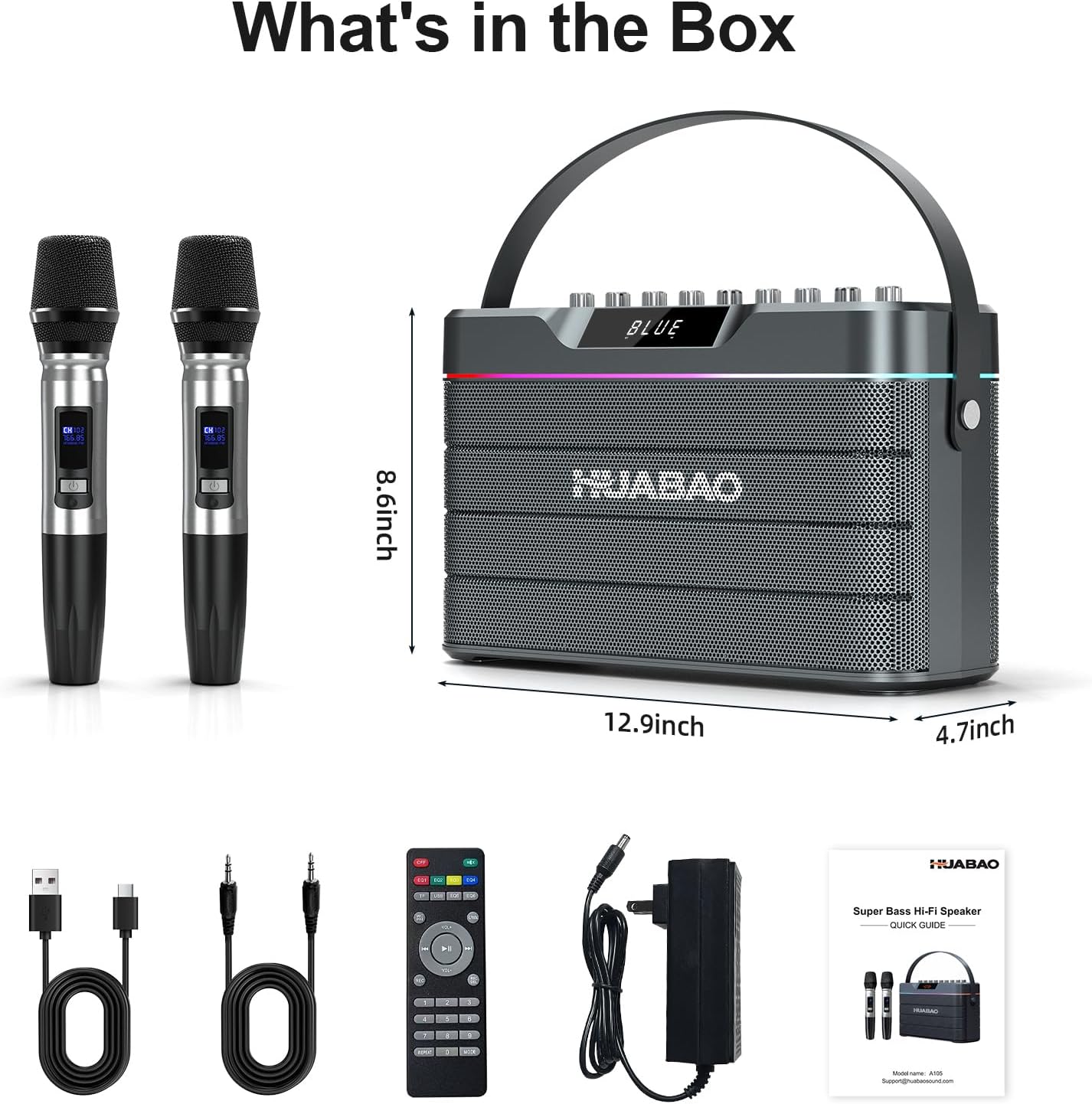
Image: All components included in the HUABAO A105 Karaoke Machine package.
Product Overview
Sound System
The HUABAO A105 features a powerful 100W Bluetooth speaker with six speakers and dual diaphragms, delivering a total of eight sound units for deep bass and crisp, high-definition audio. This configuration ensures a rich and immersive sound experience.

Image: Diagram illustrating the internal speaker components, including subwoofers, tweeters, and diaphragms, for enhanced sound quality.
Wireless Microphones
Two rechargeable wireless microphones are included, designed for clear vocal delivery. These microphones feature independent controls for echo, treble, and bass directly on the microphone unit, allowing for personalized sound adjustments during performances.

Image: Two wireless microphones with display screens, ready for use with the karaoke machine.
Connectivity Options
The system supports multiple input methods including Bluetooth 5.0 for stable wireless connections to smartphones, tablets, laptops, desktops, and smart TVs. It also features AUX, USB, and TF card inputs. For wired connections, there are two 6.5mm jacks for microphones or musical instruments, and three 3.5mm jacks for headphones, live cables, or additional AUX input. An OTG jack provides further versatility.

Image: Side panel of the karaoke machine displaying various input and output ports for diverse connectivity.

Image: Visual representation of the machine's wireless connectivity to earphones, smartphones, laptops, and smart TVs.
Dynamic LED Lighting
The integrated music-syncing LED strip provides vibrant, color-changing lights to enhance the atmosphere of any event.

Image: Front view of the karaoke machine showcasing its unique RGB light strip design with three light modes.
Long-Lasting Battery
Equipped with a 9000mAh battery, the speaker offers extended continuous playback, making it suitable for long trips and outdoor use. The portable design, weighing 8.48 lbs, includes a durable carrying strap for easy transport.
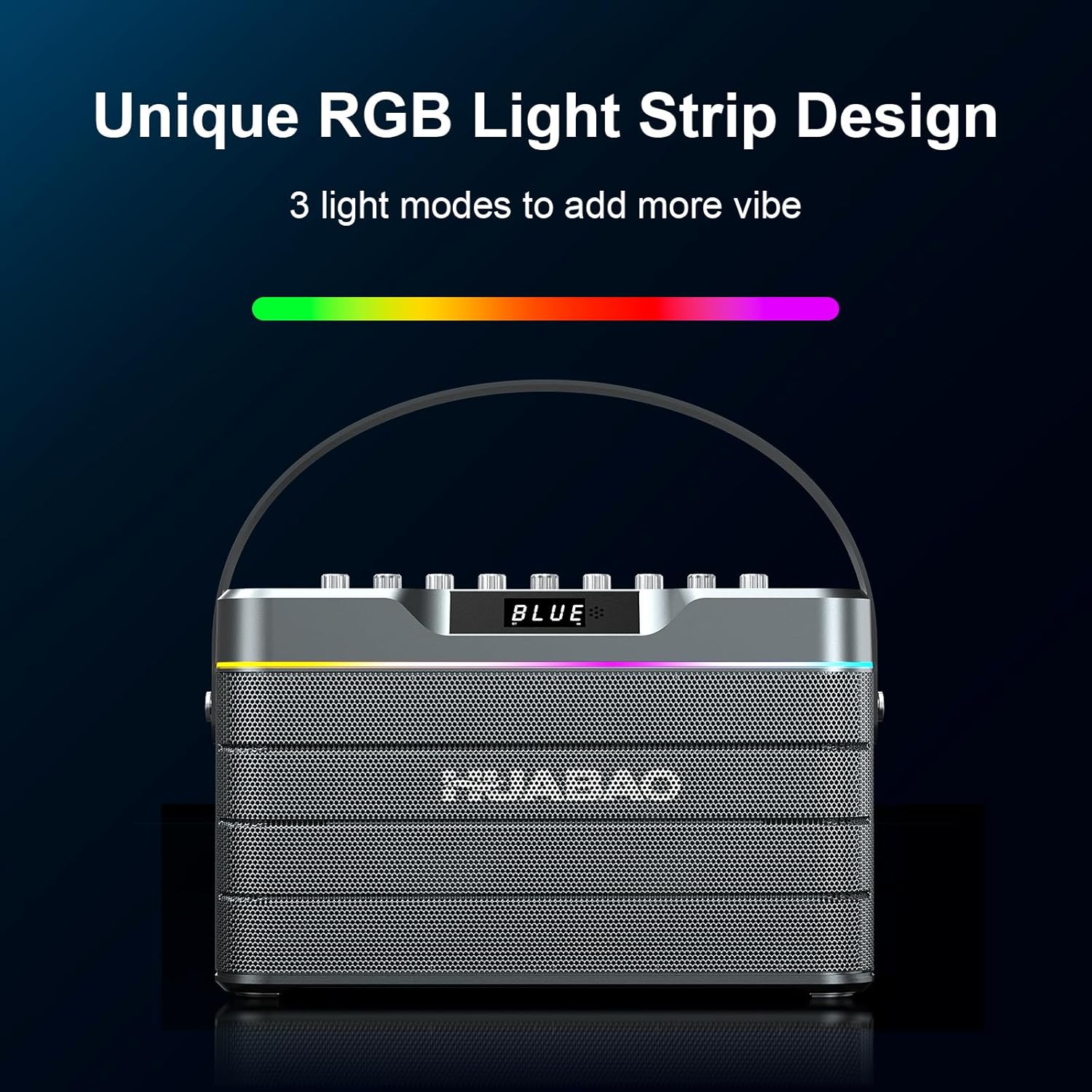
Image: Illustration of the 9000mAh large battery capacity, providing 12 hours of playing time and requiring 5 hours for charging.
TWS Pairing
The True Wireless Stereo (TWS) pairing function allows two HUABAO A105 speakers to be synced for an expanded, full surround sound experience, ideal for larger gatherings.
Setup
1. Initial Charging
Before first use, fully charge the karaoke machine and both wireless microphones. Connect the power adapter to the DC 15V input port on the speaker. Use the provided Type-C charging cable to charge the microphones.
2. Powering On/Off
To power on the speaker, press and hold the power button on the control panel until the display illuminates. To power off, press and hold the same button. For microphones, press and hold the power button on each microphone until the indicator light turns green.
3. Bluetooth Pairing
- Turn on the HUABAO A105 speaker.
- Press the 'Mode' button on the control panel until 'BLUE' appears on the display, indicating Bluetooth pairing mode.
- On your mobile device (smartphone, tablet, etc.), go to Bluetooth settings and select 'HUABAO A105' from the list of available devices.
- Once connected, the speaker will emit a confirmation sound.
4. Wired Connections
For non-Bluetooth devices, use the appropriate cables:
- AUX Input: Connect your device using the provided 3.5mm AUX cable to the AUX port.
- USB/TF Card: Insert a USB flash drive or TF card into the respective ports to play audio files directly.
- Microphones/Instruments: Use 6.5mm cables to connect wired microphones or musical instruments to the MIC1 or MIC2 jacks.
Operating Instructions
1. Adjusting Audio Levels
Use the dedicated knobs on the control panel to fine-tune your sound:
- Main Volume: Controls the overall output volume of the speaker.
- Mic Volume: Adjusts the volume of the wireless microphones.
- Echo: Controls the echo effect applied to microphone vocals.
- Treble/Bass: Adjusts the high and low frequencies of the music and microphone output.
- Instrument Volume: Controls the volume of any connected musical instruments.

Image: Close-up of the control panel with clearly labeled knobs for precise audio adjustments.
2. Microphone Functions
- Vocal Removal: Press the 'Vocal Removal' button on the control panel to minimize or remove lead vocals from tracks, allowing you to sing along.
- Mic Priority: Activate 'Mic Priority' to automatically lower music volume when the microphone is in use, ensuring your voice stands out.
3. Sound Modes (EQ)
Press the 'EQ' button on the control panel to switch between different sound equalization modes, such as Indoor and Outdoor, optimizing audio for your environment.
4. TWS Pairing (True Wireless Stereo)
To pair two HUABAO A105 speakers for stereo sound:
- Ensure both speakers are powered on and in Bluetooth mode, but not yet connected to a mobile device.
- On one speaker, press and hold the 'TWS' button. It will search for the other speaker.
- Once connected, the speakers will indicate successful pairing. You can then connect your mobile device to the primary speaker via Bluetooth.
5. LED Light Modes
Press the 'Mode/LED' button to cycle through various dynamic LED light modes, creating different ambiance for your event.
6. Remote Control
The included remote control allows for convenient operation from a distance, including power, volume, track selection, and mode changes.
Maintenance
- Cleaning: Use a soft, dry cloth to clean the exterior of the speaker and microphones. Avoid using abrasive cleaners or solvents.
- Storage: Store the device in a cool, dry place away from direct sunlight and extreme temperatures when not in use.
- Battery Care: To prolong battery life, avoid fully discharging the battery frequently. Charge the device regularly, even if not in active use.
Troubleshooting
- No Power: Ensure the device is fully charged or connected to the power adapter. Check the power button for proper activation.
- No Sound: Verify that the volume levels on both the speaker and your connected device are turned up. Check all cable connections for wired inputs. Ensure the correct input mode is selected.
- Microphone Not Working: Make sure the microphones are charged and powered on. Check microphone volume levels. Ensure they are within range of the speaker.
- Bluetooth Disconnection: Ensure your device is within the Bluetooth range (typically 10 meters). Disconnect and re-pair the device if issues persist.
- TWS Pairing Failure: Ensure both speakers are in Bluetooth pairing mode and not connected to any other device before attempting TWS pairing.
Specifications
| Feature | Specification |
|---|---|
| Brand | HUABAO |
| Model Number | A105 |
| Output Wattage | 100 Watts |
| Speaker Count | 6 |
| Battery Capacity | 9000mAh Lithium Ion |
| Connectivity Technology | AUX, Bluetooth 5.0, USB |
| Compatible Devices | Headphone, Musical Instruments, Smart TV, Smartphone, Tablet |
| Item Weight | 8.48 Pounds |
| Product Dimensions | 12.9 x 4.7 x 8.6 inches |
| Mounting Type | Tabletop |
Warranty and Support
Your HUABAO A105 Karaoke Machine comes with a One-Year Warranty and Lifetime Technical Support. If you have any questions or concerns, please contact us via Amazon or our support email. We are committed to responding within 12 hours and ensuring your complete satisfaction.
Ask a question about this manual
Ask about setup, troubleshooting, compatibility, parts, safety, or missing instructions. Manuals+ will review the question and use this page’s manual context to help answer it.