
1. Introduction
The Hilitand FNB48 is a multifunctional USB tester designed for monitoring charging performance, voltage, current, power, and other electrical parameters. It features a USB 3.0 interface, a high-resolution display, and broad compatibility with various charging protocols. This manual provides detailed instructions for its setup, operation, and maintenance.
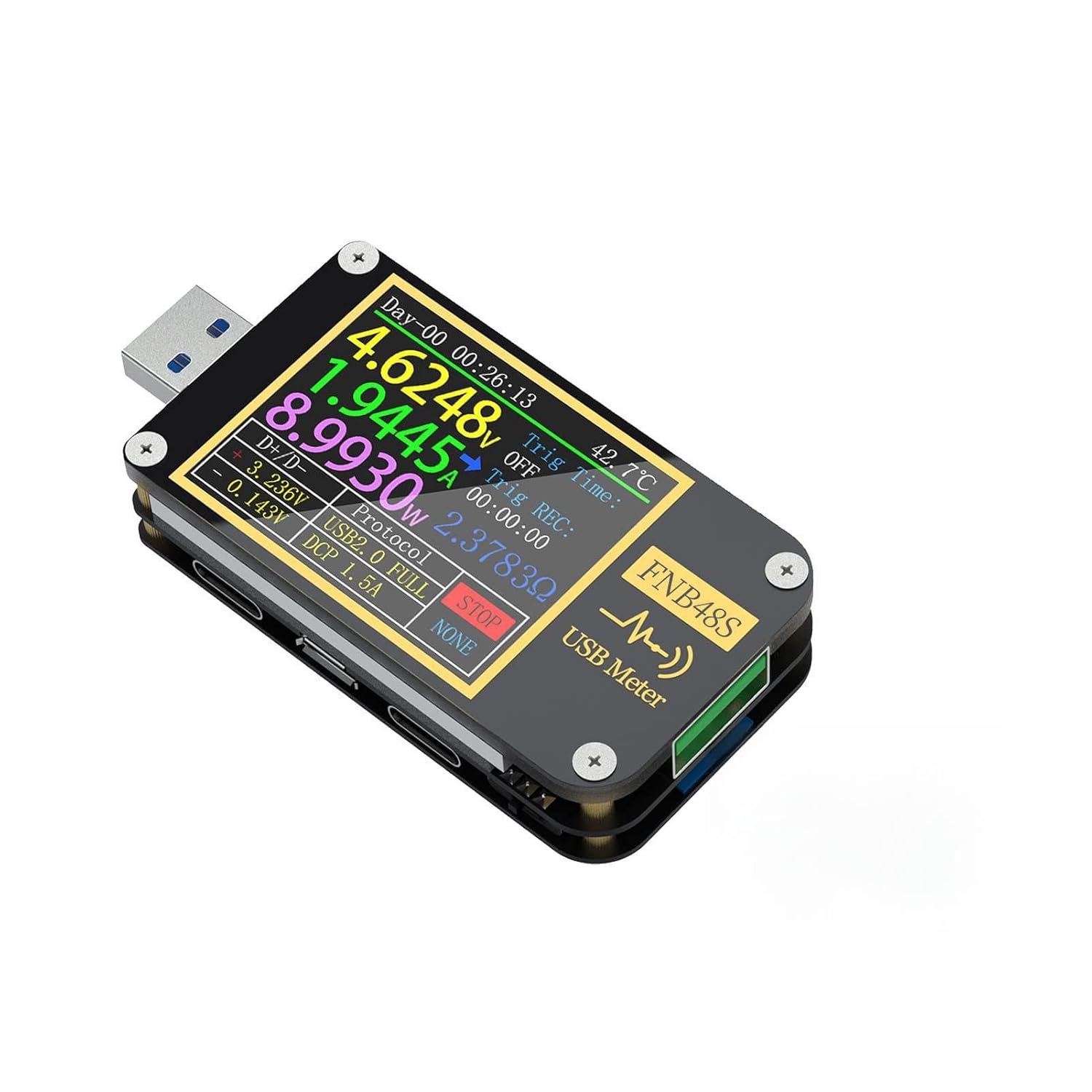
Figure 1: The Hilitand FNB48 USB Ammeter Voltage Meter, showcasing its compact design and display screen.
2. Key Features
- Efficient Design: USB 3.0 interface with a 9-pin design for versatile monitoring.
- Broad Compatibility: Backward compatible with USB 2.0, capable of testing various charging protocols without a primary data cable.
- Enhanced Functionality: Screen flip function based on sensing, accurate cable measurements, and a high-resolution display for monitoring subtle changes.
- Convenient Data Recording: Records up to 10 sets of measurement data for battery capacity analysis.
- Easy Chip Reading: Supports quick reading of E-Marker and DASH line data after connecting the data cable.

Figure 2: Overview of the FNB48's advanced features, including 6.5A high current support, a 1.77-inch full-color LCD, USB 3.0 high-speed transmission, and 6-digit high-precision display.
3. Setup
To begin using your Hilitand FNB48 USB Ammeter, simply plug the device into a USB port of the power source (e.g., charger, power bank) and then connect your device (e.g., smartphone, tablet) to the output port of the FNB48. The display will automatically power on and begin showing real-time measurement data.

Figure 3: The FNB48 connected and actively displaying measurement data, illustrating its screen flip function.
4. Operating Instructions
4.1 Screen Flip Function
The FNB48 features an automatic screen flip function based on sensing, allowing the display to rotate for optimal viewing regardless of the device's orientation. To manually control the screen, a long press on the return button in any interface will hibernate the screen. Any operation will wake it up. This feature is useful for undisturbed charging at night.
4.2 Protocol Trigger Introduction
The device supports various fast charging protocol triggers for testing compatibility and performance. Navigate through the menu to select the desired protocol (e.g., Qualcomm QC 2.0, QC 3.0, Samsung AFC, PD Protocol, Huawei FCP, Huawei SCP, VOOC/WARP).

Figure 4: The FNB48's display showing options for various fast charging protocol triggers.
4.3 Cable Resistance Detection
The FNB48 uses a differential pressure method to measure the internal resistance of a cable. Connect the cable to be tested and use a constant current load. The device will display the calculated cable resistance, helping to identify inefficient cables.

Figure 5: The FNB48 performing cable resistance detection, showing reference and real voltage/current values, and the calculated cable resistance.
4.4 Voltage and Current Curve Detection
The device can display real-time voltage and current curves, allowing for detailed analysis of charging stability and fluctuations. Different modes are available for low-speed voltage/current curves, low-speed D+/D- curves, recording offline curves, and high-speed voltage ripple (AC coupling).
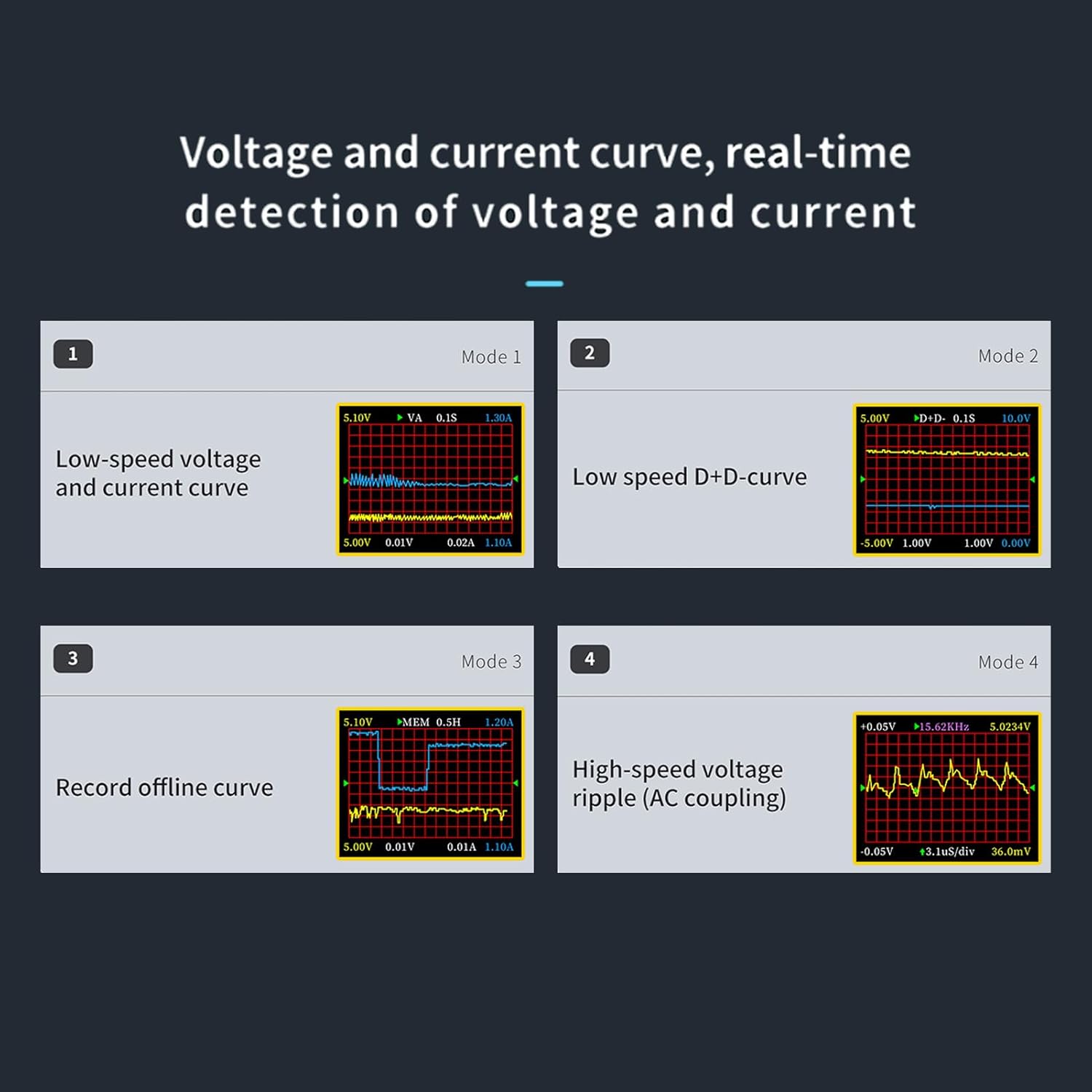
Figure 6: The FNB48 showing different modes for real-time voltage and current curve detection.
4.5 E-Marker and DASH Cable Data Reading
The FNB48 supports reading data from E-Marker and DASH cables. After connecting the data cable, the device can easily read the embedded chip information. With analog DASH cable and Apple 2.4A acceleration functions, it can directly charge and detect voltage and current without the original data cable.

Figure 7: The FNB48 displaying data read from a connected DASH cable, confirming verification.
4.6 Data Recording
The device can record up to 10 sets of measurement data. This feature allows users to analyze and calculate battery capacity effectively over time. Refer to the on-screen menu for options to save, view, and clear recorded data groups.
5. Maintenance
- Cleaning: Use a soft, dry cloth to clean the device. Avoid using abrasive cleaners or solvents.
- Storage: Store the device in a cool, dry place away from direct sunlight and extreme temperatures.
- Handling: Handle the device with care to prevent physical damage. Avoid dropping or subjecting it to strong impacts.
6. Troubleshooting
- No Display: Ensure the device is properly connected to a power source and a load. Check for secure USB connections.
- Inaccurate Readings: Verify that the cables used are in good condition. Ensure the device is operating within its specified voltage and current ranges.
- Screen Not Flipping: Check if the automatic screen flip function is enabled in the settings. If not, try manually flipping by rotating the device.
- Data Not Recording: Ensure there is available memory for new data sets. Follow the on-screen instructions for saving data.
7. Specifications

Figure 8: Detailed technical specifications of the FNB48 USB Ammeter.
| Index | Range | Resolution | Accuracy |
|---|---|---|---|
| Monitor Voltage | 4-24V | 0.00001V | ± (0.2%+2) |
| Monitor Current | 0-6.5A | 0.00001A | ± (0.5%+2) |
| Monitor Power | 0-156W | 0.00001W | ± (0.5%+2) |
| Load Equivalent Internal Resistance | 0-9999.9Ω | 0.0001Ω | ± (0.5%+2) |
| D+/D- Voltage | 0-3.3V | 0.001V | ± (1.0%+2) |
| Equipment Temperature (°C) | 1 °C | ± (1.2%+3) | |
| Equipment Temperature (°F) | 1 °F | ± (1.2%+4) | |
| Capacity | 0-9999.99Ah | 0.00001Ah | |
| Energy Used | 0-9999.99Wh | 0.00001Wh | |
| Cable Resistance | 0-9999.9Ω | 0.0001Ω | |
| Operation Hours | 99 days 23 hours 59 minutes 59 seconds | ||
| Record Time | 999 hours, 59 minutes and 59 seconds |
Additional Specifications:
- Package Dimensions: 3.94 x 2.76 x 1.18 inches
- Item Weight: 2.4 ounces
- Manufacturer: Hilitand
- ASIN: B0DCH7KRLZ
- Date First Available: August 7, 2024
8. Warranty and Support
For warranty information and technical support, please refer to the documentation included with your purchase or contact Hilitand customer service directly. Keep your purchase receipt for warranty claims.