1. Introduction
This manual provides essential information for the installation, use, and maintenance of your upscreen Hybrid Glass Clear Premium Screen Protector. Designed specifically for the Topicon MDT865, this screen protector offers robust protection against scratches and damage while maintaining the original touch sensitivity and clarity of your device's display.
Please read these instructions carefully before installation to ensure optimal performance and longevity of the product.

Figure 1.1: Overview of the upscreen Hybrid Glass Clear Premium Screen Protector and its packaging.

Figure 1.2: The upscreen screen protector demonstrating its precise fit for the Topicon MDT865.
2. Product Features
- Hybrid Glass Construction: Made from an extra-thin hybrid plastic-glass material, offering greater flexibility than traditional tempered glass.
- 9H Scratch Protection: Provides strong protection against scratches and daily wear, safeguarding your device's display.
- Lightweight and Thin: Designed to be unobtrusive, preserving the original design and feel of your device.
- High Transparency: Ensures crystal-clear visibility and maintains the vibrant colors of your screen.
- Anti-Fingerprint Coating: A special surface coating resists grease and smudges, making the screen easy to clean.
- Bubble-Free Installation: Features a special adhesive layer for simple, bubble-free application.
- Precision Cut: Manufactured with advanced laser technology for a perfect fit on the Topicon MDT865.

Figure 2.1: Key features of the upscreen Hybrid Glass Clear Premium Screen Protector, including flexibility, 9H scratch protection, lightweight design, high transparency, bubble-free installation, delicate touch, and German manufacturing.

Figure 2.2: Demonstration of the screen protector's flexible hybrid glass material.
3. Package Contents
The upscreen Hybrid Glass Clear Premium Screen Protector package includes the following items:
- 1x upscreen Hybrid Glass Clear Premium Screen Protector
- 1x Cleaning Wipe
- 1x Smoothing Card
- 1x Wet Pad
- 1x Dust Remover Sticker
- 3x Guide Stickers
- Installation Instructions (this manual)

Figure 3.1: Rear packaging detailing product features and included contents.

Figure 3.2: The complete mounting kit for the upscreen screen protector, including cleaning wipe, dust remover, guide stickers, and wet pad.
4. Setup and Installation
Proper installation is crucial for the performance and appearance of your screen protector. Follow these steps carefully:
- Prepare Your Workspace: Choose a clean, dust-free environment. Wash your hands thoroughly to avoid transferring oils or dirt to the screen.
- Clean the Device Screen:
- Use the provided Wet Pad to thoroughly clean the entire surface of your Topicon MDT865 screen.
- Immediately follow with the Cleaning Wipe to dry and polish the screen, removing any streaks or residue.
- Remove Dust Particles: Use the Dust Remover Sticker to gently dab the screen and lift any remaining dust particles. Ensure the screen is completely free of dust before proceeding.
- Positioning the Protector (Optional - Using Guide Stickers):
- Carefully place the screen protector on your device's screen without removing the protective film, aligning it perfectly with the edges and cutouts.
- Once aligned, use the Guide Stickers to tape one side of the screen protector to the device, creating a hinge. This helps maintain alignment during application.
- Apply the Screen Protector:
- Gently lift the screen protector using the hinge.
- Slowly peel off the protective film from the adhesive side of the screen protector, being careful not to touch the adhesive surface.
- Lower the screen protector back onto the device screen, starting from the hinged side and allowing it to adhere gradually.
- Remove Air Bubbles:
- Use the Smoothing Card to gently push any air bubbles towards the edges of the screen. Start from the center and work your way outwards.
- Small bubbles may disappear on their own within 24-48 hours.
- Final Touches: Once the protector is fully adhered and bubbles are removed, gently peel off any remaining protective films from the top surface of the screen protector (if present).
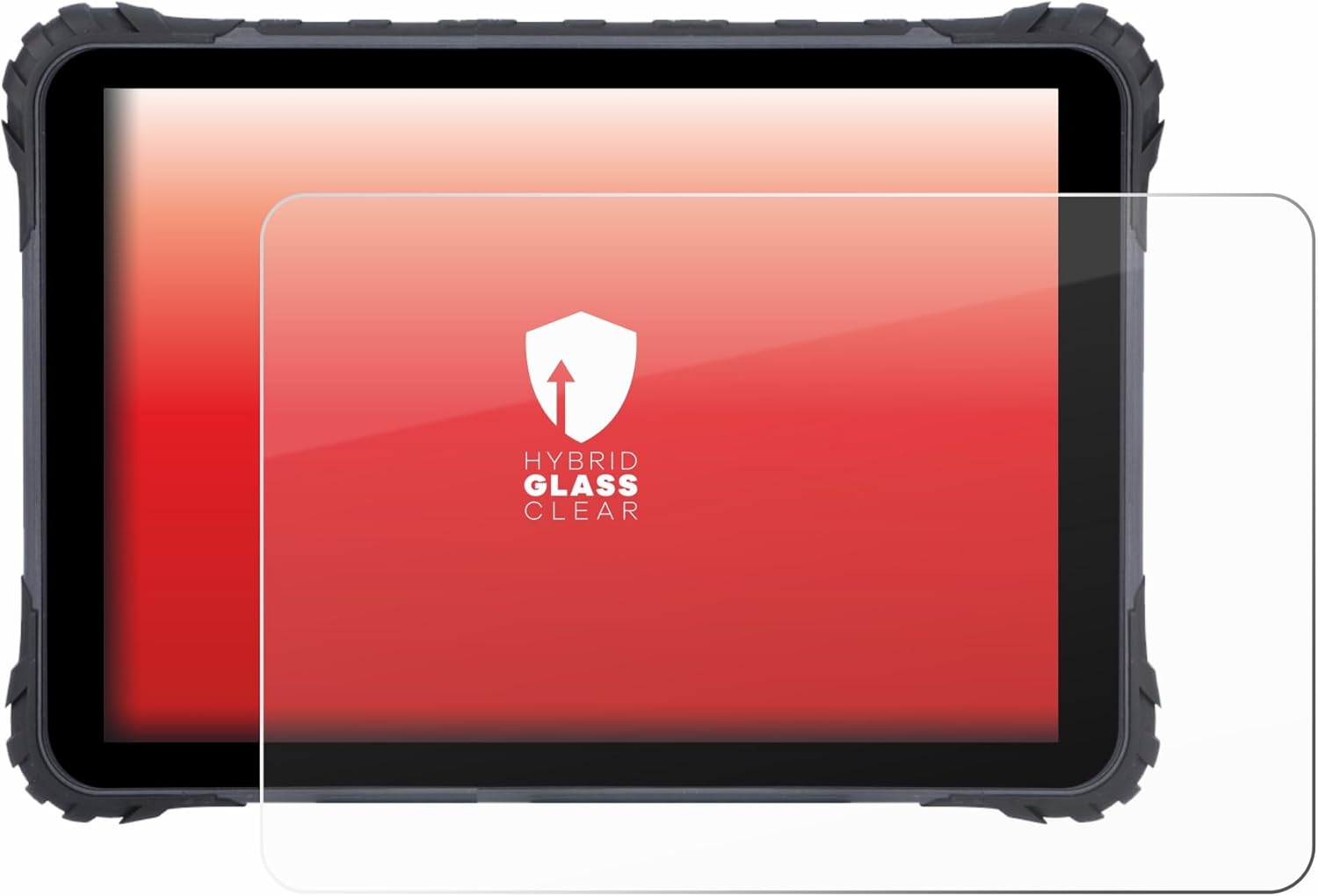
Figure 4.1: The upscreen screen protector correctly installed on a Topicon MDT865 device.
5. Operating and Daily Use
Once installed, the upscreen Hybrid Glass Clear Premium Screen Protector is designed to be virtually unnoticeable. It maintains the original touch sensitivity of your Topicon MDT865, allowing for smooth and responsive interaction with your device.
- Touch Sensitivity: The ultra-thin design ensures that touch response remains unaffected.
- Clarity: The high transparency ensures that screen brightness and color accuracy are preserved.
6. Maintenance and Care
To keep your screen protector in optimal condition and maintain its clarity, follow these simple care instructions:
- Cleaning: Due to its anti-fingerprint coating, the screen protector is resistant to smudges. For cleaning, gently wipe the surface with a soft, lint-free cloth. For stubborn marks, a slightly damp cloth (water only) can be used, followed by a dry wipe.
- Avoid Harsh Chemicals: Do not use abrasive cleaners, alcohol, or chemical solvents, as these can damage the coating and the protector itself.
- Protection: While the protector offers significant scratch resistance, avoid placing your device with sharp objects (keys, coins) in pockets or bags to prevent unnecessary damage.
7. Troubleshooting
If you encounter any issues during or after installation, refer to the following common problems and solutions:
| Problem | Possible Cause | Solution |
|---|---|---|
| Bubbles after installation | Dust particles trapped underneath, or uneven application. | Use the smoothing card to push bubbles towards the nearest edge. For small dust-induced bubbles, gently lift the nearest corner of the protector, use the dust remover sticker to lift the dust, and reapply. |
| Protector not adhering properly at edges | Dust or oil on the screen edge, or protector misalignment. | Ensure the screen edges are perfectly clean before application. If misaligned, carefully lift and re-align, ensuring no dust gets underneath. |
| Reduced touch sensitivity | Rare, but could be due to improper installation or a faulty protector. | Ensure the protector is fully adhered without large air gaps. If the issue persists, contact customer support. |
8. Specifications
| Attribute | Detail |
|---|---|
| Brand | upscreen |
| Compatible Devices | Topicon MDT865 |
| Material | Hybrid Glass (Plastic-Glass Composite) |
| Hardness | 9H |
| Screen Surface Description | Glossy |
| Color | Clear |
| Special Feature | Lightweight, Anti-Fingerprint, Bubble-Free Installation |
| Product Dimensions (Packaging) | 11.81 x 7.87 x 0.5 inches |
| Product Dimensions (Protector) | 12"L x 8"W |
| Manufacturer | upscreen |
| Country of Origin | Germany |
9. Warranty and Support
For warranty information or technical support regarding your upscreen Hybrid Glass Clear Premium Screen Protector, please contact the manufacturer directly. Details can typically be found on the product packaging or the official upscreen website.
Manufacturer: upscreen
For further assistance, you may visit the upscreen official website or contact their customer service department.