1. Product Overview
The Sandpoy F15-L Automatic Hanging Pet Feeder is designed to provide a convenient and reliable feeding solution for rabbits, cats, and other small animals. This programmable feeder allows for scheduled meal times and precise portion control, ensuring your pet receives a consistent diet. Key features include a transparent food container, a desiccant bag to keep food fresh, and flexible power options.

Image 1.1: Sandpoy F15-L Automatic Pet Feeder showing scheduled feeding and portion control capabilities.
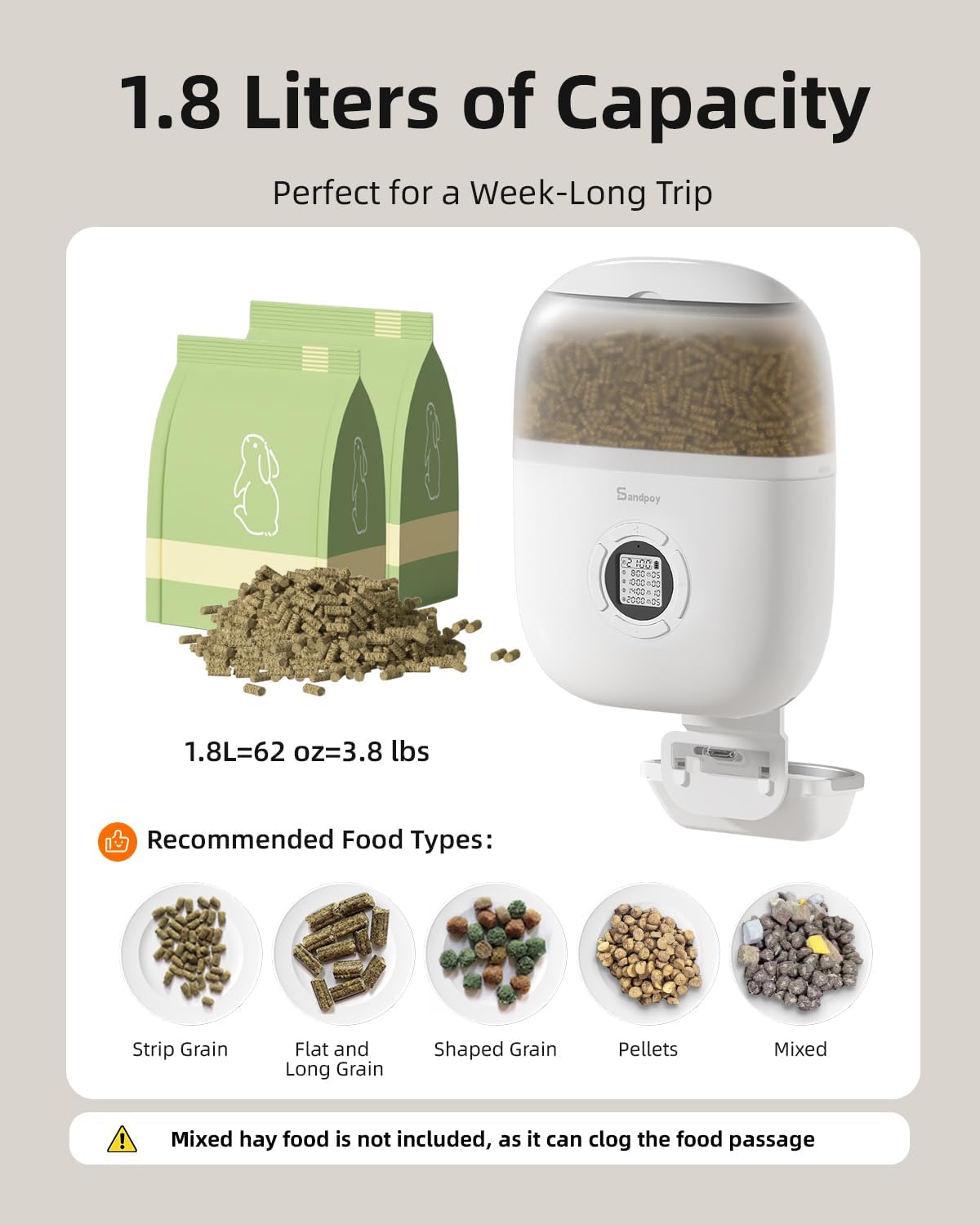
Image 1.2: The feeder features a 1.8-liter capacity, suitable for various dry food types like strip grain, flat and long grain, shaped grain, pellets, and mixed food. Note: Mixed hay food is not recommended as it can clog the food passage.
2. Product Components
Before assembly, ensure all components are present and undamaged. The package typically includes:
- Main Feeder Body with Food Hopper
- Food Bowl (Stainless Steel)
- Fix Board (for cage attachment)
- Desiccant Bag
- Rotary Knob (for securing to cage)
- Adapter Charging Cable (USB)
- Feed Outlet Cover
- Food Outlet Components (Large and Small)
- Top Lid
- User Manual
Video 2.1: An instructional video demonstrating the unboxing and assembly of the Sandpoy F15-L Automatic Pet Feeder, including loading desiccant and batteries, and installing feeder components.
3. Setup and Installation
3.1 Loading Desiccant and Batteries
- Unlock the food hopper by pressing the release button and remove the top lid.
- Insert the desiccant bag into its designated compartment within the lid. Ensure it is securely placed.
- Close the top lid and lock the food hopper.
- Open the battery compartment cover on the bottom of the main unit.
- Insert 2 'D' batteries (not included) according to the polarity markings. Close the battery compartment.
3.2 Installing Feeder Components
- Install Food Outlet: Choose between the large or small food outlet component based on your pet's food size and attach it to the bottom of the main feeder body.
- Install Food Outlet Cover: Attach the transparent food outlet cover to the fix board.
- Install Food Tray: Secure the food bowl latch onto the fix board.

Image 3.1: Step-by-step guide for installing the food outlet, hanging plate, food tray, and food outlet cover.
3.3 Attaching to a Cage
The feeder is designed to hang outside the cage. Ensure the cage wire gaps are between 0.8 and 1.7 inches (21-44mm) for optimal fit. If the cage spacing is under 0.8 inches, you may need to use pliers to remove a wire.
- Position the feeder so the food outlet is centered between the vertical bars of the cage.
- Slide the fix board onto the cage wires.
- Tighten the rotary knob clockwise to secure the feeder firmly to the cage.

Image 3.2: The feeder is compatible with cage wire gaps between 0.8 and 1.7 inches. Modification may be required for smaller gaps.
3.4 Power Options
The feeder can be powered by either the included USB adapter or 2 'D' batteries. Using batteries provides backup power during outages, ensuring consistent feeding. Note that the live view function (if available on other models) does not operate on battery power mode.

Image 3.3: The feeder supports both USB power and battery power for reliable operation.
4. Operating Instructions
4.1 Setting Current Time
- Long press the "SET" button for 3 seconds to enter the time setting mode.
- Use the "+" and "-" buttons to adjust the hours and minutes.
- Press "SET" to confirm each adjustment.
4.2 Programming Feeding Schedule
The feeder supports up to 4 meals per day with 1-20 portion sizes per meal.
- After setting the current time, press "SET" to move to the feeding schedule programming.
- For each meal (1-4), use the "+" and "-" buttons to set the desired feeding time (hours and minutes) and the number of portions.
- Press "SET" to confirm each setting and move to the next.
- Once all desired meals are programmed, long press "SET" to save and exit the programming mode.
4.3 Manual Feeding
To dispense one portion of food manually, simply press the left button (usually marked with an 'E' or similar icon) once.
4.4 Cancelling a Feeding Schedule
To cancel a specific feeding schedule, navigate to that meal's settings and set the portion size to "Portion 0". Then, long press "SET" to confirm.
4.5 Restoring Factory Settings
To reset the feeder to its factory default settings and cancel all programmed schedules, press the "SET" and "-" buttons simultaneously for 10 seconds.
5. Maintenance
5.1 Cleaning
The feeder features a detachable design for easy cleaning. The food bowl and food outlet components can be removed and washed with water. The main unit, however, is not washable and should be wiped clean with a dry towel.
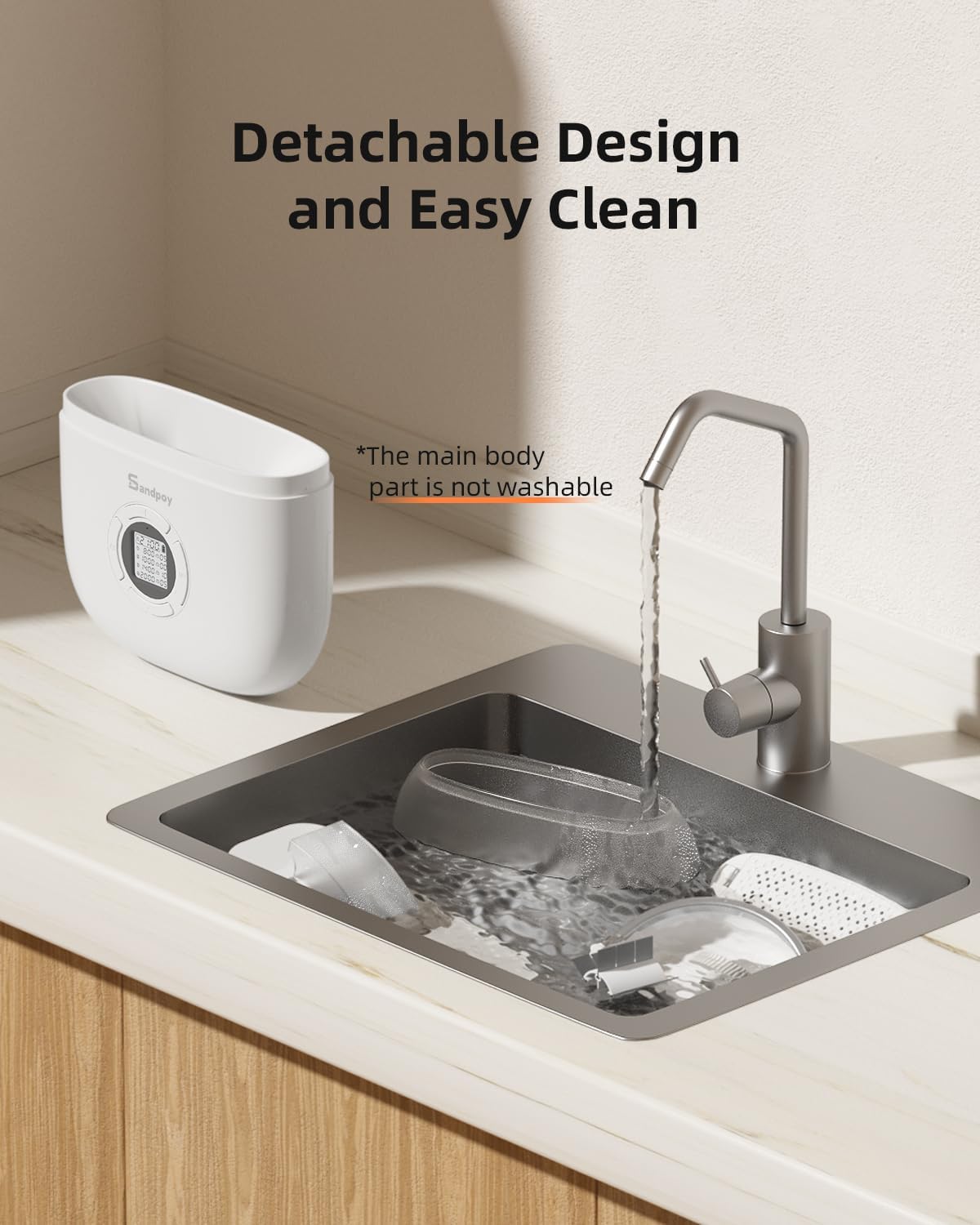
Image 5.1: Detachable components allow for easy cleaning of the food bowl and outlet. The main unit should be wiped with a dry towel.
5.2 Desiccant Bag Replacement
The desiccant bag helps keep the pet food dry and fresh. It is recommended to replace the desiccant bag every 30 days to maintain optimal food freshness.

Image 5.2: The feeder's dual seal and desiccant system ensure food freshness. Replace desiccant every 30 days.
6. Troubleshooting
- Feeder not dispensing food: Check if the food hopper is filled, the food outlet is clear, and the feeder is powered on (either via USB or fresh batteries). Ensure no food is clogging the mechanism.
- Incorrect feeding times/portions: Re-enter the programming schedule as described in Section 4.2. Verify the current time is set correctly.
- Food not fresh: Ensure the desiccant bag is replaced regularly (every 30 days) and the top lid is securely closed to maintain an airtight seal.
- Feeder unstable on cage: Confirm the rotary knob is tightened securely and the cage wires are within the recommended gap range (0.8-1.7 inches).
7. Specifications
| Feature | Detail |
|---|---|
| Brand | Sandpoy |
| Model Number | F15-L |
| Product Dimensions | 24 x 8.74 x 31.67 cm |
| Item Weight | 1.64 kg |
| Material | Polyethylene Terephthalate |
| Target Species | Rabbit, Cat, Dog (Small Animals) |
| Recommended Uses | Multiple Pets |
| Special Features | Adjustable, Durable, Feeding Schedule, Portion Control |
| Food Capacity | 1.8 Liters (approx. 3.8 lbs) |
| Power Options | USB Adapter, 2 'D' Batteries (not included) |
8. Warranty and Support
Sandpoy is committed to providing high-quality products and excellent customer service. Your Sandpoy F15-L Automatic Hanging Pet Feeder comes with:
- 2-Year Warranty: Covering manufacturing defects and malfunctions under normal use.
- Lifetime Technical Support: Assistance with product setup, operation, and troubleshooting.
- 24/7 Quick Response: Dedicated support team available to answer your queries promptly.
- Local Phone Service: For direct assistance in your region.
For any inquiries or support needs, please contact Sandpoy customer service via online email or local phone service.


