
Introduction
The Alphawolf LPad1 is a 10-inch Android 14 tablet designed for a versatile user experience, combining entertainment and productivity. It features a powerful UNISOC T606 octa-core processor, 8GB of RAM, and 128GB of internal storage, expandable up to 2TB. The tablet boasts a 1920x1200 IPS Full HD display with Widevine L1 support, ensuring high-quality streaming from popular platforms. Advanced features include dual-band Wi-Fi, Bluetooth 5.0, GPS, face recognition, and a 5500mAh battery for extended use.

Image: The Alphawolf LPad1 tablet displaying multiple applications, highlighting its Android 14 operating system and Widevine L1 support.
Setup
1. Unboxing and Initial Charge
Carefully remove all components from the packaging. Before first use, fully charge the tablet using the provided USB Type-C cable and power adapter.

Image: An illustration showing the Alphawolf LPad1 tablet, its dimensions, port locations, and the included accessories: USB Type-C cable, power adapter, and user manual.
2. Power On and Initial Configuration
Press and hold the power button until the screen lights up. Follow the on-screen prompts to select your language, connect to a Wi-Fi network (supports 2.4GHz and 5GHz), and set up your Google account. The tablet is GMS certified, allowing full access to Google Play Store services.
3. MicroSD Card Installation (Optional)
To expand storage, locate the card slot on the side of the tablet. Insert a microSD card (up to 2TB, sold separately) into the slot until it clicks into place. The tablet will recognize the new storage automatically.

Image: A close-up of the Alphawolf LPad1 tablet highlighting the Micro SD card slot for expandable storage.
Operating Instructions
Android 14 Operating System
The Alphawolf LPad1 runs on the Android 14 operating system, offering enhanced customization, improved multitasking capabilities, robust security features, and advanced privacy controls. This version provides a smoother and more responsive user experience for app launching and switching.

Image: A visual representation of the Android 14 operating system interface on the Alphawolf LPad1 tablet, showcasing its features like GMS certification, privacy protection, system stability, multitasking, parental controls, and improved performance.
Display and Visuals
The tablet features a 10.1-inch Full HD IPS display with a resolution of 1920x1200 pixels. This provides vibrant colors and wide viewing angles, minimizing color shift and distortion. The display offers 400 nits brightness and a 16:10 aspect ratio for an immersive viewing experience. It also has TUV Blue Light certification to reduce eye strain.

Image: The Alphawolf LPad1 tablet displaying a high-resolution image, illustrating its 10.1-inch FHD display with 1920x1200 resolution, Widevine L1 support, and 400 nits brightness.
Performance and Storage
Powered by a UNISOC T606 octa-core processor (2.2 GHz) and Mali-G57 GPU, the LPad1 handles multitasking and applications efficiently. It comes with 8GB of RAM (4GB physical + 4GB virtual) and 128GB of internal storage, which can be expanded up to 2TB using a microSD card.

Image: A diagram illustrating the UNISOC T606 octa-core processor, its architecture, and the tablet's memory configuration (8GB RAM, 128GB ROM, up to 2TB expandable storage).
Multimedia and Entertainment
The tablet supports Widevine L1, enabling 1080P HD video playback on streaming services like Netflix, Amazon Prime Video, Disney+, and Hulu. It features dual stereo speakers for an immersive audio experience and a 3.5mm headphone jack for private listening.

Image: A comparison showing the difference between Widevine L1 (1080P) and L3 (720P) video quality on the Alphawolf LPad1, with logos of supported streaming services.

Image: An illustration highlighting the dual stereo speakers of the Alphawolf LPad1, indicating enhanced audio for music and videos.

Image: A user enjoying audio with headphones connected to the 3.5mm jack on the Alphawolf LPad1 tablet, emphasizing clear sound and seamless connection.
Cameras and Security
The tablet is equipped with a 5MP front camera and an 8MP rear camera, suitable for video calls and capturing moments. For security, it includes a face recognition unlock feature for convenient access.
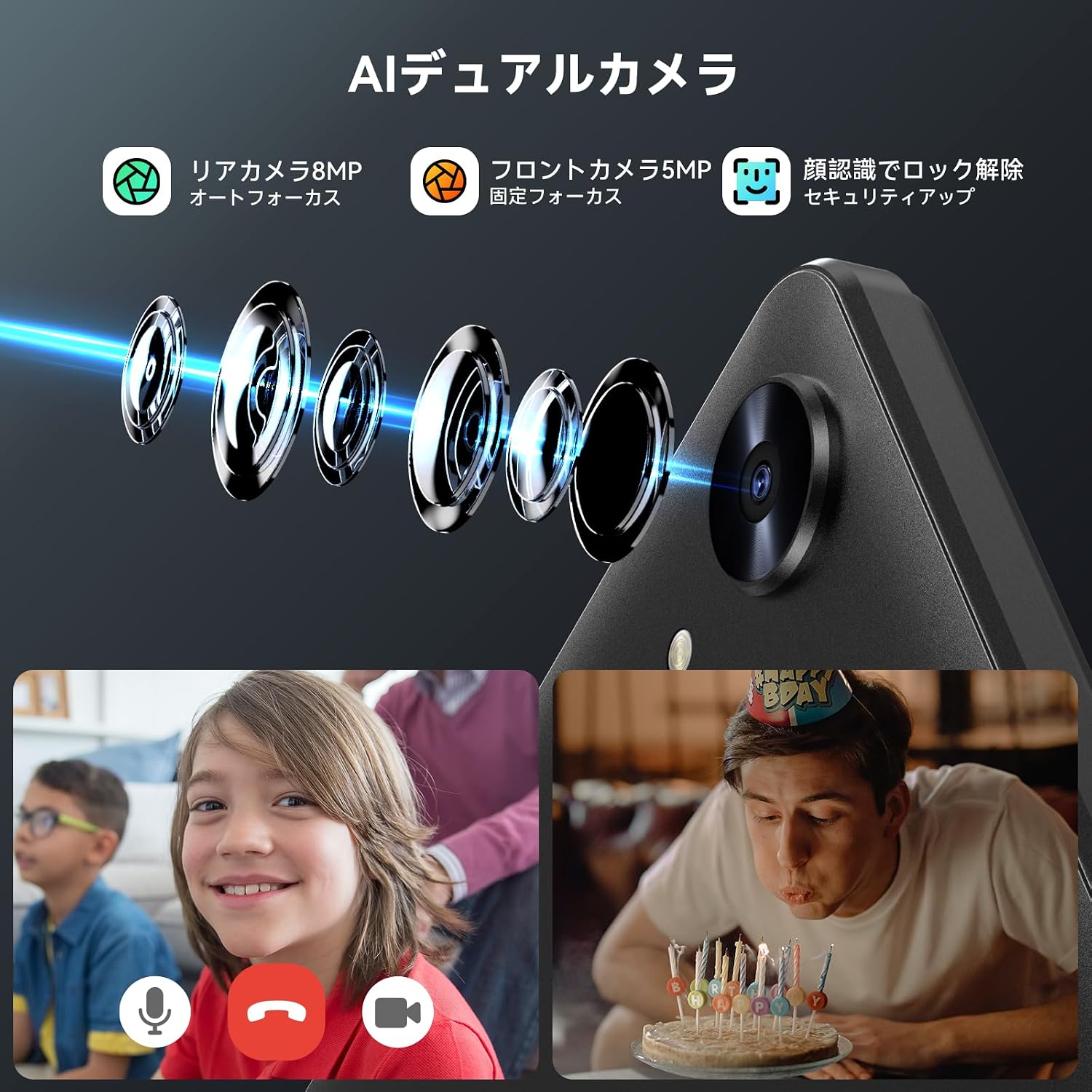
Image: A visual demonstrating the AI dual camera system (5MP front, 8MP rear) and the face recognition unlock feature of the Alphawolf LPad1 tablet.
Connectivity and Location
The LPad1 supports dual-band Wi-Fi (2.4GHz/5GHz) for stable and fast internet connectivity, along with Bluetooth 5.0 for wireless peripheral connections. It integrates a 4-in-1 satellite positioning system (GPS+Beidou+Galileo+Glonass) for accurate navigation worldwide.

Image: The Alphawolf LPad1 tablet showcasing its 2.4G/5G Wi-Fi, Bluetooth 5.0, and 4-in-1 GPS capabilities, including a map display in a car.
Battery Life
A 5500mAh battery provides extended usage time. The tablet charges via a USB Type-C port and supports OTG (On-The-Go) functionality.

Image: The Alphawolf LPad1 tablet being charged via its USB Type-C port, emphasizing its 5500mAh battery capacity and versatile usage scenarios.
Special Features
- Wireless Projection: Cast your tablet screen to compatible displays.
- Parental Controls: Utilize Google Kids Space for managing screen time, app usage, and device location for children.
- Split Screen Function: Use two applications simultaneously for enhanced productivity.

Image: A child using the Alphawolf LPad1 tablet, illustrating the parental control features and Google Kids Space integration for safe usage.

Image: A demonstration of the split-screen function on the Alphawolf LPad1 tablet, showing two applications running side-by-side.
Maintenance
Battery Care
- Avoid fully discharging the battery frequently.
- Do not expose the tablet to extreme temperatures (hot or cold).
- Use only the provided charger or a certified equivalent.
Cleaning the Device
- Use a soft, lint-free cloth to clean the screen and body.
- For stubborn smudges, slightly dampen the cloth with water or a screen cleaner.
- Avoid using harsh chemicals or abrasive materials.
Software Updates
Regularly check for and install system updates to ensure optimal performance, security, and access to new features. Go to Settings > System > System update.
Storage Management
Periodically review and delete unnecessary files, apps, and media to free up storage space and maintain tablet speed. Utilize the microSD card for large files.
Troubleshooting
Common Issues and Solutions
- Tablet not turning on: Ensure the battery is charged. Connect to the charger and wait a few minutes before attempting to power on again.
- Wi-Fi connection issues: Restart the tablet and your Wi-Fi router. Ensure you are within range and have entered the correct password.
- Apps freezing or crashing: Close the problematic app and reopen it. If the issue persists, clear the app's cache (Settings > Apps > [App Name] > Storage > Clear cache).
- Slow performance: Close unused apps, clear cache, and ensure sufficient free storage space.
Video Streaming App Playback Errors
If you encounter freezing or stuttering during video playback on streaming apps (e.g., Hulu, Amazon Prime Video), follow these steps:
- Go to Tablet Settings > Tablet Information. Tap on Build Number 7 times to enable Developer Options.
- Navigate to Tablet Settings > System > Developer Options. Turn off the Disable HW overlay option.
- For Amazon Prime Video specifically, open the app, go to its Settings > Streaming Playback/Download, and turn off the Performance Improvement Mode.

Image: Instructions detailing how to resolve video streaming playback errors on the Alphawolf LPad1 tablet by adjusting system and app settings.
Specifications
| Brand | Alphawolf |
| Model Name | LPad1 |
| Operating System | Android 14 |
| CPU | UNISOC T606 Octa-core (2.2 GHz) |
| GPU | Mali-G57 |
| RAM | 8GB (4GB physical + 4GB virtual) |
| Internal Storage | 128GB |
| Expandable Storage | Up to 2TB via microSD card |
| Display Size | 10.1 inches |
| Display Resolution | 1920x1200 IPS FHD |
| Brightness | 400 nits |
| Aspect Ratio | 16:10 |
| Front Camera | 5MP |
| Rear Camera | 8MP |
| Battery Capacity | 5500mAh (Lithium Ion) |
| Average Battery Life | 10 Hours |
| Charging Port | USB Type-C |
| Headphone Jack | 3.5mm |
| Wi-Fi | 2.4G/5G (802.11ac, 802.11n) |
| Bluetooth | Bluetooth 5.0 |
| GPS | GPS, Beidou, Galileo, Glonass |
| Security Features | Face Recognition |
| Dimensions (L x W x H) | 22.9 x 15.2 x 0.8 cm |
| Weight | 500 grams |
Warranty and Support
The Alphawolf LPad1 tablet comes with a one-year warranty from the date of purchase. This warranty covers manufacturing defects and ensures free repair or exchange in case of initial defects or issues encountered during normal use.
Contacting Support
For any inquiries or support requests, please use one of the following methods:
- Via Amazon Account (After Purchase):
- Go to your "Amazon Account".
- Select "Order History".
- Find the relevant order for your Alphawolf LPad1.
- Click "Contact Seller" and send your inquiry.
- Via Product Page (Before Purchase):
- On the product page, click on "Alphawolf Official Store".
- Click "Ask a Question" to send an email.
- Via Email: The email address for support is listed on the back of the product box.
Support operating hours are Monday to Friday, 10:00 AM to 7:00 PM (Japan Standard Time).

Image: A customer service representative with a headset, symbolizing the available after-sales support and one-year quality guarantee for Alphawolf products.